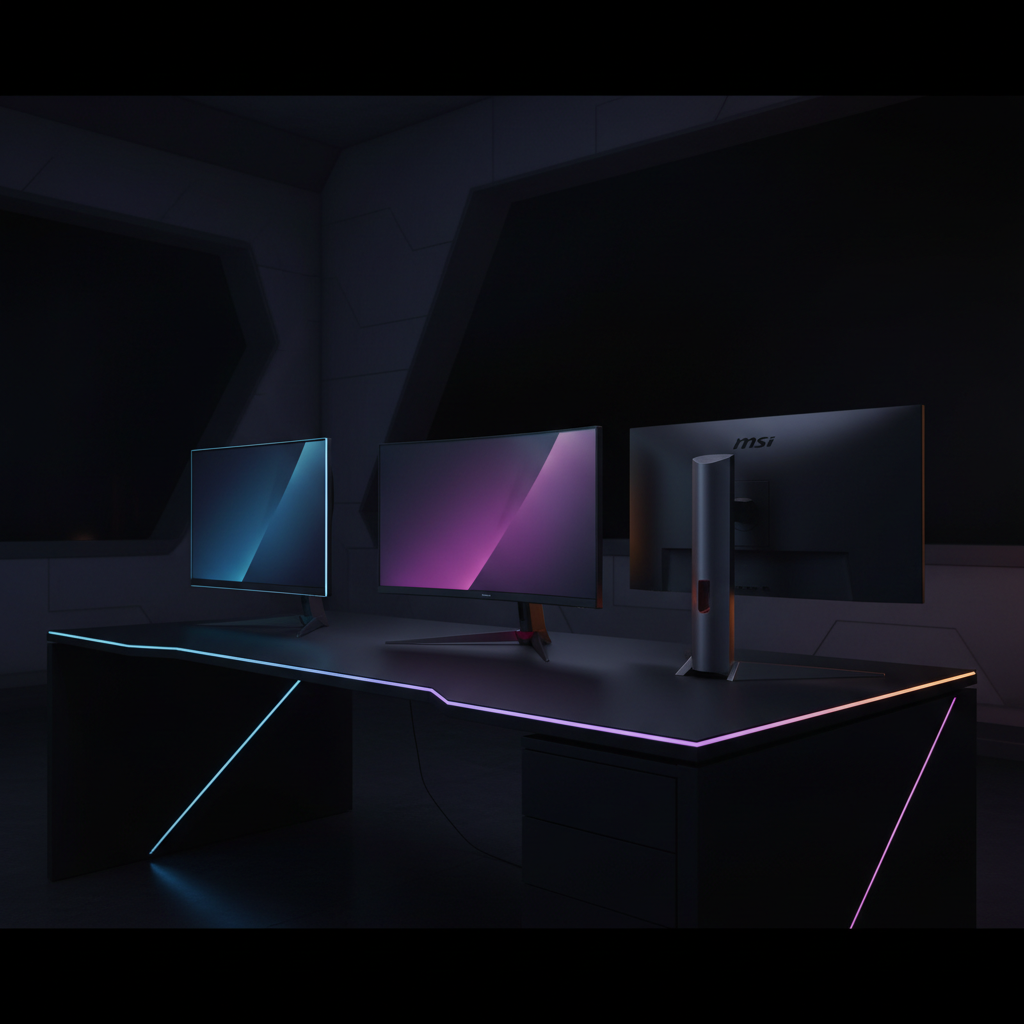
We’ve lined up 11 QHD (1440p) gaming monitors to help you sort through the options, from budget‑friendly choices to premium powerhouses. On the low‑end you’ll find the Alienware AW2725DM at $188.99 with a solid 4.7/5 rating, the MSI MAG 274QF X24, LG 27G640A‑B (which pushes a 300 Hz refresh), and the Samsung Odyssey G55C. Mid‑range picks include the MSI MAG 274QRFW X32 and the HP OMEN 32Q, while the premium tier showcases the Samsung Odyssey G50D (180 Hz refresh, $309.99, 4.4/5), KTC H32S25E ($309.99, 4.4/5, 3,449 reviews), LG 27GR95QE‑B and the Asus XG27AQDMG.
Each monitor brings a different balance of price, performance and features. If you’re after the most bang for your buck, the budget segment offers high refresh rates—up to 300 Hz—and decent color coverage without breaking the bank. The mid‑range models add higher refresh caps and more ergonomic tweaks, while the premium options deliver top‑tier brightness, ultra‑fast response times and broader color gamuts. We’ll break down how these strengths line up with real‑world gaming scenarios so you can pick the right screen for your setup.

Alienware AW2725DM
Its peak brightness of 450 cd/m² delivers vivid QHD visuals, underpinning its top rating and strong value for entry‑level buyers.

Samsung Odyssey G50D
Ideal for buyers willing to invest in a proven, high‑quality QHD experience, it sits about $121 higher than the Best Overall model.

MSI MAG 274QF X24
Stands out with a 93 % Adobe RGB color gamut, catering to users needing precise color accuracy despite a lower 250 cd/m² brightness.
Also considered
Score Analysis
Key score advantages vs. runner-up (Samsung Odyssey G50D)
Price Range
Alienware AW2725DM
$199.99
Samsung Odyssey G50D
$328.99
MSI MAG 274QF X24
$199.99

MSI MAG 274QRFW X32
$299.99

KTC H32S25E
$309.99

Asus XG27AQDMG
$587.99
LG 27G640A-B
$296.99

Samsung Odyssey G55C
$286.00
LG 27GR95QE-B
$486.49

HP OMEN 32Q
$299.99
Gigabyte GS27QA SA
$159.99
Spec Comparison
TL;DR: The Alienware AW2725DM delivers a 27‑inch QHD fast‑IPS panel with 180 Hz refresh, 1 ms GTG response and 3.4 ms input lag at a budget‑friendly $188.99.
This monitor’s standout spec is its 27‑inch, 2560 × 1440 fast‑IPS panel that pushes up to 180 Hz via DisplayPort and 144 Hz over HDMI 2.1. In extreme mode the panel reaches a 1 ms GTG response, while the listed input lag of 3.4 ms keeps fast‑paced shooters feeling immediate.
At $188.99 it lands on the cheaper side of the eleven‑product roundup, making it more affordable than many of its peers. Its 14.48 lb weight’s essentially the same as the MSI MAG 274QF X24 and noticeably lighter than the bulkier MSI MAG 274QRFW, while still feeling solid on a desk.
Reviewers consistently highlight the buttery‑smooth gameplay and the convenience of the bottom‑center joystick for OSD navigation. The customizable RGB lighting also earns praise for adding a personal touch. On the downside, users note that the DisplayHDR 400 peak brightness of 400 cd/m² (450 cd/m² peak) feels underwhelming for true HDR content, and the lack of built‑in speakers forces a separate audio solution. Professional reviewers point out that HDMI 2.1 on this model omits FRL, eARC and ALLM support, disappointing many console owners.
Beyond performance, the AW2725DM covers a solid color gamut with 95 % DCI‑P3 coverage and 1.07 billion 30‑bit colors, delivering vivid mids and accurate whites. The ergonomic stand offers 0–110 mm height adjustment, ±20° swivel, -5° to +21° tilt and ±90° pivot, plus a 100 × 100 mm VESA mount for flexible setups. Low‑blue‑light ComfortView Plus helps reduce eye strain during long sessions.
Pros
Cons
Best for: Mid‑range PC or console gamers who want a high‑refresh QHD experience without overspending.
Avoid if: You need premium HDR brightness, integrated speakers, or full HDMI 2.1 feature set for next‑gen console use.
“HDR is too dim”
“smooth 120 Hz gameplay on PS5, especially in titles like Battlefield 6”
TL;DR: The Samsung Odyssey G50D offers a 32‑inch QHD panel with 180 Hz refresh, 1 ms response and an ergonomic stand for $309.99, making it a solid mid‑tier gaming choice.
The standout spec is the 180 Hz refresh rate paired with a 1 ms gray‑to‑gray response time, which Samsung markets as “ultra‑smooth” for fast‑paced titles. At 32 inches and a native 2560 × 1440 resolution, the Fast IPS panel delivers 99% sRGB coverage and a peak brightness of 350 cd/m², giving vivid colors and decent HDR for a DisplayHDR 400‑rated screen. The monitor weighs 16.3 lbs and includes a single 3.5 mm headphone jack, one HDMI 2.0 port and one DisplayPort 1.2.
Compared with the other ten monitors in this roundup, the G50D is heavier than the KTC H32S25E (which tips the scales at about 13 lbs) and offers fewer connectivity options—KTC lists two HDMI and two DisplayPort connections, while Samsung provides just one of each and no USB hub. Its 180 Hz refresh sits below the 320 Hz found on the MSI MAG 274QRFW X32, but it still outpaces many peers that cap at 165 Hz or 300 Hz. The fully adjustable stand (height, tilt, swivel, pivot) is rare in this price segment, giving it an ergonomic edge over models that lack such flexibility.
Reviewers consistently praise the G50D for its buttery‑smooth gameplay and the flexibility of its stand, noting that the combination of high refresh and fast response makes competitive shooters feel responsive. Users also highlight the value proposition, pointing to the 4.4/5‑star rating from 711 reviews as evidence of broad satisfaction. The most common criticisms focus on the limited port selection—especially the single HDMI—and the entry‑level HDR 400 implementation, which some find underwhelming for HDR‑heavy content.
Pros
Cons
Best for: Mid‑tier PC gamers who want a high‑refresh QHD display with strong ergonomics without breaking the bank.
Avoid if: You need premium HDR brightness, multiple HDMI/USB ports, or built‑in speakers for a streamlined setup.
“Amazing budget monitor for 1440p gaming.”
“The persistent "register your product" pop‑up is really annoying.”
TL;DR: The MSI MAG 274QF X24 delivers a 27‑inch QHD panel with a 240 Hz refresh rate, 0.5 ms MPRT response, and a wide 130 % sRGB color gamut for fast, colorful gameplay.
The standout spec is its 240 Hz variable refresh rate that stretches from 48 Hz up to 240 Hz, paired with a 0.5 ms MPRT response time. Combined with a 1 ms GtG response, the monitor promises minimal motion blur during competitive shooters. Its Rapid IPS panel supports 30‑bit color depth (1,073,741,824 colors) and reaches 130 % of the sRGB gamut, while HDR10 provides 250 cd/m² brightness.
Compared with the other ten monitors in this roundup, the MAG 274QF X24 sits in the middle of the refresh‑rate spectrum: faster than Samsung’s 165 Hz Odyssey G55C but slower than LG’s 300 Hz 27G640A‑B. Its brightness of 250 cd/m² is lower than Alienware’s 400 cd/m² typical output and Gigabyte’s 300 cd/m², yet it matches the typical 250 cd/m² level of many budget‑oriented panels. At 14.5 pounds, it's about the same weight as Alienware’s AW2725DM (14.48 pounds) and lighter than MSI’s own MAG 274QRFW X32 (20.5 pounds), though a touch heavier than LG’s 12.1‑pound unit.
Professional reviewers praise the monitor’s “responsive performance with rapid 240 Hz refresh” and “vibrant colors thanks to the wide DCI‑P3 gamut.” Everyday users echo this, noting buttery‑smooth gameplay and eye‑comfort features like Anti‑Flicker and Low Blue Light. Common complaints focus on the limited HDR brightness, the lack of height or swivel adjustments, and the absence of built‑in speakers or USB hubs.
In practice, the Rapid IPS technology delivers 10‑bit color via FRC, while AI Vision software claims to boost brightness, saturation, and dark‑area detail. The anti‑glare matte coating helps reduce reflections in bright rooms, and the tilt‑only stand offers a -5° to +20° range for basic positioning.
Pros
Cons
Best for: Competitive gamers and esports fans who need ultra‑high refresh rates and fast response times, plus anyone who values a wide color gamut on a 27‑inch QHD screen.
Avoid if: You prioritize high‑brightness HDR performance, extensive ergonomic adjustments, built‑in audio, or a USB hub for accessories.
“Incredibly smooth gameplay at 240 Hz — perfect for CS2 and Valorant.”
“Colors pop beautifully — better than”
TL;DR: The MSI MAG 274QRFW X32 delivers a blistering 320 Hz refresh and 0.5 ms response on a 27‑inch QHD Rapid IPS panel, but its $299.99 price and lack of USB ports may deter budget‑focused buyers.
The monitor’s headline spec is its 320 Hz refresh rate paired with a 0.5 ms gray‑to‑gray response time, both aimed at eliminating motion blur on the 27‑inch (2560 × 1440) Rapid IPS panel. Its 10‑bit (8‑bit + FRC) color depth and 97% DCI‑P3 coverage, plus 129% sRGB, give it a vivid colour palette that stands out in fast‑paced titles.
At 20.5 pounds, it’s heavier than the 13‑pound KTC H32S25E, and its $299.99 price sits above the LG 27G640A‑B, which is positioned at a lower price tier. The MSI provides two HDMI 2.1 ports, whereas the Samsung Odyssey G55C offers only a single HDMI connection, giving the MSI an edge in modern console compatibility. Its 320 Hz refresh also outpaces the HP OMEN 32Q, which lists a typical brightness of 400 nits but does not claim a comparable high refresh rate.
Reviewers consistently praise the ultra‑smooth motion and vivid colour reproduction, noting that the ergonomic stand with height, tilt, swivel and pivot adjustments makes long gaming sessions comfortable. However, users flag the absence of USB ports and the bulky barrel‑type power brick as inconvenient, and users often describe the joystick‑based OSD that doubles as the power button as unintuitive.
Beyond speed, the monitor supports VESA DisplayHDR 400 with a peak HDR brightness of 400 cd/m² and a standard SDR brightness of 300 cd/m². Its dynamic contrast ratio of 100,000,000:1 and static contrast of 1000:1 help deliver deeper blacks and brighter highlights, while the 178° viewing angles ensure colour consistency from side‑to‑side.
Pros
Cons
Best for: Competitive gamers who need the highest refresh rates and accurate colours at QHD resolution.
Avoid if: You're shopping on a tight budget — it's priced at $299.99.
“Incredibly smooth gameplay at 240 Hz — perfect for CS2 and Valorant.”
“Colors pop beautifully — better than”
TL;DR: The KTC H32S25E packs a 32‑inch 1000R curved VA panel with a 240 Hz refresh rate, 1 ms GTG response, and a 4370:1 measured contrast ratio at a solid $309.99 price.
The standout spec is the 240 Hz refresh combined with a 1 ms GTG response time, which promises ultra‑smooth motion for fast‑paced games. Its 32‑inch diagonal and 1000 mm curvature radius create an immersive field of view, while the VA panel delivers deep blacks thanks to a measured contrast ratio of 4370:1.
Compared with the other ten monitors in this roundup, the H32S25E refreshes faster than the Samsung Odyssey G50D (180 Hz) and the Samsung Odyssey G55C (165 Hz), yet it falls below the MSI MAG 274QRFW X32’s 320 Hz and the LG 27G640A‑B’s 300 Hz. At 13.007273458 pounds it's heavier than the LG 27G640A‑B (12.1 pounds) and the Samsung Odyssey G55C (11.5 pounds), but it's lighter than the Samsung Odyssey G50D (16.3 pounds) and the MSI MAG 274QRFW X32 (20.5 pounds). Brightness peaks at 385 nits (measured) and 350 nits typical, putting it in the same ballpark as the 350‑400 nits range reported for most peers.
Users repeatedly praise the monitor’s buttery‑smooth gameplay and vivid colors, noting the 91 % Adobe RGB, 93 % DCI‑P3, and 99 % sRGB coverage as a strong point for immersive visuals. Professional reviewers highlight the high contrast and minimal ghosting, but they also flag the absence of HDMI 2.1, noticeable backlight bleed in dark scenes, and a lack of height or swivel adjustments.
Pros
Cons
Best for: Competitive PC gamers who need high refresh rates and low input lag in a vibrant, immersive package.
Avoid if: You rely on HDMI 2.1 for console gaming or require professional‑grade color accuracy and extensive ergonomic adjustments.
“Incredibly smooth gameplay at 240Hz”
“Colors pop, and the curve makes games feel immersive”
TL;DR: The Asus XG27AQDMG delivers OLED‑level contrast, a blister‑fast 0.03 ms response time and HDR brightness, but its glossy screen and $604.99 price make it a premium‑only choice.
What really sets this monitor apart is its 0.03 ms gray‑to‑gray response time paired with a 1,500,000:1 static contrast ratio, giving you virtually invisible motion blur and true‑black depth that most LCDs can’t match. The panel also pushes a peak HDR brightness of 1,300 cd/m², so highlights pop even in dark scenes. With a typical SDR brightness of 260‑275 cd/m² and a 10‑bit colour depth, the display can render over a billion shades without banding.
Compared with the other ten monitors in the roundup, the XG27AQDMG is heavier than the KTC H32S25E, which weighs 13.007273458 pounds, yet lighter than the LG 27GR95QE‑B at 16.2 pounds. It also offers two HDMI 2.0 ports, whereas the Samsung Odyssey G50D provides only a single HDMI connection. The monitor’s USB‑C‑free setup still includes two USB 3.2 Gen 1 Type‑A ports, a feature the MSI MAG 274QRFW X32 lacks entirely. Its pivot range of –90° to +90° and swivel of –45° to +45° give more ergonomic flexibility than the HP OMEN 32Q, which lists only a fixed orientation.
Reviewers consistently praise the infinite blacks and the buttery‑smooth 240 Hz gameplay that the OLED panel delivers, and call the visual experience “near‑perfect” for competitive titles. However, users note that the glossy surface can reflect ambient light, making bright rooms a challenge. The built‑in OLED Care suite—including a custom heatsink, pixel cleaning and a Neo Proximity Sensor—helps mitigate burn‑in concerns, but some owners still worry about static UI elements over long sessions. The monitor also lacks built‑in speakers, so you’ll need external audio.
The XG27AQDMG packs several ROG‑exclusive technologies: OLED Anti‑flicker reduces flicker during rapid refresh changes, and the ELMB (Extreme Low Motion Blur) mode keeps motion crisp at lower frame rates. Its Aura Sync RGB lighting adds a subtle aesthetic touch without distracting from gameplay. With a 3‑year warranty and a power draw under 25 W, it balances high performance with reasonable efficiency.
Pros
Cons
Best for: Those prioritizing quality and willing to pay for premium performance
Avoid if: You're shopping on a tight budget — it's priced at $604.99
“The blacks are infinite — it’s like the screen disappears.”
“Text is razor-sharp, perfect for productivity and gaming.”
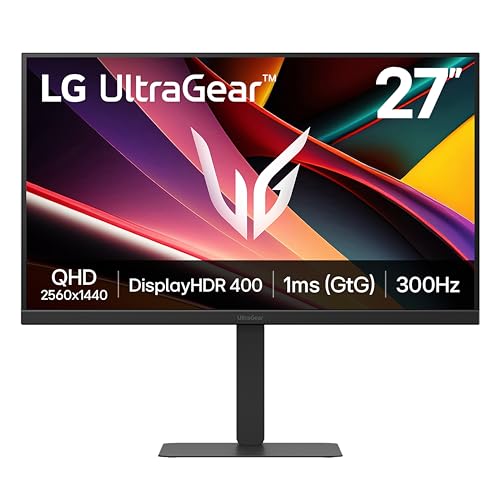
TL;DR: The LG 27G640A-B offers a 27‑inch QHD IPS panel with a 300 Hz refresh rate, 1 ms response time, and built‑in speakers, delivering smooth, colorful gameplay at a budget‑friendly price.
The standout spec on the LG 27G640A‑B is its 300 Hz refresh rate paired with a 1 ms response time. Coupled with a 27‑inch IPS‑type LCD that delivers 2560 × 1440 resolution, 400 cd/m² typical brightness, and a color gamut of 95% DCI‑P3 plus 99% sRGB, the monitor offers both speed and visual fidelity. HDR support tops out at VESA DisplayHDR 400, and the monitor offers a 1300:1 contrast ratio.
When you line it up against the other ten entries, the LG pushes the envelope on refresh speed—its 300 Hz tops the MSI MAG 274QF X24’s 240 Hz maximum. At 12.1 pounds, it’s lighter than the Alienware AW2725DM’s 14.48 pounds, and its 1300:1 contrast ratio beats Alienware’s 1000:1. The panel’s 400 cd/m² brightness also outshines the Samsung Odyssey G55C’s 300 cd/m² typical output, giving a brighter desktop without upping power draw.
User sentiment praises the buttery‑smooth gameplay and the fully adjustable stand, noting the pivot, swivel and tilt make long sessions comfortable. Reviewers also highlight the IPS panel’s color accuracy, which helps creators. On the downside, several owners mention dust particles under the screen and the modest HDR punch; experts note that the HDR impact is limited.
The connectivity suite includes a DisplayPort 1.4, two HDMI 2.1 ports, and a USB‑C 3.2 Gen 1 with 15 W Power Delivery, plus two downstream USB 3.2 ports and a 3.5 mm headphone jack. Built‑in 2 × 5 W speakers with DTS Virtual:X round out the package, while features like AMD FreeSync Premium, NVIDIA G‑Sync compatibility, low‑blue‑light mode, and a 4‑side virtually borderless design also round out the feature set.
Pros
Cons
Best for: Competitive esports gamers and creators who want a fast, color‑accurate QHD monitor without breaking the bank.
Avoid if: You need premium HDR performance, 4K @ 120 Hz console support, or a built‑in KVM switch for workstation use.
“insanely fluid”
“best‑in‑class”
TL;DR: The Samsung Odyssey G55C delivers a 32‑inch 1000R curved QHD panel with 165 Hz refresh and deep 2500:1 contrast at a friendly $279.99 price point.
The standout spec is the 165 Hz refresh rate paired with a 1 ms MPRT response on a 32‑inch VA panel, giving smooth motion at a native 2560 × 1440 resolution. Its typical brightness of 300 cd/m² and HDR10 support round out a solid visual package, while the 99% sRGB coverage keeps colors accurate for most games.
Compared with the other ten monitors, the G55C is noticeably lighter than the MSI MAG 274QRFW X32 (20.5 lb) and the HP OMEN 32Q (about 19.8 lb), and only a touch lighter than the LG 27G640A‑B (12.1 lb). Its 165 Hz panel sits below the MSI’s 320 Hz ultra‑high refresh but still outpaces many mid‑range models, and its 300 cd/m² typical brightness matches MSI’s SDR level while falling short of HP’s 400‑nit typical output.
Users rave about the immersive 1000R curve and the deep blacks the 2500:1 static contrast ratio delivers, noting that the monitor feels cinematic for RPGs and story‑driven titles. Professional reviewers also point out the strong FreeSync performance, but they flag the VA panel’s slower GTG response (4‑8 ms) and occasional VRR‑related flicker, which can be a downside for fast‑paced shooters.
Technical notes include a 16:9 aspect ratio, anti‑glare matte finish, and a stand that tilts from –2° to +18°. The monitor also offers a headphone jack, a single DisplayPort 1.4, and HDMI 2.0 inputs, plus customizable RGB lighting on the front bezel.
Pros
Cons
Best for: Casual and mid‑core gamers who want an immersive, well‑reviewed 32‑inch QHD monitor without a premium price tag.
Avoid if: You need ultra‑fast response for competitive esports or demand high‑brightness HDR performance.
“Amazing budget monitor for 1440p gaming.”
“The persistent "register your product" pop‑up is really annoying.”
TL;DR: The LG 27GR95QE-B delivers OLED‑level contrast, a blistering 0.03 ms response and 240 Hz refresh at QHD, but its premium price and modest brightness make it a niche choice.
The standout feature is the OLED panel paired with a 0.03 ms (GtG) response time and a 240 Hz refresh rate, delivering virtually zero motion blur on a 27‑inch (26.5‑inch visible) screen. With a DCI‑P3 98.5% color gamut, 10‑bit color depth and a contrast ratio of 1,500,000:1, the monitor reproduces deep blacks and vivid colors that most LCDs in this roundup can’t match.
Compared with the other ten monitors, the LG sits at a slightly lower price point than the Asus XG27AQDMG but is still pricier than many budget‑oriented options. At 16.2 pounds it's heavier than the Asus (14.8 pounds) and the KTC H32S25E (13.0 pounds), yet lighter than the MSI MAG 274QRFW X32 (20.5 pounds) and the HP OMEN 32Q (19.8 pounds). Its OLED technology and 240 Hz refresh are unique among the peers, most of which rely on LED panels with lower refresh ceilings.
User sentiment praises the “near‑instant” response and the “perfect blacks” that make competitive shooters and simulators feel immersive. Reviewers note the convenience of the included remote controller and the factory‑calibrated color accuracy. However, several owners warn about OLED burn‑in when static HUDs linger, and the typical brightness of 200 cd/m² is low for bright‑room HDR use. The external power adapter also adds desk clutter, a point consumers frequently mention.
Pros
Cons
Best for: Those prioritizing quality and willing to pay for premium performance
Avoid if: You need very high HDR brightness, are concerned about OLED burn‑in, or require built‑in speakers
“The blacks are so deep, it feels like the game is alive.”
“Zero motion blur—perfect for competitive shooters.”
TL;DR: The HP Omen 32Q delivers a 31.5‑inch QHD IPS panel with 165 Hz refresh, 400 nits brightness, and HDR400, offering vibrant colors and smooth gameplay at a mid‑range price.
The monitor’s 31.5‑in diagonal IPS panel resolves 2560 × 1440 pixels and pushes a 165 Hz refresh rate, while a 1 ms overdrive response time keeps motion blur to a minimum. Brightness peaks at 400 nits and the screen covers 99 % sRGB and 95 % DCI‑P3, earning VESA DisplayHDR 400 certification and a dynamic contrast ratio of 10,000,000:1. The measured static contrast sits at 765:1, and the unit weighs 19.80 lb.
Compared with peers, the Omen’s 165 Hz refresh is lower than the MSI MAG 274QRFW X32’s 320 Hz but matches the Samsung Odyssey G55C’s 165 Hz. At 19.80 lb it’s slightly lighter than the MSI’s 20.5 lb frame yet heavier than the KTC H32S25E (13.0 lb) and Samsung Odyssey G55C (11.5 lb). The Omen offers two HDMI 2.0 ports, outpacing the Samsung Odyssey G50D’s single HDMI, and aligns with the KTC H32S25E’s dual HDMI count. Brightness of 400 nits exceeds the Samsung Odyssey G50D’s 350 cd/m² and matches the LG 27G640A‑B’s 400 cd/m², while the KTC’s measured 385 nits sits just below.
Reviewers consistently praise the vivid, color‑accurate image and the strong HDR performance for a DisplayHDR 400 panel. Professionals note the out‑of‑box calibration as a standout feature. Users also appreciate the sub‑1 ms input lag and the ergonomic stand. The most common complaints target the lower native contrast of 765:1 versus the advertised 1000:1, the absence of built‑in speakers, and the lack of any USB‑C or USB hub ports, which some buyers expected.
Beyond the display, the Omen carries Eyesafe® certification and VESA ClearMR 6000 certification for reduced blue‑light exposure. Adaptive sync works with AMD FreeSync Premium (48–165 Hz) and works with G‑Sync, while flicker‑free technology adds comfort during long sessions. The stand provides height adjustment, swivel, pivot and a tilt range of –5° to +20°, and it fits a standard 100 × 100 mm VESA mount.
Pros
Cons
Best for: Most users seeking a balanced, mainstream option
Avoid if: You need advanced features or professional‑grade performance
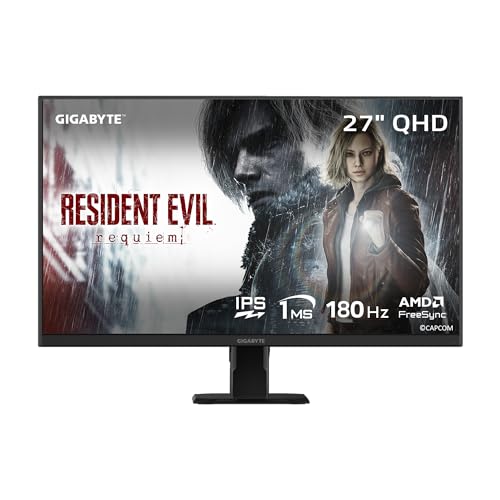
TL;DR: The Gigabyte GS27QA SA offers a 27‑inch QHD SuperSpeed IPS panel with 180 Hz refresh and 1 ms response, but its modest brightness and lack of ergonomic adjustments keep it in the budget lane.
The standout feature is its 180 Hz refresh rate paired with a 1 ms MPRT response time on a Super Speed IPS panel, delivering fluid motion across the 27‑inch QHD screen. With 100% sRGB coverage and a 300 cd/m² brightness level, colors appear vivid while the 1000:1 contrast ratio provides decent depth for gaming.
Compared with the other ten monitors in this roundup, the GS27QA SA is heavier than the LG 27G640A‑B’s 12.1‑pound chassis, while matching the Samsung Odyssey G55C’s 300 cd/m² brightness but falling short of the Alienware AW2725DM’s 450 cd/m² peak output. Its 180 Hz refresh sits between the higher‑end 240‑Hz and 300‑Hz panels of the MSI MAG 274QF X24 and LG model, yet outpaces Samsung’s 165 Hz offering. Contrast‑wise, it shares the same 1000:1 ratio as the Alienware unit.
Users consistently praise the monitor’s vivid color reproduction and the ultra‑smooth gameplay enabled by the high refresh and rapid response. The built‑in Black Equalizer and other game‑assist tools get positive mentions, while reviewers frequently describe the stand as wobbly and note that the lack of height, swivel, or pivot adjustment limits ergonomic comfort. Some reviewers also note occasional backlight bleed in darker scenes and a basic HDR implementation.
Best for: Entry-level buyers or those on a tight budget
Avoid if: Reliability and user satisfaction are your top concerns
Pros
Cons
“Users report vibrant, sharp image quality at QHD resolution”
“Smooth gameplay in fast‑paced titles (e.g., FPS, racing games)”
Breakdown
Alienware AW2725DM
Pros
Samsung Odyssey G50D
Pros
MSI MAG 274QF X24
Pros
Cons
MSI MAG 274QRFW X32
Pros
Cons
Based on scoring data and product specs
Personalized picks
Best Overall Pick
Alienware AW2725DM
Best OverallBest for: Entry-level buyers or those on a tight budget
Samsung Odyssey G50D
Best for: Buyers willing to invest in a proven, high-quality option
$328.99+$129.00 vs winner
Skip Gigabyte GS27QA SA if…
Reliability and user satisfaction are your top concerns
The Alienware AW2725DM takes the top spot thanks to its blend of speed and visual fidelity. It pushes a 27‑inch Fast IPS panel to 180 Hz via DisplayPort and hits a 1 ms GTG response in Extreme Mode, while its 3.4 ms input lag keeps reactions razor‑sharp. A 95% DCI‑P3 color gamut and 450 cd/m² peak brightness deliver vivid HDR, and a 4.7‑star rating from 260 reviewers underscores its appeal.
Samsung's Odyssey G50D lands as the runner‑up, especially if you crave a larger canvas for immersive solo play. Its 32‑inch screen delivers the same 180 Hz refresh and 1 ms response time, and a 99% sRGB coverage ensures accurate colors. At a listed price of $309.99, it balances size and performance for gamers who prioritize a bigger view.
For tighter budgets, the Gigabyte GS27QA SA at $159.99 offers the most affordable entry into QHD gaming. Mid‑range shoppers will appreciate the MSI MAG 274QRFW X32 at $299.99, which blends solid specs with a comfortable price tag. If premium features are the goal, the Asus XG27AQDMG at $604.99 provides high‑end performance for enthusiasts willing to invest.
Pick the Alienware AW2725DM now and enjoy the top QHD gaming experience.
At $188.99, the Alienware AW2725DM is about $121 cheaper than the Samsung Odyssey G50D. It also packs a richer feature set, including two HDMI 2.1 ports, USB hub, and customizable RGB lighting, making it a strong value proposition for gamers on a budget.
Please sign in to leave a review
No reviews yet. Be the first to review!
