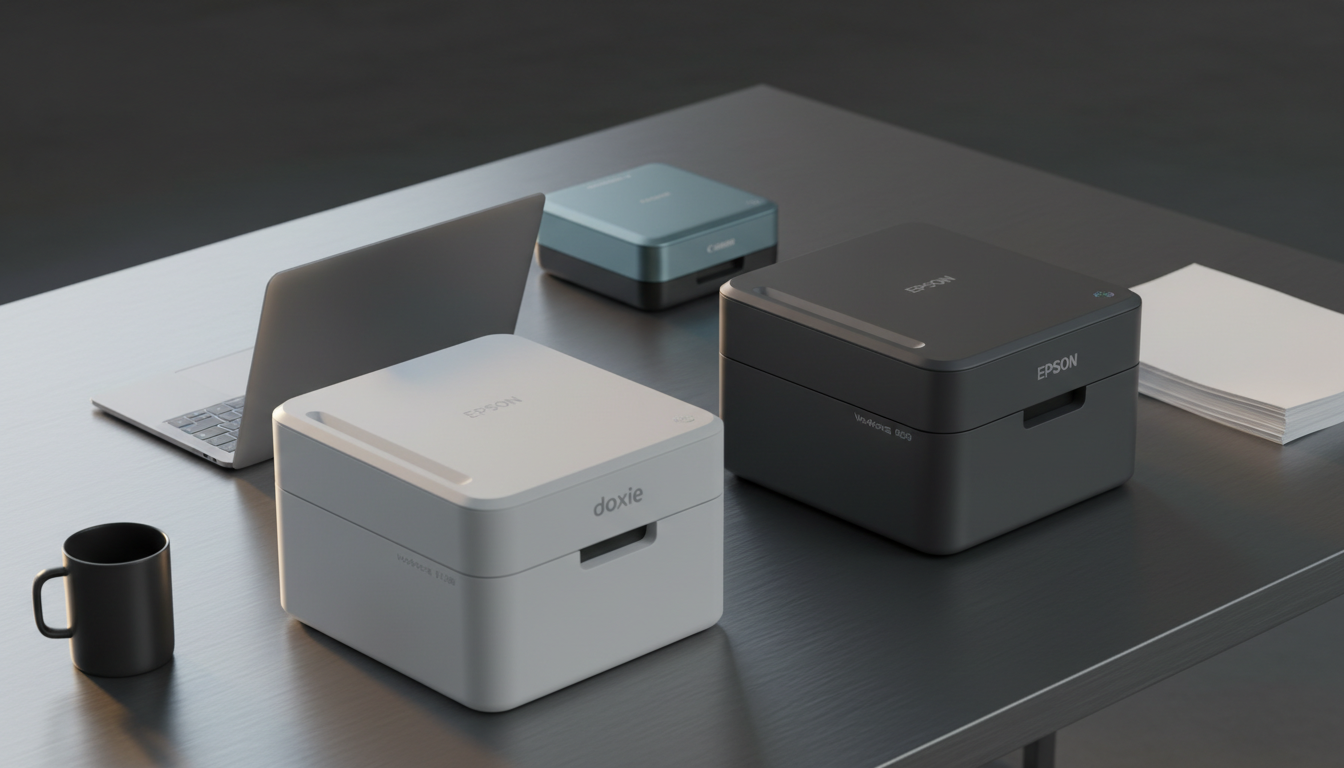
Scanning stacks of paperwork can be a chore, but a scanner with an automatic document feeder (ADF) and duplex capability lets you digitise both sides of a page in one pass. In this roundup we've looked at 6 models that promise fast, two‑sided scanning while fitting on a typical desk. The Doxie Pro DX400 leads the pack with a 4.6 / 5 rating from 648 reviewers and 600 dpi resolution.
The selections span three price tiers. Budget‑friendly options include the Canon imageFORMULA P‑208II at $149.00 and the Xerox DocuMate 3125, both offering ADF capacities of 10 and 50 pages respectively. Mid‑range choices are the Canon R30 and Doxie Pro DX400, each delivering 600 dpi and duplex speeds of up to 50 ipm and 22 ppm. Premium picks – the Epson Workforce ES‑C220 and ScanSnap iX1300 – sit at $279.99 and pack 30 ppm duplex performance plus Wi‑Fi or USB‑C connectivity.
Below we break down each scanner’s strengths, connectivity options and ideal use cases so you'll match the right model to your workflow.

Doxie Pro DX400
Its ultra‑slim 75 mm height lets it fit on tight desks while still delivering full‑feature ADF duplex scanning.

Epson Workforce ES-C220
Ideal for professionals, and it sits about $31 pricier than the Doxie Pro DX400.

Canon imageFORMULA R30
Stands out with a 251 mm depth, giving it a larger internal footprint that can handle bulkier jobs the other two models don’t target.
Also considered
Score Analysis
Key score advantages vs. runner-up (Epson Workforce ES-C220)
Price Range
Doxie Pro DX400
$249.00
Epson Workforce ES-C220
$279.99
Canon imageFORMULA R30
$219.00

Canon imageFORMULA P-208II
$149.00

Xerox DocuMate 3125
$189.95

ScanSnap iX1300
$279.99
Spec Comparison
TL;DR: The Doxie Pro DX400 delivers 600 dpi duplex scanning with a 20‑sheet ADF in a compact 75 mm‑high, 3‑lb body, but it slows at max resolution and only offers wired connectivity.
The standout spec is its 20‑sheet automatic document feeder paired with a 600 dpi optical resolution, all packed into a footprint of 75 mm × 305 mm × 100 mm and a weight of 3.0 pounds. An OLED status display lets you monitor progress, and the scanner includes ABBYY AI‑powered OCR, creating searchable PDFs.
Compared with the other five scanners, the Doxie is lighter than the Canon imageFORMULA R30 (6.6 pounds) and Xerox DocuMate 3125 (5.41 pounds), yet a bit heavier than the Canon P‑208II (1.30 pounds). Its 20‑sheet ADF matches the Epson Workforce ES‑C220’s capacity but falls short of Xerox’s 50‑page feeder, while offering more sheets than the Canon P‑208II’s 10‑sheet tray.
User feedback highlights the compact footprint—about 11.75 × 4 × 3 inches—as ideal for desks or shelves, and reviewers note a fast duplex rate of up to 22 pages per minute. The trade‑off's a slower scan time at the maximum 600 dpi setting (up to 10 seconds per page) and the absence of wireless options, limiting flexibility for mobile setups.
Beyond speed, the scanner supports 24‑bit color depth, handles paper from 2 × 2 in up to 8.5 × 14 in (and up to 8.5 × 118 in at 300 dpi), and works with Mac and PC. Integrated software syncs scans to Dropbox, Evernote, OneNote, and iCloud, while automatic enhancements take care of contrast, rotation, and cropping.
Pros
Cons
Best for: Home and office users seeking a balance of features and value
Avoid if: You need wireless scanning or handle very large batches without frequent ADF reloads
TL;DR: The Epson WorkForce ES-C220 delivers fast 30 ppm duplex scanning, a 20‑sheet ADF, and Energy‑Star efficiency in a compact design that fits small workspaces.
The ES-C220’s standout spec is its 20‑sheet automatic document feeder paired with true duplex scanning at 30 ppm (letter‑size, 300 dpi) and up to 60 ipm in single‑pass mode. Its hardware optical resolution of 600 dpi (interpolated to 1200 dpi) and a peak daily duty cycle of 3500 sheets give you both detail and endurance for busy home‑office tasks.
Compared with the five peers, the Epson sits between the lighter Doxie Pro DX400 (3.0 lb) and the heavier ScanSnap iX1300 (4.4 lb). Its 20‑sheet ADF outpaces the Canon P‑208II’s 10‑sheet feeder but is smaller than the Xerox DocuMate 3125’s 50‑page capacity. While it lacks the ultra‑high speed of the Canon R30’s 50 ipm duplex rate, it offers Wi‑Fi Direct connectivity that many rivals only list as generic Wi‑Fi support.
Professional reviewers highlight the compact footprint that saves roughly 60 % of desk space, a benefit echoed by users who praise the quick setup and the intelligent image adjustments—auto‑crop, blank‑page deletion, and dirt detection—that cut post‑scan editing time. In practice, the Energy‑Star certification and low power draw (3.3 W ready, 1.0 W sleep, 0.1 W off) keep operating costs down.
Pros
Cons
Best for: Those prioritizing quality and willing to pay for premium performance
Avoid if: You're on a tight budget or only need basic functionality
TL;DR: The Canon imageFORMULA R30 delivers 600 dpi scans, a 60‑sheet letter‑size ADF and 50 ipm black‑and‑white duplex speed for $219, making it a solid mid‑range office scanner.
What really sets the R30 apart is its fast duplex performance – it can pull 50 ipm in black‑and‑white mode while maintaining a crisp 600 dpi optical resolution. The first page appears in just 7 seconds for three‑sheet batches, so you can keep a steady workflow going without long pauses. Its ADF holds up to 60 letter‑size sheets (or 40 legal‑size), which is generous for a desktop unit.
Compared with the five other scanners in this roundup, the R30 is heavier than the Doxie Pro DX400, Epson Workforce ES‑C220, ScanSnap iX1300 and Canon P‑208II, but a bit bulkier than the Xerox DocuMate 3125. Its ADF capacity outstrips the Doxie’s 1–20 sheets, Epson’s 20 sheets, ScanSnap’s unspecified capacity and the P‑208II’s 10 sheets, while sitting just below the Xerox’s 50‑page feeder. In speed terms, the R30’s 50 ipm black‑and‑white duplex sits between the Xerox’s 70 ipm and the slower 30 ppm of the Epson and ScanSnap models, and it far exceeds the 16 ipm duplex of the Canon P‑208II.
Professional reviewers note the scanner’s plug‑and‑scan convenience and the bundled CaptureOnTouch Lite OCR software, saying you can start scanning straight from the USB connection without additional drivers. Users appreciate the quick duplex speed for invoices and receipts, but they also point out that colour scanning lags at only 9 ppm simplex and 19 ipm duplex, which can be a bottleneck for high‑volume colour jobs. The lack of Wi‑Fi or Ethernet limits placement flexibility, a common complaint in the feedback.
Beyond speed, the R30 earned ENERGY STAR certification and draws ≤10 W while scanning, with a sleep draw of just 1.0 W and an off draw of ≤0.1 W, keeping operating costs low. Its 24‑bit colour depth and auto‑detect features like deskew and double‑feed detection add reliability without extra software.
Pros
Cons
Best for: Home and office users seeking a balance of features and value
Avoid if: You want the best value‑per‑dollar in its price range
TL;DR: The Canon imageFORMULA P‑208II packs 600 dpi duplex scanning at 16 ipm into a 1.30 lb, 15.25 in‑deep, 10‑sheet ADF device that plugs straight into USB 2.0.
What really sets this scanner apart is its ultra‑compact footprint—15.25 in depth, 4.75 in height and 5.75 in width—and its feather‑light 1.30 lb chassis. Despite the tiny size it still delivers true 600 dpi optical resolution and can pull double‑sided images at up to 16 ipm, with a single‑sided rate of 8 ppm.
When you line it up against the five other models in the roundup, the P‑208II is the lightest option; the Xerox DocuMate 3125, Canon R30, Doxie Pro DX400, Epson Workforce ES‑C220 and ScanSnap iX1300 all weigh at least 3 lb. It also costs less than those rivals, though we don’t quote exact prices here. Speed-wise, the Xerox and Canon R30 sprint at 70 ipm and 50 ipm duplex respectively, so the P‑208II’s 16 ipm is modest—but it’s designed for low‑volume, on‑the‑go use, not a high‑throughput office.
Reviewers consistently praise the “ultra‑slim profile” and the driver‑free “plug‑and‑scan” experience, noting that the built‑in Advanced Text Enhancement II makes searchable PDFs easy to create. The same feedback flags the 10‑sheet ADF as a bottleneck for larger jobs and the lack of native Wi‑Fi as a drawback for users who prefer wireless setups. Professional reviewers also highlight the CMOS CIS 2‑line sensor paired with an RGB LED light source, which helps keep power draw down to 2.5 W active and 1.5 W in sleep mode.
Pros
Cons
Best for: Mobile professionals, travelers, and home users who need a compact, USB‑powered scanner for occasional document digitizing.
Avoid if: You require high‑volume batch scanning, a larger ADF, or built‑in Wi‑Fi for wireless operation.
TL;DR: The Xerox DocuMate 3125 offers a 50‑page ADF, duplex scanning and 70 ipm speed at a budget‑friendly $189.95, making it a solid entry‑level scanner for small offices.
The standout feature is its 50‑page automatic document feeder, which lets you toss a stack of papers and walk away while the unit handles duplex scanning automatically. At 200 dpi resolution it produces searchable PDFs and supports color, grayscale, and black‑and‑white modes, all from a compact chassis that measures 6.5 in × 6.7 in × 11.2 in and weighs 5.41 pounds.
Compared with the other five scanners in this roundup, the DocuMate sits in the middle of the weight range—heavier than the ultra‑light Canon P‑208II (≈1.30 lb) and Doxie Pro DX400 (3.0 lb), but lighter than the Canon R30 (6.6 lb). Its 50‑page ADF outstrips the P‑208II’s 10‑sheet feeder and the Doxie’s 1–20‑sheet capacity, while the Epson ES‑C220 offers a 20‑sheet feeder and the ScanSnap iX1300 does not list a feeder size. In terms of speed, Xerox’s 70 ipm (40 ppm) beats the Epson’s 30 ppm and the ScanSnap’s 30 pages per minute, though the Canon R30’s 50 ipm (B&W duplex) is a bit slower. Resolution‑wise, the DocuMate’s 200 dpi is lower than the 600 dpi of the Canon R30, Canon P‑208II, Doxie Pro DX400, Epson ES‑C220, and ScanSnap iX1300.
Users have given the scanner a 4.1‑star average across 329 reviews. Reviewers frequently praise the large 50‑page feeder and the convenience of automatic duplex scanning, noting that it streamlines multi‑page jobs. A common critique is the modest 200 dpi resolution, which some feel limits image clarity compared with higher‑resolution rivals. A few comments also mention that the price‑to‑feature ratio could be better, especially when higher‑resolution options are available at similar price points.
Pros
Cons
Best for: Entry-level buyers or those on a tight budget
Avoid if: You want the best value‑per‑dollar in its price range
TL;DR: The ScanSnap iX1300 packs a 20‑sheet ADF, 30 ppm duplex speed and Wi‑Fi on a compact 297.2 mm × 83.8 mm × 114.3 mm chassis, but its premium $279.99 price may deter budget‑focused buyers.
This scanner’s standout spec is its 30 pages per minute duplex speed paired with a 20‑sheet automatic document feeder. Dual CIS technology and automatic document size detection help keep scans sharp and correctly oriented without manual tweaks. Built‑in Wi‑Fi works on both 2.4 GHz and 5 GHz bands, so you can send scans straight to Dropbox, Google Drive, OneDrive or Box.
Compared with the five other models in this roundup, the iX1300 sits in the mid‑weight range at 4.4pounds. It’s heavier than the Doxie Pro DX400 (3.0 pounds) and the Epson Workforce ES‑C220 (3.85 pounds), but lighter than the Xerox DocuMate 3125 (5.41 pounds) and the Canon imageFORMULA R30 (6.6 pounds). Its ADF capacity matches the Epson’s 20‑sheet feeder, surpasses the Canon P‑208II’s 10‑sheet limit, yet falls short of the Xerox’s 50‑page feeder. Speed‑wise, the iX1300’s 30 ppm aligns with the Epson’s 30 ppm and outpaces the Canon P‑208II’s 8 ppm, though it’s slower than the Xerox’s 40 ppm.
Professional reviewers highlight the scanner’s quick USB or Wi‑Fi setup and praise its small footprint—its depth of 297.2 mm and height of 83.8 mm let it sit comfortably on a cramped desk. Users consistently note the reliability of its automatic image processing, which includes color detection, de‑skew, blank‑page removal and streak reduction. The inclusion of ABBYY FineReader integration makes direct scans to Word, Excel or PowerPoint a breeze, a point many power users appreciate.
Beyond the basics, the iX1300 supports a long scan length of 3000 mm, letting you handle oversized documents with an optional carrier sheet. Cloud integration covers the major services, and the receipt guide included helps keep small items organized. The combination of dual CIS sensors and automatic document size detection means you rarely need to intervene during a batch scan.
Pros
Cons
Best for: Small office or home office users who value wireless convenience, 30 ppm duplex scans and a compact desk footprint.
Avoid if: You have a tight budget, need a large‑capacity feeder, or require the fastest possible throughput for heavy‑duty enterprise scanning.
Breakdown
Doxie Pro DX400
Pros
Epson Workforce ES-C220
Pros
Canon imageFORMULA R30
Pros
Cons
Canon imageFORMULA P-208II
Pros
Cons
Based on scoring data and product specs
Personalized picks
Best Overall Pick
Doxie Pro DX400
Best OverallBest for: Home and office users seeking a balance of features and value
Epson Workforce ES-C220
Best for: Those prioritizing quality and willing to pay for premium performance
$279.99+$30.99 vs winner
Skip ScanSnap iX1300 if…
You're on a tight budget or only need basic functionality
The Doxie Pro DX400 takes the top spot thanks to its solid 4.6‑star rating from 648 reviewers, a 20‑sheet automatic document feeder, and a quick 2.7 seconds per page scan speed at 200 dpi—all while staying under 3 pounds (1,361 g). Its built‑in OLED status display and ABBYY AI‑powered OCR round out a package that provides fast, reliable performance for everyday scanning tasks.
The Epson Workforce ES‑C220 lands as the runner‑up, especially if you need wireless flexibility and heavy‑duty performance. It supports Wi‑Fi Direct, feeds up to 20 sheets automatically, and can push 30 pages per minute at letter size (300 dpi). With a peak daily duty cycle of 3,500 sheets, small offices rely on it for a steady stream of documents.
For tighter budgets, the Canon imageFORMULA P‑208II at $149.00 offers a basic ADF solution for occasional home scanning. The mid‑range Canon imageFORMULA R30 at $219.00 balances price with decent duplex capability for regular office use. If you’re after premium features, the Fujitsu ScanSnap iX1300 at $279.99 delivers advanced software integration and a compact design for power users.
Pick the Doxie Pro DX400 today to get the most well‑rounded scanner for your money.
The Canon imageFORMULA R30 can hold up to 60 letter‑size (or 40 legal‑size) sheets in its ADF, while the Doxie Pro DX400’s ADF tops out at 20 sheets, so the R30 will require fewer reloads for large jobs. Both scan at 600 dpi, but the R30’s larger feeder gives it a clear advantage for high‑volume legal‑size work.
No reviews yet — be the first to share your experience.
Please sign in to leave a review
