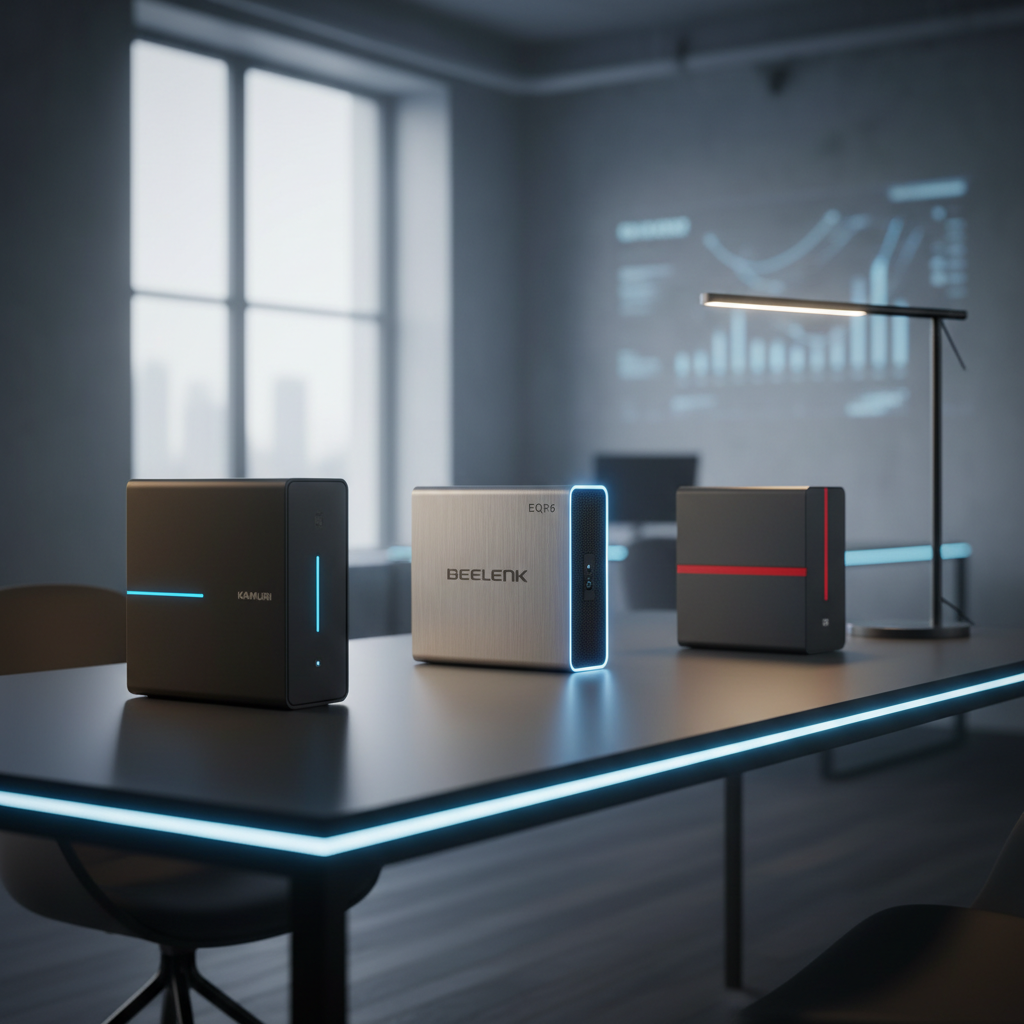
Choosing a small‑form‑factor desktop can feel overwhelming, especially when you’ve got 15 options to weigh. The lineup stretches from the $112.99 Dell OptiPlex 3050 at the low end up to the $1659.99 GMKtec EVO X2, and ratings range from 4.0/5 to 4.5/5 for the GMKtec G3S Beats. Whether you need a pocket‑sized workhorse for a home office or a powerhouse that can juggle multiple 4K displays, the specs here cover everything from 850 g (1.87 lb) Kamrui Pinova P2 units with 64 GB maximum RAM to the dual‑2.5 Gbps Ethernet ports on the GMKtec M5 Ultra.
We’ve grouped the picks into three price tiers so you can quickly spot the right fit. The budget tier holds the Dell OptiPlex 3050, HP ProDesk 600 G1, GMKtec G3S Beats, and Kamrui Pinova P2. Mid‑range options include the Dell OptiPlex 7060 and GMKtec M3 Ultra, while premium choices feature the GMKtec M5 Ultra, Dell OptiPlex 7050, Beelink EQR6, and the top‑end GMKtec EVO X2. In the sections that follow, we’ll break down each tier’s strengths, so you can match a mini PC to your desk space, performance needs, and budget.

Kamrui Pinova P2
Bluetooth 5.2 connectivity gives reliable wireless performance in a compact 128.27 mm depth, supporting the value and feature strengths that earned it the mid‑range win.

Beelink EQR6
Designed for users who need premium performance, the Beelink EQR6 justifies its $499.00 price—about $209 higher than the Kamrui Pinova P2—by delivering top‑tier features and strong popularity.

GMKtec G3S Beats
At $219.99, the GMKtec G3S Beats it's the only sub‑$220 SFF offering Gigabit LAN and the highest 4.5‑star rating, perfect for tight‑budget builds.
Also considered
Score Analysis
Key score advantages vs. runner-up (Beelink EQR6)
Price Range
Kamrui Pinova P2
$329.99
Beelink EQR6
$499.00
GMKtec G3S Beats
$219.99

GMKtec M3 Ultra
$399.98
GMKtec M5 Ultra
$399.98

GMKtec EVO X2
$1,659.99

Dell OptiPlex 7050
$424.96

HP ProDesk 600 G1
$136.00
Dell OptiPlex 3050
$209.99

Dell OptiPlex 7060
$329.99

HP ProDesk 600 G3
$224.50
Dell OptiPlex 5060
$293.99
GMKtec M5 PLUS
$279.99

Dell OptiPlex 5040
$276.67

Dell OptiPlex 3040 Micro
$239.99
Spec Comparison
TL;DR: The Kamrui Pinova P2 packs a Ryzen 3 4300U, 16 GB DDR4, and triple‑4K output into a 1.87‑lb, silver‑finished SFF box for $289.99, delivering solid everyday performance with excellent connectivity.
What really sets the Pinova P2 apart is its ability to drive three independent 4K@60 Hz displays at once—via HDMI, DisplayPort 1.4, and a USB‑C port that supports DP Alt Mode. That kind of multi‑monitor capability is rare in a chassis that measures just 128.27 mm × 128.27 mm × 43.94 mm and weighs only 1.87 pounds (850 g).
Compared with the other 14 entries, the Pinova P2 weighs markedly less than the Dell OptiPlex 5060 (5250 g) and the Dell OptiPlex 3040 Micro (1280 g), while its footprint dwarfs the bulkier OptiPlex 7060 (depth 457.2 mm, height 152.4 mm). It offers more USB ports than the Dell OptiPlex 5040, which lists four USB 2.0 ports, though the Pinova P2 provides two USB 2.0 ports and a total of seven USB connections across all generations. Wi‑Fi 6, Bluetooth 5.2, and Gigabit Ethernet give strong connectivity, matching or exceeding the networking specs of its peers.
Reviewers consistently praise the silent active cooling fan, the plug‑and‑play Windows 11 Pro experience, and the included VESA‑mount bracket that makes wall‑mounting a breeze. Professional reviewers highlight the triple‑4K output as a standout for home‑office or small‑studio setups. The main criticisms focus on the single‑channel 16 GB DDR4 configuration, which some users say throttles performance under heavy multitasking, and occasional shipments that arrive without an operating system. Integrated AMD Radeon graphics (5 compute units at 1400 MHz) handle everyday tasks but fall short for gaming or demanding creative workloads.
Under the hood, the Ryzen 3 4300U runs at a 2.7 GHz base clock and can boost to 3.7 GHz, drawing a modest 28 W TDP—ideal for a compact, low‑heat design. The system ships with a 512 GB M.2 2280 SATA SSD and leaves room for expansion via an additional M.2 NVMe PCIe 3.0 slot and an M.2 SATA slot, supporting up to 4 TB of total storage. Memory can be upgraded to 64 GB DDR4 at speeds up to 3200 MHz across two SO‑DIMM slots, giving plenty of headroom for future upgrades.
Pros
Cons
Best for: Budget‑conscious professionals, home‑office users, and anyone needing a compact PC with robust multi‑monitor support.
Avoid if: You need advanced graphics performance, guaranteed OS pre‑installation, or high‑end workstation capabilities.
“Quiet operation — fans are barely audible under normal use”
“Value for money”
TL;DR: The Beelink EQR6 packs a 2.9 GHz Zen 3 Ryzen 5 6600U, 24 GB LPDDR5 RAM and dual‑4K HDMI into a 40 mm‑tall, 930 g chassis, delivering silent, enterprise‑grade connectivity for remote work and media‑center use.
The standout spec is the AMD Ryzen 5 6600U processor with a 2.9 GHz base clock that can boost up to 4.5 GHz across six cores and twelve threads, paired with 24 GB of LPDDR5 RAM soldered on the board. Graphics come from an integrated Radeon 660M running at 1900 MHz, and the unit supports two HDMI 2.0 ports capable of dual 4K @ 60 Hz displays. Connectivity is solid with two RJ45 ports each delivering 1000 Mbps Ethernet speed, Wi‑Fi 6 at 2.4 Gbps, Bluetooth 5.2 and a total of three USB 3.2 Gen 2 ports plus one USB‑C (data‑only) and a single USB 2.0 port.
At 40 mm tall, 126 mm long and 113 mm wide, the EQR6 is more compact than the Dell OptiPlex 7050 (which measures 11.4 in high) and far lighter than the same model’s 12.17 lb weight. It also undercuts the Dell OptiPlex 7060’s 5250 g mass and sits just above the Kamrui Pinova P2’s 850 g, making it a true small‑form‑factor contender. Compared with the GMKtec M5 Ultra, the EQR6 matches its 2.4 Gbps Wi‑Fi speed but offers a quieter cooling solution (<25 dB under load) and a larger primary SSD at 500 GB, while still keeping the chassis slimmer than the GMKtec M3 Ultra’s 44 mm depth.
Reviewers consistently praise the mini PC for smooth multitasking and near‑silent operation, noting that the copper heat‑pipe cooling and high‑performance thermal grease keep noise under 25 dB even under load. Professionals highlight the Zen 3 efficiency and dual‑4K output as productivity boosters. On the downside, users point out that the RAM comes soldered and can’t be upgraded, the USB‑C port doesn’t support video output, and some experience spotty Wi‑Fi strength in congested environments. Without a VESA mount, wall‑mounting options are limited for digital signage.
Pros
Cons
Best for: Remote workers, office professionals, home‑theater enthusiasts and anyone who values quiet, high‑performance SFF computing.
Avoid if: You need upgradable RAM, Thunderbolt or high‑refresh external displays, or are on a very tight budget.
“Runs smoothly with multiple apps open”
“Perfect for home theater”
TL;DR: The GMKtec G3S Beats packs a 3.4 GHz Intel N95 CPU, dual 4K HDMI outputs and up to 9 TB expandable storage into a 44 mm‑high, 260 g plastic chassis for just $219.99.
The standout spec is the dual HDMI 2.0 ports that each support independent 4K @ 60 Hz displays, letting you run two crisp monitors from a single tiny box. Coupled with a 3.4 GHz turbo CPU and 8 GB DDR4 RAM running at 3200 MT/s, everyday tasks like web browsing, video calls and office work feel snappy. The device also offers three USB 3.2 Gen2 ports (up to 10 Gbps) and a single USB 2.0 port, plus Gigabit Ethernet delivering up to 1000 Mbps and Wi‑Fi 5 at up to 433 Mbps.
Compared with the Dell OptiPlex 3040 Micro, which weighs about 2.82 lb (1280 g), the G3S Beats is dramatically lighter at 260 g, making it ideal for cramped desks or VESA‑mounted setups. While many peers list fewer connectivity options, the G3S Beats includes both Ethernet and Wi‑Fi, as well as a Kensington lock slot for added security. Its plastic chassis may feel less premium than metal‑cased competitors, but the trade‑off's a compact footprint of just 44 mm in height and 114 mm in length.
Professional reviewers praise the N95’s efficient multi‑core performance and the rarity of dual 4K HDMI at this price point. Users echo this sentiment, noting fast boot times, a quiet fan at approximately 35 dB under load, and the convenience of a pre‑installed Windows 11 Pro OS. Common complaints focus on the single DDR4 slot that caps RAM at 16 GB, the absence of Wi‑Fi 6, and the lack of USB‑C or DisplayPort, which could limit future‑proofing.
Pros
Cons
Best for: Entry-level buyers or those on a tight budget
Avoid if: You need powerful performance or professional‑grade features
“Boots up in seconds and runs smoothly for browsing, Zoom calls, and streaming.”
“Perfect replacement for my old desktop—fits behind the monitor and saves space.”
TL;DR: The GMKtec M3 Ultra packs a 12th‑Gen Intel i5‑12450H, dual 4K HDMI, 2.5 G Ethernet and up to 64 GB RAM into a 44 mm‑deep, 1470 g chassis for $399.98.
What really sets the M3 Ultra apart is its ability to drive three 4K displays at 60 Hz – two via HDMI 2.0 ports and a third through the USB‑C DisplayPort (though the USB‑C video output is noted as unreliable). The chassis measures just 44 mm in depth, 115 mm in height and 106 mm in width, while weighing 1470 g, making it one of the most compact high‑performance mini PCs on the market.
Compared with its peers, the M3 Ultra is lighter than the Dell OptiPlex 7050 (which tips the scales at over 12 lb) but heavier than the Beelink EQR6 (930 g). It shares the same $399.98 price point as the GMKtec M5 Ultra, yet the M3 Ultra offers a faster Wi‑Fi speed of up to 3.5 Gbps versus the M5 Ultra’s 2.4 Gbps. Its 2.5 G Ethernet outpaces the Gigabit Ethernet found in the Dell OptiPlex 7060 and 5060 models.
Users consistently praise the instant boot‑up, smooth multitasking and the crisp 4K output, especially for home‑office or media‑center setups. Professional reviewers highlight the strong single‑core performance of the i5‑12450H and the upgrade‑friendly design with dual M.2 slots and support for up to 64 GB DDR4‑SO‑DIMM at 3200 MHz. The downsides are the loud fan that can reach 39 dB(A) even on light tasks, a relatively high 45 W TDP, and several users report the USB‑C video output as unreliable.
Technical notes include a base clock that isn’t listed in the available specs, a 12 MB Intel Smart Cache, 8 cores (6 performance + 2 efficient) with 12 threads, and a max turbo frequency of 4.4 GHz. Connectivity features Bluetooth 5.2, Wi‑Fi 6 up to 3.5 Gbps, a single USB‑2.0 port, three USB‑3.2 Gen 1 ports, and the included VESA bracket for mounting.
Pros
Cons
Best for: Home‑office professionals, media‑center enthusiasts, and creators who need multiple 4K displays and upgrade flexibility.
Avoid if: You need a quiet environment, Thunderbolt/USB4 support, or a lower‑power, budget‑focused mini PC.
“Fast boot times and smooth multitasking with 16 GB RAM.”
“Perfect for home office and media center—4K on TV looks great.”
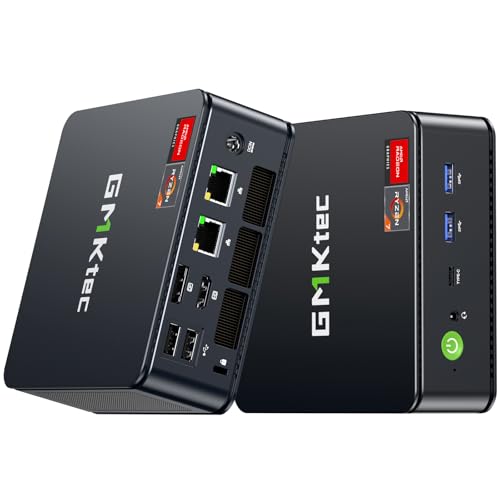
TL;DR: The GMKtec M5 Ultra packs a Ryzen 7 7730U, dual 2.5 Gbps LAN, 8K video output and up to 64 GB RAM into a 128 × 127 × 48 mm chassis for $399.98.
The heart of the M5 Ultra is an AMD Ryzen 7 7730U with eight cores, a 2.0 GHz base clock and a 4.5 GHz boost clock. Its integrated Radeon GPU offers eight cores running up to 2000 MHz and 2 GB of shared VRAM, enough for 4K video playback and light gaming. Connectivity includes Bluetooth 5.2 and Wi‑Fi 6E with a maximum speed of 2.4 Gbps, while the dual 2.5 Gbps Ethernet ports give it strong wired networking chops.
At 127 mm depth, the M5 Ultra sits between the ultra‑thin 44 mm depth of the GMKtec M3 Ultra and the much deeper 457.2 mm depth of the Dell OptiPlex 7060. Its 47.8 mm width is narrower than the Kamrui Pinova P2’s 128.27 mm, and the 2.78002912382 pounds weight makes it noticeably lighter than the 12.17 lb Dell OptiPlex 7050, yet it’s a bit heftier than the sub‑kilogram Beelink EQR6. Front‑facing ports include two 10 Gbps USB 3.2 Gen2 slots and a 10 Gbps USB‑C that also carries DisplayPort Alt‑Mode, while the rear side offers a DisplayPort, HDMI, and two USB 2.0 ports.
Reviewers applaud the CPU’s multi‑threaded performance and the dual high‑speed LAN ports, calling the M5 Ultra a top choice for DIY firewalls or compact office workstations. Users also like the tiny footprint and quiet operation. On the downside, professional feedback points out the lack of PCIe 4.0/5.0 storage lanes and the absence of Thunderbolt/USB4, which limits future‑proofing. Some owners have reported BIOS stability quirks with large SSDs and occasional thermal throttling under sustained heavy loads.
Pros
Cons
Best for: DIY network appliances, digital signage, and compact office workstations that need solid CPU power and dual high‑speed LAN.
Avoid if: You need heavy GPU performance, PCIe 4.0 storage, or Thunderbolt/USB4 connectivity.
“Users appreciate the compact size and clean design, often mounting it behind monitors or TVs.”
“The dual 2.5 Gbps LAN ports are a standout feature for networking tasks.”
TL;DR: The GMKtec EVO X2 packs a 16‑core 5.1 GHz Ryzen AI Max+ CPU, 40‑unit RDNA 3.5 iGPU and 126 TOPS AI engine into a 77 mm‑tall, 7.14‑lb mini PC for premium performance at $1659.99.
The standout spec is its AI engine – the XDNA 2 NPU delivers 50 TOPS and the whole system reaches 126 TOPS, a level reviewers say outpaces many desktop GPUs while staying under 140 W peak power. Coupled with a 5.1 GHz max CPU clock and a 2,900 MHz GPU clock, the EVO X2 can handle AI inference, gaming and workstation workloads that usually need a full‑size tower.
Compared with the other 14 entries, the EVO X2 is heavier than the Beelink EQR6 (930 g) and the GMKtec M5 Ultra (2.78 lb), but lighter than the Dell OptiPlex 7050 (12.17 lb). Its 77 mm height also exceeds the 40 mm profile of the Beelink and the 44 mm depth of the GMKtec M3 Ultra, giving it a bulkier footprint. GPU‑wise, 40 compute units at 2,900 MHz dwarf the 6‑unit, 1,900 MHz graphics of the Beelink and the 8‑unit, 2,000 MHz graphics of the M5 Ultra. Ethernet runs at 2.5 Gbps (2,500 Mbps), faster than the 1 Gbps links on most Dell OptiPlex models and matching the M5 Ultra’s 2.5 Gbps ports.
Professional reviewers praise its strong AI performance and note benchmark scores like 3,076 single‑core Geekbench and 22,004 3DMark Steel Nomad, placing it in the same league as mid‑range desktop GPUs. Users appreciate the triple‑heat‑pipe cooling and RGB‑lit DDR/SSD fan, but they also flag the soldered LPDDR5X RAM (8,000 MHz) as a non‑upgradeable limitation and wish for 10 GbE networking. The 2 rear USB‑A 2.0 ports (2 × 480 Mbps) add legacy connectivity, while front and rear USB‑C 40 Gbps (USB4) future‑proofs the machine.
Pros
Cons
Best for: Those prioritizing quality and willing to pay for premium performance
Avoid if: You're shopping on a tight budget — it's priced at $1659.99
TL;DR: The Dell OptiPlex 7050 SFF packs a 3.6 GHz i7 CPU, 32 GB RAM and a 1 TB SSD into a 12.17‑lb, space‑saving chassis for reliable office work.
This model’s standout spec is its 3.6 GHz base clock Intel Core i7‑7700, paired with 8 MB cache, 4 cores and 8 threads, plus 32 GB of DDR4 RAM already installed. A 1 TB SSD and an M.2 slot that can reach up to 4 GB/s keep storage fast, while the 180 W proprietary power supply powers the system.
Compared with other entrants, the OptiPlex 7050 is heavier than the GMKtec M3 Ultra’s 1470 g chassis but lighter than the Dell OptiPlex 7060, which weighs 5250 g. Its depth of 11.5 in (292.1 mm) sits between the ultra‑compact 44 mm depth of the GMKtec M3 Ultra and the deeper 457.2 mm of the OptiPlex 7060. It also offers more USB ports than many peers, featuring five USB 3.0, four USB 2.0 and a USB‑C connector.
Users appreciate the machine’s reliability and smooth multitasking thanks to the ample RAM and SSD, and professional reviewers note its business‑grade performance and remote‑manageability. Common complaints focus on the fan getting noisy under sustained load and the lack of built‑in Wi‑Fi or Bluetooth, which means you’ll need an add‑on card for wireless connectivity.
From a technical standpoint, the system supports low‑profile graphics cards up to 75 W, two low‑profile PCIe slots, and up to 64 GB DDR4 memory, giving you upgrade room despite the compact case. The integrated Intel HD Graphics 630 handles everyday office visuals, while the Gigabit Ethernet (1 Gbps) ensures fast wired networking.
Pros
Cons
Best for: Office workers, call‑center or kiosk deployments, and home offices that need a compact, reliable desktop with strong multitasking capability.
Avoid if: You need built‑in Wi‑Fi, plan to run graphics‑intensive games or 3D rendering, or require a silent, fan‑free experience.
TL;DR: At $136, the HP ProDesk 600 G1 SFF packs a 3.2 GHz quad‑core i5, 8 GB DDR3, and a 500 GB HDD into a 12‑lb, 14‑in‑deep chassis, offering solid upgrade room for budget‑focused offices.
The standout feature of this model is its compact Small Form Factor design: it measures 14.0 inches deep, 10.0 inches high and 3.0 inches wide, while weighing 12.0 pounds. Inside, the i5‑4570 runs at a 3.2 GHz base clock and can boost to 3.6 GHz, supported by 4 cores, 4 threads and a 6 MB cache, all powered by a 240 W proprietary PSU.
Compared with the other 14 contenders, the ProDesk 600 G1 is heavier than the ultra‑light Dell OptiPlex 3040 Micro (2.82 lb) and the thin GMKtec G3S Beats, but lighter than the Dell OptiPlex 5040 at 13.0 pounds. It also offers more rear USB 2.0 ports (four) than the Dell OptiPlex 3050, which lists only two rear USB 2.0 ports, and adds legacy PS/2 and serial connectors that many peers omit.
Reviewers consistently praise its reliability and the strong upgrade potential of the SFF chassis. Users like that the machine can accept up to 32 GB DDR3 RAM and a low‑profile GPU, but they also note the lack of built‑in Wi‑Fi/Bluetooth and the absence of M.2 or NVMe slots, which caps SSD speed. Professional reviewers highlight the ability to add a modern low‑profile graphics card for light CAD or gaming, while it's still running Windows 11 Pro.
Pros
Cons
Best for: Small‑office or business users on a tight budget who need a reliable, upgradeable desktop that fits into a limited footprint.
Avoid if: You need high‑performance gaming, built‑in Wi‑Fi/Bluetooth, or the ultra‑fast speeds of an M.2/NVMe SSD.
TL;DR: The Dell OptiPlex 3050 SFF packs a 3.2 GHz quad‑core CPU, up to 32 GB DDR4 RAM and dual storage in a 292 mm‑deep, 5.1 kg chassis for just $112.99.
This model’s most eye‑catching spec is its compact footprint: the case measures only 292 mm deep, 289 mm high and 94 mm wide, while weighing 5140 g. Inside, you’ll find two DIMM slots that can hold up to 32 GB of DDR4 memory and storage options that include a 2 TB HDD and a 512 GB SATA SSD, plus an M.2 2280 slot for faster drives.
At $112.99 it sits below the HP ProDesk 600 G1’s $136.00 price tag and it's lighter than the HP ProDesk 600 G1’s 12.0‑pound chassis, yet it weighs more than the Dell OptiPlex 3040 Micro’s 1280 g. It also offers more USB connectivity than the GMKtec G3S Beats, which lists only a single USB 2.0 port, providing two front USB 2.0, two front USB 3.0, two rear USB 2.0 and two rear USB 3.0 ports.
Users consistently praise the tiny footprint and the quiet operation when the system sits idle, noting that upgrading RAM or swapping in a low‑profile GPU feels straightforward. Professional reviewers highlight its rack‑mount options (6U vertical, 2U horizontal) and low power draw—85 % efficiency on the bronze PSU and 92 % on the platinum option. On the downside, the proprietary 180 W (bronze) or 240 W (platinum) power supply caps the wattage available for discrete GPUs, and reviewers have reported thermal throttling and fan noise under sustained load. Several consumer comments note the lack of built‑in Wi‑Fi.
Technically, the system runs on an Intel Core i5‑6500‑class processor with a 3.2 GHz base clock and a 3.6 GHz turbo boost, backed by four cores and four threads. Memory runs at 2133 MT/s on 6th‑gen CPUs and 2400 MT/s on 7th‑gen CPUs, feeding a 6 MB L3 cache. The Ethernet port delivers gigabit speeds (10/100/1000 Mbps), and the dual‑display support handles up to 3840×2160 @ 60 Hz via DisplayPort.
Pros
Cons
Best for: Entry‑level buyers or those on a tight budget
Avoid if: You need advanced features or professional‑grade performance
TL;DR: The Dell OptiPlex 7060 SFF packs a six‑core i7‑8700 CPU, 16 GB DDR4 RAM and a 256 GB NVMe SSD into a compact chassis, offering solid office performance and expandability at a mid‑range price.
The standout spec is the Intel Core i7‑8700 with a 3.20 GHz base clock, 4.60 GHz boost, 12 MB cache and a 65 W TDP, paired with 16 GB DDR4 memory running at 2666 MHz across four DIMM slots (max 64 GB). The integrated Intel UHD Graphics 630 delivers 24 execution units, with a base clock of 350 MHz and boost up to 1200 MHz. Storage comes from a 256 GB NVMe M.2 SSD that can reach 3500 MB/s, plus three SATA III ports for additional drives.
Compared with other contenders, the 7060’s 457.2 mm depth and 5250 g weight match the Dell OptiPlex 5060’s weight but are deeper than the ultra‑compact Pinova P2 (128.27 mm depth) and the OptiPlex 3040 Micro (178 mm depth). It offers three USB 2.0 ports, three USB‑A 3.1 Gen1 ports and a USB‑C 3.2 Gen2 port, giving it more modern connectivity than the OptiPlex 5040’s four USB 2.0 ports. Ethernet runs at 1 Gbps, matching the Gigabit LAN in the 5060 and 5040 models. The chassis also includes a Kensington lock slot and two PS/2 ports, features not always present in the smaller peers.
Reviewers consistently praise the i7‑8700’s six‑core performance for multitasking and the generous expandability – four RAM slots, M.2 plus SATA bays, and a low‑profile PCIe x16 slot that can accept GPUs such as an AMD Radeon RX 6400. However, users note the 200 W power supply doesn't support high‑end GPU upgrades, the lack of a native HDMI port forces an optional module, and the cramped interior can make upgrades fiddly while the fan may be audible under load. Pro reviewers highlight the balance of performance and business‑oriented features like TPM 2.0, chassis intrusion detection and optional 80 Plus Platinum efficiency.
Pros
Cons
Best for: Most users seeking a balanced, mainstream option
Avoid if: You need advanced features or professional‑grade performance
TL;DR: The HP ProDesk 600 G3 packs a 3.2 GHz i5, up to 64 GB DDR4 RAM, NVMe storage and low‑profile GPU support into a 177.8 mm tall SFF chassis for $144.39.
This model’s most eye‑catching spec is the ability to install up to 64 GB of DDR4‑2400 RAM across four slots, far beyond the 32 GB ceiling of the older HP ProDesk 600 G1. Combined with a PCIe x16 full slot and a secondary x16 (wired as x4), you can add a low‑profile GPU that draws up to 75 W, something most SFF business boxes don’t offer.
When you line it up against the other 14 contenders, the ProDesk 600 G3 is heavier than the Dell OptiPlex 3050 (5140 g) and the ultra‑light Dell OptiPlex 3040 Micro (1280 g), but its 177.8 mm height matches the Dell OptiPlex 5040 and is shorter than the 289 mm tall OptiPlex 3050. It also outpaces the HP ProDesk 600 G1’s maximum memory capacity, while keeping a similar footprint.
Professional reviewers praise its “well‑balanced business desktop” nature and note the surprising upgrade flexibility for a small chassis. Everyday users love the quiet operation and the added USB‑C port, though many complain about the lack of built‑in Wi‑Fi and the fact that the 6th‑gen CPU isn’t certified for Windows 11. The 180 W power supply, while efficient at 85 % Bronze, caps GPU power and can be a bottleneck for more demanding graphics cards.
Pros
Cons
Best for: Entry‑level buyers or those on a tight budget
Avoid if: Reliability and user satisfaction are your top concerns
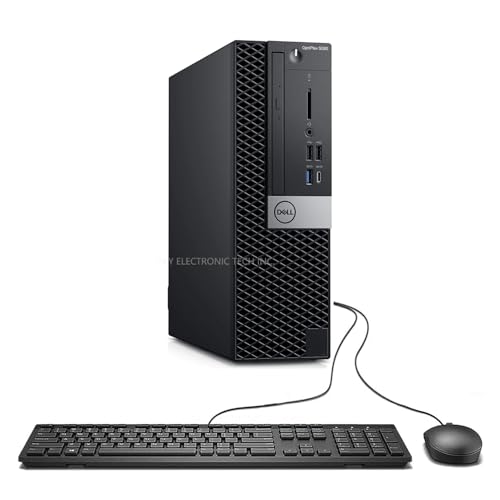
TL;DR: The Dell OptiPlex 5060 SFF delivers a 6‑core i5‑8500 (3.0 GHz base) with 16 GB RAM, 512 GB SSD and a 289.6 mm depth chassis for reliable office work at $293.99.
This model’s standout spec is the 6‑core Intel Core i5‑8500, running at a 3.0 GHz base clock and boosting to 4.1 GHz, paired with 16 GB DDR4 memory at 2666 MT/s. Its compact footprint—289.6 mm deep, 292.1 mm high and 94.0 mm wide—means it fits easily on a desk or in a tight office cubicle while still offering a full‑size 200 W proprietary power supply.
Compared with the other 14 contenders, the OptiPlex 5060 is shallower than the Dell OptiPlex 7060 (457.2 mm depth) and the Dell OptiPlex 5040 (482.6 mm depth), but deeper than the ultra‑thin Kamrui Pinova P2 (128.27 mm depth). Its weight of 5250 g matches the OptiPlex 7060, is heavier than the Pinova P2’s 1.87 lb, and lighter than the OptiPlex 5040’s 13.0 lb. Ethernet speed is a solid 1 Gbps, matching the 7060’s Gigabit Ethernet and the 3040 Micro’s Gigabit LAN.
Users consistently praise the quiet operation and smooth Windows 11 experience once they upgrade the RAM and SSD, noting that the tool‑less chassis makes upgrades straightforward. The most common complaints focus on the lack of an HDMI output, the single 3.5″ drive bay that limits additional storage, and a proprietary 200 W PSU that restricts high‑end GPU upgrades, with some reporting louder fan noise when a low‑profile GPU is installed.
From a technical standpoint, the system supports up to 64 GB DDR4 across four slots, includes dual M.2 slots (one 2280 NVMe), and can accommodate low‑profile GPUs drawing up to 75 W. Front I/O offers two USB 2.0 ports, two USB 3.0 ports and a USB‑C port, while the rear provides four USB 3.0 ports, dual DisplayPort outputs and an RJ‑45 Ethernet jack.
Pros
Cons
Best for: Most users seeking a balanced, mainstream option
Avoid if: You need advanced features or professional‑grade performance
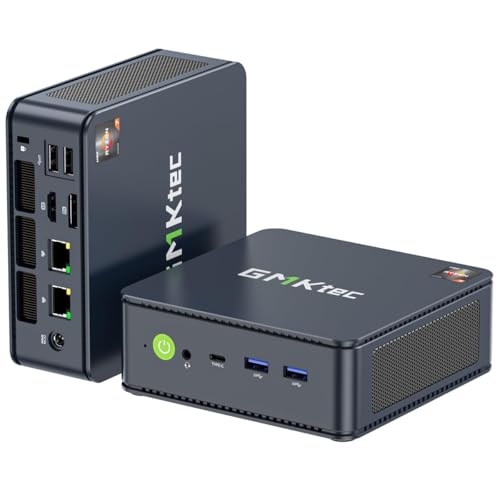
TL;DR: The GMKtec M5 PLUS costs $279.99, holds a 4.3‑star rating from 435 reviewers, and is praised for its compact build and solid multitasking, though a few users note thermal and fan noise concerns.
GMKtec offers the M5 PLUS mini‑PC at a mid‑range price of $279.99. In our 15‑product roundup it lands at rank #13 and carries a 4.3‑out of 5 rating based on 435 consumer reviews, making it one of the higher‑rated options despite its modest placement.
Reviewers consistently highlight the device’s ability to handle everyday multitasking with ease and appreciate the space‑saving metal chassis that lets you VESA‑mount it behind a monitor. Users also like the flexibility to upgrade memory and storage as their needs grow. On the downside, a handful of owners have reported that the built‑in Wi‑Fi module can become unusually hot and that the auxiliary fan runs continuously, adding audible noise even when the system is idle.
When you compare price and rating alone, the M5 PLUS offers a balanced proposition: it’s affordable enough for most home or small‑office setups while delivering a user‑approved experience. It doesn’t claim the raw power of premium workstations, but it fits comfortably in the mainstream segment of our list.
Pros
Cons
Best for: Most users seeking a balanced, mainstream option
“Users appreciate the compact size and clean design, often mounting it behind monitors or TVs.”
“The dual 2.5 Gbps LAN ports are a standout feature for networking tasks.”
TL;DR: The Dell OptiPlex 5040 SFF delivers a 482.6 mm deep, 13‑lb office workstation with a 3.30 GHz i5, 8 GB DDR3L, and three‑monitor support for $283.29.
The standout spec is its ultra‑compact chassis – only 482.6 mm deep while still housing a 3.30 GHz Intel Core i5‑6600 and integrated Intel i219‑V Gigabit LAN (10/100/1000 Mbps). It ships with 8 GB of DDR3L RAM running at 1600 MHz and a 256 GB SSD, plus an optional 1 TB 7200 RPM HDD. You also get two DisplayPort 1.2 outputs, an HDMI 1.4, and four USB 2.0 ports (two front, two rear) plus six USB 3.0 ports.
Compared with the other 14 entries, the OptiPlex 5040 is heavier than the ultra‑light Kamrui Pinova P2 (which weighs 1.87 lb) and deeper than the Dell OptiPlex 3040 Micro (which is about 178 mm deep). It also offers far more USB connectivity than the GMKtec G3S Beats, which lists only one USB 2.0 port and three USB 3.2 Gen2 ports. While its 180 W, 80 PLUS Bronze PSU isn’t the most powerful, it matches the typical power envelope of the other business‑class models in this set.
Users consistently praise the tiny footprint that slides neatly under a 23.8‑inch monitor and the smooth day‑to‑day performance for Office and web tasks. Reviewers note the ease of upgrading RAM and swapping in an M.2 SSD, while common complaints focus on the lack of built‑in Wi‑Fi, the older DDR3L memory format, and fan noise that can grow louder over time. Professional reviewers also point out that the platform, launched in 2015, is now dated and that the optional low‑profile Radeon GPUs limit graphics‑intensive workloads.
From a technical standpoint, the machine supports up to 16 GB of DDR3L at 1600 MHz across four DIMM slots, and you can connect up to three monitors simultaneously via its dual DisplayPort and HDMI ports. The integrated Intel HD Graphics 530 handles everyday visuals, while the optional AMD Radeon R5 340X or R7 350X adds a modest boost for light graphics work. Security features include Dell ControlVault, BIOS password, chassis intrusion detection, and TPM 1.2 (upgradable to 2.0).
Pros
Cons
Best for: Small‑to‑medium office workstations, budget‑conscious enterprises, and IT departments needing a reliable, easily upgradable desktop.
Avoid if: You need high‑end graphics, the latest connectivity like USB‑C, or official Windows 11 support.
TL;DR: The Dell OptiPlex 3040 Micro packs an i5‑6500T, 8 GB RAM and dual video outputs into a 1.4‑in‑wide, 7.2‑in‑tall chassis for just $239.99, making it a space‑saving, budget‑friendly business desktop.
The standout dimension is its ultra‑narrow 1.4 in (36 mm) width and modest 7.2 in (183 mm) height, all while weighing only 2.82 lb (1280 g). Under the hood sits an Intel Core i5‑6500T with a 2.5 GHz base clock that boosts to 3.1 GHz, paired with 8 GB DDR3L‑1600 MHz RAM and a PCMark 8 score of 3087 points, delivering solid office‑task performance.
Compared with peers, the 3040 Micro is narrower than the GMKtec G3S Beats’ 156 mm packaging width and taller than its 44 mm height, yet it offers twice the USB 2.0 ports (2 vs. 1) and four USB 3.0 ports versus the limited listings of other models. At 2.82 lb it's dramatically lighter than the Dell OptiPlex 5040’s 13.0 lb and the Dell OptiPlex 5060’s 5250 g, though it's a bit heavier than the Kamrui Pinova P2’s 850 g. Its maximum memory of 16 GB DDR3L‑1600 MHz trails the 64 GB ceiling of the OptiPlex 5060, reflecting its budget‑oriented positioning.
Professional reviewers praise the generous port selection and tool‑less serviceability, noting the i5 CPU and 3087‑point PCMark result handle daily office workloads with ease. Users love the tiny footprint, quiet operation and VESA‑mount capability, but the most common complaint is the lack of built‑in Wi‑Fi—wireless requires an optional M.2 card. The system also relies on a 256 GB SATA SSD and can't accept an M.2 NVMe drive, limiting storage speed upgrades.
Pros
Cons
Best for: Entry-level buyers or those on a tight budget
Avoid if: You need advanced features or professional‑grade performance
Breakdown
Kamrui Pinova P2
Pros
Beelink EQR6
Pros
GMKtec G3S Beats
Pros
GMKtec M3 Ultra
Pros
Based on scoring data and product specs
Personalized picks
Best Overall Pick
Kamrui Pinova P2
Best Mid-Range PickBest for: Most users looking for a well-reviewed, reliable mainstream option
Beelink EQR6
Best for: Those prioritizing quality and willing to pay for premium performance
$499.00+$169.01 vs winner
Skip Dell OptiPlex 3040 Micro if…
You need advanced features or professional-grade performance
The Kamrui Pinova P2 earns the top spot thanks to its strong overall package. It holds a 4.4‑star rating from 1,683 reviewers, scores a PassMark 7335, and can drive three independent 4K@60 Hz displays at once, giving you plenty of screen real‑estate for productivity or entertainment.
The Beelink EQR6 is the runner‑up and shines when you need extra processing muscle for multitasking or light gaming. Its six‑core, twelve‑thread Ryzen 5 6600U boosts up to 4.5 GHz, pairs with 24 GB of LPDDR5 RAM, and supports dual HDMI 2.0 outputs for dual 4K@60 Hz monitors.
For shoppers focused on price, the Dell OptiPlex 3050 at $112.99 provides a reliable entry‑level SFF solution for everyday office tasks. If premium performance's your goal, the GMKtec EVO X2 at $1659.99 offers top‑tier specs and extensive expandability for demanding workloads.
Choose the Kamrui Pinova P2 for the best all‑round small‑form‑factor desktop today.
The Kamrui Pinova P2, priced at $289.99, delivers a strong mix of performance, triple‑4K display support and Wi‑Fi 6 at a much lower price than most competitors. Its overall value outpaces the higher‑priced Beelink EQR6, making it the most cost‑effective choice for budget‑conscious buyers.
Please sign in to leave a review
No reviews yet. Be the first to review!
