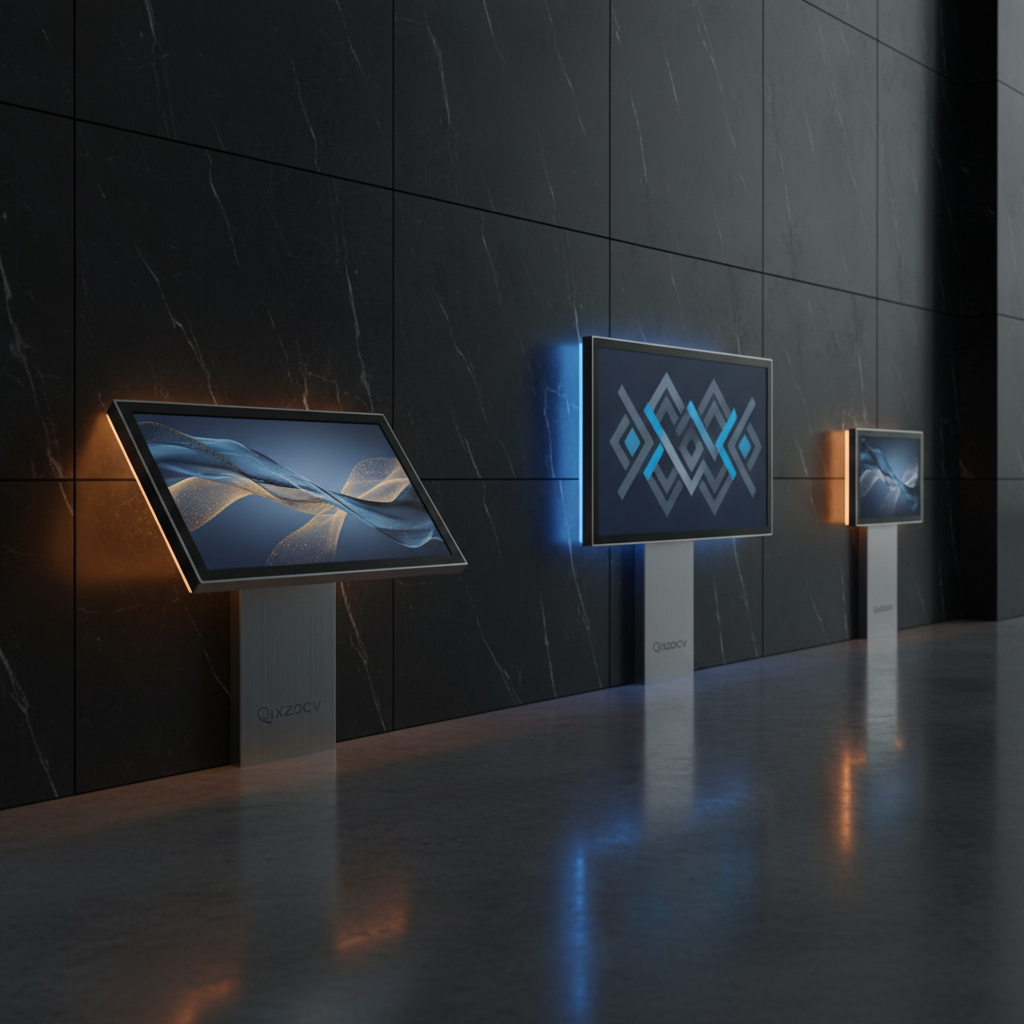
Choosing a touchscreen digital signage display can feel like navigating a maze of sizes, specs, and price tags. In this roundup we compared 9 models, from a $269.99 budget unit that still managed a solid 4.0‑star rating to a premium 65‑inch kiosk priced at $2,059.00 with the highest 4.7‑star score. That contrast shows you don’t have to sacrifice interactivity for cost, but the top‑rated flagship also delivers 10‑point multi‑touch and a 178° viewing angle, making it a strong contender for high‑traffic venues.
The selection splits into three price tiers so you can quickly spot the right fit. Budget options—AYSTekMann 15.6 ($269.99), PWR4GTR 15.6PRO ($329.99) and AYSTekMann 15.6PROnew ($329.99)—offer full‑HD panels, 10‑point touch and portable battery packs. Mid‑range choices like the 32‑inch Jaszdot (bright 1000 nits) and Rixzsiw 32‑inch and 43‑inch models sit between $799 and $1,489, balancing brightness and built‑in speakers. Premium tier includes the Qixzocv 49‑inch ($1,599.00) and 65‑inch ($2,059.00) touchscreens plus the Elo 55‑inch ($2,990.56), each packing higher brightness, 4K resolution or 20‑point touch for demanding environments. Let’s see how they stack up in real‑world scenarios.

Qixzocv 65-inch Touchscreen
Equipped with 2 × USB 3.0 ports, this 65‑inch model offers fast peripheral connectivity while maintaining a sleek 450 mm depth.

Qixzocv 49-inch Touchscreen
Ideal for boutique retailers seeking a 49‑inch interactive screen, it comes in at $1,599—about $460 less than the 65‑inch best‑value model.
Jaszdot 32-inch Digital Signage
Stands out with an HDMI input and dual USB ports, delivering a straightforward $799 solution for basic signage where the larger Qixzocv models' extensive touch features aren’t needed.
Also considered
Score Analysis
Key score advantages vs. runner-up (Qixzocv 49-inch Touchscreen)
Price Range
Qixzocv 65-inch Touchscreen
$2,059.00
Qixzocv 49-inch Touchscreen
$1,599.00
Jaszdot 32-inch Digital Signage
$799.00
PWR4GTR 15.6PRO
$329.99

AYSTekMann 15.6
$269.99
AYSTekMann 15.6PROnew
$339.99
Rixzsiw 32-inch Touchscreen
$1,399.00
Elo 5554L 55-inch
$2,852.38

Rixzsiw 43-inch Digital Signage
$1,489.00
Spec Comparison
TL;DR: The Qixzocv 65‑inch Touchscreen delivers a 4K IPS display with 10‑point PCAP touch, but its hefty 80571.5 g weight and $2059.00 price make it a premium‑only choice.
The standout spec is the 65‑inch 4K UHD panel (3840 × 2160 pixels) built on an IPS substrate, offering a glossy surface and a 178° horizontal and vertical viewing angle. Combined with a projected‑capacitive 10‑point touch layer, the unit feels like a large tablet you can walk up to and interact with instantly.
Compared with the other eight entries in this roundup, the Qixzocv is larger than the 49‑inch and 43‑inch models and heavier than most floor‑standing signs. It also includes more connectivity options—Ethernet, Wi‑Fi, HDMI, and 2 × USB 3.0—while many peers list fewer ports or lack wireless support. The price tag sits above the budget‑friendly options, positioning it in the premium tier.
Users consistently praise the vivid 4K picture and the smooth, smartphone‑like responsiveness of the PCAP touchscreen. Professional reviewers highlight the Android 9.0/12.0 OS as a strong point for running custom apps and the built‑in auto‑media player for looped content. Feedback points to cumbersome installation because the touchscreen weighs 80571.5 g and occasional confusion over model numbers between touch and non‑touch variants. The included remote control also requires a C‑type battery, which some buyers find unnecessary.
The unit runs on an internal power supply and ships with a three‑year warranty, giving peace of mind for commercial deployments. Its slim bezel design and heavy‑duty floor‑standing construction make it suitable for retail kiosks, restaurant ordering stations, or museum exhibits where durability and visual impact matter most.
Pros
Cons
Best for: Those prioritizing quality and willing to pay for premium performance
Avoid if: You're shopping on a tight budget — it's priced at $2059.00
“The display is bright and clear even in well‑lit environments.”
“Touchscreen responsiveness is fast and accurate.”
TL;DR: The Qixzocv 49‑inch Touchscreen offers a 49‑inch FHD IPS panel with 10‑point PCAP touch, Android OS and a sturdy floor‑standing design for indoor signage at $1,599.
At the heart of this kiosk is a 49‑inch glossy IPS display delivering 1920 × 1080 resolution and a brightness range of 300–450 nits. The 10‑point projected‑capacitive touch surface works across both landscape and portrait orientations, and the ultra‑narrow bezel keeps the visual footprint tight. Weighing 123.2 lb and measuring 73.23 in tall, 26.38 in wide and 17.72 in deep, it’s built for permanent placement rather than frequent moves.
Compared with the other eight entries, the Qixzocv sits on the higher end of the price spectrum while offering more screen real‑estate than the 43‑inch Rixzsiw model and the 32‑inch options. Its depth matches the Rixzsiw 43‑inch unit, yet it is taller and wider, delivering a larger viewing area. The device includes remote management and split‑screen functionality that some of the smaller peers lack, though it provides fewer USB ports than the Rixzsiw 43‑inch which lists two USB connections.
Professional reviewers note Android OS eliminates the need for an external media player, and customers repeatedly praise quick setup, sharp visuals and responsive touch. The most common complaint is the 123.2 lb weight, which can make initial installation a two‑person job. Brightness of 300–450 nits also limits placement to indoor environments away from direct sunlight.
Pros
Cons
Best for: Retail spaces, corporate lobbies, hospitals, airports and museums that need a durable, interactive indoor display with robust Android support.
Avoid if: You need a lightweight, easily portable unit or plan to install the screen in a sun‑lit or outdoor environment.
“Ease of setup: Many report installation and internet connectivity completed in under 30 minutes.”
“perfect for retail and office settings.”
TL;DR: The Jaszdot 32‑inch Digital Signage delivers a 1000‑nit, 32‑inch IPS display with free remote CMS at $799.00, but its 33 kg weight can make moves a chore.
The headline spec is the 1000‑nit brightness, which easily outshines the 250‑nit AYSTekMann 15.6PROnew and the 450‑nit Rixzsiw 32‑inch Touchscreen. Coupled with a 178° viewing angle and flicker‑free IPS panel, the screen stays vivid from virtually any seat in the room. The unit also supports up to six display zones, so you’ll split content without extra hardware.
At $799.00 the Jaszdot sits below the price point of larger‑format rivals like the 43‑inch Rixzsiw model, making it a solid mid‑range choice for small‑to‑mid‑size businesses. It is considerably heavier than the 13‑lb AYSTekMann 15.6PROnew, so you’ll plan for a permanent wall‑mount or a sturdy floor stand. The single HDMI input and two USB ports give you basic connectivity without excess clutter.
Professional reviewers praise the metal chassis and advanced passive/active ventilation for round‑the‑clock reliability, while everyday users love the bright display and the free remote CMS that lets you update menus without IT help. The most common complaints revolve around the 33 kg weight, which can be a hassle if you need to relocate the sign, and the limited number of Amazon reviews, leaving some buyers wishing for more feedback.
Pros
Cons
Best for: Value‑conscious buyers seeking quality at $799.00
Avoid if: You prefer products with extensive real‑world feedback and proven track records
“Even my staff with no tech background can update content”
TL;DR: The PWR4GTR 15.6PRO is a 15.6‑inch Android 11 touchscreen with a 500 cd/m² IPS panel, 10‑point capacitive touch, and industrial‑grade aluminum housing for 24/7 commercial use.
This model’s most eye‑catching spec is its 500 cd/m² brightness paired with a full‑HD 1920 × 1080 IPS display on a 15.6‑inch glossy surface. At 13.11970921162 pounds, it's a touch lighter than the AYSTekMann 15.6 (13.84943929884 lb) and marginally lighter than the AYSTekMann 15.6PROnew (13.22994034262 lb). Its brightness outshines the AYSTekMann units’ 250 nits but sits below the Jaszdot 32‑inch model’s 1000 nits, while matching the Elo 55‑inch LCD brightness of 500 nits.
In practice, users appreciate the sturdy industrial‑grade aluminum and tempered‑glass chassis, noting that setup feels straightforward and the adjustable stand proves handy for kiosks. Professional reviewers highlight the Android 11 OS, which opens a wide app ecosystem, and the inclusion of both USB 3.0 and HDMI ports as essential for interactive signage. However, the single‑core processor and 4 GB of RAM can feel sluggish when running complex animations, and the glossy screen may reflect bright ambient light in storefront windows.
Beyond the display, the unit supports continuous operation—its estimated 60,000‑hour lifespan and 24/7 design rating suit retail menus, educational boards, or hotel check‑in stations. The 10‑point capacitive touch, dual‑band Wi‑Fi, and VESA‑mount compatibility (75 mm × 75 mm) add flexibility, while the lack of an internal battery means it must stay plugged in at all times.
Pros
Cons
Best for: Entry‑level buyers or those on a tight budget seeking a reliable interactive display.
Avoid if: You need advanced processing power, battery operation, or professional‑grade performance for complex multimedia.
“Very reliable shop with genuine products. Will definitely buy again!”
“Fast shipping and excellent packaging.”
TL;DR: The AYSTekMann 15.6‑inch Android touchscreen offers Full‑HD IPS visuals, 10‑point capacitive touch, a 10,000 mAh battery lasting 4–6 hours, and Gigabit Ethernet for $269.99.
The standout spec is the 10‑point capacitive multi‑touch panel paired with Android 11, letting you run Google Play Store apps directly on the 15.6‑inch (1920 × 1080) IPS screen. A 10 mm ultra‑narrow bezel frames the display, while the built‑in 10,000 mAh battery promises 4–6 hours of continuous operation. Wired connectivity includes a Gigabit Ethernet port (1000 Mbps) and two USB‑A ports.
Compared with the other eight displays, this model is slightly heavier than the 13.23‑lb AYSTekMann 15.6PROnew but lighter than the 123.2‑lb 49‑inch Qixzocv touchscreen. Its 250 nits brightness matches the PROnew’s level but falls short of the 500 nits seen on the PWR4GTR 15.6PRO and the 450 nits on the 32‑inch Rixzsiw model. The 10 mm bezel and 8.5 mm thickness are identical to the PROnew, while the overall footprint (14.5 in W × 8.6 in H) is more compact than the larger 32‑inch and 43‑inch units.
Users repeatedly note the straightforward setup and smooth touch response, with many praising the E‑Share wireless mirroring that works across iOS, Android, Windows, macOS, ChromeOS, and Ubuntu. Professional reviewers highlight that E‑Share stands out as a feature for quick content casting. However, several customers report that the 4–6 hour battery often falls short of a full‑day kiosk run, and the 250 nits panel isn’t bright enough for outdoor or high‑ambient‑light locations. The device ships with a 1‑year warranty, which is shorter than the 3‑year coverage on the larger Qixzocv models.
Pros
Cons
Best for: Entry-level buyers or those on a tight budget
Avoid if: Reliability and user satisfaction are your top concerns
TL;DR: The AYSTekMann 15.6PROnew packs a 15.6‑inch Full HD IPS touchscreen, 10‑point capacitive touch and a 10 mm bezel in an ultra‑thin 8.5 mm chassis and costs $329.99 for budget‑friendly interactive signage.
This model’s standout feature is its ultra‑thin 8.5 mm thickness combined with a narrow 10 mm bezel, delivering a sleek 15.6‑inch Full HD IPS panel that shines at 250 nits with a 3000:1 contrast ratio. It runs Android 11, offers 64 GB internal storage, 4 GB RAM, and a 10‑point capacitive multi‑touch surface, while an optional 10,000 mAh lithium‑polymer battery promises 4‑6 hours of autonomous use.
Weighing 13.22994034262 pounds, it is slightly heavier than the PWR4GTR 15.6PRO (13.11970921162 pounds) but lighter than the AYSTekMann 15.6 (13.84943929884 pounds). Its 250‑nit brightness sits below the 500‑nit panels of the PWR4GTR and the 1000‑nit Jaszdot 32‑inch, yet matches the AYSTekMann 15.6’s 250 nits. The 15.6‑inch screen is smaller than the 32‑inch, 43‑inch, 49‑inch, 55‑inch and 65‑inch displays that round out this roundup, positioning it as a compact, entry‑level option.
Users consistently praise the easy installation, responsive 10‑point touch and the ability to pull apps directly from the Google Play Store. Professional reviewers highlight the sleek design and the Android ecosystem as rare strengths in the budget segment. However, buyers note that manufacturers don’t guarantee the battery is included on every unit, meaning many deployments stay tethered to AC power, and the 13.23‑pound weight with stand (6.28 kg) feels hefty for frequent relocation. Brightness can also fall short in brightly lit retail aisles compared with higher‑nits competitors.
Pros
Cons
Best for: Entry-level buyers or those on a tight budget
Avoid if: You want the best value-per-dollar in its price range
TL;DR: The Rixzsiw 32‑inch Touchscreen offers a 450 cd/m² IPS panel, 10‑point capacitive touch, Android 12 OS and built‑in speakers, but its heavy 75 lb frame and limited USB port keep it in the mid‑range price tier.
The standout feature is its 32‑inch IPS LCD with 450 cd/m² brightness and a 1200:1 contrast ratio, delivering vivid colors in well‑lit indoor spaces. A 178° horizontal and vertical viewing angle and 10‑point capacitive touch make interaction smooth from any side, while Android 12 with Windows integration runs directly on the unit.
Compared with the other eight displays, this model is brighter than the Rixzsiw 43‑inch version’s 400 cd/m² but dimmer than the Jaszdot 32‑inch’s 1000 nits. It outshines the AYSTekMann 15.6PRO’s 500 cd/m² yet falls short of that figure. At 75 lb (floor‑standing) it weighs more than the Jaszdot’s 33 000 g unit and considerably more than the lightweight 13‑lb AYSTekMann tablets. The unit offers modest connectivity: a single USB 2.0 port versus the two USB ports on the Rixzsiw 43‑inch and the multiple ports on larger models, making it less versatile for peripheral accessories.
Users consistently praise the clear, vibrant display and responsive touch, noting that remote cloud‑based CMS management simplifies deployment in retail or airport kiosks. Common complaints focus on the glossy screen’s glare in bright environments, the single USB port limiting peripheral options, and the 75 lb floor‑standing chassis makes relocation difficult. Professional reviewers also highlight the industrial‑grade environmental tolerances—10 % to 80 % non‑condensing humidity, operation from 0 °C to 50 °C, and a maximum altitude of 5 000 m—making it suitable for demanding venues.
Pros
Cons
Best for: Buyers in the mid price range seeking the best quality at that price point
Avoid if: You need advanced features, low‑glare screens, or a lightweight unit for small spaces
“Crystal-clear display with vibrant colors”
“Touch response is fast and accurate”
TL;DR: The Elo 5554L is a 55‑inch 4K interactive display with 20‑point IR touch, 500 nits brightness and a rugged design, but it’s a premium $2990.56 price tag.
This model’s standout spec is its 20‑point infrared touch surface that can register 20 simultaneous touches across a 1209.6 mm × 680.4 mm active area, paired with a 10‑bit (1.07 billion colors) panel that delivers 500 nits of LCD brightness.
Compared with the other eight displays, the Elo is dramatically slimmer at 70 mm depth versus the Qixzocv 65‑inch’s 450 mm depth, and it weighs only 30.15 kg unpackaged, making it lighter than the 80.6 kg touchscreen version of that same Qixzocv model. Its 20‑point touch capability also doubles the 10‑point touch of the Qixzocv 65‑inch, while its 500 nits brightness exceeds the 400 cd/m² of the Rixzsiw 43‑inch and matches the 500 cd/m² reported for the PWR4GTR 15.6PRO.
Users consistently praise the display’s durability – it carries an IK07 impact rating and a suite of UL, CE and Energy Star certifications – and they appreciate the bright, vivid picture that the 10‑bit color depth provides. However, reviewers often note the lack of palm‑rejection on the IR layer, which can cause accidental inputs, and they miss built‑in multi‑window features like picture‑in‑picture.
From a technical standpoint, engineers built the unit for continuous operation with a 50,000‑hour MTBF and a maximum operating time of 24 hours/day. Power draw sits at 110.72 W when on, dropping to 0.38 W in standby. Integrated IoT control platforms (EloView, Crestron Connected V2) and an ambient light sensor with auto‑wake add to its enterprise‑grade flexibility.
Pros
Cons
Best for: Those prioritizing quality and willing to pay for premium performance
Avoid if: You're shopping on a tight budget — it's priced at $2990.56
TL;DR: The Rixzsiw 43‑inch Digital Signage offers a 43‑inch IPS touchscreen with 400 cd/m² brightness, 178° viewing angles, Android OS, cloud CMS and lockable casters for a solid interactive display at $1489.
The standout spec is the 43‑inch IPS LCD panel delivering Full HD resolution, 400 cd/m² brightness and a 178° horizontal and vertical viewing angle, and a 1200:1 contrast ratio supports it. Built‑in 2 GB RAM and 16 GB internal storage run Android, while the included remote control and cloud‑based CMS let you schedule and update content without touching the device.
Compared with the other eight contenders, this model sits in the middle of the size range—larger than the 32‑inch Rixzsiw touchscreen (which has 450 cd/m² brightness) but smaller than the 49‑inch Qixzocv and 65‑inch Qixzocv units. Its brightness is modest next to the Jaszdot 32‑inch sign’s 1000 nits, yet it still meets typical indoor signage needs. The 4 swivel lockable casters give it mobility that the wall‑mounted Qixzocv models lack, while the 2 built‑in speakers are comparable to the dual speakers of the 32‑inch Rixzsiw but far lighter than the 123.2 lb weight of the 49‑inch Qixzocv floor‑standing unit.
Users frequently praise the vivid IPS colors and the ease of remote content updates via the cloud CMS. The split‑screen feature highlights simultaneous image and video playback, which many find useful for promotional layouts. On the downside, reviewers note that 2 GB RAM and 16 GB storage can feel cramped when handling many high‑resolution videos, and a few mention that the CMS setup can be confusing at first. Professional reviewers also point out the solid 3‑year limited warranty as a confidence booster for long‑term deployments.
Pros
Cons
Best for: Businesses that want a sizable interactive display with remote content control and a sturdy, mobile form factor.
Avoid if: You need advanced multitasking performance, extensive local storage, or a rugged touchscreen built for heavy‑use environments.
“Even my staff with no tech background can update content”
Breakdown
Qixzocv 65-inch Touchscreen
Pros
Cons
Qixzocv 49-inch Touchscreen
Pros
Jaszdot 32-inch Digital Signage
Pros
PWR4GTR 15.6PRO
Cons
Based on scoring data and product specs
Personalized picks
Best Overall Pick
Qixzocv 65-inch Touchscreen
Best ValueBest for: Those prioritizing quality and willing to pay for premium performance
Qixzocv 49-inch Touchscreen
Best for: Those prioritizing quality and willing to pay for premium performance
$1,599.00-$460.00 vs winner
Skip Rixzsiw 43-inch Digital Signage if…
You need advanced features or professional-grade performance
Qixzocv’s 65‑inch Touchscreen takes the top spot thanks to its 4K UHD panel (3840 × 2160 pixels), a crisp 178° viewing angle, and a solid 4.7‑star rating from 96 reviewers. The 10‑point projected‑capacitive touch surface lets multiple users interact at once, while the heavy‑duty floor‑standing frame keeps the 80‑kg unit stable in busy public spaces. At $2059.00 it delivers premium features without the premium price tag.
The 49‑inch Qixzocv model ranks as the runner‑up, ideal if you need a versatile mid‑size display that can flip between landscape and portrait. It sports an ultra‑narrow bezel, split‑screen functionality and 10‑point PCAP touch, all backed by a 4.6‑star rating from 60 reviews. With brightness ranging from 300 to 450 nits and a price of $1599.00, it balances visual clarity and flexibility for retail or corporate lobbies.
For tighter budgets, the AYSTekMann 15.6‑inch unit offers a compact form factor at $269.99, making it perfect for small‑scale kiosks. The Jaszdot 32‑inch Digital Signage model, priced at $799.00, hits the sweet spot for midsize venues that need solid performance without overspending. If you’re after a high‑end experience, the Elo 5554L 55‑inch display stands out at $2990.56, offering a larger screen and sturdy construction for flagship installations.
Pick the Qixzocv 65‑inch Touchscreen today and enjoy the best value for a full‑size interactive signage solution.
The Qixzocv 65‑inch Touchscreen offers a 3840 × 2160 4K UHD panel and a 65‑inch diagonal, giving the sharpest image and the widest visual impact. Its heavy‑duty floor‑standing construction and 10‑point projected‑capacitive (PCAP) touch make it ideal for high‑traffic lobby environments.
Please sign in to leave a review
No reviews yet. Be the first to review!
