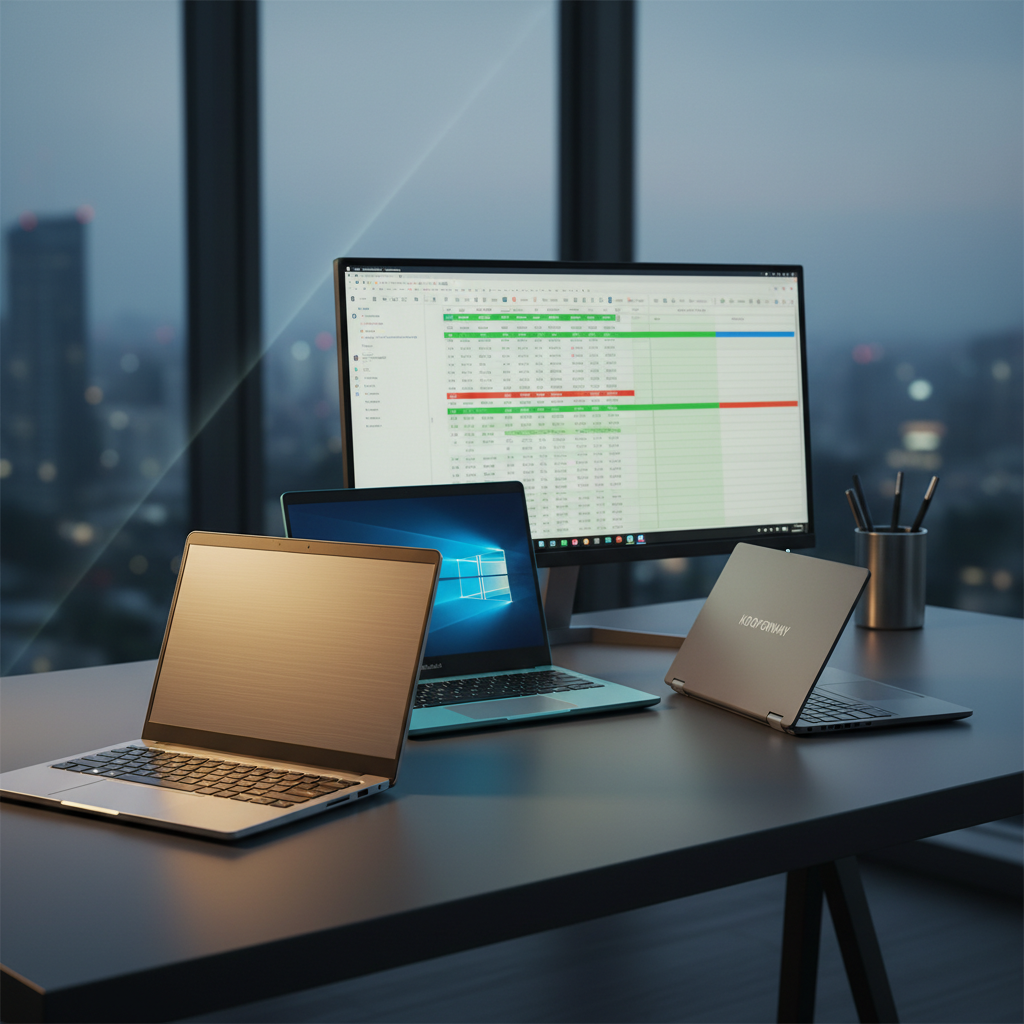

💚 Best Value
Toshiba Dynabook K50 10.1-inch
$92.00
The Goldengulf GG20326, priced at $218.88, earns the “Best Overall” label even though it’s far cheaper than many premium contenders. It features a 10.1‑inch IPS screen, 2 GB RAM and a claimed 9‑hour battery life for light tasks, and it holds a 4.0‑star rating from 423 reviewers.
Twelve Windows netbooks fall into three price tiers. The budget tier includes the $92 Toshiba Dynabook K50, the $104.99 Lenovo 100e, the $140 Dell Latitude 3190 and the $218.88 Goldengulf, all hovering around 4‑star ratings. Mid‑range options feature the $229.99 Asus Vivobook Go L210KA and the $229.99 Elepad YOGA116. Premium picks range from the $359.99 CHUWI MiniBook X up to the $812.95 GPD Pocket 3, with the Kooforway P8 2‑in‑1 at $439 and its sibling P8 at $499 delivering higher‑end specs.
Below, each tier is broken down to help you match a netbook to your workflow, screen size preference and portability needs.
Goldengulf GG20326
Offers up to 9 hours of battery life on light tasks, balancing value and features for most users.

Asus Vivobook Go L210KA
Ideal for brand‑confident shoppers who want a claimed 12‑hour battery, and it’s just $11.11 more than the top pick model.

Kooforway P8 2-in-1
Stands out with a 3200 mAh (36.48 Wh) battery and 2‑in‑1 convertible design, targeting users willing to pay premium for flexibility.
Also considered
Score Analysis
Key score advantages vs. runner-up (Asus Vivobook Go)
Price Range
Goldengulf GG20326
$189.00
Asus Vivobook Go L210KA
$229.99
Kooforway P8 2-in-1
$439.00

Lenovo 100e
$104.99

Kooforway P8
$499.00
Toshiba Dynabook K50 10.1-inch
$92.00

Dell Latitude 3190 11.6-inch
$140.00

GPD Pocket 3
$812.95

CHUWI MiniBook X
$379.89

Elepad YOGA116
$229.99

G-Anica N4000
$199.99
Lenovo 300e
$145.00
Spec Comparison
TL;DR: The Goldengulf GG20326 packs a 10.1‑inch IPS screen, Windows 10 Home, and up to 9 hours of light‑task battery life into a 2.425084882‑pound, ultra‑portable netbook for $218.88.
The standout spec is its 10.1‑inch IPS display paired with a modest 1280 × 800 resolution, delivering decent colour consistency for a device this size. Coupled with a 6000 mAh lithium‑ion battery, the netbook can stretch to up to 9 hours on light tasks, which is a solid endurance figure for a budget‑oriented Windows machine.
When you line it up against the other eleven contenders, the Goldengulf feels a touch heavier than the Dell Latitude 3190 (2.0 lb) and the Lenovo 100e (2.2 lb), but it’s only marginally above the Asus Vivobook Go L210KA’s 2.36 lb. Its internal storage sits at 32 GB eMMC SSD, noticeably smaller than many peers that ship with larger drives, yet the MicroSD slot lets you expand up to 256 GB—flexibility that some competitors don’t list. The device’s Intel Atom Z8350 quad‑core processor runs at a base 1.96 GHz and can boost to 2.48 GHz, which is adequate for basic browsing and document work but trails the more robust CPUs found in higher‑priced alternatives.
Users express mixed sentiment. Reviewers consistently praise the netbook’s featherlight chassis (1.1 kg) and the convenience of a full Windows 10 Home environment, which lets you run familiar desktop software. Reviewers also highlight the included optical mouse, charger, and keychain light as handy extras. On the flip side, the 2 GB of RAM and 32 GB of internal storage draw criticism for slowing multitasking and filling up quickly, especially when users try to keep several browser tabs open. Professional reviewers echo these points, noting the Atom processor feels dated for anything beyond simple tasks.
Pros
Cons
Best for: Students, travelers, and budget‑conscious users who need a lightweight Windows netbook for everyday tasks.
Avoid if: You require heavy multitasking, video editing, gaming, or high‑performance business applications.
TL;DR: The Asus Vivobook Go L210KA offers an 11.6‑inch HD screen, 2.36 lb ultra‑light chassis, and up to 12 hours of claimed battery life for just $229.99, making it a solid budget netbook for everyday tasks.
The standout feature is its portability: it weighs only 2.36 lb and measures just 0.67 in in thickness, while packing an 11.6‑inch LED‑backlit, anti‑glare TN panel with a 1366 × 768 resolution. The 38 Wh battery rates up to 12 hours of use, and the whole package retails for $229.99.
Compared with peers, the Vivobook Go is a touch heavier than the 2.2‑lb Lenovo 100e, yet still lighter than many full‑size laptops. Its 38 Wh battery sits just below the Dell Latitude’s 42 Wh pack, so you’ll see slightly shorter endurance on paper, but the claimed 12‑hour runtime holds its own in the budget segment.
Reviewers consistently praise the notebook’s light feel, comfortable chiclet keyboard, and surprisingly clear stereo speakers with ASUS SonicMaster tech. The same reviewers note that 4 GB of soldered DDR4 RAM and a 128 GB SSD can feel cramped when many browser tabs or files are open, and the 200‑nit, 45% NTSC display looks dull next to higher‑end screens. The VGA‑only webcam also produces blurry video in low light, which aligns with user complaints about video‑call quality.
Under the hood sits an Intel Celeron N4500 processor that runs at a 1.1 GHz base clock and can boost to 2.8 GHz, backed by a 4 MB cache. Intel UHD Graphics handles graphics. Connectivity includes Wi‑Fi 5, Bluetooth 5.1, a 1 × HDMI 1.4 port, USB‑C, USB‑3.2 Gen 1 Type‑A, and a 3.5 mm combo audio jack. It ships with Windows 11 Home in S Mode and comes with a 1‑year warranty.
Pros
Cons
Best for: Students and casual users who need a lightweight notebook for online classes, note‑taking, browsing and streaming.
Avoid if: You need advanced performance, high‑resolution graphics, or extensive storage for demanding workloads.
TL;DR: The Kooforway P8 2‑in‑1 packs a 12 GB LPDDR5 RAM, 512 GB SSD and stylus‑ready 8‑inch HD touchscreen into a 1.7‑pound metal chassis, but its tiny screen and 5‑hour battery may limit long work sessions.
The standout spec is its 12 GB of LPDDR5 memory paired with a 512 GB M.2 SSD, a combination rarely seen in an 8‑inch ultra‑portable Windows 11 Pro device. Coupled with an Intel N150 processor (1 GHz base, 3.4 GHz turbo, four cores) and Intel UHD graphics with 12 GB of shared memory, the P8 can juggle everyday apps, note‑taking and light multitasking without lag.
Weighing just 1.7 pounds (771 g), it's lighter than most of its rivals in this roundup, such as the CHUWI MiniBook X (around 1.96 pounds) and the Asus Vivobook Go L210KA (over 2.3 pounds). Its 3200 mAh (36.48 Wh) battery delivers about five hours of typical use, matching the sibling Kooforway P8 but falling short of the larger Elepad YOGA116’s 5000 mAh pack and Goldengulf GG20326’s 6000 mAh unit. The 8‑inch HD touchscreen (1280 × 800) also measures smaller than the 10‑inch to 11.6‑inch displays that most competitors use, which can make prolonged document work feel cramped.
Reviewers consistently praise the device’s portability, metal build and stylus support (1024 pressure levels, 10‑point capacitive touch). Professionals note that the 12 GB RAM and fast 4800 MHz speed give a smooth Windows 11 Pro experience, while students love the 180° rotatable screen for tablet‑mode note‑taking. Common complaints focus on the modest five‑hour battery and the compact keyboard, which larger‑hand users find cramped. User feedback also notes the lack of palm‑rejection on the touchscreen.
Pros
Cons
Best for: Those prioritizing quality and willing to pay for premium performance
Avoid if: You need advanced features or professional‑grade performance
“Perfect for students — lightweight and great for online classes”
“Love the stylus for sketching and handwritten notes”
TL;DR: The Lenovo 100e packs a rugged 11.6‑inch chassis, USB‑C Power Delivery with 4K video, and up to 10 hours of battery life for just $104.99, making it a solid budget netbook for everyday tasks.
The standout feature is the USB‑C port that handles charging, data, DisplayPort and Power Delivery, letting you output 4K video at 60 Hz while the 45 W adapter powers the machine. Coupled with a 42 Wh integrated battery, the device promises up to 10 hours of use on a single charge, which aligns with the needs of a full school day or a long commute.
At 2.2 Pounds, the 100e is lighter than the Lenovo 300e (2.98 lb) and the Toshiba Dynabook K50 (2.6 lb), but a touch heavier than the Dell Latitude 3190 (2.0 lb). Its 250‑nit anti‑glare TN panel matches the brightness of the 300e, yet falls short of the brighter displays found on higher‑priced competitors. Battery life sits between the Dell’s claimed 11 hours and the Goldengulf’s 9‑hour claim, while the Toshiba advertises up to 16 hours, making the 100e a middle‑ground choice for endurance.
Professional reviewers praise the rugged, spill‑resistant keyboard and the ability to expand storage with an M.2 2242 SSD up to 256 GB, while everyday users highlight the dependable 10‑hour battery and sturdy chassis for classroom use. The trade‑off shows up in performance: the dual‑core Intel Celeron N4020 (1.10 GHz base, 2.80 GHz turbo) paired with only 4 GB LPDDR4 soldered RAM limits multitasking, and the 64 GB eMMC storage feels sluggish for larger workloads. The lack of a backlit keyboard also shows up in low‑light environments.
Pros
Cons
Best for: Buyers in the budget price range seeking the best quality at that price point
Avoid if: You need advanced features or professional‑grade performance
“I upgraded the memory to 8GB and the hard disk to 256GB SSD on my laptop with Intel Celeron N4020 processor.”
TL;DR: The Kooforway P8 packs a 12 GB LPDDR5 RAM, 1 TB NVMe SSD and a 1024‑level stylus‑ready 8‑inch touchscreen into a 1.7‑lb metal chassis, but its 5‑hour battery and tiny keyboard limit all‑day use.
The standout spec is the 12 GB of LPDDR5 memory paired with a full‑size 1 TB M.2 NVMe SSD, all housed in an 8‑inch, 1280 × 800 LCD touchscreen that rotates 180° for tablet mode. The device also supports a pressure‑sensitive stylus with 1024 levels, making it unusually capable for note‑taking and sketching at this size. Weighing just 1.7 pounds (771 g) and built from a metal chassis, it really feels like a pocket‑sized Windows laptop.
Compared with the other eleven contenders, the P8 is among the lightest—lighter than the CHUWI MiniBook X (≈1.96 lb) and the Asus Vivobook Go L210KA (≈2.36 lb), and only a touch heavier than the G‑Anica N4000’s 1000 g frame. Its 36.48 Wh battery (3200 mAh) also outpaces the CHUWI MiniBook X’s 28.88 Wh pack, though the standby claim of 72 hours is generous. The 8‑inch screen's the smallest in the set, shorter than the Elepad YOGA116’s 11.6‑inch display and the Goldengulf GG20326’s 10.1‑inch panel, which can feel limiting for extended work sessions.
User feedback repeatedly praises the device’s ultra‑portability and the smooth multitasking that the 12 GB RAM and fast SSD provide. Professionals note the precise stylus response and the sturdy metal build. However, reviewers consistently point out the cramped keyboard, which can be uncomfortable for larger hands, and the modest 5‑hour typical battery life that may not survive a full travel day. The low‑resolution 1280 × 800 panel also draws criticism for lack of sharpness, especially when used as a primary screen.
Under the hood sits an Intel N150 processor with four cores, a base clock of 1.0 GHz and a turbo boost up to 3.4 GHz, all drawing just 6 W TDP. Combined with Intel UHD Graphics sharing 12 GB of VRAM, the system handles everyday Office apps, web browsing and light creative work without strain. Connectivity includes Bluetooth 5.2, Wi‑Fi 6, an HDMI port, two USB‑A 3.0 ports and a single USB‑C for data and charging, plus an Ethernet RJ45 jack for wired networks.
Pros
Cons
Best for: Students and business travelers who need a truly portable Windows device for note‑taking, Office apps and light multitasking.
Avoid if: You need a larger screen, long‑lasting battery, or high‑performance graphics for gaming, video editing or CAD work.
“Perfect for students — lightweight and great for online classes”
“Love the stylus for sketching and handwritten notes”
TL;DR: The Toshiba Dynabook K50 is a 10.1‑inch Windows 11 Pro 2‑in‑1 tablet with a detachable keyboard, 4 GB RAM, 64 GB eMMC storage and a manufacturer‑claimed 16‑hour battery life, priced at $92.
It features a 10.1‑inch capacitive touchscreen at 1280 × 800 resolution and a detachable keyboard dock, all powered by an Intel Celeron N4020 dual‑core processor. It carries 4 GB of DDR4 RAM and 64 GB of eMMC flash storage, while a microSD slot lets you expand up to 512 GB. The tablet itself weighs 2.6 pounds, and it's claimed to run up to 16 hours on a single charge.
Compared with the other eleven entries, the K50 is heavier than the Lenovo 100e (2.2 pounds) and the Dell Latitude 3190 (2.0 pounds), but lighter than the Lenovo 300e (about 2.98 pounds). Its battery claim of up to 16 hours exceeds the Lenovo 100e’s up to 10 hours, the Lenovo 300e’s up to 10 hours, and the Dell Latitude’s up to 11 hours, giving it a clear endurance edge in this budget segment.
Reviewers often praise the tablet’s lightweight feel and long battery life, noting that it stays powered through a full day of classes or field work. The built‑in stylus support and Windows 11 Pro security features, such as TPM 2.0, highlight professional‑grade advantages. Common complaints focus on the modest 4 GB RAM and 64 GB eMMC storage, which can feel cramped and slower when many browser tabs are open, and the relatively low 1280 × 800 display can appear dim in bright sunlight.
Additional technical context includes Bluetooth 5.0 for reliable wireless connections, a USB‑C port that handles both data and charging, and a full set of ports on the keyboard dock (HDMI, USB‑A, microSD). The device also meets ENERGY STAR and EPEAT standards, reinforcing its suitability for environmentally conscious users.
Pros
Cons
Best for: Entry-level buyers or those on a tight budget
Avoid if: You want the best value‑per‑dollar in its price range
“Perfect for my daughter’s online classes – lightweight and lasts all day.”
“Surprisingly good build quality for a budget device.”
TL;DR: The Dell Latitude 3190 11.6‑inch 2‑in‑1 offers a rugged convertible design, up to 11‑hour battery life and 8 GB RAM at a $140 price, making it a solid budget pick for light productivity.
What really stands out is the 360° hinge that lets you flip the Dell Latitude 3190 into laptop, tent, stand or tablet mode, paired with a 10‑point multi‑touch screen protected by Corning Gorilla Glass. At just 2.0 lbs, it feels light enough to carry around all day, and the spill‑resistant, rubberized keyboard adds durability for on‑the‑go use.
Compared with the other eleven contenders, the Latitude weighs less than the Lenovo 300e (2.976240537 Pounds) and the Asus Vivobook Go L210KA (2.36 lbs), and it matches the slim profile of the Lenovo 100e (2.2 Pounds). Its manufacturer‑claimed battery life of up to 11 hours tops the 10‑hour claims of both Lenovo models and sits just below the Toshiba Dynabook K50’s 16‑hour claim. The 11.6‑inch display matches the size of the Lenovo 300e and 100e and exceeds the G‑Anica N4000’s 10‑inch screen.
Reviewers appreciate the sturdy build, quick boot times from the SSD and the responsive touchscreen, but they note the HD 1366 × 768 panel feels soft for detailed work. Professional reviewers also point out that the base configuration limits the RAM to 4 GB and solders the RAM and storage, restricting future upgrades. Some owners of refurbished units report keyboard quirks and occasional power‑on failures.
Pros
Cons
Best for: Shoppers on a tight budget who want the most for their money
Avoid if: You need advanced features or professional‑grade performance
TL;DR: The GPD Pocket 3 packs an 8‑inch 324 PPI IPS touchscreen, 16 GB RAM and a 10,000 mAh battery into a 700 g aluminum body, delivering full Windows 11 in a pocket‑sized form.
A standout spec is the 8.0‑inch capacitive IPS touchscreen with a crisp 324 PPI density, paired with 16 GB of LPDDR4 memory and a fast 512 GB PCIe NVMe SSD. All of this sits in a CNC‑machined aluminum shell that weighs just 1.543235834 pounds (700 g) and measures 198 mm × 137 mm × 20 mm, making it truly pocket‑friendly.
Compared with the other netbooks in this roundup, the Pocket 3 is lighter than the Kooforway P8 (700 g vs 771 g) and the CHUWI MiniBook X (920 g). Its 10,000 mAh battery also dwarfs the Kooforway P8’s 3,200 mAh pack, giving you the listed 6–8 hours of light‑use endurance while many rivals list shorter runtimes.
Reviewers consistently praise the extreme portability, the sharp display, and the fact that it runs full Windows 11 Home, which means every Win32 app works out of the box. The common downsides are the cramped keyboard and the trackpoint nub, which many users find less intuitive than a modern trackpad, and the limited 8‑inch screen real‑estate for heavy multitasking.
It runs on an Intel Pentium Gold 7505 processor (2.0 GHz base, up to 3.5 GHz boost) with active cooling that uses a copper heat pipe and fan, and it supports Bluetooth 5.3 and dual‑band Wi‑Fi ac. Professional reviewers highlight the premium aluminum build and the high‑resolution touch panel as key strengths for on‑the‑go productivity.
Pros
Cons
Best for: Mobile developers, business travelers, IT professionals and students who need full Windows capability in an ultra‑portable package.
Avoid if: You need a large screen for heavy multitasking or a full‑size keyboard for extended typing, and if you’re shopping on a tight budget — it’s priced at $812.95.
“It fits in my pocket and runs Photoshop!”
“The screen is stunning—better than my iPad.”
TL;DR: The CHUWI MiniBook X offers a 10.51‑inch 1920×1200 touchscreen, 16 GB LPDDR5 RAM, and a 512 GB SSD in a 920 g aluminum body, but its 6‑hour battery limits all‑day use.
What really stands out is the combination of a 10.51‑inch IPS In‑Cell touchscreen with 100 % sRGB coverage and a hefty 16 GB of LPDDR5 RAM running at 4800 MHz, all backed by a fast 512 GB NVMe SSD that reads and writes at over 1500 MB/s. The device weighs 1.9621141318 pounds (920 g) and packs a 28.88 Wh battery that the manufacturer rates for about 6 hours of average use.
Compared with the other netbooks in this roundup, the MiniBook X weighs more than the Kooforway P8 2‑in‑1 (1.7 pounds) but less than the Asus Vivobook Go L210KA (2.36 pounds) and far less than the Elepad YOGA116 (3.46 pounds). Its battery capacity of 28.88 Wh is lower than the Kooforway P8’s 36.48 Wh and the Asus’s 38 Wh, so its endurance falls short of those models. On the display side, the 10.51‑inch panel is larger than the Kooforway P8’s 8‑inch screen and comparable to the Goldengulf GG20326’s 10.1‑inch panel, giving it a comfortable workspace for most productivity tasks.
Reviewers consistently praise the MiniBook X’s premium aluminum chassis, the crisp touchscreen, and the versatility of its 360° hinge that lets you switch between laptop, tablet, tent, or stand modes. Professional reviewers also note the rarity of dual full‑function Type‑C ports in this price range. On the downside, users report that the 6‑hour battery feels limiting for long days, the Intel N150 processor can lag when many browser tabs are open, and the active cooling fan becomes audible under sustained load. These trade‑offs make it a solid travel companion but not a powerhouse for heavy multitasking.
Pros
Cons
Best for: Students and frequent travelers who need a lightweight Windows 2‑in‑1 for note‑taking, web browsing, and light productivity.
Avoid if: You need all‑day battery life, heavy multitasking, or professional‑grade performance for video editing or gaming.
TL;DR: The Elepad YOGA116 is an 11.6‑inch Full HD 2‑in‑1 Windows tablet with a stylus, 256 GB eMMC storage and a 5000 mAh battery, but its 4 GB RAM and modest Celeron CPU limit performance.
The standout feature is its 11.6‑inch 1920 × 1080 pixel IPS touchscreen, which delivers sharp, wide‑view visuals for both work and media. The device also includes a built‑in stylus, making handwritten notes and quick sketches feel natural.
At 3.45905289078 lb (1.57 kg), the YOGA116 is heavier than every other netbook in this roundup – the Asus Vivobook Go L210KA (2.36 lb), Goldengulf GG20326 (2.43 lb), Dell Latitude 3190 (2.0 lb), Lenovo 300e (2.98 lb) and Lenovo 100e (2.2 lb). On the storage side, its 256 GB eMMC drive outpaces many rivals that list far less or no internal capacity, and the port lineup (HDMI, Type‑C charging, USB 3.0, micro‑SD, audio jack and OTG) is broader than the more limited selections on several competitors.
User feedback repeatedly praises the crisp Full HD screen and the included stylus, noting that its 1.57 kg weight lets you easily carry it to class or a coffee shop. At the same time, reviewers flag sluggish multitasking because the Celeron N4020 processor (2.5 GHz, 2 cores, 4 threads) paired with only 4 GB DDR4 RAM struggles with multiple apps, and the eMMC storage feels slower than a true SSD. The claimed 240‑hour battery life raises eyebrows because real‑world usage typically falls short of that extreme figure.
Pros
Cons
Best for: Students, children, seniors and travelers who need a lightweight Windows tablet with a sharp screen and stylus for web browsing, note‑taking and media consumption.
Avoid if: You require heavy multitasking, video editing, gaming or the highest reliability and performance levels.
“Crisp, bright display for the price”
“Sluggish performance when multiple apps are open”
TL;DR: The G‑Anica N4000 packs an 8 GB RAM, 128 GB storage and a 10‑inch 1280×800 screen into a 1 kg Windows 11 netbook, but its Celeron CPU and modest battery keep it in the budget lane.
The standout feature is its 10‑inch 1280×800 pixel TN panel paired with a full‑size Windows 11 operating system, all powered by an Intel Celeron N4020 that runs between 1.1 GHz base and 2.8 GHz burst speeds. With 8 GB DDR4 RAM soldered in and 128 GB of eMMC storage, the device can handle everyday tasks like web browsing, document editing, and video calls without swapping. The manufacturer lists battery capacity as 3000‑5000 mAh, delivering a real‑world runtime of roughly 4‑6 hours, and connectivity includes Bluetooth 4.2, Wi‑Fi 802.11b/g/n, a microSD slot, and a mini HDMI port.
Compared with the other eleven netbooks in this roundup, the N4000 sits in the middle of the weight range—it’s a touch heavier than the Dell Latitude 3190 (≈907 g) but noticeably lighter than the bulkier Lenovo 300e (≈1350 g). Its battery life of 4‑6 hours trails many peers that claim up to 9‑12 hours, so you’ll likely need to keep a charger handy for longer sessions. On the storage front, the 128 GB capacity offers modest space; several competitors provide larger or faster SSD options, though the N4000 does include a microSD slot for expansion.
Users who have taken the N4000 on the road appreciate the compact footprint and the bundle of accessories—laptop bag, mouse, mouse pad and earphones—that arrive out of the box. However, several reviewers note that the Celeron processor feels sluggish with more demanding software, and the TN display’s limited viewing angles can be a nuisance in bright environments. Professional reviewers echo this, noting that the Intel UHD Graphics 600 with 12 execution units and a 14 nm process handles basic tasks but can’t tackle graphics‑intensive workloads.
Pros
Cons
Best for: Children, students, and casual users who need a lightweight, inexpensive Windows laptop for web browsing, document work, and media consumption.
Avoid if: You need advanced performance, a high‑resolution display, or extended battery life for all‑day use.
“great product for kids”
“good birthday present”
TL;DR: The Lenovo 300e is an $105, 11.6‑inch 2‑in‑1 netbook with MIL‑STD‑810H durability, up to 10‑hour battery life, and 8 GB RAM, making it a rugged budget choice for students.
What really sets the 300e apart is its military‑grade build. It meets MIL‑STD‑810H and can survive drops of up to 29.5 in, while the sealed, spill‑resistant keyboard adds extra peace of mind. Power isn’t left behind either – the 3‑cell lithium polymer battery is rated for up to 10 hours of use, and the device ships with 8 GB LPDDR4 RAM and a 128 GB SSD for everyday tasks.
Compared with its peers, the 300e is heavier than the Lenovo 100e’s 2.2 lb frame, yet it matches that model’s up‑to‑10‑hour battery life. It’s also bulkier than the Dell Latitude 3190, which is only 21.25 mm thick, and lighter than the Toshiba Dynabook K50’s 2.6 lb chassis. Battery endurance falls short of the Dynabook’s claimed 16‑hour runtime and the Latitude’s up‑to‑11‑hour claim, but the 300e still offers a solid all‑day span for classroom use.
Educators and students consistently praise the rugged chassis and the 10‑hour battery, calling the device “battle‑tested” and “ideal for note‑taking with a regular pencil.” Professional reviewers note the modest performance of the Intel Celeron N4120 (1.1 GHz base, 2.6 GHz turbo) and the low‑resolution 1366 × 768 HD screen, which some users find blurry. The 360° hinge delivers true tablet, laptop, and tent modes, and the optional back‑lit keyboard adds flexibility for dim environments.
Pros
Cons
Best for: K‑12 students, teachers, and school IT departments that need a rugged, affordable 2‑in‑1 device for everyday classroom tasks.
Avoid if: You need high‑performance CPUs, a high‑resolution display, or large, expandable storage for professional workloads.
“Survives everything”
“Great for note-taking”
Breakdown
Goldengulf GG20326
Pros
Asus Vivobook Go L210KA
Pros
Kooforway P8 2-in-1
Pros
Lenovo 100e
Pros
Based on scoring data and product specs
Personalized picks
Best Overall Pick
Goldengulf GG20326
Best OverallBest for: Most users seeking a balanced, mainstream option
Asus Vivobook Go L210KA
Best for: Most users seeking a balanced, mainstream option
$229.99+$40.99 vs winner
Skip Lenovo 300e if…
You need advanced features or professional-grade performance
Goldengulf’s GG20326 takes the top spot thanks to its solid all‑round specs: a 10.1‑inch IPS panel delivers a native 1280 × 800 resolution (upscaled to 1920 × 1080), the 6000 mAh lithium‑ion battery holds up to 9 hours on light tasks, and it weighs just 2.425084882 pounds. Add a 4.0‑star rating from 423 reviewers and you’ve got a netbook that balances screen quality, endurance and portability.
The Asus Vivobook Go L210KA lands as the runner‑up, perfect if you need a larger workspace and all‑day battery confidence. Its 11.6‑inch anti‑glare display (1366 × 768) pairs with a claimed 12‑hour battery life, while 4 GB of DDR4 RAM and a 128 GB SSD keep everyday apps snappy. At 2.36 lbs it’s still light enough for a commuter bag.
Looking beyond the top two, the Toshiba Dynabook K50 10.1‑inch offers the best budget choice at $92.00, delivering basic productivity without breaking the bank. For those who want a premium pocket‑sized PC, the GPD Pocket 3 stands out at $812.95, packing high‑end components in a compact chassis.
Pick the Goldengulf GG20326 today for the most balanced productivity netbook on the market.
The Goldengulf GG20326 lists up to 9 hours of battery life for light tasks and weighs about 1.1 kg, making it easy to carry. The Asus Vivobook Go L210KA claims 12 hours of battery life but is slightly heavier at 2.36 lb, so the Goldengulf is the lighter option while the Asus offers a longer claimed runtime.
Please sign in to leave a review
No reviews yet. Be the first to review!
