Rankings

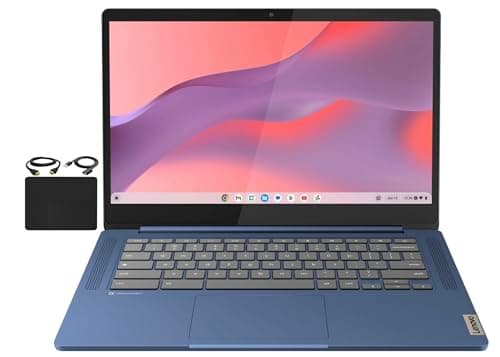
The Lenovo Flagship Chromebook is a sleek 14-inch Full HD touchscreen device with solid build quality, excellent battery life, and modern connectivity, aimed at students and casual users. Its modest 4 GB RAM and eMMC storage keep costs low but may limit power-users.

The ASUS Chromebook CM14 is a rugged 14-inch device with long battery life and a spill-resistant keyboard, aimed at students and remote workers, but its low-resolution TN display and limited RAM constrain performance.

A rugged 11.6" 2-in-1 Chromebook built for education, offering excellent battery life and durability but modest performance and a low-resolution screen.

A budget-friendly 15.6" Chromebook with a solid Full-HD screen, modern connectivity, and good battery life, aimed at students and casual users.

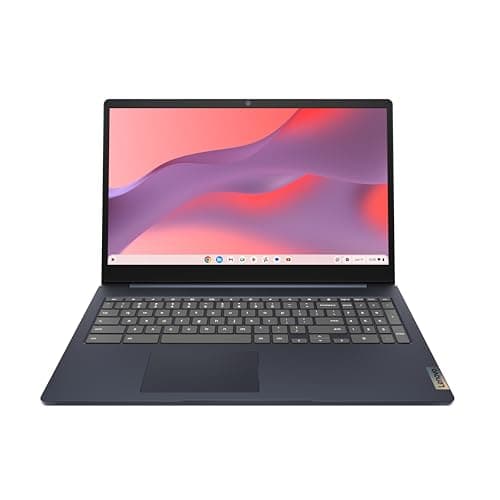
The Lenovo IdeaPad 3i Chromebook offers a large 15.6" Full HD screen, modern Wi-Fi 6 connectivity and 8 GB RAM at a budget price, making it suitable for students and light remote work. Its TN display, lack of a backlit keyboard and modest performance keep it from being a premium choice.
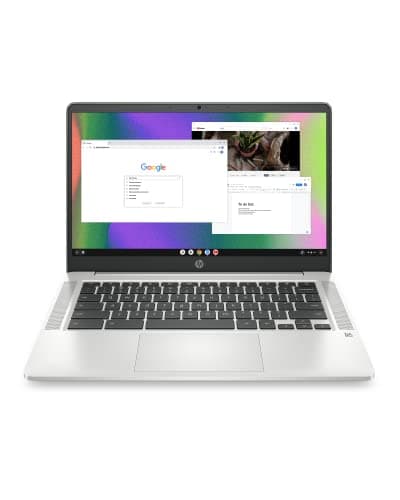
The HP Chromebook 14 delivers solid battery life, a bright display and modern connectivity in a lightweight package, making it a good fit for students and casual users. However, its modest RAM, limited storage and occasional thermal throttling keep it from handling heavy multitasking.

The Acer Chromebook 11 C732-C6WU is an entry-level, fanless device aimed at education, offering long battery life, lightweight construction, and multiple ports, but its low-resolution screen and limited storage keep it from appealing to power users.

The HP 2023 Chromebook provides a lightweight, long-lasting device with a decent port selection and webcam, but its Celeron processor, limited RAM and storage, and dim screen limit performance.

The HP Chromebook 11-inch is an entry-level, lightweight device with an anti-glare IPS display and basic performance for web-based tasks. It offers good portability but is limited by its low-power processor, modest RAM/storage, and battery life that doesn't meet advertised claims.

A rugged 11.6" 2-in-1 Chromebook aimed at K-12 classrooms, offering long battery life and a versatile hinge but modest performance and storage.
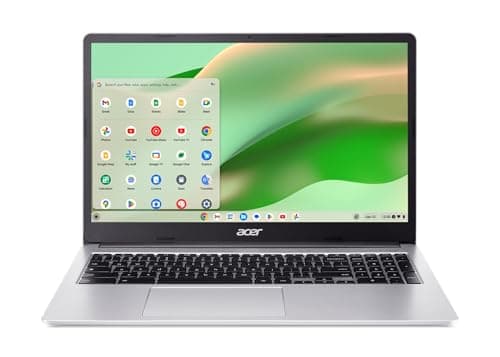
The Acer Chromebook 315 offers a large 15.6-inch Full HD touchscreen, ample 8 GB RAM and a numeric keypad at a budget price, but its battery lasts only about 7 hours and the display is dim.

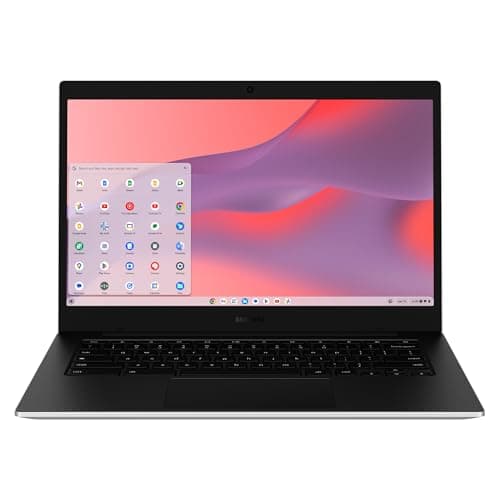
The Samsung Galaxy Chromebook Go is a 14" budget Chromebook that emphasizes durability, LTE connectivity and an all-day battery. It offers a larger HD screen and robust build, but its low-resolution display, modest Celeron processor and lack of HDMI limit its appeal for power users.

The Samsung Chromebook 4 is an 11.6" budget device with a Celeron processor, 4 GB RAM, and up to 12.5 h battery life. It offers a rugged build, modern ports and TPM security, but suffers from limited memory, storage and a low-resolution TN screen.
| Attribute | ![]() | ![]() | ![]() | ![]() | HP Chromebook 14 2021 | Acer Chromebook 2023 | ![]() | ![]() | ![]() | ![]() | ![]() | ![]() | ![]() |
|---|---|---|---|---|---|---|---|---|---|---|---|---|---|
8.97 hours | 10 hours | 15 hoursbest | 13.5 hours | 13.5 hours | 7.23 hours | 12 hours | 13.5 hours | 12.5 hours | 10 hours | 10 hours | 14 hours | 12 hours | |
11.6 inches | 15.6 inchesbest | 14 inches | 11.6 inches | 14 inches | 15.6 inchesbest | 11.6 inches | 14 inches | 11.6 inches | 11.6 inches | 15.6 inchesbest | 14 inches | 14 inches | |
4 GB | 8 GBbest | 4 GB | 4 GB | 4 GB | 8 GBbest | 4 GB | 4 GB | 4 GB | 4 GB | 4 GB | 4 GB | 4 GB | |
32 GB | 64 GBbest | 64 GBbest | 32 GB | 32 GB | 64 GBbest | 32 GB | 64 GBbest | 32 GB | 32 GB | 64 GBbest | 64 GBbest | 64 GBbest | |
| ↓ lower better | 1.07 kgbest | 2.492 kg | 1.996 kg | 1.406 kg | 1.471 kg | 1.629 kg | 1.352 kg | 1.297 kg | 1.678 kg | 1.35 kg | 1.578 kg | 1.52 kg | 1.451 kg |
37 Wh | 47 Whbest | 42 Wh | 42 Wh | 47 Whbest | — | 45 Wh | — | — | 42 Wh | 47 Whbest | 47 Whbest | 42.3 Wh | |
| ↓ lower better | 16.8 mm | 19.05 mm | 18 mm | 15.24 mmbest | 17.8 mm | 20 mm | 22 mm | 19 mm | 76.2 mm | 20.9 mm | 244 mm | 18.3 mm | 16 mm |
220 nits | 220 nits | 220 nits | 220 nits | 235 nits | — | 250 nitsbest | — | — | 250 nitsbest | 220 nits | 250 nitsbest | 220 nits |
Click an attribute name to sort · Green = best, red = worst (relative to this comparison)
| Attribute | ![]() | ![]() | ![]() | ![]() | HP Chromebook 14 2021 | Acer Chromebook 2023 | ![]() | ![]() | ![]() | ![]() | ![]() | ![]() | ![]() |
|---|---|---|---|---|---|---|---|---|---|---|---|---|---|
Performance(3) | |||||||||||||
Processor | MediaTek MT8183 | Intel Celeron N4500 | MediaTek Kompanio 520 | Intel Celeron N4020 | Intel Celeron N4000 | Intel Pentium Silver N6000 | Intel Celeron N3350 | MediaTek Kompanio 520 | Intel Celeron N4000 | MediaTek MT8173C | Intel Celeron N4500 | Intel Celeron N4120 | Intel Celeron N4500 |
RAM (GB) | 4 GB | 8 GB | 4 GB | 4 GB | 4 GB | 8 GB | 4 GB | 4 GB | 4 GB | 4 GB | 4 GB | 4 GB | 4 GB |
Storage Capacity (GB) | 32 GB | 64 GB | 64 GB | 32 GB | 32 GB | 64 GB | 32 GB | 64 GB | 32 GB | 32 GB | 64 GB | 64 GB | 64 GB |
Battery & Power(2) | |||||||||||||
Battery Life (hours) | 8.97 hours | 10 hours | 15 hours | 13.5 hours | 13.5 hours | 7.23 hours | 12 hours | 13.5 hours | 12.5 hours | 10 hours | 10 hours | 14 hours | 12 hours |
Battery Capacity (Wh) | 37 Wh | 47 Wh | 42 Wh | 42 Wh | 47 Wh | — | 45 Wh | — | — | 42 Wh | 47 Wh | 47 Wh | 42.3 Wh |
Build & Design(2) | |||||||||||||
Weight (kg) | 1.07 kg | 2.492 kg | 1.996 kg | 1.406 kg | 1.4706 kg | 1.629 kg | 1.352 kg | 1.297 kg | 1.678 kg | 1.35 kg | 1.578 kg | 1.52 kg | 1.451 kg |
Thickness (mm) | 16.8 mm | 19.05 mm | 18 mm | 15.24 mm | 17.8 mm | 20 mm | 22 mm | 19 mm | 76.2 mm | 20.9 mm | 244 mm | 18.3 mm | 16 mm |
Display(4) | |||||||||||||
Screen Size (inches) | 11.6 inches | 15.6 inches | 14 inches | 11.6 inches | 14 inches | 15.6 inches | 11.6 inches | 14.0 inches | 11.6 inches | 11.6 inches | 15.6 inches | 14 inches | 14 inches |
Resolution | 1366 x 768 | 1920 x 1080 | 1366x768 | 1366x768 | 1366 x 768 / 1920 x 1080 | 1920x1080 | 1366x768 | 1920x1080 | 1366x768 | 1366x768 | 1920x1080 | 1366x768 | 1366x768 |
Display Brightness (nits) | 220 nits | 220 nits | 220 nits | 220 nits | 235 nits | — | 250 nits | — | — | 250 nits | 220 nits | 250 nits | 220 nits |
Touchscreen | true | false | false | true | — | true | false | true | false | true | false | false | false |
Connectivity(4) | |||||||||||||
Wi‑Fi Standard | 802.11ac | 802.11ax | Wi‑Fi 6 | Wi‑Fi 5 | 802.11ac | Wi‑Fi 6 | Wi‑Fi 5 | Wi‑Fi 6 | Wi‑Fi 5 (802.11ac) | Wi‑Fi 5 | Wi‑Fi 6 | Wi‑Fi 5 | Wi‑Fi 6 (802.11ax) |
Bluetooth Version | 4.2 | 5.2 | 5.3 | 5.0 | 5.0 | — | 4.2 | 5.1 | 4.0 | 4.2 | 5.2 | 5.0 | 5.1 |
USB‑C Ports (count) | 1 count | 1 count | 2 count | 2 count | 2 count | 2 count | 2 count | 1 count | 1 count | 1 count | 1 count | 1 count | 2 count |
HDMI Port | — | true | — | true | true | — | — | — | true | true | true | true | false |
Security(1) | |||||||||||||
Security Chip (TPM) | — | true | true | true | — | — | — | — | true | false | true | — | true |
Warranty & Support(1) | |||||||||||||
Warranty Period (years) | 1 years | 1 years | 1 years | 0.25 years | 1 years | 1 years | 0.25 years | 0.25 years | 0.25 years | 0.25 years | 1 years | 1 years | 1 years |
Keyboard(1) | |||||||||||||
Keyboard Type | — | Full-size, non-backlit | Chiclet-style spill-resistant | 74-key Chiclet | — | full-size with numeric keypad | QWERTY | Full‑size | Spill‑resistant chiclet | Full-size spill-resistant mechanical | — | Full-size | Non‑backlit |

Products in the top-left offer the best value (high score, low price).

Professional reviewers view it as a solid budget option for light use, praising its portability and display while criticizing the underpowered processor, limited RAM/storage, and short battery life.
Everyday users like the light weight and clear screen, but complain about sluggish performance with multiple tabs and shorter-than-advertised battery life.

“budget Chromebook with limitations.”

“It's fine for light use, but not for students or professionals with heavy workloads.”

“The screen is clear and readable in classrooms or bright rooms.”


Choose the IdeaPad 3i if you need a bigger, sharper IPS screen; choose the CM14 for ruggedness and longer battery life.
Lenovo offers a better screen and keyboard; ASUS is cheaper.


Reviewers praise the large screen and modern connectivity but note the TN panel's limited angles and the limited performance of the Celeron N4500.
Users like the screen size, battery life and Wi-Fi 6, but report lag with many tabs, washed-out colors from the TN panel and occasional overheating.

Professional reviewers commend the CM14 for its rugged MIL-STD 810H build, impressive battery endurance, and smooth ChromeOS experience, but note the TN panel, low resolution, and modest 4 GB RAM as constraints that keep it from appealing to power users or media-centric tasks.
Everyday users love the Chromebook's durability, long battery life, spill-resistant keyboard, and privacy shutter, while repeatedly complaining about the low-resolution display, dim brightness, lack of backlit keys, and limited storage.

Professional reviewers commend the Dell Chromebook 11 3100 for its classroom-ready durability and flexible design, while noting the low-resolution display and modest Celeron processor limit performance.
Users appreciate the toughness and long battery life, but frequently complain about sluggish performance and limited storage, especially on TN panel models.
Professional reviewers note the fast boot, bright crisp 1080p screen and good battery, but point out occasional stuttering under heavy multitasking and that real-world battery life falls short of HP's claims.
Everyday users love the long battery, fast startup and 14-inch screen, yet they complain about sluggish performance with many tabs, limited storage and the plastic feel of the chassis.
Professional reviewers rate the Acer Chromebook 315 as average, noting its decent RAM and port selection but criticizing its underpowered CPU, short battery life, low-brightness display, wobbly keyboard, and subpar webcam.
Everyday users appreciate the large touchscreen, solid build, and adequate performance for basic tasks, but repeatedly complain about the dim display, poor webcam, uncomfortable keyboard, sluggish multitasking, and occasional fan noise.

Professional reviewers commend the Chromebook for its outstanding battery life, comfortable keyboard, and rugged fanless design, making it a solid choice for education, while noting the low-resolution display and limited future OS support.
Everyday users love the long battery life and durability, especially in school settings, but complain about the dim display, sluggish performance with many tabs, and lack of USB-C charging.

Professional reviewers commend the Lenovo Chromebook for its sleek design, solid build, and impressive battery life, but note the modest RAM, eMMC storage, and 60 Hz display may limit its appeal for power users.
Everyday users are highly satisfied with the device's portability, fast startup, and responsive touchscreen, praising the bright Full HD screen and long battery life while complaining about limited local storage and occasional slowdowns with many Chrome tabs.

Professional reviewers commend the Chromebook 4 for its solid web performance, long battery life, and rugged build quality, noting the Intel Celeron N4020 and 4 GB of RAM as a clear upgrade over earlier models. They criticize the lack of upgradable memory and the modest eMMC storage.
Everyday users praise the device's portability, all-day battery, and spill-resistant keyboard, especially for students and travel. Common complaints focus on limited RAM and storage, a dim TN display, and the inability to run non-Chrome OS applications.

Professional reviewers praise the 300e for its education-first rugged design and battery life, while noting the MediaTek processor trails Intel alternatives in multitasking and Linux compatibility.
Users love the durability and battery endurance, but complain about limited storage, sluggish performance with many tabs, and lack of a backlit keyboard.

Professional reviewers position the IdeaPad Chromebook as a value-driven device ideal for education and light home use, noting Wi-Fi 6 and USB-C as forward-thinking but cautioning about the limited RAM and storage.
Everyday users appreciate the large screen, quick setup, and solid battery life, while complaining about limited RAM, slow eMMC storage, and a non-backlit keyboard.

Professional reviewers view the HP Chromebook as an adequate, budget-friendly device for basic tasks, praising its portability and ports but criticizing the outdated Celeron processor and limited RAM.
Everyday users appreciate the Chromebook's light weight, all-day battery, clear webcam and easy setup, but common complaints focus on sluggish performance, insufficient storage, lack of backlit keyboard, and a dim screen.

Professional reviewers commend the Galaxy Chromebook Go for its impressive battery endurance, comfortable keyboard, and robust connectivity options, including LTE. However, they uniformly condemn the low-resolution, dim display and the modest Celeron processor, noting that the device feels under-powered and offers limited value for its price, especially given the absence of an HDMI port.
Everyday users love the all-day battery, sturdy build, and comfortable typing experience, often highlighting the LTE model as a convenience. The most common complaints revolve around the dull, low-resolution screen, sluggish performance with multiple tabs, a finicky trackpad, and the limited eMMC storage that fills quickly.