Rankings
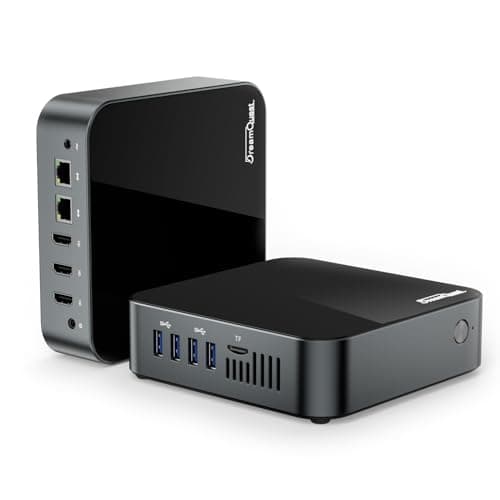
The DreamQuest Mini PC with Intel N95 delivers a compact, low-power desktop with triple 4K display support, dual Gigabit Ethernet and up to 4 TB expandable storage. While it offers modern connectivity and silent operation, thermal limits and non-upgradeable RAM on some variants keep it in the entry-level space.
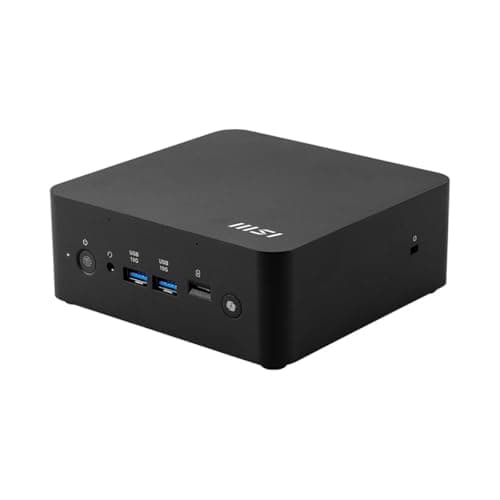
The MSI Cubi NUC AI+ 2MG is a compact, AI-focused barebones mini PC featuring an Intel Core Ultra 7-258V, 32 GB of onboard LPDDR5x, dual 2.5 GbE LAN and Thunderbolt 4. It targets business deployments that need on-device AI acceleration, robust connectivity and a small VESA-mountable form factor.
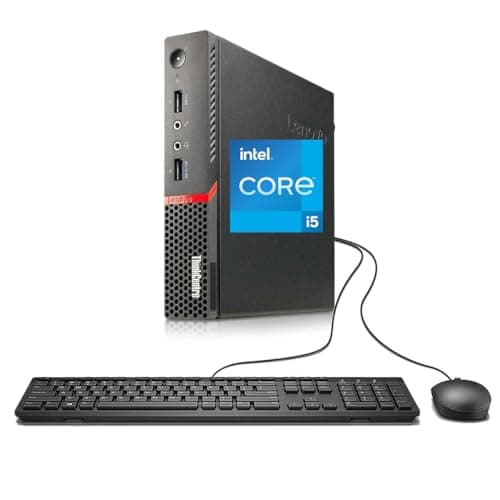
The Lenovo ThinkCentre M900 Tiny delivers solid office performance in an ultra-compact, rugged chassis with NVMe storage and dual 4K DisplayPort outputs. While its durability and upgradeability are strong points, the lack of HDMI, TPM 2.0 and a dedicated GPU limit its suitability for graphics-heavy tasks.
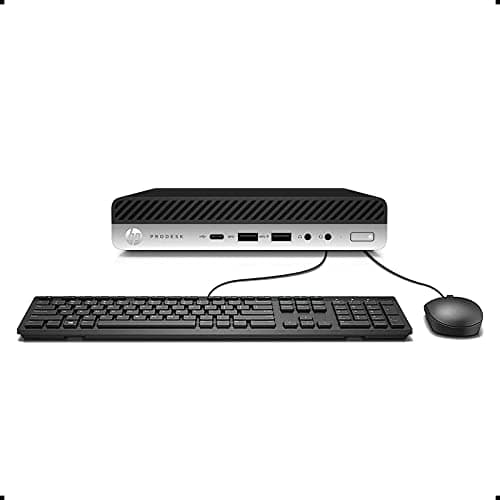
The HP ProDesk 600 G3 Mini delivers business-grade performance in a tiny chassis, with strong security, flexible I/O, and easy upgrade paths. Its lack of Windows 11 support and integrated graphics keep it focused on standard office workloads.
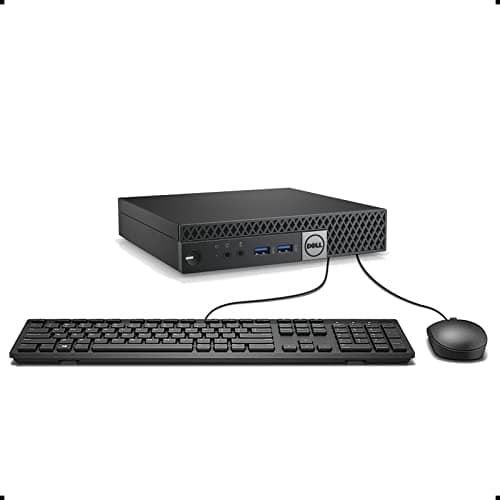
The Dell OptiPlex 3040 Micro offers business-grade performance in a tiny chassis, with strong security and dual-4K video capabilities. Its compact design and low power draw make it ideal for office deployments, though upgrade options and built-in wireless are limited.
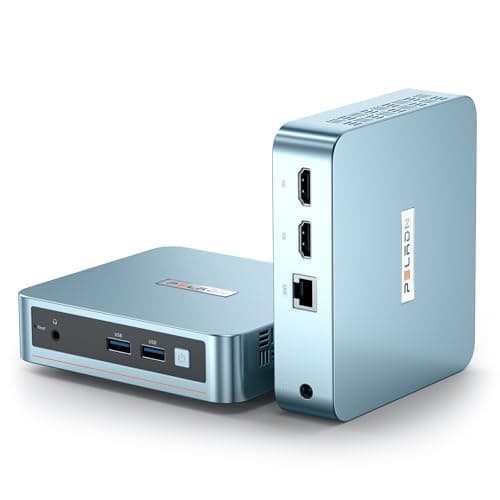
The PELADN WI-4 is a compact, fan-cooled mini PC that excels at dual-4K display support and low-power operation, making it ideal for office and media streaming. Its Windows 11 Pro installation and upgradeable memory/storage add flexibility, though connectivity and cooling are modest.
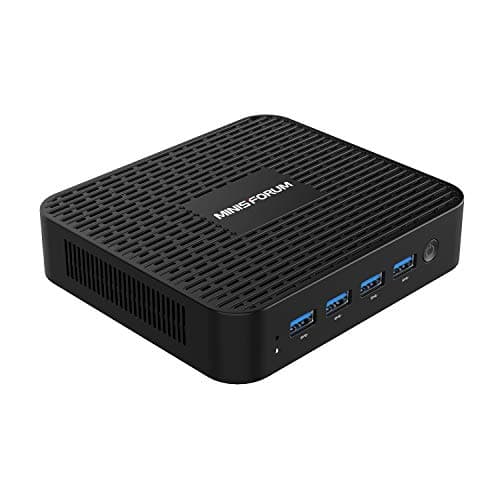
The GK41 is a fanless, ultra-compact mini PC powered by an Intel Celeron J4125, offering silent operation, dual Gigabit Ethernet and dual-4K display support, aimed at light computing and digital signage.
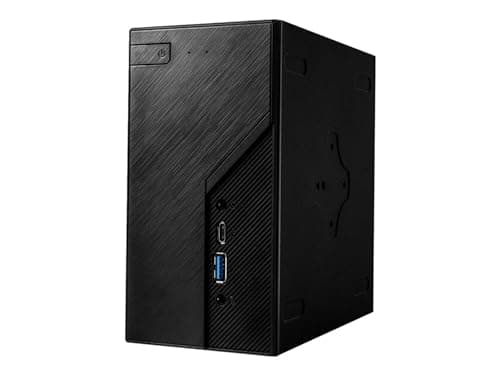
The ASRock DESKMINI H470W is a highly flexible barebone mini PC that can accommodate powerful Intel CPUs, up to 64 GB RAM, and extensive storage, all within a tiny 1.92 L case.
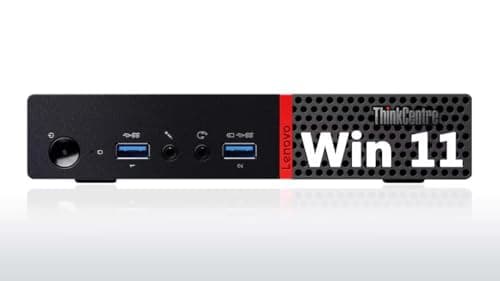
The Lenovo ThinkCentre M900 Tiny is a 2015-era business mini PC with a 6th-gen i5-6500, 8 GB RAM and 256 GB SSD. It excels in size, build quality and dual-4K support but lags behind modern connectivity and OS compatibility.
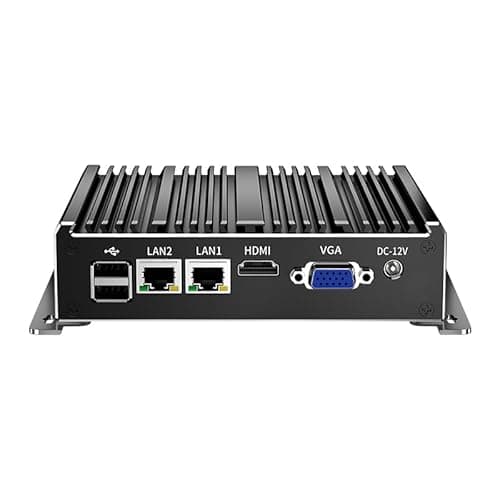
The UDPTCP fanless mini PC (N2840) is an industrial-grade, compact computer featuring a dual-core Celeron Bay Trail processor, dual Gigabit Ethernet, dual display outputs and a rugged aluminum chassis designed for 24/7 operation in harsh environments. Its rich I/O suite makes it suitable for networking, automation and edge-computing, though the aging CPU and limited memory constrain performance.
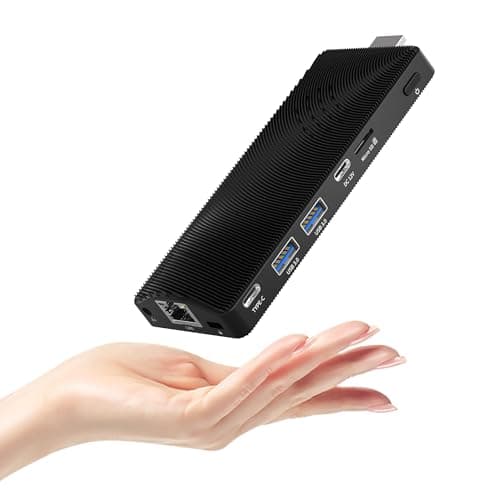
The HEIGAOLAPC PC Stick is a fanless, stick-form mini PC with Windows 11 Pro, 8 GB RAM and 128 GB eMMC. It excels in silent operation, compactness and connectivity, but its modest CPU and eMMC storage limit performance-intensive tasks.
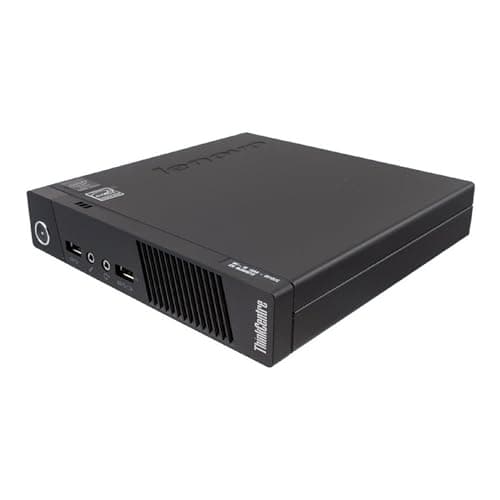
The Lenovo ThinkCentre M93p Tiny delivers full desktop capabilities in an ultra-compact chassis with strong enterprise features, but its legacy CPU, limited connectivity and lack of modern storage options hold it back.
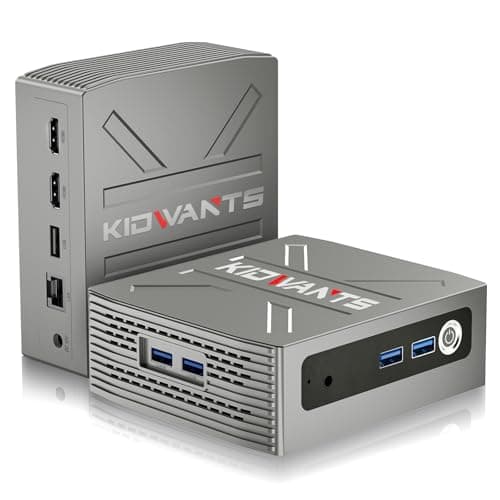
The Kidwants KG1 Mini PC is an ultra-compact desktop powered by an Intel Celeron N4000, offering 8 GB of LPDDR4 RAM and 128 GB eMMC storage with an expandable M.2 slot. It targets light-weight tasks such as web browsing, office work, and media playback, featuring dual 4K HDMI outputs and a fanless design.
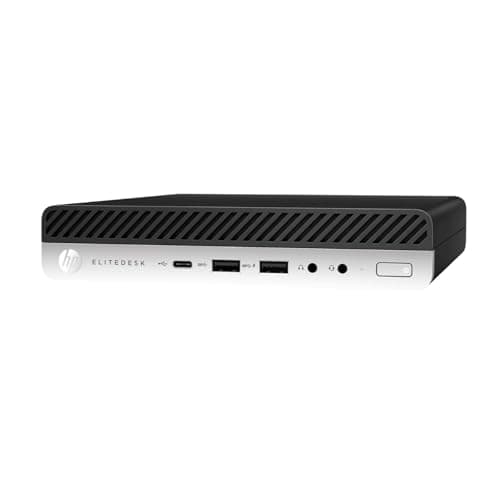
The HP EliteDesk 705 G4 Mini is an ultra-small, enterprise-grade desktop that packs an AMD Ryzen PRO 5 processor, 8 GB DDR4, a 256 GB NVMe SSD and a suite of security features into a 7-inch footprint. It targets business users and homelab enthusiasts who need a secure, manageable Windows PC in a tiny form factor.
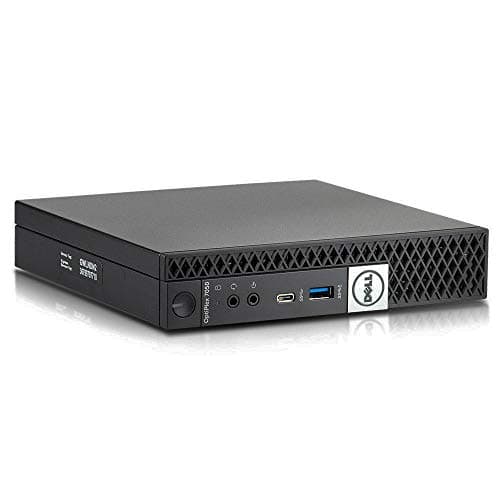
The Dell OptiPlex 7050 Micro is an ultra-compact business desktop that packs a 6th-gen Intel Core i5-6500T, up to 32 GB DDR4 RAM and dual storage options into a VESA-mountable chassis. It delivers reliable office performance, dual 4K display support, and enterprise-grade security while consuming low power.
| Attribute | | | | | | | | | | | | | | | |
|---|---|---|---|---|---|---|---|---|---|---|---|---|---|---|---|
4 | 4 | 4 | — | 4 | 4 | 4 | 2 | 4 | 4 | 4 | 8best | 2 | 2 | 4 | |
16 GB | 16 GB | 8 GB | — | 8 GB | 8 GB | — | 8 GB | 16 GB | 8 GB | 8 GB | 32 GBbest | 8 GB | — | 8 GB | |
4 | 4 | 4 | — | 4 | 4 | 4 | 4 | 4 | 4 | 4 | 8best | 2 | 2 | 4 | |
2.5 GHz | 2.5 GHz | 2.5 GHz | — | 2 GHz | 3.2 GHz | 3.4 GHzbest | 2.9 GHz | 2.5 GHz | 2 GHz | 3.2 GHz | 2.2 GHz | 1.1 GHz | 2.16 GHz | 1.5 GHz | |
3.1 GHz | 3.1 GHz | 3.1 GHz | — | 2.9 GHz | 3.8 GHz | 3.4 GHz | 3.6 GHz | 3.1 GHz | 2.7 GHz | 3.6 GHz | 4.8 GHzbest | 2.6 GHz | 2.58 GHz | 2.7 GHz | |
256 GBbest | 256 GBbest | 256 GBbest | — | 256 GBbest | 256 GBbest | — | 128 GB | 256 GBbest | 128 GB | 256 GBbest | — | 128 GB | — | 128 GB | |
1 Gbps | 1 Gbps | 1 Gbps | 1 Gbps | 1 Gbps | 1 Gbps | 1 Gbps | 1 Gbps | 1 Gbps | 1 Gbps | 1 Gbps | 2.5 Gbpsbest | 1 Gbps | 1 Gbps | 1 Gbps | |
| ↓ lower better | 35 W | 35 W | 35 W | 65 W | 15 W | 35 W | 15 W | 35 W | 35 W | 10 W | 35 W | 17 W | 6 Wbest | 7.5 W | 10 W |
Click an attribute name to sort · Green = best, red = worst (relative to this comparison)
| Attribute | | | | | | | | | | | | | | | |
|---|---|---|---|---|---|---|---|---|---|---|---|---|---|---|---|
Performance(5) | |||||||||||||||
CPU Cores | 4 | 4 | 4 | — | 4 | 4 | 4 | 2 | 4 | 4 | 4 | 8 | 2 | 2 | 4 |
CPU Threads | 4 | 4 | 4 | — | 4 | 4 | 4 | 4 | 4 | 4 | 4 | 8 | 2 | 2 | 4 |
Base Clock (GHz) | 2.5 GHz | 2.5 GHz | 2.5 GHz | — | 2.0 GHz | 3.2 GHz | 3.4 GHz | 2.9 GHz | 2.5 GHz | 2.00 GHz | 3.2 GHz | 2.2 GHz | 1.1 GHz | 2.16 GHz | 1.5 GHz |
Boost Clock (GHz) | 3.1 GHz | 3.1 GHz | 3.1 GHz | — | 2.9 GHz | 3.8 GHz | 3.4 GHz | 3.6 GHz | 3.1 GHz | 2.70 GHz | 3.6 GHz | 4.8 GHz | 2.6 GHz | 2.58 GHz | 2.7 GHz |
CPU TDP (W) | 35 W | 35 W | 35 W | 65 W | 15 W | 35 W | 15 W | 35 W | 35 W | 10 W | 35 W | 17 W | 6 W | 7.5 W | 10 W |
Build & Design(1) | |||||||||||||||
Weight (kg) | 0.907 kg | 1.211 kg | 1.86 kg | 0.118 kg | 0.27 kg | 1.2599 kg | 0.5 kg | 2.722 kg | 1.3 kg | 0.26 kg | 1.3 kg | 0.63 kg | 0.29 kg | 1.81 kg | 0.391 kg |
Memory(2) | |||||||||||||||
RAM Capacity (GB) | 16 GB | 16 GB | 8 GB | — | 8 GB | 8 GB | — | 8 GB | 16 GB | 8 GB | 8 GB | 32 GB | 8 GB | — | 8 GB |
RAM Type | DDR4 | DDR4 | DDR4 | DDR4 | DDR4 | DDR4 | — | DDR3 | DDR4 | DDR4 | DDR4 | LPDDR5x | LPDDR4 | DDR3L | LPDDR4 |
Storage(2) | |||||||||||||||
Storage Capacity (GB) | 256 GB | 256 GB | 256 GB | — | 256 GB | 256 GB | — | 128 GB | 256 GB | 128 GB | 256 GB | — | 128 GB | — | 128 GB |
Storage Type | SSD | PCIe NVMe SSD | SATA SSD | — | NVMe/SATA | NVMe SSD | — | SATA SSD | NVMe SSD | SATA M.2 | SSD | — | eMMC | — | eMMC |
Ports(2) | |||||||||||||||
USB‑C/3.0 Ports | 6 | 6 | 4 | 7 | 4 | 7 | 4 | 5 | 6 | 4 | 6 | 2 | 4 | 1 | 3 |
HDMI Ports | 1 | — | 1 | 1 | 2 | 1 | — | — | — | 1 | — | 1 | 2 | 1 | 1 |
Connectivity(3) | |||||||||||||||
Wi‑Fi Standard | Wi‑Fi 802.11ac | 802.11ac | 802.11ac | Wi‑Fi 5 | Wi‑Fi 5 | Wi‑Fi 802.11ac | Wi‑Fi 5/6 | Wi‑Fi 2.4GHz | 802.11ac | 802.11ac | 802.11ac | Wi‑Fi 6E | Wi‑Fi 5 | — | Wi-Fi 5 |
Bluetooth Version | 4.2 | 4.2 | 4.1 | — | 4.2 | 5.0 | 4.2/5.2/5.3 | — | 4.1 | 4.2/5.0 | 4.0/4.1 | 5.3 | 5.0 | — | 5.2 |
Ethernet Speed (Gbps) | 1 Gbps | 1 Gbps | 1 Gbps | 1 Gbps | 1 Gbps | 1 Gbps | 1 Gbps | 1 Gbps | 1 Gbps | 1 Gbps | 1 Gbps | 2.5 Gbps | 1 Gbps | 1 Gbps | 1 Gbps |
Power & Warranty(2) | |||||||||||||||
Power Adapter Wattage (W) | 65 W | 65 W | 65 W | 120 W | 36 W | 65 W | 30 W | 65 W | 65 W | 36 W | 65 W | 120 W | 24 W | — | 36 W |
Warranty Period (months) | 3 months | 1 months | 3 months | 12 months | 12 months | 3 months | 12 months | 1 months | 3 months | — | 3 months | 36 months | 12 months | 12 months | 24 months |
Products in the top-left offer the best value (high score, low price).
Professional reviewers highlight the OptiPlex 7050 Micro as a solid, secure, and manageable business machine that delivers full-size desktop performance in a tiny footprint, praising its quiet operation and dual 4K capability while noting the older CPU generation and lack of integrated Wi-Fi as minor drawbacks.
Everyday users consistently praise the tiny form factor, clean aesthetic when wall-mounted, and dependable day-to-day performance, while recurring complaints focus on occasional overheating, the need for an extra Wi-Fi card, and the limited upgradeability of RAM and storage.
“small size and clean look when mounted behind monitors”
“smooth performance for web browsing, Office apps, and video conferencing”
“overheating under load”
Professional reviewers praise the ProDesk 600 G3 Mini as a reliable, secure, and highly manageable business mini-PC. Its compact footprint, robust security suite, and flexible I/O make it ideal for enterprise deployments, while its upgrade paths for RAM and NVMe storage are among the best in its class. However, reviewers consistently note the lack of Windows 11 support and the absence of dedicated graphics as drawbacks for future-proofing.
Everyday users appreciate the tiny size, VESA-mount capability, and silent operation, often highlighting its suitability for mounting behind monitors or in cramped workspaces. Common praise centers on easy RAM/storage upgrades and low power consumption, while complaints focus on missing Wi-Fi in base models and the inability to run Windows 11 out-of-the-box.
Professional reviewers praise the OptiPlex 3040 Micro for its enterprise readiness, noting its rack-mount capability, space-saving footprint and strong manageability features. They highlight the dual-4K display support and the comprehensive security suite as key differentiators, while emphasizing that the device is built for business environments rather than gaming or heavy graphics work.
Everyday users love how little space the machine occupies, its quick SSD boot times and the ease of managing many units with Dell's tools. Common complaints revolve around the lack of extra USB ports, the external power brick, absence of a discrete GPU, fan noise under load, and missing Wi-Fi in some configurations.
Reviewers praise its advanced BIOS, generous storage options, and value, while noting HDMI limitations and coil-whine as drawbacks.
Users love the compact size and multi-monitor support, but report coil-whine and limited cooling as pain points.
Professional reviewers praise the dual-4K HDMI capability and Windows 11 Pro value, but note the lack of modern ports and occasional driver issues.
Users love the tiny footprint, VESA mounting, and smooth 4K streaming, while some complain about heat and limited USB-C connectivity.
Professional reviewers praise the EliteDesk 705 G4 as a compelling, enterprise-ready alternative to single-board computers, highlighting its superior CPU performance, NVMe storage speed, and robust security suite, while noting fan noise and higher power draw as trade-offs.
Everyday users appreciate the tiny footprint, reliable Windows performance, and built-in security, often using it as a space-saving office PC or a homelab node; recurring complaints focus on fan noise, the external power brick, and the lack of hobby-oriented features like GPIO.
Professional reviewers highlight the DreamQuest Mini PC's standout triple-display capability and dual Gigabit Ethernet as rare features in its price segment, noting the N95 processor delivers a marked performance uplift. They caution the limited cooling solution can throttle performance during sustained heavy workloads, and some variants still have soldered RAM.
Everyday users praise the device for its silent, low-power operation, ease of setup, and solid performance in everyday tasks such as video calls, office work, and 4K media playback. Common themes include appreciation for the multiple display outputs and reliable networking, while recurring complaints focus on occasional fan noise, Bluetooth stability on older versions, and the lack of included HDMI cables.
Professional reviewers praised the M93p Tiny for delivering full desktop capabilities in an ultra-compact chassis, highlighting its quiet operation, extensive USB 3.0 connectivity, multi-monitor support, and enterprise-grade manageability. However, they noted its outdated CPU generation, lack of modern ports like HDMI, and absence of discrete graphics as drawbacks for future-proofing.
Everyday users love the tiny footprint, easy SSD upgrades, and always-on USB charging, often repurposing the unit as a home server or HTPC. Common complaints focus on missing HDMI, limited 2.4 GHz Wi-Fi, occasional fan noise, and the inability to run Windows 11 officially.
Professional reviewers commend the M900 Tiny for delivering solid office performance in a minuscule chassis, highlighting its quad-core options, vPro manageability, and low power draw. They note its suitability for homelab and digital signage but repeatedly point out the absence of a dedicated GPU and limited I/O as constraints for graphics-heavy or legacy-display scenarios.
Everyday users praise the tiny form factor, silent operation, and rapid SSD boot times, often calling it "invisible on the desk." They appreciate the dual 4K DisplayPort outputs and the device's reliability in office or lab deployments. Common complaints revolve around missing HDMI, challenges finding Wi-Fi modules, occasional thermal throttling, and the restrictive 65 W power adapter.
Professional reviewers commend the GK41 for its silent fanless chassis, dual Gigabit Ethernet and VESA-mount capability, but note the dated Celeron CPU, lack of Wi-Fi 6, USB-C and RAM upgradeability.
Everyday users love the quiet operation, compact size and dual-LAN functionality for home firewalls and media streaming, while complaining about the fixed RAM and modest Wi-Fi speed.
Professional reviewers such as ServeTheHome, Hardware Corner and ItechGuides commend the M900 Tiny for its enterprise-grade build, vPro capabilities, dual-4K support and easy upgrade path, while noting its outdated port selection, fragile Wi-Fi antenna design and lack of a dedicated GPU as significant shortcomings.
Everyday users appreciate the tiny footprint, quiet operation, upgrade flexibility and VESA mounting, often using it for home offices and dual-monitor setups. Recurring frustrations revolve around Wi-Fi connectivity after hardware changes, the absence of official Windows 11 support, limited front-panel ports and the need for adapters due to missing HDMI.
Professional reviewers view the Cubi NUC AI+ 2MG as a well-engineered, AI-forward mini PC that excels in connectivity, security, and sustainability, though they note its steep price and that cheaper alternatives can match most tasks.
Everyday users appreciate the device for digital signage, AI responsiveness, easy behind-monitor installation, and its eco-friendly build, while common complaints focus on the soldered RAM, fan noise, lack of a pre-installed OS, and perception of overkill AI hardware for simple office work.
Professional reviewers view the KG1 as a solid entry-level mini PC for basic tasks, praising its compact size, dual-4K HDMI, and quiet operation, but they caution that the aging Celeron N4000 and eMMC storage limit its usefulness for anything beyond light productivity.
Everyday users generally appreciate the KG1 for office work, media streaming, and its clean, mountable design, but many express disappointment with the slow eMMC storage and the lack of upgradeability, leading to mixed ratings around 3.5-4 stars.
Professional reviewers commend the UDPTCP N2840 for its rugged, fanless design and rich I/O suite, making it a solid choice for industrial networking, automation and edge-computing tasks. However, they note that the aging Bay Trail processor and DDR3L memory limit its suitability for contemporary desktop or virtualization workloads, and recommend newer models for better performance.
Everyday users consistently highlight the unit's silent, reliable operation and the usefulness of dual Ethernet and serial ports for specialized applications. Recurring complaints focus on the under-powered CPU, limited memory capacity, and the fact that many kits arrive without RAM or storage, requiring extra purchases.
Professional reviewers view the HEIGAOLAPC stick as a solid, eco-conscious solution for commercial deployments where silence, compactness and reliable connectivity outweigh raw processing power.
Everyday users appreciate the device's plug-and-play ease, silent operation, and solid Wi-Fi/Ethernet connectivity, especially for digital signage and home media.
