Rankings
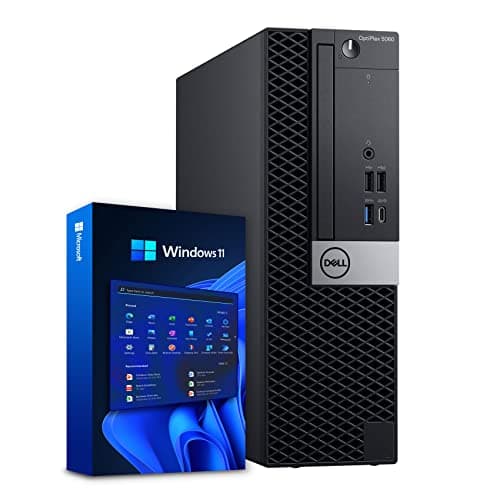
A refreshed OptiPlex 5060 MT with an i5-8500, 16 GB DDR4 and a 500 GB SSD, offering strong performance in a surprisingly light package. It includes Wi-Fi 6E but still uses a proprietary power supply that can restrict GPU upgrades.
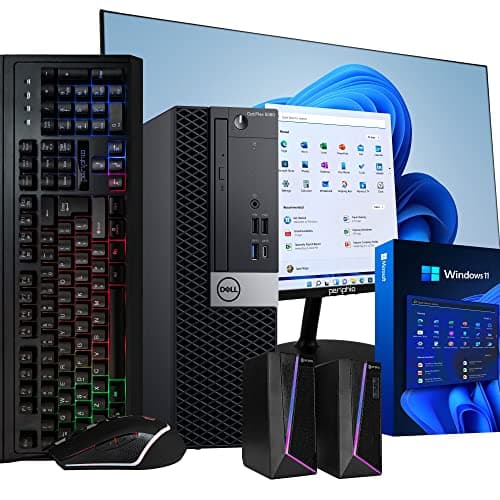
The OptiPlex 5060 MT is a business-oriented mini-tower with a solid 8th-gen i5, 16 GB DDR4 and dual storage. It offers good upgrade potential but its proprietary power supply and lack of HDMI can be limiting.
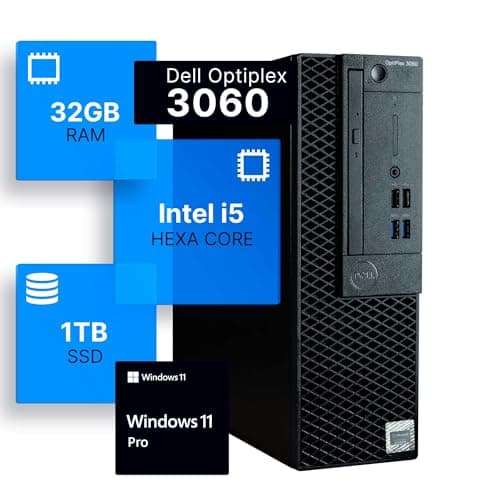
The Dell OptiPlex 3060 is a reliable business desktop with a solid six-core CPU, generous RAM and a fast 1 TB SSD. It excels in office environments but lacks dedicated graphics and modern I/O like Thunderbolt.
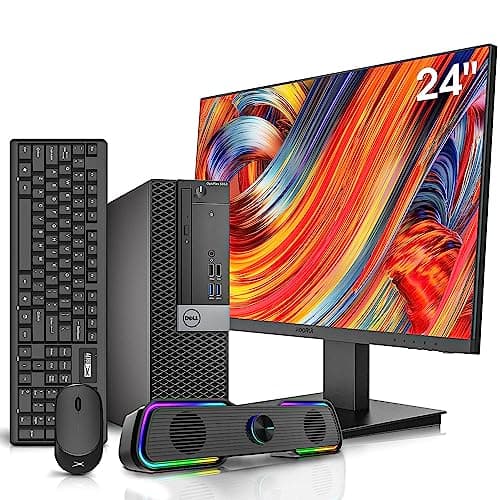
The Dell OptiPlex 5050 bundle offers a solid business desktop with a 6th-gen i7, 32 GB RAM and a fast NVMe SSD, paired with a 24" monitor and peripherals. While reliable for everyday tasks, its older CPU and limited power budget constrain future-proofing.
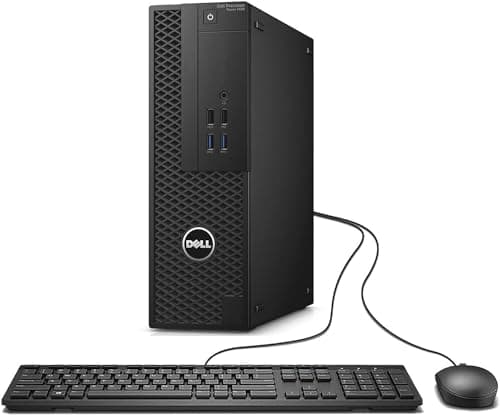
The Dell Precision 3420 SFF is a space-saving workstation with ISV certifications and optional Xeon/Quadro configurations, suited for CAD and engineering tasks. Its compact chassis limits upgradeability and the base CPU/GPU are modest.
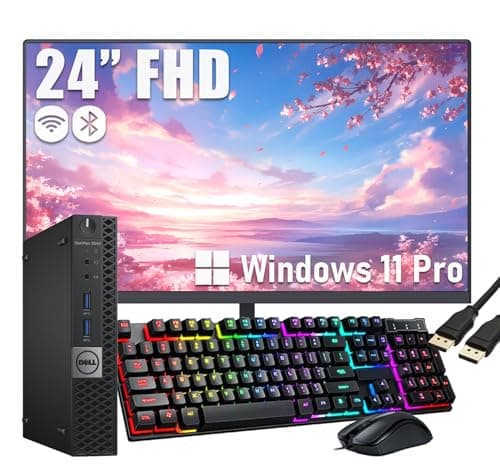
The OptiPlex 3040 Micro is a space-saving business desktop with a 6th-gen i5, 8 GB DDR3L and a 256 GB SATA SSD. It excels in low power use and mounting flexibility but lacks modern connectivity and upgrade paths.
The Dell OptiPlex 7040 SFF is a reliable business desktop with solid security and upgrade options, but its aging 2015 platform and limited power supply make it unsuitable for demanding modern workloads.
The Dell OptiPlex 3050 SFF is a compact business desktop offering up to 32 GB DDR4 RAM, dual storage, and support for low-profile GPUs, making it suitable for office environments. Its low power draw and quiet operation are strengths, but the limited 180 W PSU and lack of built-in Wi-Fi restrict its upgrade potential.
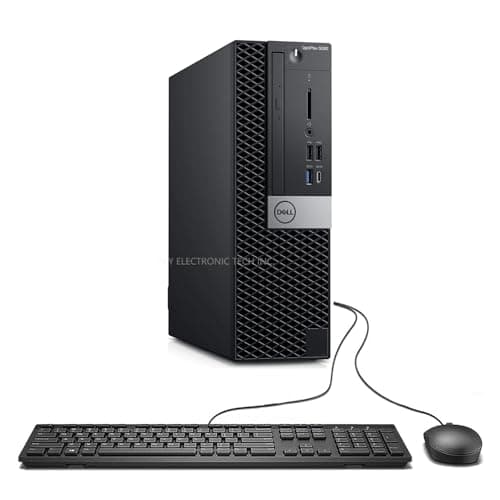
The Dell OptiPlex 5060 SFF delivers solid hexa-core performance, a rich set of ports and easy upgrade paths in a compact chassis, but it lacks HDMI and its 200 W PSU restricts high-end GPU options.
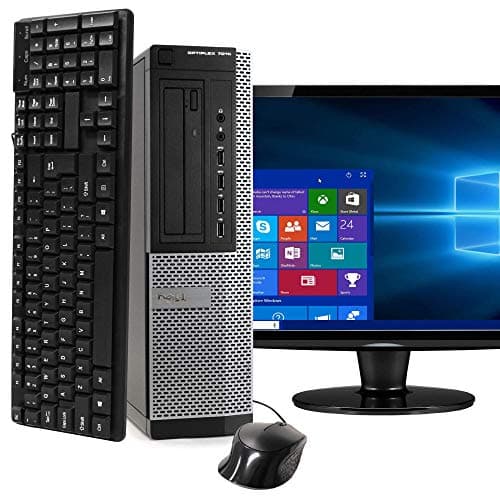
The Dell OptiPlex 7010 is a refurbished business desktop with a 3rd-gen i5 CPU, 8 GB DDR3 RAM, and a 500 GB HDD, aimed at budget-conscious office users. It offers solid build quality, modular upgrade options, and low power draw, but its aging components limit suitability for demanding workloads.
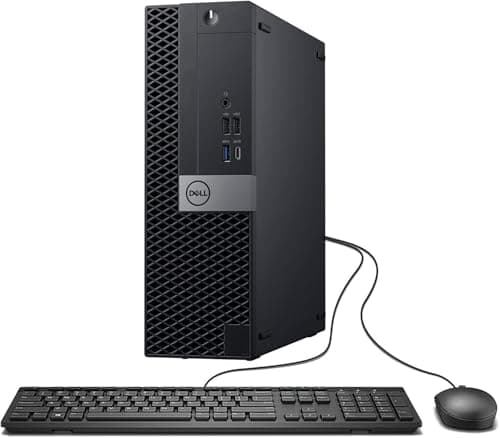
The Dell OptiPlex 7050 SFF is a compact, business-oriented desktop with a solid i7 CPU, plenty of RAM and a fast SSD, but it lacks built-in Wi-Fi and has a low-wattage proprietary power supply that restricts graphics upgrades.
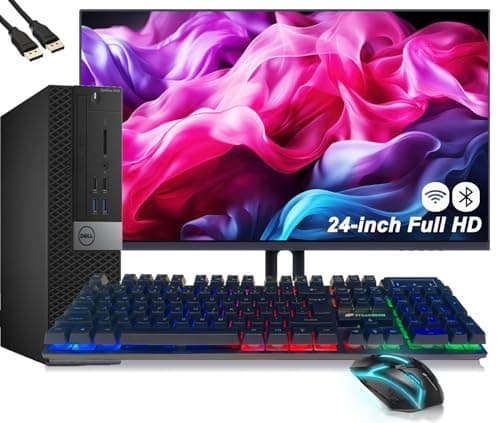
The Dell OptiPlex 5040 SFF is a space-saving business desktop with a 6th-gen i5 CPU, 8 GB DDR3L RAM and a 256 GB SSD. It offers solid multi-monitor support and enterprise security but is constrained by legacy memory and lack of modern connectivity.
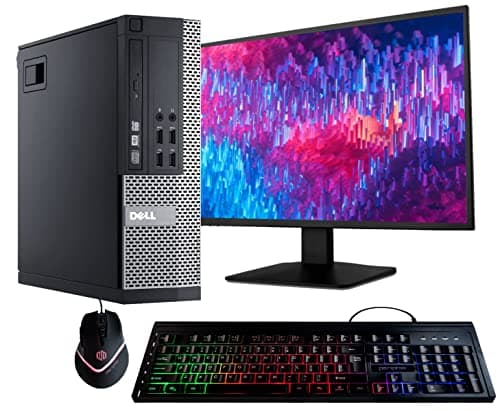
The Dell OptiPlex 9020 is a versatile business desktop from 2013 offering a range of form factors, a 4-core i5 CPU, and solid expandability. While reliable and easy to service, its legacy DDR3 platform and lack of NVMe storage keep it from meeting current high-performance expectations.
| Attribute | | | | | Dell OptiPlex 3050 | | | Dell OptiPlex 7040 | | | | | |
|---|---|---|---|---|---|---|---|---|---|---|---|---|---|
6best | 4 | 6best | 6best | 4 | 4 | 6best | 4 | 4 | 4 | 4 | 4 | 4 | |
6 | 4 | 6 | 6 | 4 | 4 | 6 | 4 | 8best | 4 | 4 | 8best | 4 | |
32 GBbest | 8 GB | 16 GB | 16 GB | 16 GB | 8 GB | 16 GB | 16 GB | 32 GBbest | 8 GB | 16 GB | 32 GBbest | 8 GB | |
3 GHz | 3.2 GHz | 3 GHz | 3 GHz | 3.2 GHz | 3.2 GHz | 3.1 GHz | 3.2 GHz | 3.6 GHzbest | 3.3 GHz | 3.2 GHz | 3.4 GHz | 2.5 GHz | |
1,024 GBbest | 500 GB | 500 GB | 512 GB | 256 GB | 500 GB | 500 GB | 256 GB | 1,000 GB | 256 GB | 512 GB | 512 GB | 256 GB | |
1.7 GBbest | — | — | — | — | — | — | — | — | — | — | — | — | |
4.1 GHz | 3.6 GHz | 4.1 GHz | 4.1 GHz | 3.6 GHz | 3.6 GHz | 4.3 GHzbest | 3.6 GHz | 4.2 GHz | — | 4 GHz | 4 GHz | 3.1 GHz | |
2,666 MHzbest | 1,600 MHz | 2,400 MHz | 2,666 MHzbest | 2,133 MHz | 1,600 MHz | 2,400 MHz | 2,133 MHz | 2,400 MHz | 1,600 MHz | 2,133 MHz | 2,133 MHz | 1,600 MHz |
Click an attribute name to sort · Green = best, red = worst (relative to this comparison)
| Attribute | | | | | Dell OptiPlex 3050 | | | Dell OptiPlex 7040 | | | | | |
|---|---|---|---|---|---|---|---|---|---|---|---|---|---|
Graphics(1) | |||||||||||||
GPU Model | Intel UHD Graphics 630 | Intel HD Graphics 2500 | Intel UHD Graphics 630 | Intel UHD Graphics 630 | Intel HD Graphics 530 | — | Intel UHD Graphics 630 | Intel HD Graphics 530 | Intel HD Graphics 630 | — | Intel HD Graphics 530 | Intel HD Graphics 530 | Intel HD Graphics 530 |
Memory(3) | |||||||||||||
RAM Capacity (GB) | 32 GB | 8 GB | 16 GB | 16 GB | 16 GB | 8 GB | 16 GB | 16 GB | 32 GB | 8 GB | 16 GB | 32 GB | 8 GB |
RAM Type | DDR4 | DDR3 SDRAM | DDR4 | DDR4 | DDR4 | DDR3/DDR3L | DDR4 | DDR4 | DDR4 | DDR3L | DDR4 | DDR4 | DDR3L |
RAM Speed (MHz) | 2666 MHz | 1600 MHz | 2400 MHz | 2666 MHz | 2133 MHz | 1600 MHz | 2400 MHz | 2133 MHz | 2400 MHz | 1600 MHz | 2133 MHz | 2133 MHz | 1600 MHz |
Processor(6) | |||||||||||||
CPU Cores | 6 | 4 | 6 | 6 | 4 | 4 | 6 | 4 | 4 | 4 | 4 | 4 | 4 |
CPU Threads | 6 | 4 | 6 | 6 | 4 | 4 | 6 | 4 | 8 | 4 | 4 | 8 | 4 |
Base Clock (GHz) | 3.0 GHz | 3.2 GHz | 3.0 GHz | 3.0 GHz | 3.2 GHz | 3.2 GHz | 3.1 GHz | 3.2 GHz | 3.6 GHz | 3.30 GHz | 3.2 GHz | 3.4 GHz | 2.5 GHz |
Boost Clock (GHz) | 4.1 GHz | 3.6 GHz | 4.1 GHz | 4.1 GHz | 3.6 GHz | 3.6 GHz | 4.3 GHz | 3.6 GHz | 4.2 GHz | — | 4.0 GHz | 4.0 GHz | 3.1 GHz |
CPU TDP (W) | 65 W | 65 W | 65 W | 65 W | — | 65 W | 65 W | 65 W | 65 W | 65 W | 65 W | 65 W | 35 W |
CPU Model | Intel Core i5-8500 | Intel Core i5-3450 | Intel Core i5-8500 | Intel Core i5-8500 | Intel Core i5-6500 | Intel Core i5-4570 | Intel Core i5-8600 | Intel Core i5-6500 | Intel Core i7-7700 | Intel Core i5-6600 | Intel Core i5-6500 | Intel Core i7-6700 | Intel Core i5-6500T |
Power & Cooling(1) | |||||||||||||
Power Supply Wattage (W) | 260 W | 180 W | 260 W | 200 W | 180 W | 240 W | 260 W | 180 W | 180 W | 180 W | 180 W | 240 W | 65 W |
Warranty & Support(1) | |||||||||||||
Warranty Period (years) | 0.25 years | 0.25 years | — | 0.25 years | 0.25 years | — | — | 0.25 years | 0.25 years | 3 years | 0.25 years | 1 years | 0.25 years |
Physical(1) | |||||||||||||
Weight (kg) | 5.39 kg | 13.16 kg | 0.51 kg | 5.25 kg | 5.14 kg | 6.486 kg | 7.93 kg | 5.44 kg | 5.52 kg | 5.897 kg | 4.14 kg | 5.44 kg | 1.28 kg |
Storage(3) | |||||||||||||
Primary Storage Capacity (GB) | 1024 GB | 500 GB | 500 GB | 512 GB | 256 GB | 500 GB | 500 GB | 256 GB | 1000 GB | 256 GB | 512 GB | 512 GB | 256 GB |
Primary Storage Type | SSD | HDD | SSD | SSD | SSD | HDD | SSD | SSD | SSD | SSD | PCIe NVMe SSD | M.2 NVMe SSD | SSD |
M.2 Slots | 2 | 1 | 1 | 2 | 1 | — | 1 | 1 | 1 | — | 1 | 1 | — |
Connectivity(2) | |||||||||||||
Wi‑Fi Standard | Wi‑Fi 6 | Wi‑Fi 5/6 | Wi‑Fi 6E | Wi‑Fi 6E | 802.11ac | — | Wi‑Fi 6E | 802.11ac | None | — | Wi‑Fi 5 | Wi‑Fi 6 | Wi‑Fi 5 |
USB 3.0 Ports | 4 | 4 | 5 | 6 | 4 | 4 | 5 | 6 | 6 | 6 | 6 | 6 | 4 |
Products in the top-left offer the best value (high score, low price).
Reviewers commend the OptiPlex 3060 for rock-solid stability, strong six-core performance and excellent value for business users.
Users appreciate the quick boot times, quiet operation and easy upgrades, though some note the lack of HDMI 2.0 and occasional BIOS quirks on refurbished units.
“Runs Windows 11 smoothly after SSD upgrade.”
“Perfect for office work, Zoom calls, and web browsing.”
“Very quiet and compact-great for a small desk.”
Similar legacy platform but the 9020 offers more expansion options.
Both are business desktops; the 5050 adds a monitor and newer Wi-Fi 6 but uses an older 6th-gen CPU.
Professional reviewers praise the OptiPlex 7010's reliability and serviceability, while cautioning that the outdated CPU and DDR3 memory make it unsuitable for modern high-performance tasks.
Everyday users appreciate the ready-to-run Windows environment, quiet compact form factor, and value for office tasks, though some note fan noise and the aging processor.
Reviewers note the solid CPU performance, low power draw and quiet operation, while cautioning about the proprietary PSU and lack of HDMI.
Customers appreciate the fast performance and value, though some encounter non-functional units or need adapters for HDMI displays.
Professional reviewers praise the OptiPlex 5060 SFF for its solid CPU performance, plentiful ports and tool-less upgradeability, while noting the lack of HDMI and the limited power budget of its proprietary 200 W PSU.
Users appreciate the quiet operation, compact size and smooth Windows 11 experience after upgrading RAM and storage, but frequently mention the missing HDMI, limited internal storage bays, and the low-quality keyboard and mouse.
Professional reviewers describe the OptiPlex 3050 SFF as a workhorse for small offices and dense rack deployments, highlighting its serviceability, low power draw, and decent upgrade path, but caution that the 180 W PSU caps GPU performance and thermal design is modest.
Everyday users appreciate the tiny footprint, quiet operation, and ease of upgrading RAM or SSD, often buying refurbished units for excellent value, while frustrations include GPU heat and noise, lack of Wi-Fi, and Windows 11 support issues.
Professional reviewers commend its durability and manageability but criticize the dated CPU and lack of modern memory and storage technologies.
Users value its reliability and upgrade friendliness, yet many note the aging hardware and wish for newer connectivity options.
Professional reviewers praise its upgrade flexibility and tool-less chassis, while warning that the 260 W PSU can bottleneck higher-end graphics cards.
Users like the performance and quiet operation, but complain about missing Wi-Fi cards and the restrictive power supply.
Professional reviewers praise its reliability and manageability for office use, while noting the outdated hardware and limited power budget.
Users appreciate its longevity and upgradeability, but complain about fan noise, lack of built-in Wi-Fi and difficulty upgrading the GPU.
Professional reviewers praised the OptiPlex 7050 SFF for its solid CPU performance, enterprise-grade reliability, and compact design, while noting the proprietary 180 W PSU and limited GPU upgrade path as drawbacks.
Everyday users value the reliability, multitasking capability with 32 GB RAM, and dual-monitor support, but complain about loud fans, missing Wi-Fi, and limited graphics upgrade options.
Reviewers highlight its compact design and manageability for offices, while noting the dated DDR3L memory and missing Windows 11 certification as drawbacks.
Users love the tiny form factor and easy upgrades, but many mention the absence of built-in Wi-Fi and fan noise as pain points.
Reviewers highlight the workstation's ISV certifications and configurability, but note the limited internal space and older GPU options.
Users praise the quiet operation and stability, yet many find the interior cramped and upgrades challenging.
Professional reviewers praise the modular design and upgradeability, but note the outdated CPU and lack of USB-C as drawbacks.
Users like the speed and value of the bundle, yet report Windows 11 compatibility issues and occasional missing Wi-Fi cards.
Reviewers praise its build quality, port variety and quiet operation, while noting the absence of NVMe, built-in Wi-Fi and limited future-proofing.
Users love the tiny size and quiet operation, but many report needing to add a Wi-Fi card and wish for faster storage options.
