Rankings
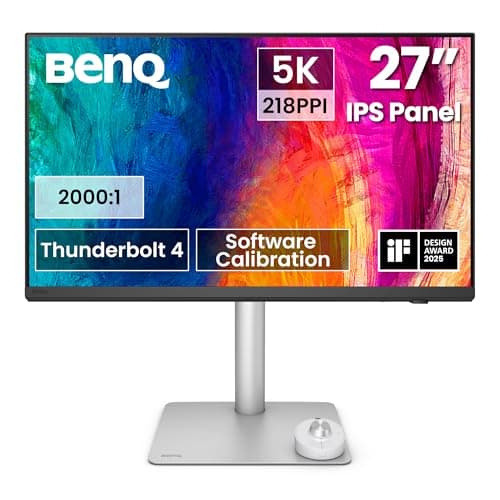
The BenQ PD2730S is a 27-inch 5K IPS Nano Matte monitor aimed at Mac-centric creative professionals, offering precise color, HDR400 support and extensive Thunderbolt 4 docking with full ergonomic adjustability.
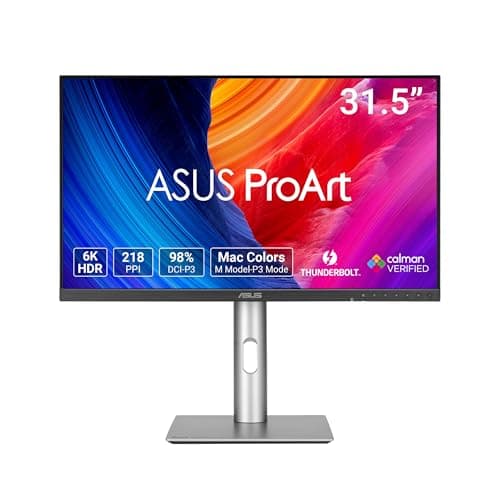
The ASUS ProArt PA32QCV is a 31.5-inch 6K IPS monitor aimed at creators, offering razor-sharp detail, superb color accuracy and dual Thunderbolt 4 connectivity with KVM. It provides strong ergonomics and HDR10 support, though its 60 Hz panel and edge-lit backlight limit gaming and HDR performance.
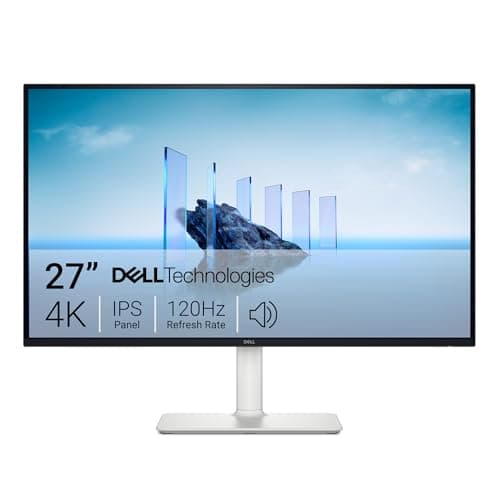
The Dell S2725QS is a 27-inch 4K IPS monitor that combines a high 120 Hz refresh rate, excellent 99% sRGB coverage and HDR support with a fully adjustable ergonomic stand. It excels for productivity and light gaming but lacks modern USB-C connectivity.
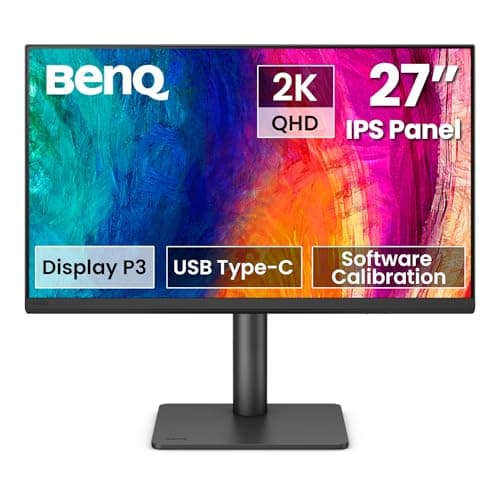
The BenQ PD2706QN is a 27-inch QHD IPS monitor aimed at creative professionals, offering factory-calibrated color accuracy, a Nano Matte anti-glare panel, 100 Hz refresh, and Mac-focused features like 90 W USB-C and ICCsync. It also includes a built-in KVM switch and extensive connectivity. Drawbacks include occasional MST daisy-chain glitches and lack of adaptive-sync for gaming.
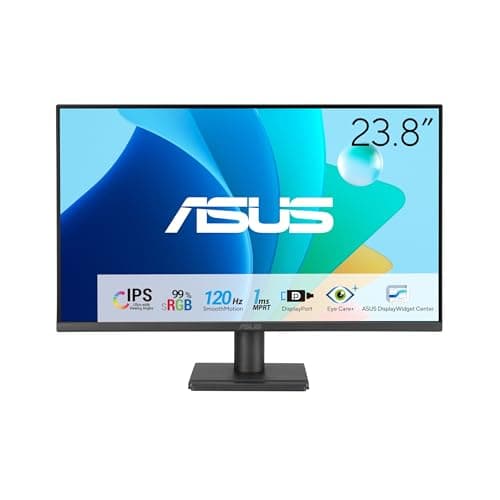
The ASUS VA249QG is a 23.8" IPS monitor that combines Full HD resolution with a 120 Hz refresh rate and eye-care features, targeting office, study, and casual gaming use. It offers solid color accuracy and basic ergonomics but lacks height adjustment and high-brightness performance.
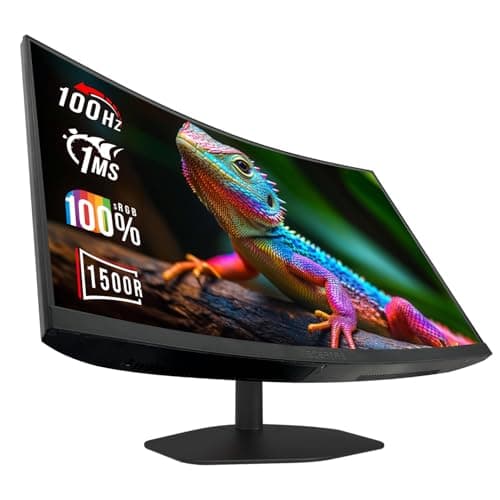
The Sceptre C248W-FW100T.A1 is a 24-inch curved VA gaming monitor with a 100 Hz refresh rate, 1 ms response time and full sRGB coverage. It offers eye-comfort features and built-in speakers but has limited ergonomic adjustments and no HDR or USB-C.
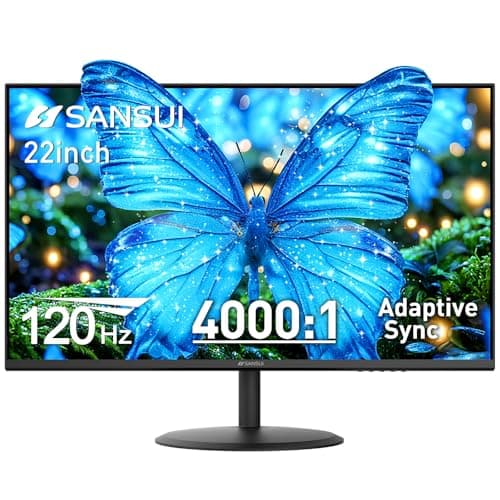
The Sansui 22-inch 120 Hz monitor offers Full HD VA panel with high contrast, full sRGB coverage and Adaptive Sync, targeting office users and casual gamers. It lacks built-in audio and extensive ergonomics, and its HDR implementation is modest.
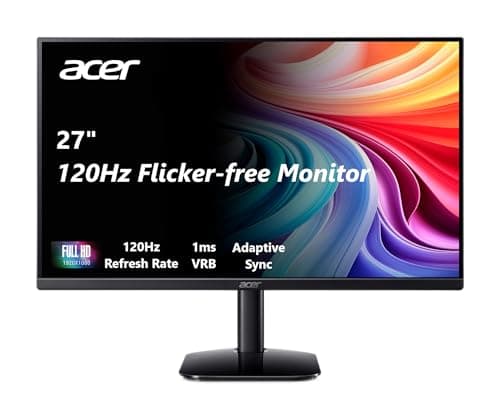
The Acer KB272 provides a 27" Full HD IPS display with 120 Hz refresh and 1 ms VRB response, delivering smooth casual gaming and productivity, but its ergonomic options and connectivity are limited.
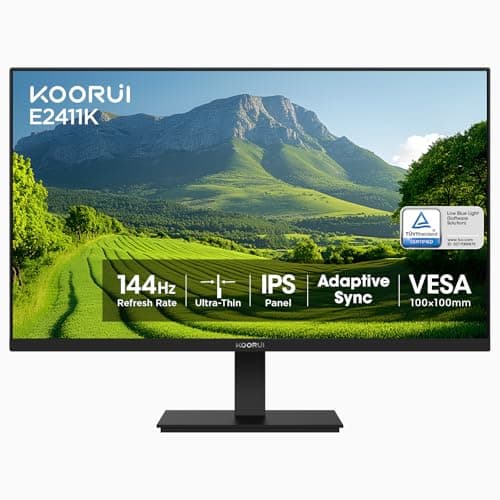
The KOORUI 24-inch IPS monitor offers a 144 Hz refresh rate and vibrant colors with VESA mounting, but its ergonomics and connectivity are minimal.
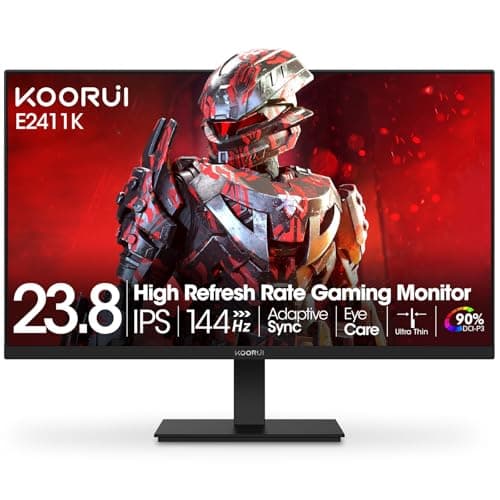
The KOORUI 24-inch gaming monitor combines a 144 Hz IPS panel with versatile ports and VESA mounting, but its ergonomics are limited and contrast is modest.
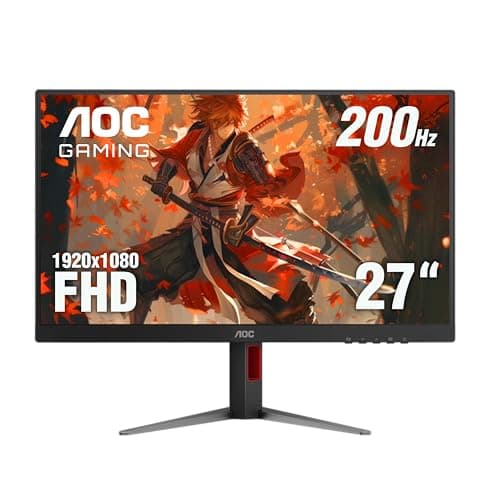
The AOC 27G4H is a 27-inch Full HD gaming monitor that combines a Fast IPS panel with a 200 Hz refresh rate, 0.3 ms MPRT response and HDR10 support, delivering smooth, colorful gameplay at a budget-friendly price.
| Attribute | | | | | | | | | | | |
|---|---|---|---|---|---|---|---|---|---|---|---|
27 inches | 24 inches | 27 inches | 27 inches | 24 inches | 27 inches | 31.5 inchesbest | 23.8 inches | 22 inches | 24 inches | 27 inches | |
200 Hzbest | 100 Hz | 120 Hz | 120 Hz | 144 Hz | 60 Hz | 60 Hz | 120 Hz | 120 Hz | 144 Hz | 100 Hz | |
| ↓ lower better | 1 msbest | 1 msbest | 1 msbest | 4 ms | 5 ms | 5 ms | 5 ms | 1 msbest | — | — | — |
300 nits | — | 250 nits | 350 nits | 250 nits | 400 nitsbest | 400 nitsbest | 300 nits | 250 nits | 250 nits | 300 nits | |
1,000 | — | 1,000 | 1,500 | 3,000 | 2,000 | 1,500 | 1,500 | 4,000best | 1,000 | 1,000 | |
121 %best | 100 % | 99 % | 99 % | 99 % | 98 % | 100 % | 99 % | 100 % | 99 % | 100 % | |
1 | 2best | 1 | 2best | 1 | 1 | 1 | 1 | 2best | 1 | 1 | |
1best | 1best | — | 1best | — | 1best | 1best | 1best | — | 1best | 1best |
Click an attribute name to sort · Green = best, red = worst (relative to this comparison)
| Attribute | | | | | | | | | | | |
|---|---|---|---|---|---|---|---|---|---|---|---|
Display(9) | |||||||||||
Screen Size (inches) | 27 inches | 24 inches | 27 inches | 27 inches | 24 inches | 27 inches | 31.5 inches | 23.8 inches | 22 inches | 24 inches | 27 inches |
Resolution | 1920x1080 | 1920x1080 | 1920x1080 | 3840x2160 | 1920x1080 | 5120x2880 | 6016x3384 | 1920x1080 | 1920x1080 | 1920x1080 | 2560x1440 |
Panel Type | IPS | VA | IPS | IPS | IPS | IPS Nano Matte | IPS | IPS | VA | IPS | IPS |
Refresh Rate (Hz) | 200 Hz | 100 Hz | 120 Hz | 120 Hz | 144 Hz | 60 Hz | 60 Hz | 120 Hz | 120 Hz | 144 Hz | 100 Hz |
Response Time (GTG) (ms) | 1 ms | 1 ms | 1 ms | 4 ms | 5 ms | 5 ms | 5 ms | 1 ms | — | — | 5-7 ms |
HDR Support | true | — | false | true | — | true | true | false | true | — | true |
Brightness (nits) | 300 nits | — | 250 nits | 350 nits | 250 nits | 400 nits | 400 nits | 300 nits | 250 nits | 250 nits | 300 nits |
Contrast Ratio | 1000 | — | 1000 | 1500 | 3000 | 2000 | 1500 | 1500 | 4000 | 1000 | 1000 |
Color Gamut (sRGB %) (%) | 121 % | 100 % | 99 % | 99 % | 99 % | 98 % | 100 % | 99 % | 100 % | 99 % | 100 % |
Connectivity(2) | |||||||||||
HDMI Ports | 1 | 2 | 1 | 2 | 1 | 1 | 1 | 1 | 2 | 1 | 1 |
USB‑C Port | — | — | — | false | — | true | true | false | — | — | true |
Ergonomics(2) | |||||||||||
Tilt Range (°) | 28 ° | — | 30 ° | 21 ° | 20 ° | -5 to 20 ° | 28 ° | 28 ° | 27 ° | 20 ° | -5 to 20 ° |
Height Adjustment Range (mm) | 130 mm | — | — | 130 mm | — | 150 mm | 130 mm | — | — | — | 115 mm |
Audio(1) | |||||||||||
Built‑in Speakers | false | true | true | true | false | true | — | true | false | false | — |
Power & Warranty(2) | |||||||||||
Typical Power Consumption (W) | 23 W | — | — | 25.2 W | — | — | 49.49 W | 13 W | — | — | 29 W |
Warranty Period (years) | 3 years | 1 years | 3 years | 1 years | 3 years | 3 years | 3 years | 3 years | — | 3 years | 2 years |
Products in the top-left offer the best value (high score, low price).
Professional reviewers commend the AOC 27G4H for delivering high refresh rate, accurate colors and strong ergonomic features at a budget price, while noting modest HDR impact.
Everyday users overwhelmingly praise the ultra-smooth gameplay and adjustability, but note the lack of built-in speakers and occasional backlight bleed.
“perfect price and quality. can't beat this deal.”
“Great beginner gaming monitor for gamers on a budget... easy setup, even comes with a decent screwdriver.”
“The curve is subtle, but the 100Hz is buttery smooth. Just wish the stand was more adjustable.”
Professional reviewers highlight the C248W-FW100T.A1 as a solid value proposition, praising its smooth 100 Hz performance, immersive curvature, and full sRGB coverage while noting trade-offs such as limited stand adjustability and a lack of premium features like HDR or USB-C.
Everyday users appreciate the buttery-smooth 100 Hz gameplay, the subtle curve for immersion, and eye-comfort technologies, but commonly mention challenges with HDMI 100 Hz setup, a basic stand, weak speakers, and the need for color tweaking out of the box.
Professional reviewers view the Acer KB272 G0bi as a solid value proposition for office and casual gaming, highlighting its IPS panel, FreeSync support, and VisionCare eye-comfort features. However, they note the lack of modern connectivity options and limited ergonomic adjustments.
Everyday users appreciate the clear 1080p display, eye-comfort technologies, and affordable price, but recurring complaints focus on the need for color calibration, a loose HDMI connector, a wobbly stand, and weak built-in speakers.
Professional reviewers praise the S2725QS for delivering a rare 120 Hz 4K experience with accurate 99% sRGB color and factory calibration, while noting the missing USB-C and modest cable management as drawbacks.
Everyday users consistently commend the monitor's sharp visuals, fluid 120 Hz performance, and eye-comfort technologies, though they mention the lack of USB-C and occasional HDR firmware quirks.
Professional reviewers note that the E2411K delivers entry-level gaming performance with an IPS panel that provides superior color and viewing angles compared to typical VA budget monitors. While its feature set-144 Hz, FreeSync, and eye-care technologies-matches recommendations for affordable gaming displays, the lack of DisplayPort and USB connectivity is seen as a drawback for users seeking more versatile setups.
Everyday users praise the monitor for its affordable price, vivid colors, thin bezels, and smooth 144 Hz gameplay, especially when Adaptive Sync is enabled. Common complaints revolve around the limited tilt range, occasional out-of-box damage, and the need to adjust OverDrive to eliminate ghosting, as well as the absence of built-in speakers and USB ports.
Professional reviewers commend the PD2730S for its precise color reproduction, matte Nano finish, robust stand and Thunderbolt 4 connectivity, highlighting the 10-bit panel, 98% DCI-P3 coverage and built-in KVM as standout features.
Everyday users praise the monitor's glare-free matte screen, ergonomic adjustments and single-cable Thunderbolt convenience, while consistently criticizing the low-power speakers and confusing protective sticker on the panel.
Professional reviewers praise the PA32QCV for its razor-sharp 6K panel, excellent color accuracy, and robust feature set that includes extensive ProArt presets, Calman calibration, and dual Thunderbolt 4 with KVM, while noting the 60 Hz panel and edge-lit backlight limit its appeal for gamers and HDR enthusiasts.
Everyday users appreciate the monitor's accurate colors and USB-C docking, but many note the modest HDR brightness, 60 Hz refresh, and lack of wider color gamut for cinema work.
Professional reviewers consider the VA249QG a well-rounded, budget-friendly monitor that stands out for its 120 Hz IPS panel and eye-care features, making it a solid choice for office work, students, and casual gamers.
Everyday users appreciate the reduced eye strain, smooth 120 Hz performance, accurate colors, and frameless design, while noting weak speakers and a wobbly stand.
Professional reviewers note that the Sansui ES-22X3AH punches above its weight class with a 120 Hz panel, full sRGB coverage and Adaptive Sync, features usually found on larger or pricier monitors. However, they point out its limited connectivity, lack of true HDR10, and modest stand ergonomics as drawbacks that keep it in the budget segment.
Everyday users praise the monitor for its smooth, sharp visuals, solid build quality, and excellent value, often highlighting the plug-and-play setup and responsive customer service. Recurring complaints focus on corner clouding, the absence of built-in speakers, limited ergonomic adjustments, and an HDR mode that falls short of expectations.
Professional reviewers highlight the KOORUI's strong value proposition, noting the high-refresh 1080p display and adaptive-sync support at a budget price. They also point out the tilt-only stand, low contrast on the IPS panel, and occasional quality-control concerns.
Everyday users consistently praise the monitor's affordability, vibrant colors and easy setup, often recommending it for budget gaming rigs and console use. Recurring complaints focus on limited ergonomics, occasional out-of-the-box motion blur, and quality-control issues such as cracked screens.
Professional reviewers commend the PD2706QN for its industry-leading color accuracy, Pantone/Calman validation, and workflow-enhancing features such as ICCsync, M-Book Mode, and a built-in KVM, while noting the Nano Matte coating as a standout for glare reduction.
Everyday users consistently praise the monitor's color fidelity, Mac-centric connectivity, and ergonomic stand, awarding it high scores on regional sites, but they also report recurring wake-up problems, MST daisy-chain glitches, and disappointment over the lack of adaptive-sync for gaming.
