Rankings
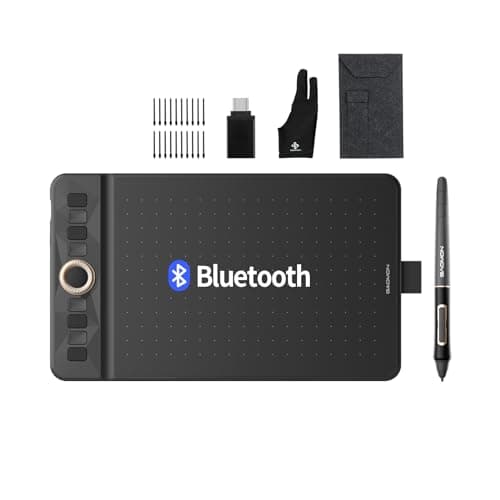
The Gaomon WH851 is a compact, Bluetooth-enabled drawing tablet offering 16,384 pressure levels, tilt support, and a battery-free stylus. It targets beginners and hobbyists with a portable design, extensive accessories, and cross-platform compatibility, though the active area is modest.
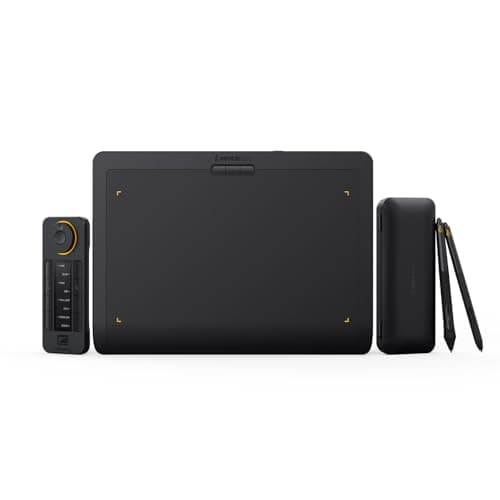
The Xencelabs Medium Bundle v2 offers a premium, medium-sized drawing surface with industry-leading pressure sensitivity, dual battery-free pens, and an extensive Quick Keys remote. Its ergonomic design, long wireless battery life, and cross-platform support make it a top choice for professional creators, though it lacks a built-in stand and portrait orientation.
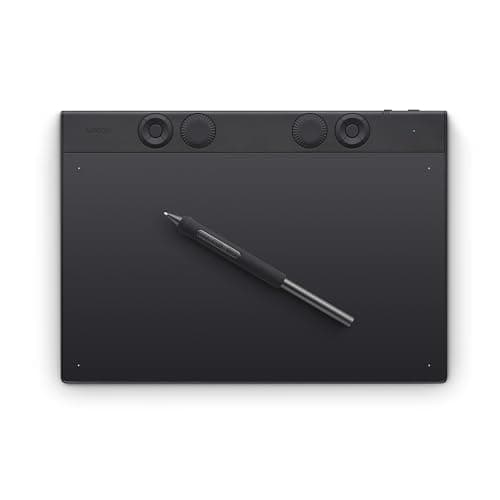
The Wacom Intuos Pro Medium (2025) is a premium off-screen tablet offering industry-leading pressure sensitivity, tilt, and extensive shortcut controls in a slim magnesium chassis, ideal for professionals who work with external monitors.
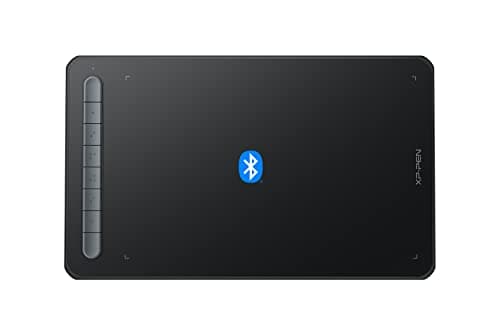
The XP-Pen Deco MW is a wireless, screen-less tablet with an 8"×5" active area, Bluetooth 5.0 connectivity and a battery-free X3 Elite stylus. It offers strong pressure sensitivity and tilt, making it a solid entry-level choice, especially for Android users, though it lacks an eraser and iOS compatibility.
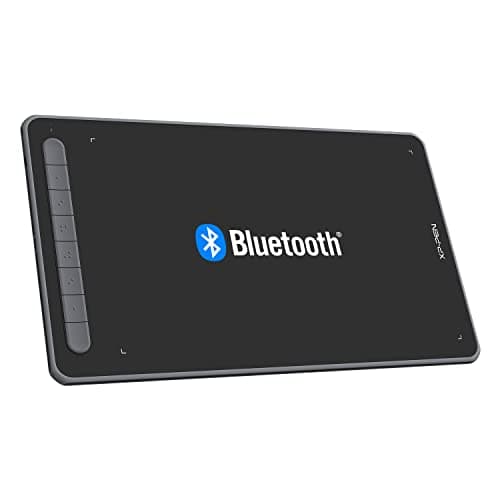
The XP-Pen Deco LW is a mid-range wireless drawing tablet offering a generous 10×6 in active area, Bluetooth connectivity, and a battery-free X3 Elite stylus with 8192 pressure levels and tilt. It delivers solid performance for most artists but suffers from macOS driver limitations and occasional Bluetooth interference.
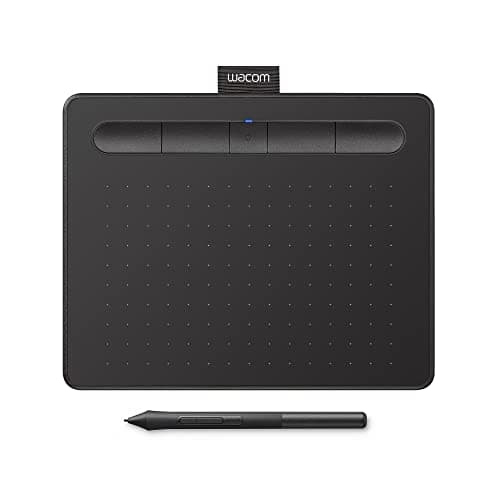
The Wacom Intuos Small Bluetooth (CTL4100WLK0) adds wireless freedom to the entry-level Intuos line with Bluetooth 4.2 and a 15-hour battery life, while retaining the 4096-level pressure pen and a solid software bundle. It remains compact and affordable but is held back by an outdated micro-USB connector and lack of tilt support.
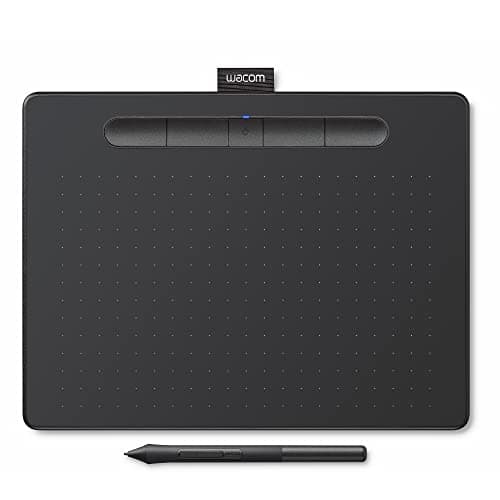
The Wacom Intuos Medium Bluetooth (CTL-6100WL) offers a larger active area than the Small models while retaining the 4096-level pressure pen, Bluetooth freedom and a solid software bundle. It is lightweight and portable but still suffers from an outdated micro-USB port, lack of tilt and a modest drawing surface for detailed illustration.
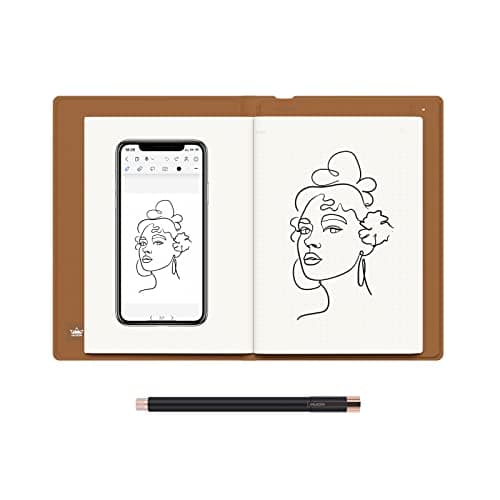
The Huion Note is a 2-in-1 smart digital notebook that captures handwriting on real A5 paper while also functioning as a PC graphics tablet. It offers high-precision EMR pen input, Bluetooth connectivity, and up to 18 hours of battery life, but lacks OCR and has ergonomics issues with the default pen.
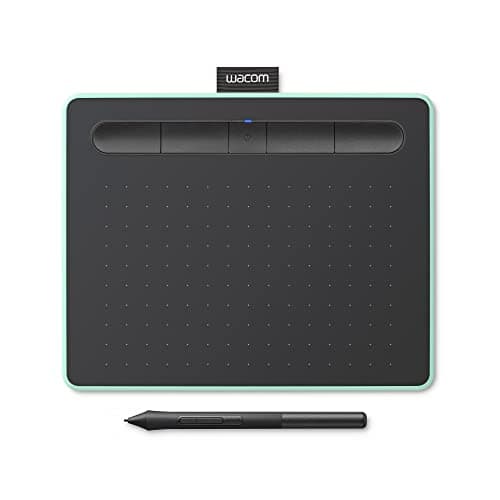
The Wacom Intuos Small Bluetooth is an entry-level tablet with solid pressure sensitivity and wireless capability, but its limited active area and lack of tilt keep it from advanced use.
| Attribute | | | | | | | | | |
|---|---|---|---|---|---|---|---|---|---|
16,384 levelsbest | 4,096 levels | 4,096 levels | 4,096 levels | 8,192 levels | 8,192 levels | 8,192 levels | 8,192 levels | 8,192 levels | |
25,806 mm² | 19,878 mm² | 14,326 mm² | 29,064 mm² | 38,678 mm² | 38,710 mm² | 25,806.4 mm² | 38,748 mm²best | 26,334 mm² | |
380 Hzbest | — | — | 133 Hz | — | 200 Hz | — | — | — | |
18 hoursbest | 15 hours | 15 hours | 15 hours | 16 hours | 10 hours | 10 hours | — | 18 hoursbest | |
2 count | 2 count | 2 count | 2 count | 3 count | 2 count | 8 countbest | 3 count | — | |
| ↓ lower better | 397 grams | 250 gramsbest | 250 gramsbest | 411 grams | 710.5 grams | 800 grams | — | 411 grams | 433 grams |
12 months | 12 months | 12 months | 12 months | 24 monthsbest | 12 months | 12 months | 24 monthsbest | 12 months |
Click an attribute name to sort · Green = best, red = worst (relative to this comparison)
| Attribute | | | | | | | | | |
|---|---|---|---|---|---|---|---|---|---|
Compatibility(1) | |||||||||
Operating System Compatibility | Windows, macOS, Linux, Chrome OS, Android | Windows 7 or later; macOS 10.11 or later; Chrome OS; Android 6.0 or later | Windows, macOS, Chrome OS, Android | Windows, macOS, Chrome OS, Android | Windows, macOS, Linux | Windows, macOS, Android, Chrome OS, Linux, iOS | Windows, macOS, Android, Chrome OS, Linux | Windows, macOS, ChromeOS | iOS, Android, HarmonyOS, Windows, macOS, Linux |
Performance(1) | |||||||||
Report Rate (Hz) | 380 Hz | — | — | 133 Hz | — | 200 Hz | — | — | — |
Display(1) | |||||||||
Active Drawing Area (mm²) | 25806 mm² | 19878 mm² | 14326 mm² | 29064 mm² | 38678 mm² | 38710 mm² | 25806.4 mm² | 38748 mm² | 26334 mm² |
Connectivity(1) | |||||||||
Connectivity Interface | USB-C, Bluetooth 5.0 | Micro USB | USB-A | USB-A | Bluetooth 5.0, USB-A to USB-C | Bluetooth, USB-C | Bluetooth 5.0, USB-A | USB-C, Bluetooth | USB-C |
Battery & Power(1) | |||||||||
Battery Life (hours) | 18 hours | 15 hours | 15 hours | 15 hours | 16 hours | 10 hours | 10 hours | — | 18 hours |
Pen & Stylus(4) | |||||||||
Pressure Sensitivity Levels (levels) | 16384 levels | 4096 levels | 4096 levels | 4096 levels | 8192 levels | 8192 levels | 8192 levels | 8192 levels | 8192 levels |
Pen Tilt Support | true | false | false | false | true | true | true | true | true |
Pen Technology | Battery-free electromagnetic | EMR | Electro‑Magnetic Resonance (EMR) – battery‑free | Electromagnetic Resonance (EMR), battery‑free Wacom Pen 4K | Battery-free electromagnetic resonance | X3 Smart Chip | X3 Elite Stylus (battery‑free EMR) | EMR | EMR |
Pen Buttons (count) | 2 count | 2 count | 2 count | 2 count | 3 count | 2 count | 8 count | 3 count | — |
Build & Design(1) | |||||||||
Weight (grams) | 397 grams | 250 grams | 250 grams | 411 grams | 710.5 grams | 800 grams | — | 411 grams | 433 grams |
Warranty & Support(1) | |||||||||
Warranty Period (months) | 12 months | 12 months | 12 months | 12 months | 24 months | 12 months | 12 months | 24 months | 12 months |
Products in the top-left offer the best value (high score, low price).
Professional reviewers praise the WH851 for its high pressure sensitivity, tilt support, and responsive pen feel, noting that the tablet feels like a higher-priced device despite its budget price.
Everyday users consistently commend the tablet's wireless convenience, paper-like pen feel, and the generous accessory bundle, while recurring complaints involve the small active area, Android driver limitations, and occasional nib wear due to the textured surface.
“I actually don't have any negative things to say about this tablet.”
“the budget tablet that actually delivers”
“even 6-year-olds can use it easily”
Choose the Medium for more drawing space; stick with the Small for travel and tight workspaces.
Choose the Pro Medium for professional tilt and higher pressure; the Medium Bluetooth is a budget-friendly, portable alternative.
Choose Xencelabs for a bigger workspace, dual pens, and superior shortcut customization; stick with Wacom if you prefer its established ecosystem.
Professional reviewers consider the Intuos Small an ideal entry point into digital art, highlighting its solid pressure sensitivity, reliable Bluetooth, and Chromebook compatibility while noting the small active area and outdated Micro-USB port as drawbacks.
Everyday users praise the tablet for its natural pen feel, easy wireless setup, and the value of the free software bundle, especially in classroom settings.
Reviewers commend its ergonomic shape, solid software bundle and Bluetooth freedom, but criticize the micro-USB port and missing tilt functionality as dated for 2026.
Users love the portability, battery-free pen and software value, yet many complain about the micro-USB port and occasional Bluetooth pairing hiccups.
Reviewers highlight its affordability and solid performance, praising the larger canvas and software bundle, yet note the micro-USB port and missing tilt as missed opportunities for a 2026 device.
Users consistently praise ease of use, natural pen feel and software value, while complaining about the micro-USB port, nib wear and occasional Bluetooth pairing issues.
Professional reviewers consistently highlight the Xencelabs Medium Bundle v2 for its solid construction, dual-pen workflow, and the highly flexible Quick Keys remote.
Everyday users praise the tablet's accuracy, premium feel, and long battery life, often calling it the most accurate pen tablet they've used.
Professional reviewers consider the Deco LW a solid, affordable tablet that delivers performance close to a Wacom Intuos, especially praised for its X3 Smart Chip, high pressure resolution and reliable Bluetooth, while consistently pointing out macOS driver shortcomings and occasional Bluetooth interference.
Everyday users love the tablet's paper-like matte surface, lightweight feel and the freedom of wireless use, often calling it great value for money and suitable for both novices and seasoned artists. Recurring frustrations center on macOS Illustrator pressure loss, Android mapping glitches, the stylus being too light, and occasional Bluetooth interference.
Professional reviewers consider the Deco MW one of the best entry-level wireless tablets, highlighting its responsive X3 Elite stylus, solid 8192-level pressure sensitivity, and generous eight express keys.
Everyday users overwhelmingly praise the tablet's pen feel, wireless convenience, and ease of setup, especially on Android devices.
Shutterbug (May 2025) calls it a "complete redesign" that surpasses its 2017 predecessor, praising ergonomics, mechanical dials and the Pro Pen 3 performance.
Users give it 5-star ratings, highlighting reduced hand fatigue, reliable Bluetooth and customizable shortcuts, while noting a learning curve and lack of a screen.
Professional reviewers commend the Huion Note for its innovative hybrid approach, high-precision EMR pen, and robust artist-focused features such as vector strokes and audio-synced replay, while criticizing mandatory account creation, lack of OCR, and the uncomfortable default pen.
Everyday users love the authentic paper feel, portability, and the ability to capture notes offline with a stable Bluetooth link, but they are frustrated by the default pen's ergonomics, occasional sync glitches, and the absence of handwriting-to-text conversion.
