Rankings
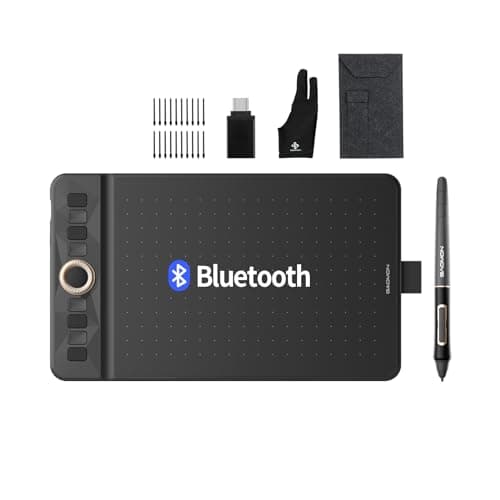
The Gaomon WH851 is a compact, Bluetooth-enabled drawing tablet offering 16,384 pressure levels, tilt support, and a battery-free stylus. It targets beginners and hobbyists with a portable design, extensive accessories, and cross-platform compatibility, though the active area is modest.
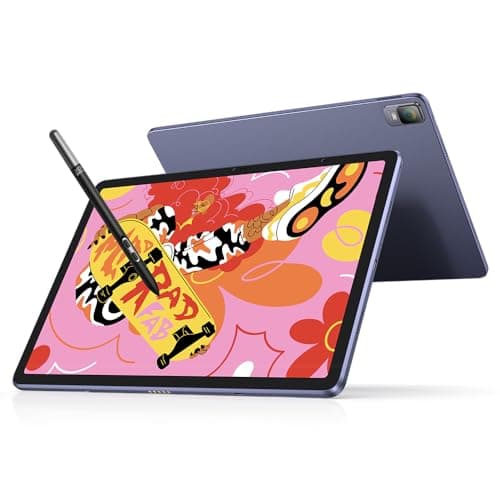
The XPPen Magic Drawing Pad is a 12.2-inch standalone Android tablet that combines a high-resolution matte IPS screen with a battery-free stylus offering 16,384 pressure levels and tilt. It delivers solid battery life and portability, though it lacks video output and has a mid-range processor.
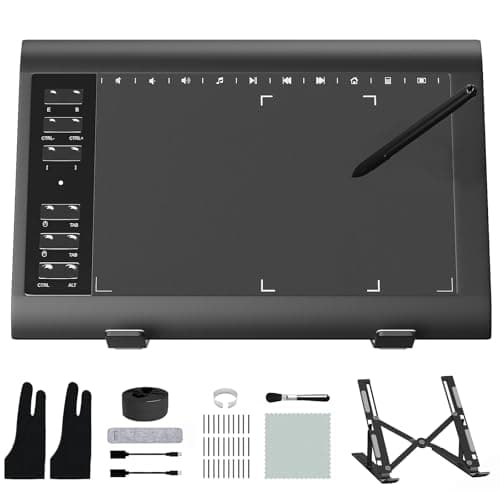
The ienRon IES1060 is an affordable, non-screen graphics tablet offering 8192 pressure levels, tilt support, and a rich set of shortcut keys with an ergonomic stand. It's ideal for beginners and students, though the lack of a display and limited OS support keep it out of the professional tier.
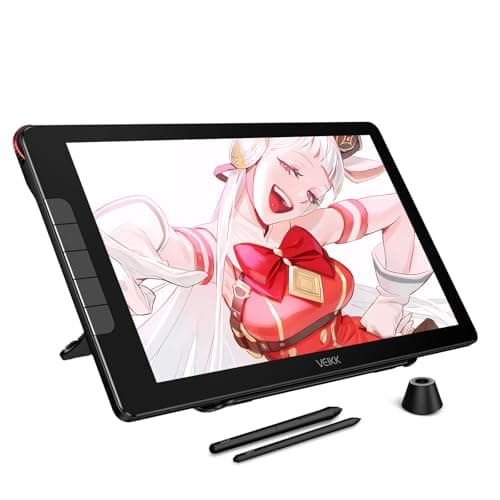
The VEIKK Studio 16 is a 15.6-inch pen display with high pressure sensitivity, a full-laminated IPS screen and dual battery-free pens, offering a budget-friendly alternative to premium pen displays.
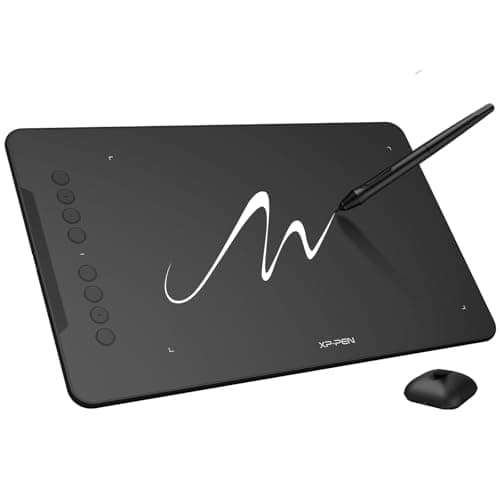
The XP-Pen Deco 01 V3 is an entry-level pen tablet that packs high-end specs like 16,384 pressure levels and tilt support into a thin, affordable package, but users may face driver installation hurdles and lack a built-in display.
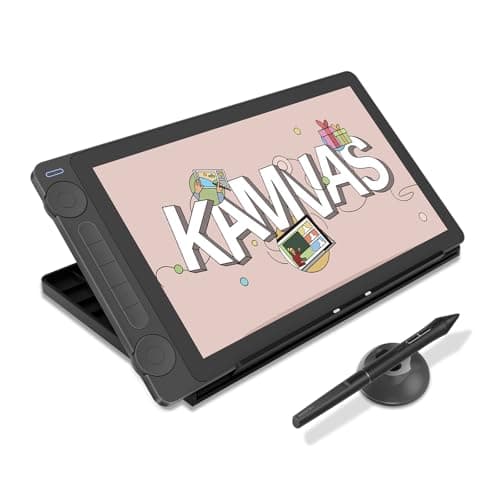
The Kamvas 13 Gen 3 is a 13.3-inch portable pen display with a full-laminated glass surface, 16,384-level pressure sensitivity, tilt support and dual dials. It offers excellent color accuracy and a paper-like feel, but lacks touch input and does not include a USB-C video cable or stand.
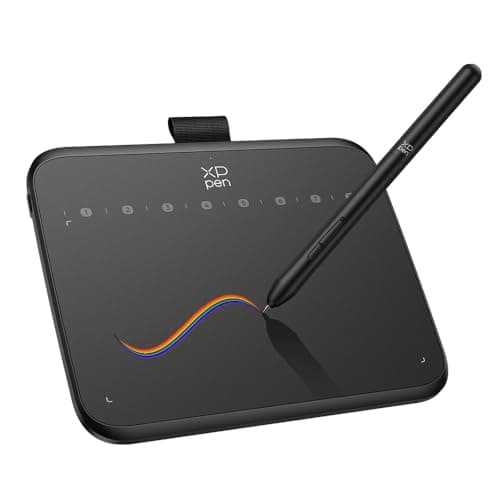
The XP-Pen Deco 640 is a compact, entry-level pen tablet delivering professional-grade pressure sensitivity and tilt in a lightweight, portable package. It lacks a built-in screen and has a modest active area, making it best suited for beginners and casual creators.
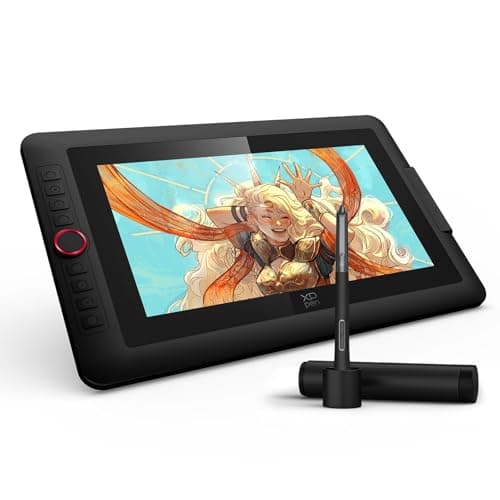
The XPPen Artist 13.3 Pro V2 is a portable 13.3" pen display offering 16k pressure sensitivity, tilt, and accurate colors, but it relies on a host PC and has modest brightness.
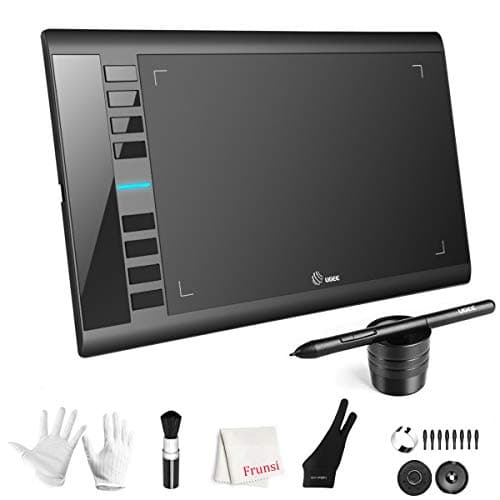
The UGEE M708 is a budget-friendly, screenless graphics tablet offering a generous active area, solid pressure and tilt performance, and wide OS compatibility, though its Micro-USB port and build quality feel dated.
| Attribute | | | | | | | | | |
|---|---|---|---|---|---|---|---|---|---|
16,384 levelsbest | 16,384 levelsbest | 16,384 levelsbest | 16,384 levelsbest | 16,384 levelsbest | 8,192 levels | 8,192 levels | 16,384 levelsbest | 16,384 levelsbest | |
25,806 mm² | 53,568 mm²best | 40,386 mm² | 48,536 mm² | 14,400 mm² | 38,710 mm² | 40,323 mm² | 48,861.26 mm² | — | |
— | 2,160 pixelsbest | — | 1,920 pixels | — | — | — | 1,920 pixels | 1,920 pixels | |
— | 1,440 pixelsbest | — | 1,080 pixels | — | — | — | 1,080 pixels | 1,080 pixels | |
380 Hzbest | 60 Hz | 266 Hz | 260 Hz | 220 Hz | 266 Hz | — | 200 Hz | — | |
— | 360 nitsbest | — | 220 nits | — | — | — | 250 nits | 208 nits | |
18 hoursbest | — | — | — | — | — | — | — | — | |
2 count | — | — | — | — | — | — | 8 countbest | — |
Click an attribute name to sort · Green = best, red = worst (relative to this comparison)
| Attribute | | | | | | | | | |
|---|---|---|---|---|---|---|---|---|---|
Compatibility(1) | |||||||||
Operating System Compatibility | Windows, macOS, Linux, Chrome OS, Android | Android 14 | Windows, macOS, Linux, Android, Chrome OS | Windows, macOS, Android, Linux | Windows, macOS, Android, Chrome OS, Linux | Windows, macOS, Chrome OS, Linux, Android | Windows, macOS, Android | Windows, macOS, Chrome OS, Android, Linux | Windows, macOS, Linux, Android |
Performance(1) | |||||||||
Report Rate (Hz) | 380 Hz | 60 Hz | 266 Hz | 260 Hz | 220 Hz | 266 Hz | — | 200 Hz | — |
Display(7) | |||||||||
Active Drawing Area (mm²) | 25806 mm² | 53568 mm² | 40386 mm² | 48536 mm² | 14400 mm² | 38710 mm² | 40323 mm² | 48861.26 mm² | — |
Display Resolution (Width) (pixels) | — | 2160 pixels | — | 1920 pixels | — | — | — | 1920 pixels | 1920 pixels |
Display Resolution (Height) (pixels) | — | 1440 pixels | — | 1080 pixels | — | — | — | 1080 pixels | 1080 pixels |
Display Panel Type | — | IPS | — | IPS LCD | — | — | — | IPS | IPS LCD |
Display Brightness (nits) | — | 360 nits | — | 220 nits | — | — | — | 250 nits | 208 nits |
Display Color Gamut | — | sRGB 109% | — | 99% sRGB | — | — | — | 99% sRGB | 125% sRGB |
Display Aspect Ratio | — | 3:2 | — | 16:9 | — | — | — | 16:9 | 16:9 |
Connectivity(2) | |||||||||
Connectivity Interface | USB-C, Bluetooth 5.0 | Wi-Fi, Bluetooth, USB-C | USB-A | HDMI/USB-A/USB-C | USB-C | Micro USB | USB | USB-C | USB-C |
Bluetooth Support | true | true | — | false | — | — | — | false | — |
Battery & Power(1) | |||||||||
Battery Life (hours) | 18 hours | 8-13 hours | — | — | — | — | — | — | — |
Pen & Stylus(3) | |||||||||
Pressure Sensitivity Levels (levels) | 16384 levels | 16384 levels | 16384 levels | 16384 levels | 16384 levels | 8192 levels | 8192 levels | 16384 levels | 16384 levels |
Pen Technology | Battery-free electromagnetic | EMR with Smart Chip | Battery-free EMR | PenTech 4.0 | Battery-free electromagnetic resonance | Battery-free passive stylus | Passive | X3 Pro Smart Chip Stylus (battery‑free) | Battery-free EMR |
Pen Buttons (count) | 2 count | — | — | — | — | — | — | 8 count | — |
Build & Design(1) | |||||||||
Weight (grams) | 397 grams | 599 grams | 1000 grams | 889.04 grams | 170 grams | 1080 grams | 499 grams | 1139 grams | 1996 grams |
Warranty & Support(1) | |||||||||
Warranty Period (months) | 12 months | 12 months | 12 months | 12 months | 12 months | 24 months | 12 months | — | 12 months |
Products in the top-left offer the best value (high score, low price).
Professional reviewers praise the WH851 for its high pressure sensitivity, tilt support, and responsive pen feel, noting that the tablet feels like a higher-priced device despite its budget price.
Everyday users consistently commend the tablet's wireless convenience, paper-like pen feel, and the generous accessory bundle, while recurring complaints involve the small active area, Android driver limitations, and occasional nib wear due to the textured surface.
“I actually don't have any negative things to say about this tablet.”
“the budget tablet that actually delivers”
“feels like real paper”
Professional reviewers commend the Magic Drawing Pad as a strong iPad alternative for artists, highlighting its high pressure sensitivity, lightweight build, vibrant display, and eye-comfort features, while noting early firmware bugs that have since been fixed.
Everyday users love the natural drawing experience, the battery-free stylus, and the tablet's portability and brightness for outdoor sketching, but complain about overly sensitive auto-brightness, lack of screen protection, occasional lag, and the smooth matte surface with felt nibs.
Professional reviewers praise the Deco 01 V3 for packing high-end specs-16,384 pressure levels, 60° tilt, and upgraded IC circuitry-into a budget tablet, noting its broad OS support while cautioning about driver stability.
Everyday users rate the tablet highly for its paper-like feel, high sensitivity, and price-to-performance ratio, though some report driver installation friction and occasional compatibility hiccups.
Professional reviewers praise the Kamvas 13 Gen 3 for its pen performance, dual dials and full-laminated anti-glare glass, noting that it delivers a paper-like drawing experience and accurate colors at a budget price.
Everyday users commend the tablet's straightforward setup, paper-like drawing feel, lightweight design and responsive pen, while recurring complaints focus on the missing USB-C video cable, the absence of an included stand, and occasional Android compatibility problems.
Professional reviewers praise the Deco 640 for delivering professional-grade pressure sensitivity and tilt support at a budget price, noting the battery-free stylus as a standout feature while cautioning that the modest active area and lack of a display make it less suitable for advanced artists.
Everyday users overwhelmingly appreciate the tablet's ease of use, plug-and-play setup, and precise pen feel, often calling it a perfect starter device. Common complaints focus on the small drawing surface, occasional macOS driver hiccups, and the placement of shortcut keys.
Professional reviewers highlight the M708's generous workspace, solid pressure and tilt performance, and excellent cross-platform driver support, calling it a budget king that delivers professional-grade functionality at a low price.
Everyday users love the large drawing area, battery-free stylus, and Linux/Android compatibility, but complain about express-key sticking, the outdated Micro-USB port, and occasional driver quirks.
Professional reviewers note that while the IES1060 lacks a screen, its 8192 pressure levels, tilt support, and ergonomic stand make it a compelling value proposition for entry-level artists.
Everyday users view the IES1060 as a great starter tablet, praising the smooth pen feel, large active area and accessories, while complaining about driver setup on macOS and the short USB cable.
Professional reviewers commend the Artist13.3 Pro V2 for its high-end X3 Pro stylus, accurate color reproduction and anti-glare laminated screen, noting the red dial as a productivity enhancer.
Everyday users overwhelmingly praise the tablet's smooth, lag-free drawing feel, the usefulness of the red dial, and the straightforward setup. Common complaints focus on occasional driver crashes on macOS, a desire for a more textured stylus grip, and wishes for higher screen brightness.
Professional reviewers highlight the Studio 16's full-laminated matte display, high pressure sensitivity and robust color gamut as standout features, while noting early macOS driver gaps and limited shortcut keys.
Everyday users praise the natural drawing experience and accurate colors, but complain about driver quirks on macOS, cable durability, and the need to stay tethered to a computer.
