Rankings
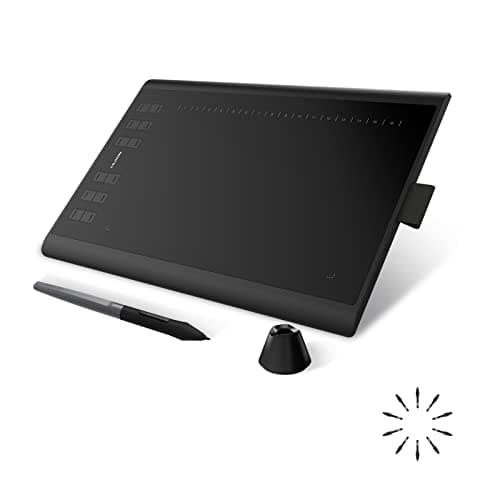
The Huion Inspiroy H1060P offers a generous 254 × 158.8 mm active area, 8192 pressure levels, tilt support, and 28 programmable keys, delivering strong performance for its price. Drawbacks include driver stability issues and a plasticky build that may feel less premium. Best suited for beginner to intermediate artists seeking a feature-rich, affordable tablet.
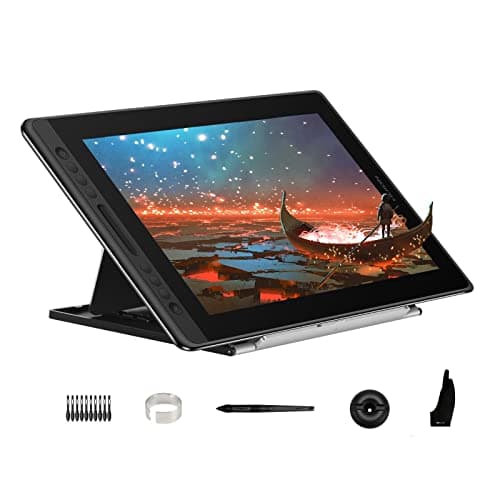
The Huion Kamvas Pro 16 is a 15.6-inch pen display featuring a high-resolution 2560×1440 screen and an 8192-level pressure-sensitive EMR pen. Its slim 11.5 mm chassis and USB-C connectivity make it portable, but the fixed-angle stand and occasional driver quirks can be limiting. Ideal for beginners to intermediate artists seeking a high-quality display at a competitive price.
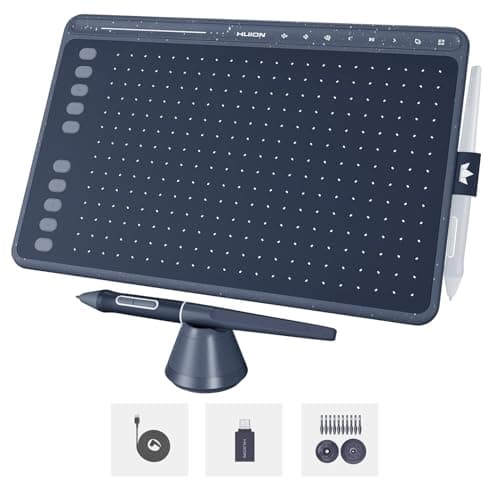
The Huion HS611 is an ultra-slim 10-inch graphics tablet offering 8192 pressure levels, tilt support and a fast >233 PPS report rate. Its compact size limits the active drawing area and it lacks an integrated stand. Ideal for mobile artists and hobbyists who prioritize portability over a large workspace.
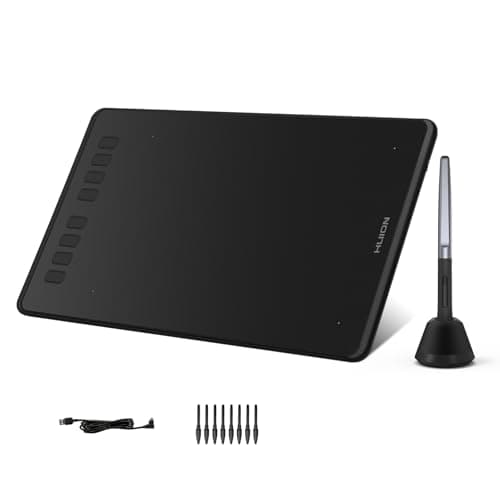
The Huion Inspiroy H950P is a compact tablet with an 8 mm thin profile, battery-free pen and 8192 pressure levels. Its small active area and lack of multi-touch limit workflow for power users. Ideal for beginners and mobile creators who need portability.
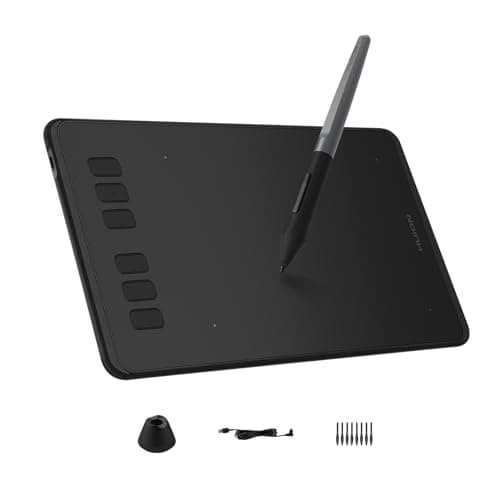
The Huion Inspiroy H640P offers a lightweight, ultra-thin design with a battery-free stylus delivering 8192 pressure levels and six express keys. Its small drawing surface and absence of tilt or Bluetooth connectivity constrain professional use. Suited for travelers and casual creators needing a budget-friendly tablet.
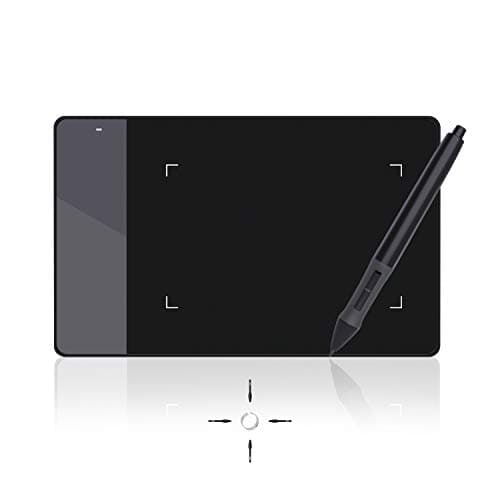
The Huion 420 is an ultra-portable, entry-level tablet featuring a battery-free pen, tilt support and a high report rate, targeting beginners and casual users. Its tiny active area and limited feature set make it unsuitable for detailed professional work. Best for students, kids or anyone needing a lightweight, affordable drawing pad.
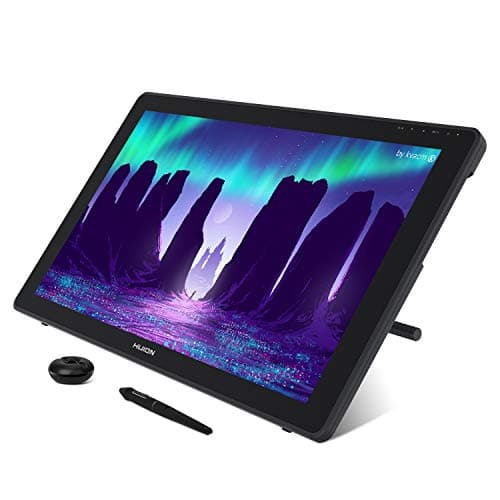
The Huion Kamvas 22 provides a 21.5-inch Full HD screen with 120% sRGB coverage and a battery-free 8192-level pen, plus an adjustable stand. Its low resolution and heavy chassis limit high-end use. Targeted at hobbyists and students needing a large, budget-friendly display.
| Attribute | | | | | | | |
|---|---|---|---|---|---|---|---|
258.4 mm | 152 mm | 254 mm | 349.6 mm | 221 mm | 106 mm | 476.64 mmbest | |
161.5 mm | 254 mm | 158.8 mm | 196.7 mm | 138 mm | 66 mm | 268.11 mmbest | |
8,192best | 8,192best | 8,192best | 8,192best | 8,192best | 8,192best | 8,192best | |
— | — | — | 186 ppibest | — | — | — | |
| ↓ lower better | 550 g | 272 g | 770 g | 1,350 g | 497 g | 125 gbest | 3,900 g |
— | — | — | 15.6 inches | — | — | 21.5 inchesbest | |
233 Hzbest | 233 Hzbest | 220 Hz | 220 Hz | — | — | 220 Hz | |
— | — | — | 120 %best | — | — | 120 %best |
Click an attribute name to sort · Green = best, red = worst (relative to this comparison)
| Attribute | | | | | | | |
|---|---|---|---|---|---|---|---|
Connectivity(1) | |||||||
Connectivity Interface | USB-C | Micro USB | Micro USB | USB-C | Micro USB | USB‑C / Mini USB | USB-C, USB-A |
Sensors(1) | |||||||
Report Rate (Hz) | 233 Hz | 233 Hz | 220 Hz | 220 Hz | 233-260 Hz | 300 Hz | 220 Hz |
Display(3) | |||||||
Active Area Width (mm) | 258.4 mm | 152 mm | 254 mm | 349.6 mm | 221 mm | 106 mm | 476.64 mm |
Active Area Height (mm) | 161.5 mm | 254 mm | 158.8 mm | 196.7 mm | 138 mm | 66 mm | 268.11 mm |
Screen Size (inches) | — | — | — | 15.6 inches | — | — | 21.5 inches |
General(1) | |||||||
Compatible Operating Systems | Windows, macOS, Android | Windows 7+, macOS 10.12+, Android 6.0+, Linux | Windows 7+, macOS 10.11+, Android 6.0+, Linux | Windows 7+, macOS 10.12+, ChromeOS 88+, Android | Windows 7+, macOS 10.11+, Android, Chromebook, Linux | Windows 7+, macOS 10.8+ | Windows, macOS, Android |
Pen & Controls(2) | |||||||
Pen Tilt Support | true | false | true | true | true | true | true |
Shortcut Keys Count | 10 | 6 | 28 | 6 | 8 | 3 | — |
Accessories(1) | |||||||
Included Accessories Count | 6 | 2 | 6 | 7 | 6 | 5 | 9 |
Build & Design(3) | |||||||
Weight (g) | 550 g | 272 g | 770 g | 1350 g | 497 g | 125 g | 3900 g |
Thickness (mm) | 7.3 mm | 8 mm | 10 mm | 11.5 mm | 8 mm | 7 mm | 19-27 mm |
Overall Dimensions | 218.4 x 333.4 x 7.3 mm | 152 x 254 x 8 mm | 240 x 360 x 10 | 438 x 251 x 11.5 mm | 320.8 x 188.8 x 8 | 177 x 112 x 7 | 323 x 546 x 19-27 |
Products in the top-left offer the best value (high score, low price).
Professional reviewers and editors are not directly quoted in the available sources, but the product listings and comparison sites consistently point out the HS611’s ultra‑slim chassis, fast 233 PPS report rate and the PW500 pen’s high pressure and tilt capabilities as its main strengths, especially for artists who need a lightweight tablet that works with Android devices.
No specific consumer reviews were found in the search results, so everyday users’ opinions cannot be extracted; the retailer descriptions simply stress portability and ease of use without providing customer feedback.
“thinner than a cellphone, lighter than a magazine”
“light and easy-to-carry”
“just enough room to be able to work comfortably without feeling too confined”
Professional reviewers view the H640P as an excellent entry-level, portable tablet that delivers strong value through its battery-free pen, high pressure sensitivity and six express keys. They commend its slim form factor and Android support but caution that the modest active area and lack of tilt make it less suitable for serious artists, recommending larger tablets for intensive work.
Everyday users consistently praise the tablet's feather-light weight, ultra-thin profile and the convenience of a pen that never needs charging. They also highlight the usefulness of the programmable keys and the straightforward setup. The most common criticisms revolve around the limited drawing area, the missing tilt function, and occasional confusion over the exact weight due to varying listings.
Professional reviewers commend the H1060P for its high pressure sensitivity, tilt support, fast report rate, and extensive programmable keys, describing it as a solid value for its price.
Everyday users appreciate the battery-free pen, abundant shortcut keys, and portable weight, noting smooth drawing performance. Recurring complaints focus on driver installation hassles, soft key responsiveness, occasional jitter, and a subpar pen holder.
Professional reviewers commend the Kamvas Pro 16 for its crisp 2.5K IPS display, high-precision EMR pen, ultra-slim profile and versatile USB-C connectivity, positioning it as a strong value proposition for mobile creators. Minor drawbacks noted include the fixed-angle stand, occasional power-draw concerns, and inconsistent weight reporting across sources.
Everyday users consistently praise the tablet's portability, smooth battery-free pen feel, anti-glare laminated screen and easy USB-C setup, while recurring complaints focus on the limited stand angles, occasional driver quirks on macOS/Android, and confusion over the exact weight of the unit.
Professional reviewers consider the H950P a surprisingly capable entry-level tablet, appreciating its comfortable active area, solid 8192-level pressure sensitivity and broad OS support, while noting that the modest drawing surface and missing multi-touch and eraser button may limit its appeal for more demanding workflows.
Everyday users love the tablet's portability, battery-free pen and shortcut keys, and its seamless compatibility with major creative software, but many express frustration over the limited active area, lack of multi-touch gestures and the pen's missing eraser function.
Professional reviewers and editors are not represented in the available sources; manufacturer materials emphasize the tablet's portability, smooth operation, and suitability as a low‑cost entry point for beginners.
Consumer-focused listings highlight the tablet's ease of use, battery-free pen, and responsiveness for OSU gaming and basic drawing, with no recurring complaints other than the limited active area.
Editors emphasize that the Kamvas 22 delivers solid color accuracy and a responsive PW517 pen at an affordable price, making it a strong entry-level option, but they point out its lower gamut, lack of full lamination, and limited pressure levels leave it behind the higher-end Kamvas 22 Plus and newer Huion generations.
Everyday users generally express satisfaction with the tablet's color fidelity, easy USB-C connection, and overall value, while noting that more advanced artists may desire higher resolution, touch input, or greater pressure sensitivity.
