Rankings
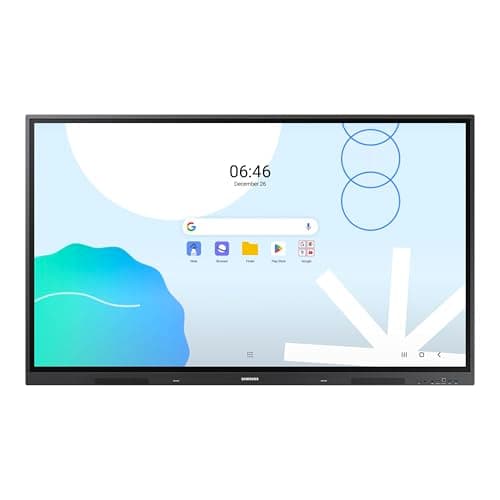
The Samsung 65" WAD Interactive Display runs Android 13, is EDLA-certified for Google services, and offers 40-point IR touch, dual-pen input, a 3-in-1 USB-C port, HDMI-out and dual Ethernet ports. It delivers bright 4K visuals and strong connectivity, though it is heavy and lacks native Windows OS.
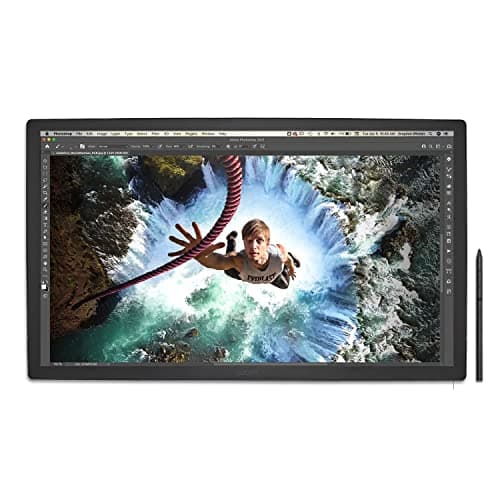
The Wacom Cintiq Pro 27 is a premium 26.9-inch 4K pen display delivering industry-leading color accuracy, a 120 Hz refresh rate, and a highly customizable Pro Pen 3. It excels for professional creators needing precise input and studio-grade color fidelity, but its size, weight, and price limit portability.
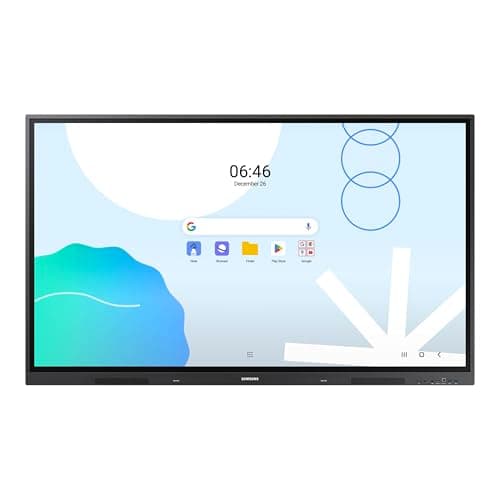
The Samsung 86" WAD Interactive Display delivers a 4K IPS panel with 40-point IR touch and extensive Android-based Google integration, making it ideal for large classrooms and corporate rooms, though its size, weight, and power draw are considerable.
The Wacom DTK2200 Cintiq 22HD is a 21.5" Full HD pen display targeting professional artists who need a large drawing surface and solid pen performance. It offers 2048 pressure levels, an adjustable stand and extensive shortcut keys, but lacks touch input and uses an older DVI connection.

The Wacom One HD Creative Pen Display is a compact 13.3" Full HD pen display aimed at beginners and students. It offers a straightforward single-cable setup, a battery-free pen, and useful software bundles, but lacks multi-touch, adjustable tilt and extensive shortcut keys.
The Promethean ActivPanel V10 Premium is a high-performance QLED interactive display offering 4K resolution, 50-point infrared touch and robust audio for large classrooms and meeting rooms. It is OS-agnostic and includes a full suite of collaboration software and accessories.
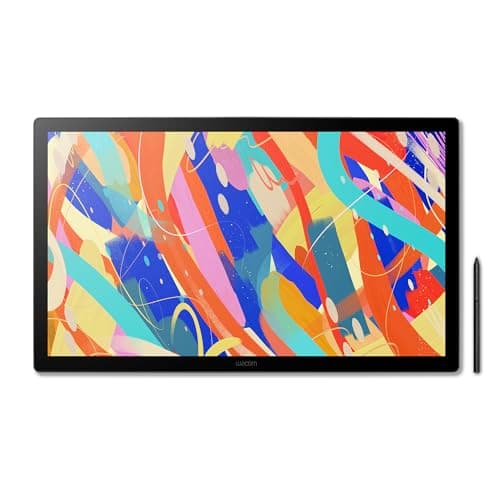
The Wacom Cintiq 24 (2025) is a 23.8-inch 2.5K IPS pen display offering excellent color accuracy, fanless silent operation, and a battery-free Pro Pen 3. It targets professional artists who need a large, color-accurate canvas, though its weight and lack of built-in shortcut keys may be drawbacks for some.
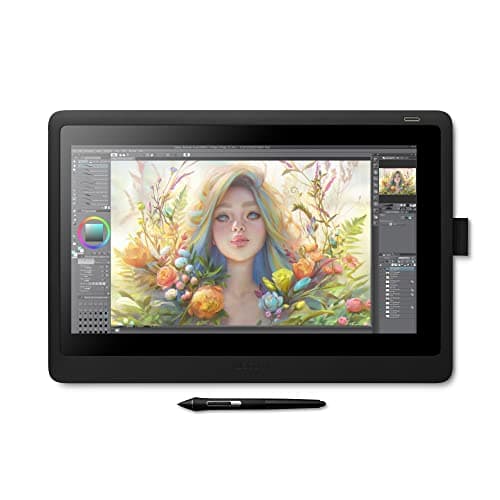
The Wacom Cintiq 16 offers a 15.6" Full HD IPS screen with professional-grade Pro Pen 2 performance at an affordable price. It provides solid pen accuracy and build quality but lacks touch input, an adjustable stand, and a laminated display, which can affect ergonomics and visual fidelity.
The Samsung 75" WAD Interactive Display is a wall-mountable 4K Android 13 touchscreen with 40-point IR touch, dual-pen capability and EDLA certification for seamless Google Workspace integration, aimed at large classrooms and corporate meeting rooms.
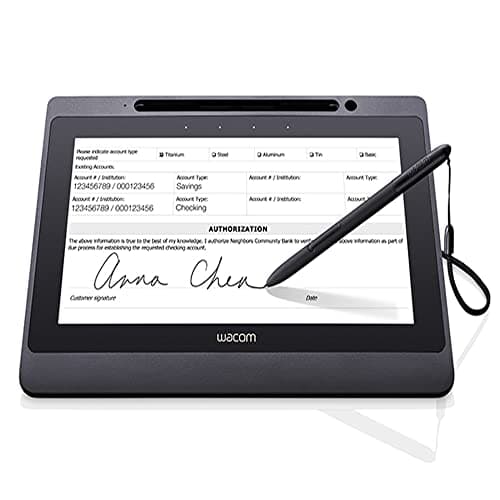
The Wacom DTU-1141B is a 10.1" Full-HD interactive pen display designed for secure electronic signature capture. It combines a battery-free EMR pen, single-cable USB-2.0 connectivity and built-in encryption, but its modest brightness, lack of tilt and small active area limit artistic use.
| Attribute | | | Promethean ActivPanel V10 | | | | | | Wacom Cintiq DTK2200 | |
|---|---|---|---|---|---|---|---|---|---|---|
26.9 inches | 13.3 inches | — | 23.8 inches | 65 inches | 15.6 inches | 86 inchesbest | 75 inches | 21.5 inches | 10.1 inches | |
400 nits | 200 nits | 1,034 nitsbest | 350 nits | 400 nits | — | 400 nits | 400 nits | 230 nits | 200 nits | |
1,000 | 1,000 | 950,000best | 1,000 | 1,200 | 1,000 | 1,200 | 1,200 | 1,000 | 1,000 | |
120 Hzbest | — | 60 Hz | — | 60 Hz | — | 60 Hz | 60 Hz | — | — | |
| ↓ lower better | 10 ms | — | 8 msbest | 12 ms | 8 msbest | — | 8 msbest | 8 msbest | 14 ms | 25 ms |
— | — | 50best | 10 | 40 | — | 40 | 40 | — | — | |
99 % | 91.7 % | — | 100 %best | 72 % | 72 % | 72 % | 72 % | 72 % | — | |
1 | — | 3 | — | 4best | 1 | 4best | 3 | — | — |
Click an attribute name to sort · Green = best, red = worst (relative to this comparison)
| Attribute | | | Promethean ActivPanel V10 | | | | | | Wacom Cintiq DTK2200 | |
|---|---|---|---|---|---|---|---|---|---|---|
Touch(2) | ||||||||||
Touch Technology | — | — | Infrared Vellum Touch | Capacitive | Infrared | — | Infrared | IR | — | — |
Touch Points | — | — | 50 | 10 | 40 | — | 40 | 40 | — | — |
Display(8) | ||||||||||
Screen Size (inches) | 26.9 inches | 13.3 inches | — | 23.8 inches | 65 inches | 15.6 inches | 86 inches | 75 inches | 21.5 inches | 10.1 inches |
Native Resolution | 3840x2160 | 1920x1080 | 3840x2160 | 2560x1440 | 3840x2160 | 1920x1080 | 3840x2160 | 3840x2160 | 1920x1080 | 1920x1080 |
Brightness (nits) | 400 nits | 200 nits | 1034 nits | 350 nits | 400 nits | — | 400 nits | 400 nits | 230 nits | 200 nits |
Contrast Ratio | 1000 | 1000 | 950000 | 1000 | 1200 | 1000 | 1200 | 1200 | 1000 | 1000 |
Refresh Rate (Hz) | 120 Hz | — | 60 Hz | — | 60 Hz | — | 60 Hz | 60 Hz | — | — |
Response Time (ms) | 10 ms | — | 8 ms | 12 ms | 8 ms | — | 8 ms | 8 ms | 14 ms | 25 ms |
Panel Type | IPS-type LCD | IPS | Quantum Dot LCD (QLED) | IPS LCD | Direct LED | IPS | IPS | ADS | IPS | IPS |
Color Gamut (%) | 99 % | 91.7 % | — | 100 % | 72 % | 72 % | 72 % | 72 % | 72 % | — |
Connectivity(2) | ||||||||||
HDMI Ports | 1 | — | 3 | — | 4 | 1 | 4 | 3 | — | — |
USB Ports | 3 | 2 | 13 | — | 8 | 1 | 6 | 5 | 1 | 1 |
Power & Energy(2) | ||||||||||
Power Consumption (W) | 85 W | 10 W | 117 W | — | — | — | 486 W | 385 W | — | 5 W |
Standby Power (W) | — | — | 0.5 W | — | — | — | 0.5 W | 0.5 W | — | 1 W |
Warranty(1) | ||||||||||
Warranty Period (years) | 2 years | 1 years | — | 1 years | — | 1 years | 5 years | — | 2 years | 1 years |
Build & Design(1) | ||||||||||
Weight (kg) | 7.2 kg | 2.0 kg | — | 5.69 kg | 42.8 kg | 1.9 kg | 56.4 kg | 45.36 kg | 8.5 kg | 1.3 kg |
Products in the top-left offer the best value (high score, low price).
Professional reviewers award it Editors' Choice (PCMag 4.5/5) and praise its 4K resolution, 120 Hz refresh, color gamut, and Pro Pen performance, while noting the high price and lack of an integrated stand.
Everyday users love the natural drawing feel, accurate colors, and smooth 120 Hz performance, but complain about accidental ExpressKey presses, dimmer appearance due to the anti-glare coating, and neck strain during long sessions.
“is like working on paper”
“colors are "print accurate like I've never seen."”
“smoother drawing with great results”
Professional reviewers praise the Wacom One HD for its straightforward setup, accurate low-latency pen response, and solid software bundle, positioning it as a strong entry-level option for students and hobbyists. However, they note the absence of multi-touch, limited ergonomics, and a short warranty as notable drawbacks compared to higher-end models.
Everyday users overwhelmingly rate the device 4-5 stars, highlighting its natural drawing feel, ease of use, and portability. Common praise centers on the battery-free pen and useful software trials, while recurring complaints involve occasional lag, driver hiccups, and confusion about the need for a host computer.
Professional reviewers praise the ActivPanel 10 Premium for its award-winning design, industry-leading QLED display quality, and robust security that operates independently of the network. They highlight the seamless software ecosystem, high brightness, and the flexibility of an OS-agnostic platform, while noting the lack of an integrated operating system can increase total system cost.
Everyday users consistently commend the panel's ease of use, reliable performance and engaging teaching tools, but note frustrations with the need for an external computer and the unit's substantial weight.
Professional reviewers praise its color fidelity, silent fanless design, and Pro Pen 3 performance, while noting limited connectivity and the absence of built-in ExpressKeys.
Everyday users love the large, color-accurate screen and natural pen feel, but mention the unit's weight, thin bezel pen snagging, and occasional cable adapter hassles.
Professional reviewers commend the WAD display for its extensive connectivity, especially the 3-in-1 USB-C, and its dual-pen, 40-point touch capabilities that boost classroom interactivity. The EDLA certification is highlighted as a differentiator, though critics note the newer WAF series offers Android 14 and a more powerful processor.
Everyday users rave about the seamless Google Classroom experience, the convenience of dual pens, and the bright 4K picture that remains visible in bright environments. HDMI-Out is praised for extending content, while the lack of built-in Windows and NFC are noted as drawbacks.
Professional reviewers praise the Cintiq 16 for delivering Pro Pen 2 performance, solid screen quality and build at a modest price, noting its ease of setup and value. Criticisms focus on the absence of touch input, express keys, an adjustable stand and the non-laminated display that introduces parallax, as well as its limited Full HD resolution.
Everyday users consistently highlight the natural drawing experience, precise pen tracking and durability, while frequently expressing frustration over the lack of touch gestures, missing ergonomic stand and occasional parallax. Overall satisfaction remains high among budget-conscious creatives.
Professional reviewers praise the Samsung WAD 86" for its enterprise-grade durability, extensive connectivity options, and Google-centric Android platform, while noting the lack of built-in video-conferencing hardware and high power draw.
Everyday users appreciate the ultra-responsive multi-touch surface, bright 4K display, and solid audio, but frequently mention the missing camera/mic and the unit's considerable weight and power usage.
Professional reviewers praise its 40-point touch, dual-pen function and Google integration, while noting the lack of a built-in stand, modest brightness and absence of HDR.
Everyday users appreciate the massive touch surface and easy multi-device connectivity, but many find the unit heavy, miss a built-in stand and wish for higher brightness.
Professional reviewers praise the Cintiq 22HD for its natural drawing experience, large yet affordable screen size, and precise tilt-and-pressure pen performance, while noting the outdated DVI-only video input and lack of touch as drawbacks for modern workflows.
Everyday users love the natural feel, large active area, and workflow shortcuts provided by the ExpressKeys and touch strips, but many complain about the grainy screen texture, DVI-only connectivity, occasional driver glitches, and heat buildup during long sessions.
Professional reviewers praise the DTU-1141B for its precise, responsive EMR pen, vibrant full-HD display and solid build quality, highlighting its suitability for business and enterprise signature capture. They note the absence of tilt support and the modest 200 nits brightness as drawbacks, especially for artistic work, and point out the reliance on USB 2.0 rather than newer connectivity standards.
Everyday users consistently commend the device's natural, paper-like writing feel, the convenience of a battery-free pen, and the straightforward USB-only setup. Common complaints revolve around the dim screen in bright settings, occasional driver hiccups, and the missing tilt function, with a few noting that the ExpressKeys can be too sensitive.
