Rankings
The Samsung Interactive Pro 65" delivers a large 4K VA panel with 40-point infrared touch and Android-based collaboration tools. It excels in visual quality and multi-device sharing, but its weight, lack of an integrated camera and occasional Android app limitations may deter some buyers.
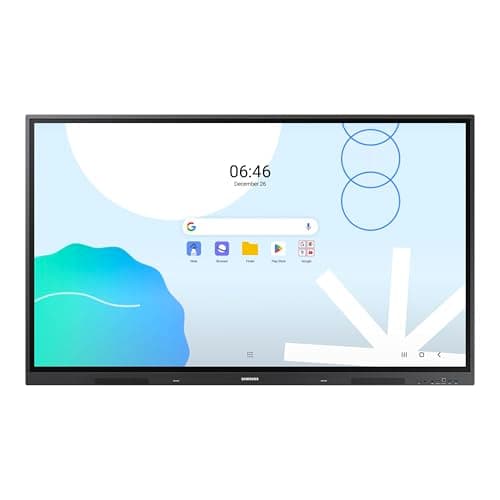
The Samsung 65" WAD Interactive Display runs Android 13, is EDLA-certified for Google services, and offers 40-point IR touch, dual-pen input, a 3-in-1 USB-C port, HDMI-out and dual Ethernet ports. It delivers bright 4K visuals and strong connectivity, though it is heavy and lacks native Windows OS.
The Samsung Pro 55" 4K WMB Interactive Display offers a premium VA panel with 4K resolution, 20-point touch and extensive wireless collaboration tools. It targets education and corporate meeting spaces, delivering low latency and robust connectivity, but its weight and limited storage may be drawbacks.
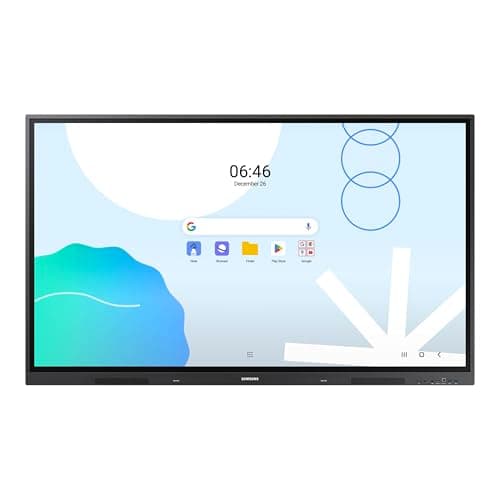
The Samsung 86" WAD Interactive Display delivers a 4K IPS panel with 40-point IR touch and extensive Android-based Google integration, making it ideal for large classrooms and corporate rooms, though its size, weight, and power draw are considerable.
The Dell Interactive C6522QT is a 65" 4K IPS touchscreen designed for corporate collaboration, offering 20-point touch, built-in audio and robust connectivity.
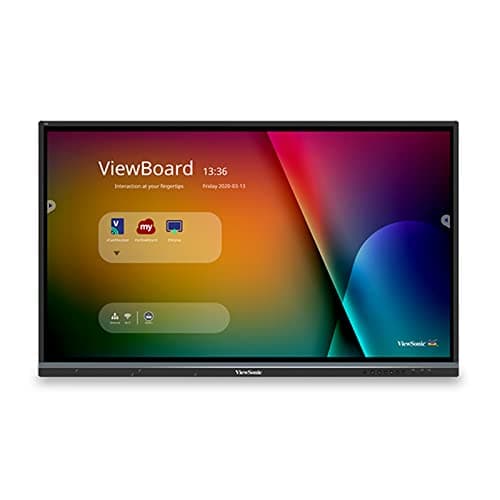
The ViewSonic IFP8650 is an 86-inch 4K interactive flat panel with 40-point IR touch, built-in Android computing, and extensive connectivity, aimed at large corporate and educational spaces.
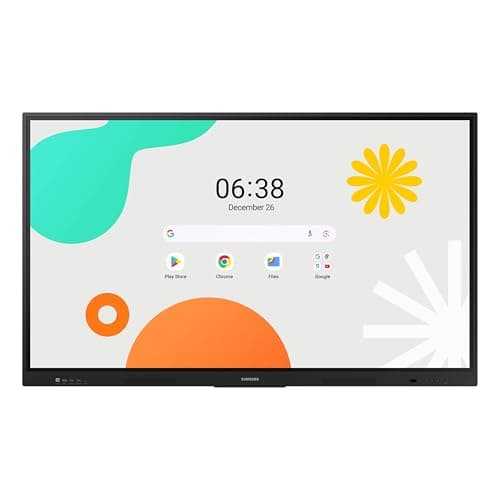
The Samsung 65" WAF Series Interactive Display runs Android 14, offers 4K resolution, 40-point infrared touch and dual-pen input, and is EDLA-certified for full Google service integration. It excels in connectivity and collaborative features but draws significant power.
The Samsung 75" WAF Interactive Display offers a 4K IPS panel, 40-point IR touch, and Android 14 with Google services, delivering strong collaborative features, though it lacks an integrated stand and has moderate brightness.
The Samsung Pro 75" WMB Interactive Display runs a Tizen-based OS, offers 4K resolution, 20-point infrared touch, 65 W USB-C charging and anti-microbial coating, targeting education and enterprise spaces that need durability and robust wireless sharing. It lacks built-in audio/video hardware and uses a less familiar OS.
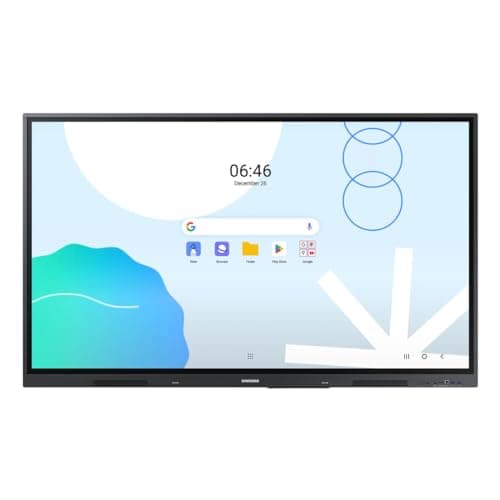
The Samsung WA65D 65" interactive display combines 4K resolution, 40-point IR touch, and Android 13 with Google integration, offering solid performance for education and business, though it lacks a built-in mic and is relatively heavy.
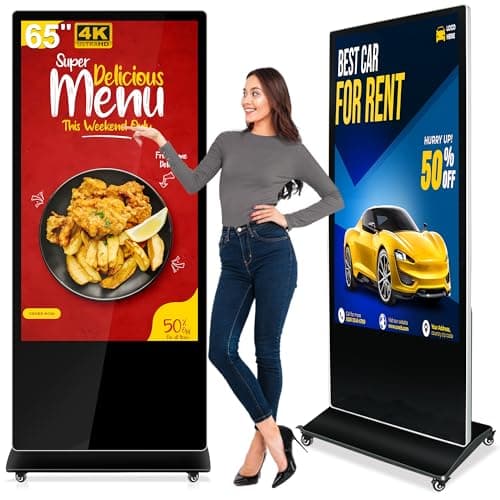
The PWR4GTR 65-inch interactive totem offers 4K UHD, bright IPS touch, Android 11 with a free CMS, and rugged construction, making it a strong choice for permanent indoor installations despite its weight and lack of portability.
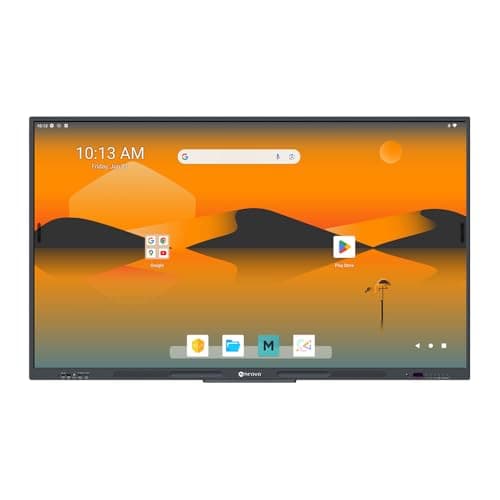
The AG Neovo 65-inch Smart Board is a Google-certified 4K interactive display with robust 40-point touch and Android 13, aimed at corporate and educational settings that prioritize secure app ecosystems.
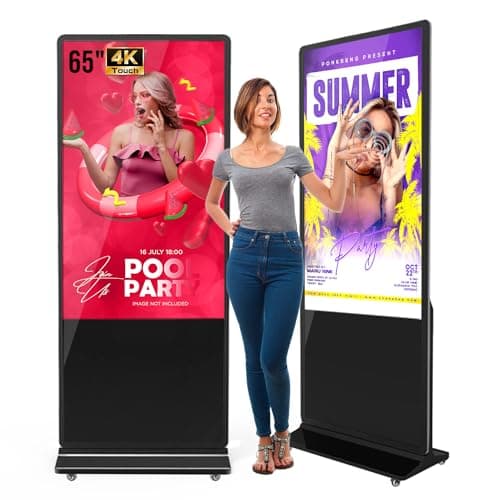
The QIXZOCV MWE 65" 4K touchscreen kiosk is a robust floor-standing interactive display with a high-resolution IPS panel and Android OS. It offers solid connectivity and optional lifetime CMS, but its large weight and occasional spec ambiguities may deter some buyers.
| Attribute | | | | Dell C6522QT | | Samsung LH55WMBWBGCXZA | Samsung LH65WMBWBGCXZA | | | Samsung LH75WMBWLGCXZA | | | |
|---|---|---|---|---|---|---|---|---|---|---|---|---|---|
65 inches | 86 inchesbest | 65 inches | 65 inches | 65 inches | 55 inches | 65 inches | 75 inches | 65 inches | 75 inches | 86 inchesbest | 65 inches | 65 inches | |
500 nitsbest | 350 nits | 400 nits | 350 nits | — | 350 nits | 350 nits | 400 nits | 400 nits | 350 nits | 400 nits | 400 nits | 400 nits | |
1,200 | 1,200 | — | 1,300 | — | 4,000best | 4,000best | 1,200 | 1,200 | 4,000best | 1,200 | 1,200 | 1,200 | |
60 Hzbest | — | 60 Hzbest | — | — | — | — | 60 Hzbest | 60 Hzbest | 60 Hzbest | 60 Hzbest | 60 Hzbest | 60 Hzbest | |
| ↓ lower better | — | 8 msbest | — | 9 ms | — | 8 msbest | 8 msbest | 8 msbest | 8 msbest | 8 msbest | 8 msbest | 8 msbest | 8 msbest |
10 | 40best | 40best | 20 | 10 | 20 | 40best | 40best | 40best | 20 | 40best | 40best | 40best | |
— | — | — | 72 %best | — | 72 %best | 72 %best | 72 %best | 72 %best | 72 %best | 72 %best | 72 %best | 72 %best | |
1 | 4best | — | 3 | 1 | 2 | 4best | 4best | 4best | — | 4best | 4best | 3 |
Click an attribute name to sort · Green = best, red = worst (relative to this comparison)
| Attribute | | | | Dell C6522QT | | Samsung LH55WMBWBGCXZA | Samsung LH65WMBWBGCXZA | | | Samsung LH75WMBWLGCXZA | | | |
|---|---|---|---|---|---|---|---|---|---|---|---|---|---|
Touch(2) | |||||||||||||
Touch Technology | capacitive | Infrared | Infrared | InGlass | PCAP | — | Infrared | Infrared | Infrared | Infrared | Infrared | Infrared | Infrared |
Touch Points | 10 | 40 | 40 | 20 | 10 | 20 | 40 | 40 | 40 | 20 | 40 | 40 | 40 |
Display(5) | |||||||||||||
Screen Size (inches) | 65 inches | 86 inches | 65 inches | 65 inches | 65 inches | 55 inches | 65 inches | 75 inches | 65 inches | 75 inches | 86 inches | 65 inches | 65 inches |
Brightness (nits) | 500 nits | 350 nits | 400 nits | 350 nits | — | 350 nits | 350 nits | 400 nits | 400 nits | 350 nits | 400 nits | 400 nits | 400 nits |
Contrast Ratio | 1200 | 1200 | — | 1300 | — | 4000 | 4000 | 1200 | 1200 | 4000 | 1200 | 1200 | 1200 |
Response Time (ms) | — | 8 ms | — | 9 ms | — | 8 ms | 8 ms | 8 ms | 8 ms | 8 ms | 8 ms | 8 ms | 8 ms |
Panel Type | IPS | TFT LCD IPS | IPS | IPS | IPS | VA | VA | IPS | Direct LED | VA | IPS | Direct LED | IPS |
Connectivity(2) | |||||||||||||
HDMI Ports | 1 | 4 | — | 3 | 1 | 2 | 4 | 4 | 4 | — | 4 | 4 | 3 |
USB Ports | 2 | 9 | 5 | 7 | 2 | 4 | 5 | 6 | 8 | — | 6 | 6 | 4 |
Power & Energy(1) | |||||||||||||
Power Consumption (W) | — | 175 W | — | 115 W | — | — | 95 W | 200 W | — | — | 486 W | 184 W | 409 W |
Warranty(1) | |||||||||||||
Warranty Period (years) | 2 years | 3 years | 3 years | 0.25 years | 3 years | 3 years | 4 years | — | — | 5 years | 5 years | 5 years | — |
Build & Design(1) | |||||||||||||
Weight (kg) | 68.49 kg | 69.7 kg | 50.26 kg | 45.2 kg | 80.5715 kg | 15.9 kg | 48.5 kg | 49.21 kg | 42.8 kg | 65.8 kg | 56.4 kg | 33.9 kg | 36.2 kg |
Products in the top-left offer the best value (high score, low price).
Professional reviewers highlight the display's sharp 4K visuals, high brightness, responsive touch, and the value of the free CMS, while noting the heavy weight and setup complexity.
Everyday users consistently praise the sharp visuals, high brightness, and responsive touch, but mention the heavy weight, initial setup difficulty, and occasional Wi-Fi drops.
“Free CMS is intuitive and a game-changer for managing multiple locations.”
“Users report excellent responsiveness of the touch screen, even with multiple simultaneous inputs.”
“20-point touch works flawlessly for group whiteboarding”
Smaller size but lower power consumption
Smaller screen with lower power consumption and similar touch capabilities
Professional reviewers highlight the IFP8650 as a best-in-class collaboration hub, noting its 40-point touch, comprehensive myViewBoard suite, and enterprise-ready connectivity that together deliver a seamless interactive experience for large meeting spaces.
Everyday users appreciate the intuitive annotation tools, robust audio, and reliable touch performance, though they commonly mention the need for a separate Wi-Fi module and a short learning period for the software.
Professional reviewers commend the Meetboard 4 for its enterprise-grade Google EDLA certification, robust 40-point touch, and the optional AI-driven 4K camera, while noting the lack of disclosed RAM and the unit's substantial weight.
Everyday users appreciate the board's ease of use, sharp 4K visuals, and the ability to install Google-ecosystem apps directly, but express concerns over weight, glossy glare and the absence of a Windows option.
Reviewers highlight its ultra-responsive InGlass touch, 4K clarity and enterprise features, while noting the lack of portrait mode and the heavy, non-adjustable design.
Users appreciate the large 4K canvas and reliable multi-touch for meetings, but mention the weight and limited ergonomic adjustability as drawbacks.
Professional reviewers commend the QIXZOCV kiosk for its reliable PCAP touchscreen, robust Android platform, and useful split-screen and auto-playback capabilities, while warning buyers to double-check model numbers to avoid variant confusion.
Everyday users praise the bright 4K display, responsive touch, and straightforward USB content loading, but they frequently mention spec inconsistencies, a steep initial setup, and occasional slow customer support.
Professional reviewers commend the WM55B as a top-tier interactive display, emphasizing its low latency, high touch precision, and robust wireless collaboration features like SmartView+, AirPlay 2, and WebRTC.
Everyday users appreciate the crisp 4K visuals, natural pen feel, and the ease of wirelessly sharing screens from multiple devices. Common praise centers on durability and the dual-pen setup, while recurring complaints involve the initial learning curve of Flip Pro, occasional Wi-Fi instability, and limited internal storage.
Professional reviewers commend the Interactive Pro 65" for its superb 4K visual quality, ultra-responsive 40-point touch, and innovative SmartView+ collaboration suite, highlighting HDMI Out as a unique advantage for large classrooms.
Everyday users consistently praise the display's sharp 4K visuals, fluid multi-touch writing experience, and hassle-free wireless screen sharing, while frequently mentioning the heavy weight, lack of an integrated camera, and occasional touch lag as pain points.
Reviewers commend the smooth multi-touch response, Android integration, and versatile connectivity, especially the OPS slot, while noting the lack of a built-in stand and modest brightness.
Users like the large 4K screen and easy wireless sharing, but criticize the absence of a stand and the need for an extra OPS module for Windows.
Professional reviewers commend the WAD display for its extensive connectivity, especially the 3-in-1 USB-C, and its dual-pen, 40-point touch capabilities that boost classroom interactivity. The EDLA certification is highlighted as a differentiator, though critics note the newer WAF series offers Android 14 and a more powerful processor.
Everyday users rave about the seamless Google Classroom experience, the convenience of dual pens, and the bright 4K picture that remains visible in bright environments. HDMI-Out is praised for extending content, while the lack of built-in Windows and NFC are noted as drawbacks.
Professional reviewers commend the WMB75B for its premium build quality, robust connectivity options, and hygiene-focused design, but note the absence of integrated audio/video hardware and a less familiar OS as trade-offs compared to Android-based rivals.
Everyday users praise the display's responsive touch, seamless AirPlay 2 and USB-C charging, and its ruggedness in busy classrooms, while common complaints revolve around the lack of built-in camera/mic, occasional wireless sharing hiccups, and the learning curve of the Tizen interface.
Professional reviewers praise the Samsung WAD 86" for its enterprise-grade durability, extensive connectivity options, and Google-centric Android platform, while noting the lack of built-in video-conferencing hardware and high power draw.
Everyday users appreciate the ultra-responsive multi-touch surface, bright 4K display, and solid audio, but frequently mention the missing camera/mic and the unit's considerable weight and power usage.
Professional reviewers praise the touch responsiveness, Google Workspace integration, and connectivity, while noting the lack of a microphone and front-port accessibility.
Everyday users commend the responsive touch, easy setup, and bright display, but mention the missing microphone and weight.
Professional reviewers view the Samsung WAF 65" as a breakthrough for interactive education, emphasizing its EDLA certification, 40-point touch, Split Note Mode, and robust connectivity, while noting the absence of Wi-Fi 6 and relatively high power consumption.
Everyday users praise the instant annotation, dual-pen convenience, and the ability to install Google apps directly on the display, though a minority report occasional lag and Bluetooth pairing issues.
