We've compared 13 large‑format interactive displays that span the 55‑inch and larger segment, from a $1599.00 entry‑level model up to the $3399.00 flagship. All of them run Android or a comparable OS and offer 4K resolution, but they differ widely in brightness, touch capacity and connectivity.
If you need a rugged, 24/7 kiosk for retail or hospitality, the PWR4GTR ADV6531T wins the budget bucket with its 500 nits brightness, 178° viewing angle and a solid 5.0/5 rating from two reviewers. For a midsize classroom or collaborative space, the Samsung LH65WMBWBGCXZA delivers 40‑point IR touch, 350 cd/m² brightness and a 65 W USB‑C port at a mid‑range price of $1878.84. When premium performance and built‑in audio matter, Dell’s C6522QT stands out with 40 W speakers, 90 W USB‑C power delivery and 20‑point InGlass touch, positioned in the premium tier.
The sections that follow break down each tier, highlight the strengths and quirks of every model, and help you match the right screen to your environment.

PWR4GTR ADV6531T
Its shallow 76 mm depth gives a sleek profile while keeping costs low.

ViewSonic IFP8650 86-inch
Audiophiles craving 40 W total sound will see it’s about $1800 pricier than the budget pick.

AG Neovo I654A0 65-inch
It offers 5 total USB ports and up to 65 W USB‑C power delivery, a connectivity edge the others lack.
Also considered
Score Analysis
Key score advantages vs. runner-up (ViewSonic IFP8650 86-inch)
Price Range
PWR4GTR ADV6531T
$1,599.00
ViewSonic IFP8650 86-inch
$3,393.99
AG Neovo I654A0 65-inch
$1,799.00
Dell C6522QT
$1,749.99

Qixzocv 65-inch Touchscreen
$2,059.00
Samsung LH55WMBWBGCXZA
$1,669.21
Samsung LH65WMBWBGCXZA
$1,999.00

Samsung LH75WAFWLGCXZA
$1,379.99
Samsung LH65WADWLGCXZA
$1,598.94
Samsung LH75WMBWLGCXZA
$2,790.00

Samsung LH86WADWLGCXZA
$1,784.55

Samsung WA65D
$1,621.98
Samsung WAF 65-inch
$1,405.24
Spec Comparison
TL;DR: The 65‑inch PWR4GTR ADV6531T delivers 4K Android 11 interactivity with 500 nits brightness at a $1,599 price, but its 151‑lb weight makes installation a two‑person job.
The standout spec is the 65‑inch IPS LCD panel that offers a 3840 × 2160 pixel resolution and 500 nits of brightness, giving crisp, vivid images even in well‑lit areas. Coupled with 4 GB of RAM and 64 GB of storage, the Android 11 OS runs a free content‑management system right out of the box.
At 76 mm deep, the display sits between the ultra‑thin 60 mm depth of the Samsung LH55 and the 88.1 mm depth of the AG Neovo, while its 151 lb weight outmatches the AG Neovo’s 110.8 lb but dwarfs the Samsung LH55’s 35 lb chassis. The 20 W total speaker output is modest compared with Dell’s 40 W system, yet it’s adequate for most indoor signage scenarios.
Customers praise the razor‑sharp 4K visuals and the responsive G+G capacitive touch, noting the free CMS as a major time‑saver. Reviewers highlight the rarity of Android 11 in this price tier and the enterprise‑grade brightness. The main complaints revolve around the heavy unit—requiring two people to move—and a setup process that can feel complex for first‑time Android kiosk users.
The device ships with dual‑band 5G Wi‑Fi (2.4 GHz and 5 GHz), a lockable port cover, and a 60 Hz refresh rate. Its 1200:1 contrast ratio and 178° viewing angles ensure consistent color from any angle, while a 60,000‑hour lifetime and a two‑year warranty underline its durability for commercial use.
Pros
Cons
Best for: Retail or hospitality venues that need a budget‑friendly, large‑format interactive kiosk.
Avoid if: You require a portable, battery‑operated display or a lightweight solution for frequent relocation.
“Free CMS is intuitive and a game‑changer for managing multiple locations.”
TL;DR: The 86‑inch ViewSonic IFP8650 offers 4K visuals, 40‑point IR touch and a 40 W 2.1‑channel soundbar, but its 1.9‑star rating and 153.662196614 pounds weight make it a premium, heavy choice.
The IFP8650’s standout feature is its massive 86‑inch 4K UHD panel (3840 × 2160) paired with 40‑point infrared multi‑touch and palm‑rejection. It runs Android 11 (upgradable to Android 13) on an ARM Quad‑Core 1.1 GHz CPU, backed by 8 GB RAM and 64 GB of flash storage. The display delivers 350 nits typical brightness and a dynamic contrast ratio of 5000:1, while the built‑in 2.1‑channel soundbar provides 40 W total power (2 × 12 W speakers plus a 16 W subwoofer).
Compared with the other 12 contenders, the IFP8650 is the heaviest at 153.662196614 pounds, out‑weighing the Samsung LH55 (35 pounds), Samsung LH65 (107 pounds), Dell C6522QT (≈99.65 pounds), Samsung LH75 (145 pounds) and AG Neovo I654A0 (110.8 pounds). Its 3.9‑inch depth is deeper than the Samsung LH55’s 2.36 inches and the LH65’s 2.48 inches, yet shallower than the Qixzocv’s 450 mm chassis. The panel supports 40 simultaneous touch points, far surpassing the Qixzocv’s 10‑point limit. Connectivity is generous: dual Ethernet ports, three HDMI 2.0 inputs (matching Dell and Samsung LH75), a 65 W USB‑C PD port (same as Samsung LH75 and AG Neovo), and an OPS slot for a full PC. Audio power mirrors Dell’s 40 W speaker system, and the device also includes Bluetooth 5.0, Wi‑Fi 6, and a full suite of USB ports.
Reviewers consistently praise the intuitive annotation tools in the myViewBoard suite and the reliable 40‑point touch response. The 2.1‑channel audio delivers 40 W, and reviewers also highlight the ability to cast screens without dongles. On the downside, users note a learning curve with the Android interface, early firmware bugs on Android 11, and the inability to run native Windows applications. The low 1.9‑star rating from four reviews underscores these concerns. The panel’s backlight life of 50,000 hours, Energy Star certification, and TÜV Low Blue Light & Flicker‑Free rating add long‑term comfort for classroom or boardroom use.
Pros
Cons
Best for: Large corporate boardrooms, higher‑education lecture halls, K‑12 smart classrooms, and training centers that need a big 4K interactive surface with solid audio and enterprise‑grade connectivity.
Avoid if: You have a small meeting room, a tight budget, or require native Windows applications and high reliability given the low user rating.
“Users report excellent responsiveness of the touch screen, even with multiple simultaneous inputs.”
TL;DR: The AG Neovo I654A0 65‑inch Meetboard delivers 4K IPS visuals, 40‑point IR touch and Android 13, but its 110‑lb weight and undisclosed RAM make it a heavyweight, enterprise‑focused choice.
The standout spec offers a 65‑inch 4K UHD panel (3840 × 2160) paired with a 40‑point IR multi‑touch surface, letting several users write or draw at once. Under the hood you get an octa‑core Android 13 processor and a generous 128 GB of internal storage, enough for apps, files and recordings without external drives.
At 110.8 lb, the I654A0 is considerably heavier than the Samsung LH55WMBWBGCXZA (35.0 lb) and the Samsung LH65WMBWBGCXZA (107.0 lb), yet lighter than the Samsung LH75WMBWLGCXZA (145.0 lb) and the PWR4GTR ADV6531T (151.0 lb). Its depth of 3.47 inches sits between the slim 2.36‑inch profile of the Samsung 55‑inch and the 3.5‑inch depth of the Samsung 75‑inch, offering a middle ground for wall‑mount installations. With five total USB ports (both USB‑A and USB‑C) it matches the Samsung 55‑inch’s four‑port mix and comes close to the Samsung 65‑inch’s five‑port configuration, though the Dell C6522QT lists more varied USB‑C and downstream ports.
Users who have rated the display give it a perfect 5.0‑star score, praising the Google EDLA certification for smooth, secure access to Google Workspace apps and the built‑in 4K camera that auto‑frames participants. Reviewers also note the Montage app’s ease of casting from any device. On the flip side, the single review leaves the broader sentiment ambiguous, and several commenters flag the glossy screen’s potential glare in bright rooms. Professional reviewers highlight the 40‑point touch responsiveness as a clear advantage over many rivals.
In addition to the screen, the unit runs Android 13 with full Google Play access, includes built‑in speakers and a microphone, and supports Wi‑Fi 6 (802.11ax). Power delivery via USB‑C reaches up to 65 W, simplifying cable management, while the 400‑nit brightness keeps the glossy surface vivid in typical office lighting. The VESA‑mount pattern (400 × 400 mm) and a three‑year warranty round out the package.
Pros
Cons
Best for: Corporate meeting rooms or classrooms that rely on Google Workspace and need robust multi‑user touch interaction.
Avoid if: You require a Windows‑based interactive display, a lighter unit for DIY mounting, or the absolute best value‑per‑dollar in this segment.
TL;DR: The Dell C6522QT offers a 65‑inch 4K IPS touchscreen with 20‑point InGlass touch, 40 W speakers, and extensive connectivity, but its 99.648942424‑pound panel demands careful installation.
The standout feature is the 20‑point InGlass multi‑touch surface with virtually zero lag and stylus support, letting up to 20 users interact simultaneously on a 3840 × 2160 pixel canvas.
At 99.648942424 Pounds, the panel is heavier than the Samsung LH55WMBWBGCXZA (35.0Pounds) yet lighter than the Samsung LH75WMBWLGCXZA (145.0Pounds) and the PWR4GTR ADV6531T (151.0Pounds). It also doubles the touch point count of the Qixzocv 65‑inch model, which offers 10‑point touch.
Reviewers praise the accurate 4K IPS image, the 350 nits brightness and 1300:1 contrast that keep details clear, and the built‑in 40 W stereo speakers that remove the need for external audio. The fixed landscape orientation and lack of tilt or swivel are common criticisms, as is the heavy panel that doesn't make mounting easy.
Technical details reinforce its premium positioning: 0.372 mm pixel pitch delivers fine granularity, a 9 ms response time keeps motion smooth, and the panel includes remote asset management, USB‑C Power Delivery at 90 W, and full Ethernet connectivity. The unit meets ENERGY STAR Version 8.0, EPEAT Silver, and TAA compliance, making it enterprise‑ready.
Pros
Cons
Best for: Those prioritizing quality and willing to pay for premium performance
Avoid if: You have limited desk space or need portability
TL;DR: The Qixzocv 65‑inch 4K touchscreen offers a glossy IPS panel, 10‑point PCAP touch and Android integration, but its very high weight makes setup a challenge.
The standout spec is the 65‑inch 4K UHD IPS display with a native resolution of 3840 × 2160 pixels and a 178° horizontal and vertical viewing angle, delivering vivid colors across a large surface. The screen surface is glossy, and the device supports 10‑point projected‑capacitive touch, letting multiple users interact simultaneously.
Compared with the other twelve entries in this roundup, the Qixzocv unit is substantially heavier than the Samsung LH55WMB (35 lb) and Dell C6522QT (about 99.6 lb), making it one of the most massive displays on the list. Its price sits in the mid‑tier range, so it isn’t the cheapest option, but it does include more built‑in Android features than many competitors that focus solely on Windows or proprietary OSes.
Reviewers consistently praise the crisp 4K image and the PCAP touchscreen’s smartphone‑like responsiveness. Professional reviewers note the reliability of the projected‑capacitive layer and the convenience of built‑in split‑screen and auto‑playback for retail signage. However, users frequently mention the cumbersome installation due to the touchscreen’s weight of 80571.5 g (about 17763 lb) and the need to double‑check model numbers because the touch and non‑touch versions differ. Users also cite network setup and the remote‑control battery as initial hurdles.
Beyond the display, the unit runs Android 9.0 or 12.0, includes an auto media player, supports Ethernet and Wi‑Fi, and offers two USB 3.0 ports for quick content loading. The slim bezel and heavy‑duty floor‑standing construction give it a professional look, while a three‑year warranty adds peace of mind.
Pros
Cons
Best for: Retail stores, restaurants, and cafés that need a large, interactive digital menu or catalog.
Avoid if: You have limited desk space, need a portable display, or are sensitive to heavy‑duty installations.
“The display is bright and clear even in well‑lit environments.”
“Touchscreen responsiveness is fast and accurate.”
TL;DR: The Samsung LH55WMBWBGCXZA delivers a 55‑inch 4K VA touchscreen with 20‑point touch, 26 ms latency and built‑in collaboration tools, but its 35‑lb weight and modest 32 GB storage keep it in the budget tier.
The standout spec is the 20 simultaneous touch points paired with a 26 ms touch latency and 2048 levels of pressure sensitivity, all on a 55‑inch 3840 × 2160 pixel VA panel. At 350 nits brightness and a 4000:1 contrast ratio, the display offers crisp images and deep blacks for classroom or meeting‑room use.
Against the other displays in this roundup, the LH55WMBWBGCXZA is markedly lighter than the Samsung LH65WMBWBGCXZA (107 lb) and the AG Neovo I654A0 (over 110 lb), while its 2.36‑inch depth is slimmer than the 2.48‑inch depth of the 65‑inch Samsung sibling and far shallower than the 3.47‑inch depth of the AG Neovo. It provides fewer HDMI inputs (2 vs 3 on the LH65) and a lower USB‑C charging power (15 W) compared with the 65‑inch and 75‑inch Samsung models, the latter offering 65 W. The Qixzocv 65‑inch unit only supports 10‑point touch, half the simultaneous points of this Samsung, and its chassis is much deeper at 450 mm. The PWR4GTR ADV6531T features a brighter 500‑nit panel but a lower 1200:1 contrast ratio, whereas the Dell C6522QT supplies a 90 W USB‑C power delivery versus the 15 W here.
Professional reviewers praise the low 26 ms latency and high pressure sensitivity as rivaling dedicated digital whiteboards, and they note the smooth AirPlay 2, SmartView+ (supporting up to 50 devices) and WebRTC integration for wireless collaboration. Everyday users echo the crisp 4K visuals and appreciate the dual‑pen setup, though some report occasional Wi‑Fi dropouts when many devices connect and a learning curve with the Flip Pro whiteboarding software. The built‑in speakers, Tizen‑based OS and 32 GB internal storage round out the feature set, though the storage limit may constrain the number of installed apps.
Pros
Cons
Best for: Entry-level buyers or those on a tight budget
Avoid if: You want the best value‑per‑dollar in its price range
TL;DR: The Samsung LH65WMBWBGCXZA delivers a 65‑inch 4K touch experience with 40‑point IR input, 2048 pressure levels and low latency at a $1878.84 price point, though its 107‑lb weight makes mounting a chore.
What really stands out is the 40 simultaneous touch points combined with a touch latency of ≤45 ms and 2048 pressure‑sensitivity levels, letting you write and draw with a fluid feel on a 4K UHD panel that shines at 350 nits and offers a 4000:1 contrast ratio. The pixel pitch of 0.372 mm ensures crisp detail across the 3840 × 2160 resolution.
Compared with other models in the roundup, this 65‑inch unit is heavier than the Samsung LH55WMBWBGCXZA’s 35‑lb frame but lighter than the PWR4GTR ADV6531T’s 151‑lb build and the 75‑inch Samsung LH75WMBWLGCXZA’s 145‑lb chassis. Its brightness matches the 75‑inch Samsung’s 350 nits but falls short of the AG Neovo I654A0’s 400 nits. The display packs three HDMI inputs (two rear, one front) versus the two HDMI ports on the 55‑inch Samsung, and it offers five USB ports (four USB 3.0, one USB 2.0) plus a front USB‑C port, giving it more connectivity than the smaller sibling’s three USB‑A ports.
Users consistently praise the razor‑sharp 4K visuals and the smooth multi‑touch writing experience, calling the collaboration tools like SmartView+ “advanced” for classroom and meeting‑room use. Professional reviewers highlight the low touch latency and the convenience of HDMI out for large‑room presentations. Common complaints focus on the 107‑lb weight, which can complicate wall‑mount installation, and the lack of an integrated camera or microphone, meaning you’ll need external devices for video calls. Some note occasional Android app compatibility quirks.
Pros
Cons
Best for: Value-conscious buyers seeking quality at $1878.84
Avoid if: You have limited desk space or need portability
TL;DR: The 75‑inch Samsung LH75WAFWLGCXZA delivers 4K IPS visuals, 40‑point IR touch, Android 14 with Google Play, and extensive ports, but needs wall‑mounting and may feel dim in bright rooms.
The display’s 75‑inch 4K IPS panel packs a 0.4935 mm pixel pitch, 400 nits brightness and a 1200:1 contrast ratio, while the infrared touch layer supports 40 simultaneous points with a response time of ≤5 ms. Built‑in stereo speakers total 30 W, and the unit runs on an octa‑core CPU with 8 GB RAM and 64 GB storage.
Compared with other large‑format options, this model offers three HDMI inputs—one more than the 65‑inch Samsung WAF that lists only two—while matching the HDMI count of the LH65WADWLGCXZA. It provides a fuller USB suite (four USB 3.0, one USB 2.0 and a USB‑C with 65 W charging) versus the PWR4GTR, which doesn’t list any USB ports. Its 400 nits brightness is lower than the PWR4GTR’s 500 nits, but it matches the AG Neovo I654A0’s 400‑nit level and exceeds its 4 GB RAM with a full 8 GB.
Reviewers consistently praise the 40‑point multi‑touch and dual passive pens for smooth collaboration, and professionals note the Android 14 platform with Google Play as a familiar, app‑rich environment. Users love the ability to share content wirelessly, yet they often point out the lack of a built‑in stand, meaning the display must be wall‑mounted or placed on a third‑party stand. The 400‑nit brightness can be a limitation in very bright classrooms or meeting rooms, and the 8 GB RAM/64 GB storage may feel modest for heavy multitasking.
Pros
Cons
Best for: Ideal for classrooms, lecture halls, or collaborative meeting rooms that need a 75‑inch 4K interactive display with extensive connectivity and an Android app ecosystem.
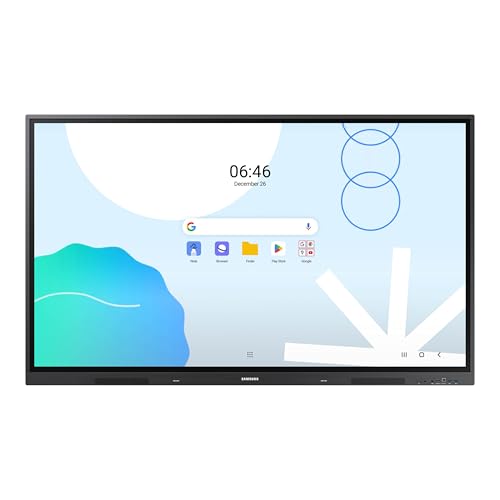
TL;DR: The Samsung LH65WADWLGCXZA is a 65‑inch Android 13 interactive display with 40‑point multi‑touch, dual‑sided passive pens, 30 W audio and strong connectivity, suited for large‑room collaboration.
This model packs a 65‑inch 4K panel (3840 × 2160) with a 40‑point infrared touch layer and a dual‑sided passive pen that lets you switch colors instantly. Built‑in dual 15 W speakers deliver a total of 30 W audio output, and the Android 13 OS earned EDLA certification for full Google Workspace integration.
Compared with other large‑format displays in the roundup, it offers more USB connectivity than the Samsung WAF 65‑inch (which lists only four total USB ports) and includes a 3‑in‑1 USB‑C that supports up to 65 W charging. At 42800 g it weighs less than the AG Neovo I654A0 (50260 g) while sharing a similar depth to the Samsung LH75WAFWLGCXZA (about 88.9 mm versus 8.89 cm). HDMI inputs match the 3 ports found on many peers, and Wi‑Fi 6 adds fast wireless networking.
Professional reviewers highlight the seamless Google Classroom experience and praise the dual‑pen workflow, while everyday users love the bright 4K picture that stays visible in well‑lit rooms. The main criticisms are the lack of a native Windows OS—an OPS module requires it—and the absence of NFC for quick device pairing, which some educators find inconvenient. The unit’s weight (94 lb) also means a sturdy mount or dedicated cart is advisable.
Pros
Cons
Best for: large classrooms or corporate meeting spaces that prioritize Android‑based collaboration, extensive touch/pen interaction, and strong wired/wireless connectivity.
“The Google Classroom integration is flawless—students join instantly.”
“Love the dual pens—no more stopping to change colors during lessons.”
TL;DR: The Samsung LH75WMBWLGCXZA delivers a 75‑inch 4K VA screen with 20‑point infrared touch, 65 W USB‑C power delivery and a five‑year warranty, but its size, weight and lack of built‑in camera keep it in the premium‑class niche.
The standout spec is the 75‑inch 4K UHD panel (3840 × 2160) paired with a 0.2451 mm pixel pitch and 350 nits of brightness, offering crisp detail across the full 16:9 format. Infrared touch supports 20 simultaneous points and 2,048 pressure levels, while the 26 ms touch latency keeps interactions snappy for classroom or meeting‑room collaboration.
Compared with other entries in this roundup, the LH75WMBWLGCXZA is considerably heavier than the Dell C6522QT (99.6 lb) and larger than the 65‑inch Qixzocv touchscreen. It also doubles the touch‑point count of the Qixzocv’s 10‑point system, though its built‑in speakers (12 W × 2 CH) provide less output than Dell’s 40 W total. Brightness sits just below the AG Neovo I654A0’s 400 nits, and its 65 W USB‑C charging outpaces the Samsung LH55WMBWBGCXZA’s 15 W port.
User feedback highlights the display’s responsive touch surface, smooth AirPlay 2 integration and the anti‑microbial silver‑phosphate coating that eases cleaning in high‑traffic rooms. Professional reviewers commend the 65 W USB‑C power delivery for reducing cable clutter and praise the open OPS slot for easy IT management. The most common criticisms focus on the absence of a built‑in camera or microphone, which forces extra peripherals for video calls, and the Tizen‑based OS, which some find less intuitive than Android alternatives.
Under the hood, a 1.7 GHz quad‑core CA72 CPU and 32 GB of internal storage drive the Samsung proprietary OS (VD Linux on Tizen 6.5). The panel’s 4000:1 contrast ratio and 8 ms response time complement the 60 Hz refresh rate, while the 178° viewing angles ensure consistent colour from any seat. A five‑year manufacturer warranty rounds out the offering, signalling confidence in durability for demanding educational or corporate environments.
Pros
Cons
Best for: Those prioritizing quality and willing to pay for premium performance
Avoid if: You're on a tight budget or only need basic functionality
TL;DR: The Samsung 86‑inch LH86WADWLGCXZA packs a 4K IPS panel, 40‑point infrared touch, 65 W USB‑C power delivery and Android 13, making it a heavyweight interactive hub for large classrooms.
This model’s standout spec is its massive 86‑inch diagonal 4K UHD screen with a 400‑nit brightness rating and 72% NTSC color gamut, delivering crisp visuals across a 178° viewing angle. The infrared touch layer supports up to 40 simultaneous touch points with a response time of ≤10 ms and drawing latency of ≤45 ms, letting several users write at once.
Compared with the 65‑inch Samsung options in the same roundup—such as the WAF 65‑inch and LH65WADWLGCXZA—this display is considerably larger, and it adds an OPS slot for optional Windows conversion, a front‑facing 3‑in‑1 USB‑C that delivers 65 W charging, and a richer audio setup with 2 × 15 W built‑in speakers. While the smaller models list similar HDMI and USB counts, they lack the extensive touch‑point count and the dedicated Android 13 platform of the LH86WADWLGCXZA.
User sentiment highlights the ultra‑responsive multi‑touch surface and the bright 4K picture as major wins, especially in bright classrooms. Professional reviewers note the EDLA certification that guarantees smooth access to Google Workspace, and they praise the remote‑monitoring tools for enterprise‑scale deployments. The downside that surfaces repeatedly is the absence of an integrated camera or microphone, meaning you’ll need extra peripherals for video calls. At 124.3 lb (set weight without stand), the unit is heavy, and its 486 W on‑state power draw is higher than many competitors.
Technically, the display runs on a quad‑core ARM Cortex‑A55 processor with 8 GB RAM and 64 GB internal storage, enough for multitasking and storing classroom content. The panel’s 429.6 µm pixel pitch and 8 ms response time keep motion smooth, while the 400‑nit brightness and anti‑glare coating help maintain readability under ambient light. Connectivity includes three HDMI inputs (two rear, one front), a VGA input, Ethernet at 1 Gbps, Wi‑Fi 6, and a full suite of USB ports (four USB 3.0, one USB 2.0, plus the USB‑C PD).
Pros
Cons
Best for: Large lecture halls or corporate meeting rooms that need a high‑resolution Android‑based interactive display with extensive multi‑touch capability.
Avoid if: You need an all‑in‑one video‑conferencing solution or a lightweight display for small spaces.
TL;DR: The Samsung WA65D delivers a 65‑inch 4K Android touchscreen with 40‑point IR touch, 30 W stereo speakers and robust connectivity, making it a solid interactive hub for classrooms and meeting rooms.
The display’s 65‑inch 4K UHD panel (3840 × 2160) shines at 400 nits with a typical contrast ratio of 1,200:1, while the infrared overlay supports 40 simultaneous touch points and a response time of ≤10 ms. An 8 ms pixel response and 60 Hz refresh keep motion smooth, and the Direct LED panel offers a wide 178° viewing angle.
Compared with peers, the WA65D’s 88 mm depth matches the 8.89 cm depth of the Samsung LH75WAFWLGCXZA, yet it’s heavier than the PWR4GTR ADV6531T’s 68,492 g, weighing in at 33.9 kg. Its brightness of 400 nits sits below the 500‑nit screen of the PWR4GTR model, while both share a 1,200:1 contrast ratio. The WA65D also out‑matches the PWR4GTR’s 4 GB RAM with a full 8 GB and offers 64 GB of internal storage.
Users consistently praise the ultra‑responsive touch and the ease of launching Android apps straight from the built‑in Google Play Store. Professional reviewers highlight the high‑precision 40‑point touch performance and the seamless Google integration via EDLA certification. The main drawbacks include the lack of a built‑in microphone, front‑mounted USB‑C and HDMI ports that can be inconvenient for wall‑mounted setups, and the need to buy separate mounting hardware.
Pros
Cons
Best for: Large‑format classrooms or meeting rooms that need a collaborative 65‑inch Android touchscreen with strong multi‑touch performance and extensive connectivity.
“Incredibly responsive touch”
“Easy setup and Google integration”
TL;DR: The Samsung WAF 65‑inch interactive display packs a 4K IPS panel, 40‑point IR touch and Android 14 with Google Play, but it draws 409 W and doesn't have Wi‑Fi 6.
At 65 inches diagonal, the WAF offers a 3840 × 2160 IPS screen that reaches 400 nits brightness and a 1200:1 contrast ratio, giving clear images even in bright rooms. Its infrared touch layer supports up to 40 simultaneous points and includes dual‑pen functionality, while Android 14 (EDLA‑certified) lets you install Google Play apps directly on the display.
Compared with other Samsung models in this roundup, the WAF provides fewer HDMI inputs – only two HDMI‑in ports versus the three listed for the LH65WADWLGCXZA – and a single USB‑C port, matching the LH86WADWLGCXZA’s front‑facing USB‑C but without the 65 W charging capability. It also doesn't have built‑in speakers, whereas the LH65WADWLGCXZA lists a total audio output of 30 W. On the connectivity side, the WAF includes RJ45 LAN, Bluetooth and a stereo mini‑jack, keeping it on par with peers that offer similar networking options.
Reviewers consistently praise the 40‑point touch and the ease of launching Google Classroom or YouTube straight from the home screen, calling the EDLA certification a significant advantage for education. Professional reviewers note the smooth wireless sharing across up to nine devices, while everyday users love the instant annotation and dual‑pen convenience. The downsides that surface are the 409 W power draw, which is higher than many comparable displays, and the absence of Wi‑Fi 6, which could limit future‑proofing. Some users report occasional lag when many touch points are active and find the supplied remote control basic.
Under the hood, the display runs on an octa‑core processor with 4 GB RAM and 64 GB of internal storage, enough for most classroom apps. The panel’s 372 µm × 372 µm pixel pitch, 72% NTSC color gamut and 178° viewing angles ensure consistent colour and clarity from any seat. With a response time of 8 ms and a 60 Hz refresh rate, motion remains smooth for video and interactive lessons. The infrared touch overlay is 3.2 mm thick, and the device supports annotation latency of ≤10 ms, making real‑time drawing feel natural.
Pros
Cons
Best for: Large classrooms or meeting rooms that need reliable 4K touch collaboration and easy access to Android apps.
Avoid if: You need Wi‑Fi 6, built‑in audio, or a portable, battery‑operated display.
Breakdown
PWR4GTR ADV6531T
Pros
ViewSonic IFP8650 86-inch
Pros
Cons
AG Neovo I654A0 65-inch
Pros
Cons
Dell C6522QT
Pros
Based on scoring data and product specs
Personalized picks
Best Overall Pick
PWR4GTR ADV6531T
Best Budget PickBest for: Entry-level buyers or those on a tight budget
ViewSonic IFP8650 86-inch
Best for: Audiophiles and enthusiasts seeking premium sound quality and advanced features
$3,393.99+$1,794.99 vs winner
Skip Samsung WAF 65-inch if…
You need advanced features or professional-grade performance
The PWR4GTR ADV6531T ranks first as the best large‑format interactive display, thanks to its solid 5.0/5 rating from two reviewers, a bright 500 nits panel, and a crisp 3840 × 2160 pixel resolution on a 65‑inch IPS screen—all for a list price of $1599.00.
The ViewSonic IFP8650 86‑inch takes second place, especially if you need a truly expansive surface for boardrooms or lecture halls; its 86‑inch diagonal, 40‑point infrared touch, and 8 GB of RAM give you plenty of real‑time interaction space, while a 3‑year limited warranty adds peace of mind.
For shoppers looking beyond the winner, the Qixzocv 65‑inch Touchscreen is the best mid‑range choice, delivering reliable touch performance at a reasonable $2059.00 price point. If premium features are your priority, the ViewSonic IFP8650 continues as the leading high‑end option, offering a larger 86‑inch canvas and advanced connectivity for $3399.00.
Pick the PWR4GTR ADV6531T today and get a high‑quality, budget‑friendly interactive display that doesn’t compromise on key specs.
The PWR4GTR ADV6531T is designed as a floor‑standing totem with a lockable base, an aluminum chassis and tempered‑glass front, making it very sturdy for high‑traffic classrooms. Its weight of about 68 kg and lockable port covers add extra security, while most other models such as the Samsung LH65WMBWBGCXZA are intended for wall mounting.
Please sign in to leave a review
No reviews yet. Be the first to review!
