Rankings
The Samsung Galaxy Chromebook is a premium 13.3" 4K AMOLED convertible with a 10th-Gen i5, 8 GB RAM and a built-in stylus. It delivers a vivid display and strong performance but suffers from short battery life and the absence of an HDMI port.
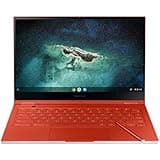
The Samsung Galaxy Chromebook is a premium 13.3-inch 2-in-1 with a 4K AMOLED touchscreen, aluminum build, and built-in stylus, targeting creative professionals and power users. Its standout display and performance are offset by a short battery life and tendency to heat up.
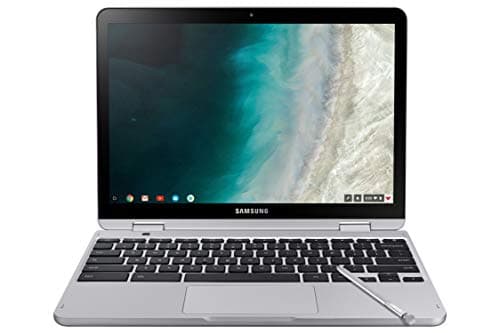
A 12.2" convertible Chromebook with a premium high-resolution display and built-in stylus, suited for education and light productivity but hampered by modest performance and limited battery life.
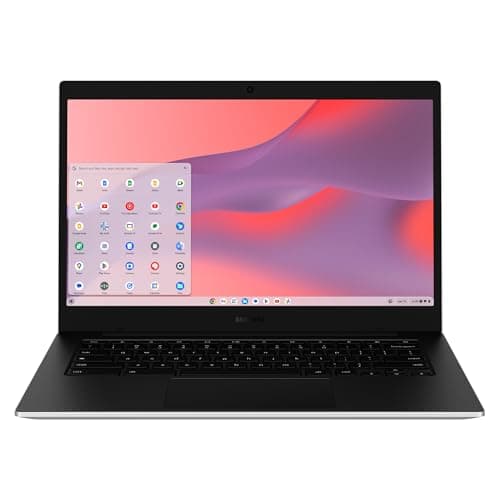
The Samsung Galaxy Chromebook Go is a 14" budget Chromebook that emphasizes durability, LTE connectivity and an all-day battery. It offers a larger HD screen and robust build, but its low-resolution display, modest Celeron processor and lack of HDMI limit its appeal for power users.
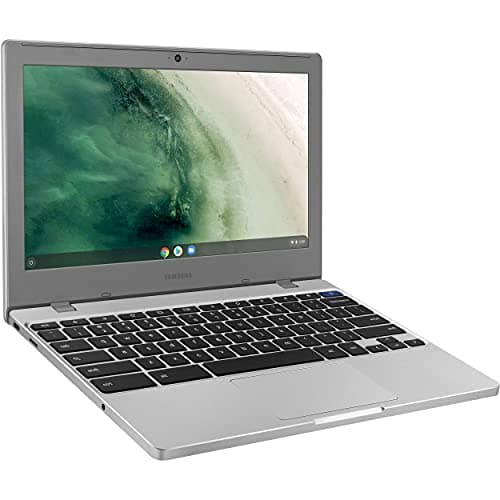
The Samsung Chromebook 4 is an 11.6" budget device with a Celeron processor, 4 GB RAM, and up to 12.5 h battery life. It offers a rugged build, modern ports and TPM security, but suffers from limited memory, storage and a low-resolution TN screen.
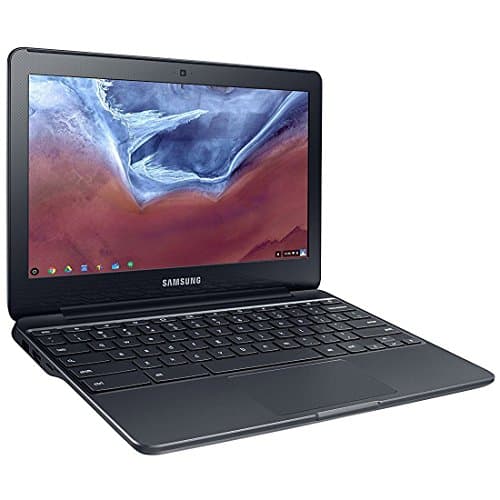
The Samsung Chromebook 3 XE500C13 is an 11.6" budget laptop with a Celeron N3060, 2 GB RAM and 16 GB eMMC storage. It offers solid battery life and a spill-resistant keyboard but is constrained by low memory, storage and a modest display.
| Attribute | | | Samsung Galaxy Chromebook 13.3 | | | |
|---|---|---|---|---|---|---|
5.92 hours | 10 hours | 5.9 hours | 11 hours | 12.5 hoursbest | 12 hours | |
13.3 inches | 12.2 inches | 13.3 inches | 11.6 inches | 11.6 inches | 14 inchesbest | |
8 GBbest | 4 GB | 8 GBbest | 2 GB | 4 GB | 4 GB | |
256 GBbest | 64 GB | 256 GBbest | 16 GB | 32 GB | 64 GB | |
| ↓ lower better | 1.04 kg | 1.352 kg | 1.039 kgbest | 1.151 kg | 1.678 kg | 1.451 kg |
— | 39 Wh | — | — | — | 42.3 Whbest | |
| ↓ lower better | 9.9 mmbest | 17 mm | 10 mm | 18 mm | 76.2 mm | 16 mm |
360 nits | — | 500 nitsbest | — | — | 220 nits |
Click an attribute name to sort · Green = best, red = worst (relative to this comparison)
| Attribute | | | Samsung Galaxy Chromebook 13.3 | | | |
|---|---|---|---|---|---|---|
Performance(3) | ||||||
Processor | Intel Core i5-10210U | Intel Celeron 3965Y | Intel Core i5-10210U | Intel Celeron N3060 | Intel Celeron N4000 | Intel Celeron N4500 |
RAM (GB) | 8 GB | 4 GB | 8 GB | 2 GB | 4 GB | 4 GB |
Storage Capacity (GB) | 256 GB | 64 GB | 256 GB | 16 GB | 32 GB | 64 GB |
Battery & Power(2) | ||||||
Battery Life (hours) | 5.92 hours | 10 hours | 5.9 hours | 11 hours | 12.5 hours | 12 hours |
Battery Capacity (Wh) | — | 39 Wh | — | — | — | 42.3 Wh |
Build & Design(2) | ||||||
Weight (kg) | 1.04 kg | 1.352 kg | 1.039 kg | 1.151 kg | 1.678 kg | 1.451 kg |
Thickness (mm) | 9.9 mm | 17.0 mm | 10 mm | 18 mm | 76.2 mm | 16 mm |
Display(4) | ||||||
Screen Size (inches) | 13.3 inches | 12.2 inches | 13.3 inches | 11.6 inches | 11.6 inches | 14 inches |
Resolution | 3840x2160 | 1920x1200 | 3840x2160 | 1366x768 | 1366x768 | 1366x768 |
Display Brightness (nits) | 360 nits | — | 500 nits | — | — | 220 nits |
Touchscreen | true | true | true | false | false | false |
Connectivity(4) | ||||||
Wi‑Fi Standard | Wi‑Fi 6 | Wi‑Fi 5 | Wi‑Fi 6 (802.11ax) | Wi‑Fi 5 (802.11ac) | Wi‑Fi 5 (802.11ac) | Wi‑Fi 6 (802.11ax) |
Bluetooth Version | 5.0 | 4.0 | 5.0 | 4.0 | 4.0 | 5.1 |
USB‑C Ports (count) | 2 count | 2 count | 2 count | — | 1 count | 2 count |
HDMI Port | — | — | false | true | true | false |
Warranty & Support(1) | ||||||
Warranty Period (years) | 1 years | 1 years | 1 years | 1 years | 0.25 years | 1 years |
Keyboard(1) | ||||||
Keyboard Type | Backlit | — | Backlit | Spill‑resistant | Spill‑resistant chiclet | Non‑backlit |
Products in the top-left offer the best value (high score, low price).
Professional reviewers commend the Galaxy Chromebook for its stunning 4K AMOLED screen and premium build, but criticize its short battery life and heat under load.
Everyday users love the display and design, but frequently complain about limited battery endurance, heat during use, and a shallow keyboard.
“The screen is simply perfection... but the battery life keeps it from being a 5-star device.”
“The colors pop”
“Best display I've ever seen on a laptop”
Professional reviewers commend the Chromebook Plus V2 for its solid construction, high-resolution display, and integrated stylus, while criticizing the cramped keyboard, short battery life, and outdated processor.
Everyday users love the stylus and clear screen for classroom use, but many note the short battery life and performance slowdowns when multitasking.
Professional reviewers view the Galaxy Chromebook as a luxury device with a standout 4K AMOLED display, premium aluminum build, and useful stylus, but they criticize its short battery life, lack of HDMI, and warmth under load, making it a niche choice for users who prioritize screen quality over endurance.
Everyday users love the vivid 4K screen, lightweight portability, and premium look, while repeatedly complaining about the short battery life, heat during long sessions, and the missing camera privacy shutter.
Professional reviewers praise the Chromebook 3 for its affordability, durability, and long battery life, noting that the 4 GB RAM variant offers noticeably smoother multitasking. However, they caution that the limited 16 GB storage and low-end Celeron processor make it unsuitable for power users or demanding web applications.
Everyday users love the device's size, weight, and battery endurance, especially for school and travel. Common praise centers on its spill-resistant keyboard and instant boot. Recurring complaints focus on sluggish performance with many tabs, insufficient local storage, and a dim, low-resolution screen.
Professional reviewers commend the Chromebook 4 for its solid web performance, long battery life, and rugged build quality, noting the Intel Celeron N4020 and 4 GB of RAM as a clear upgrade over earlier models. They criticize the lack of upgradable memory and the modest eMMC storage.
Everyday users praise the device's portability, all-day battery, and spill-resistant keyboard, especially for students and travel. Common complaints focus on limited RAM and storage, a dim TN display, and the inability to run non-Chrome OS applications.
Professional reviewers commend the Galaxy Chromebook Go for its impressive battery endurance, comfortable keyboard, and robust connectivity options, including LTE. However, they uniformly condemn the low-resolution, dim display and the modest Celeron processor, noting that the device feels under-powered and offers limited value for its price, especially given the absence of an HDMI port.
Everyday users love the all-day battery, sturdy build, and comfortable typing experience, often highlighting the LTE model as a convenience. The most common complaints revolve around the dull, low-resolution screen, sluggish performance with multiple tabs, a finicky trackpad, and the limited eMMC storage that fills quickly.
