Rankings
The Samsung Interactive Pro 65" delivers a large 4K VA panel with 40-point infrared touch and Android-based collaboration tools. It excels in visual quality and multi-device sharing, but its weight, lack of an integrated camera and occasional Android app limitations may deter some buyers.
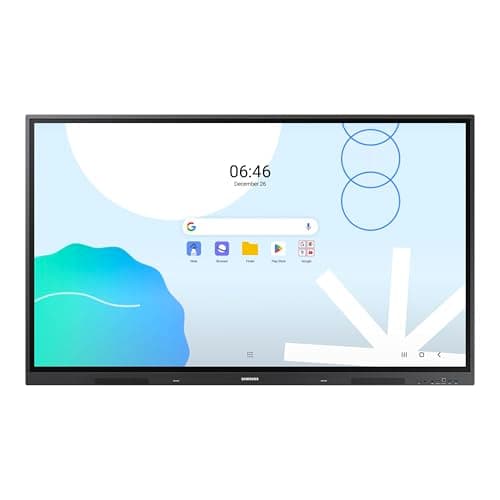
The Samsung 65" WAD Interactive Display runs Android 13, is EDLA-certified for Google services, and offers 40-point IR touch, dual-pen input, a 3-in-1 USB-C port, HDMI-out and dual Ethernet ports. It delivers bright 4K visuals and strong connectivity, though it is heavy and lacks native Windows OS.
The Samsung Pro 55" 4K WMB Interactive Display offers a premium VA panel with 4K resolution, 20-point touch and extensive wireless collaboration tools. It targets education and corporate meeting spaces, delivering low latency and robust connectivity, but its weight and limited storage may be drawbacks.
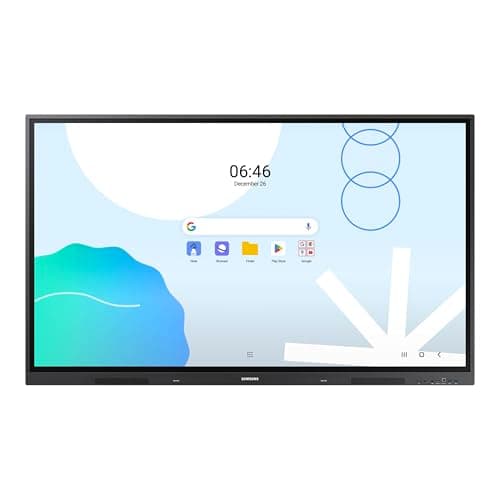
The Samsung 86" WAD Interactive Display delivers a 4K IPS panel with 40-point IR touch and extensive Android-based Google integration, making it ideal for large classrooms and corporate rooms, though its size, weight, and power draw are considerable.
The Samsung Interactive Display WA series offers an 86" 4K Android 13 panel with up to 40-point IR touch, Direct LED technology, Wi-Fi 6, and extensive connectivity including HDMI, USB-C and OPS slot. It provides a bright, large-format collaborative surface but is very heavy and power-hungry.
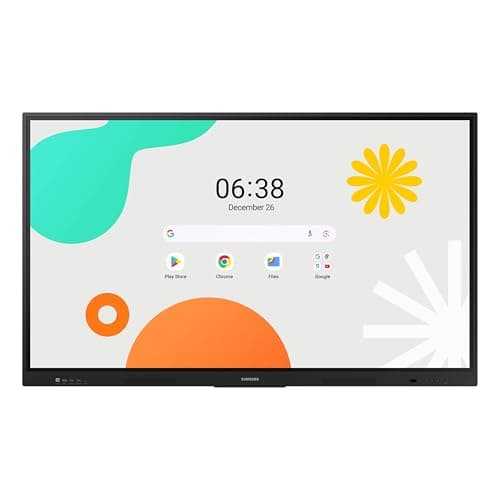
The Samsung 65" WAF Series Interactive Display runs Android 14, offers 4K resolution, 40-point infrared touch and dual-pen input, and is EDLA-certified for full Google service integration. It excels in connectivity and collaborative features but draws significant power.
The Samsung Pro 75" WMB Interactive Display runs a Tizen-based OS, offers 4K resolution, 20-point infrared touch, 65 W USB-C charging and anti-microbial coating, targeting education and enterprise spaces that need durability and robust wireless sharing. It lacks built-in audio/video hardware and uses a less familiar OS.
The Samsung 75" WAF Interactive Display offers a 4K IPS panel, 40-point IR touch, and Android 14 with Google services, delivering strong collaborative features, though it lacks an integrated stand and has moderate brightness.
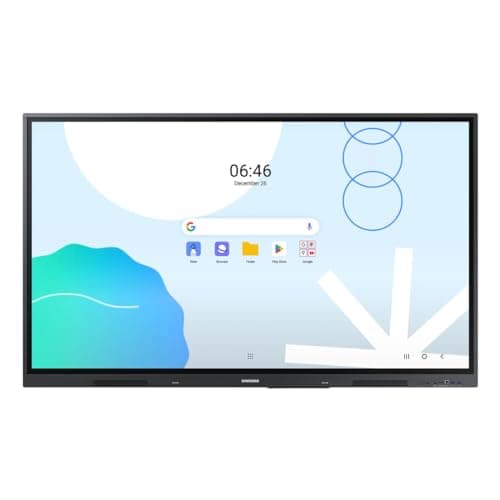
The Samsung WA65D 65" interactive display combines 4K resolution, 40-point IR touch, and Android 13 with Google integration, offering solid performance for education and business, though it lacks a built-in mic and is relatively heavy.
Samsung's 86-inch WAF series is an Android-14 powered all-in-one interactive display with 4K IPS panel, 40-point IR touch and an OPS slot for Windows PC integration, aimed at education and corporate training, though it is heavy and power-hungry.
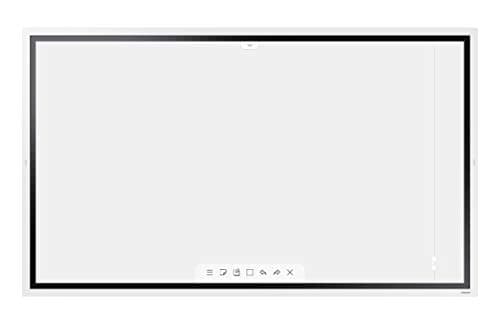
The Samsung Flip WM55R is a 55-inch 4K interactive digital flipchart with InGlass touch technology, supporting up to four users. It offers a natural pen-on-paper feel and strong connectivity, but its landscape-only orientation and limited storage may restrict some workflows.
The Samsung QB75N-W is a 75-inch commercial-grade 4K LED interactive display with IR touch, integrated media player and MagicInfo software. It offers high contrast and robust connectivity, but its thick bezel, modest RAM and high power draw may limit appeal in some environments.
The Samsung WA75C is a 75-inch 4K Android-powered interactive display offering robust multi-touch, extensive connectivity and a rich app ecosystem, aimed at modern classrooms and collaborative spaces. While its visual quality and touch responsiveness are strong, the panel's brightness and lack of built-in video-conferencing hardware may limit use in very bright rooms or fully integrated meeting rooms.
The Samsung 75" WAD Interactive Display is a wall-mountable 4K Android 13 touchscreen with 40-point IR touch, dual-pen capability and EDLA certification for seamless Google Workspace integration, aimed at large classrooms and corporate meeting rooms.
| Attribute | Samsung QB75N-W | Samsung LH75WMBWLGCXZA | | Samsung LH55WMBWBGCXZA | Samsung LH65WMBWBGCXZA | | Samsung WA65C | | | | | | | Samsung WA75C |
|---|---|---|---|---|---|---|---|---|---|---|---|---|---|---|
75 inches | 75 inches | 55 inches | 55 inches | 65 inches | 75 inches | 86 inchesbest | 65 inches | 65 inches | 75 inches | 86 inchesbest | 65 inches | 86 inchesbest | 75 inches | |
350 nits | 350 nits | 350 nits | 350 nits | 350 nits | 400 nitsbest | 400 nitsbest | 400 nitsbest | 400 nitsbest | 400 nitsbest | 400 nitsbest | 400 nitsbest | 400 nitsbest | 395 nits | |
6,000best | 4,000 | 4,000 | 4,000 | 4,000 | 1,200 | 1,200 | 1,200 | 1,200 | 1,200 | 1,200 | 1,200 | 1,200 | 1,200 | |
120 Hzbest | 60 Hz | 60 Hz | — | — | 60 Hz | 60 Hz | 60 Hz | 60 Hz | 60 Hz | 60 Hz | 60 Hz | 60 Hz | — | |
| ↓ lower better | 8 msbest | 8 msbest | 8 msbest | 8 msbest | 8 msbest | 8 msbest | 8 msbest | 8 msbest | 8 msbest | 8 msbest | 8 msbest | 8 msbest | 8 msbest | 8 msbest |
4 | 20 | 4 | 20 | 40best | 40best | 40best | 40best | 40best | 40best | 40best | 40best | 40best | 40best | |
72 %best | 72 %best | — | 72 %best | 72 %best | 72 %best | 72 %best | 72 %best | 72 %best | 72 %best | 72 %best | 72 %best | 72 %best | — | |
3 | — | 2 | 2 | 4best | 4best | 4best | 4best | 3 | 3 | 4best | 4best | 3 | 3 |
Click an attribute name to sort · Green = best, red = worst (relative to this comparison)
| Attribute | Samsung QB75N-W | Samsung LH75WMBWLGCXZA | | Samsung LH55WMBWBGCXZA | Samsung LH65WMBWBGCXZA | | Samsung WA65C | | | | | | | Samsung WA75C |
|---|---|---|---|---|---|---|---|---|---|---|---|---|---|---|
Touch(2) | ||||||||||||||
Touch Technology | Infrared | Infrared | InGlass | — | Infrared | Infrared | Infrared | Infrared | Infrared | IR | Infrared | Infrared | Infrared | Infrared |
Touch Points | 4 | 20 | 4 | 20 | 40 | 40 | 40 | 40 | 40 | 40 | 40 | 40 | 40 | 40 |
Display(5) | ||||||||||||||
Screen Size (inches) | 75 inches | 75 inches | 55 inches | 55 inches | 65 inches | 75 inches | 86 inches | 65 inches | 65 inches | 75 inches | 86 inches | 65 inches | 86 inches | 75 inches |
Brightness (nits) | 350 nits | 350 nits | 350 nits | 350 nits | 350 nits | 400 nits | 400 nits | 400 nits | 400 nits | 400 nits | 400 nits | 400 nits | 400 nits | 395 nits |
Contrast Ratio | 6000 | 4000 | 4000 | 4000 | 4000 | 1200 | 1200 | 1200 | 1200 | 1200 | 1200 | 1200 | 1200 | 1200 |
Refresh Rate (Hz) | 120 Hz | 60 Hz | 60 Hz | — | — | 60 Hz | 60 Hz | 60 Hz | 60 Hz | 60 Hz | 60 Hz | 60 Hz | 60 Hz | — |
Panel Type | LED | VA | LCD | VA | VA | IPS | Direct LED | Direct LED | IPS | ADS | IPS | Direct LED | IPS | Direct LED |
Connectivity(2) | ||||||||||||||
HDMI Ports | 3 | — | 2 | 2 | 4 | 4 | 4 | 4 | 3 | 3 | 4 | 4 | 3 | 3 |
USB Ports | 3 | — | 2 | 4 | 5 | 6 | 5 | 8 | 4 | 5 | 6 | 6 | 6 | 6 |
Power & Energy(1) | ||||||||||||||
Power Consumption (W) | 158 W | — | 80 W | — | 95 W | 200 W | 409 W | — | 409 W | 385 W | 486 W | 184 W | 486 W | 304.5 W |
Warranty(1) | ||||||||||||||
Warranty Period (years) | — | 5 years | 3 years | 3 years | 4 years | — | 5 years | — | — | — | 5 years | 5 years | — | — |
Build & Design(1) | ||||||||||||||
Weight (kg) | 38 kg | 65.8 kg | 28.2 kg | 15.9 kg | 48.5 kg | 49.21 kg | 124.3 kg | 42.8 kg | 36.2 kg | 45.36 kg | 56.4 kg | 33.9 kg | 56.4 kg | 61.235 kg |
Products in the top-left offer the best value (high score, low price).
Professional reviewers praise the QB75N-W for its crisp 4K display, reliable 16/7 operation and the convenience of an integrated media player and interactive software.
Everyday users appreciate the clear 4K visuals, intuitive touch interface and the all-in-one design that simplifies installation. Common praise focuses on the ease of setup and built-in speakers, while recurring complaints involve bezel size, occasional touch calibration drift and wishes for higher brightness in bright environments.
Professional reviewers commend the WMB75B for its premium build quality, robust connectivity options, and hygiene-focused design, but note the absence of integrated audio/video hardware and a less familiar OS as trade-offs compared to Android-based rivals.
“The display's responsive touch, seamless AirPlay 2 and USB-C charging, and its ruggedness in busy classrooms make it a solid choice.”
“Ease of sharing content wirelessly is a game changer”
“Large 4K screen looks great in the classroom”
Smaller size but lower power consumption
Wi-Fi 5 on WAF series may be slower than the Wi-Fi 6 on this WA model.
Choose the WAD for maximum connectivity and Google EDLA certification; choose the WAF if you need the latest Android version and a newer processor.
Insufficient data to detail differences; the WAF offers higher touch capacity and EDLA certification not mentioned for WA65C.
Higher 120 Hz refresh and built-in Tizen OS, but lower brightness and only 4 touch points
Everyday users praise the display's responsive touch, seamless AirPlay 2 and USB-C charging, and its ruggedness in busy classrooms, while common complaints revolve around the lack of built-in camera/mic, occasional wireless sharing hiccups, and the learning curve of the Tizen interface.
Professional reviewers consider the Flip WM55R a market leader for small to mid-size meeting rooms, highlighting its natural writing experience, intuitive OS, and solid AV integration.
Everyday users overwhelmingly praise the low-latency, paper-like feel of the passive pens and the ease of collaboration with multiple participants. Common themes include appreciation for the 4K clarity and the convenience of eliminating markers and paper waste.
Professional reviewers commend the WM55B as a top-tier interactive display, emphasizing its low latency, high touch precision, and robust wireless collaboration features like SmartView+, AirPlay 2, and WebRTC.
Everyday users appreciate the crisp 4K visuals, natural pen feel, and the ease of wirelessly sharing screens from multiple devices. Common praise centers on durability and the dual-pen setup, while recurring complaints involve the initial learning curve of Flip Pro, occasional Wi-Fi instability, and limited internal storage.
Professional reviewers commend the Interactive Pro 65" for its superb 4K visual quality, ultra-responsive 40-point touch, and innovative SmartView+ collaboration suite, highlighting HDMI Out as a unique advantage for large classrooms.
Everyday users consistently praise the display's sharp 4K visuals, fluid multi-touch writing experience, and hassle-free wireless screen sharing, while frequently mentioning the heavy weight, lack of an integrated camera, and occasional touch lag as pain points.
Reviewers commend the smooth multi-touch response, Android integration, and versatile connectivity, especially the OPS slot, while noting the lack of a built-in stand and modest brightness.
Users like the large 4K screen and easy wireless sharing, but criticize the absence of a stand and the need for an extra OPS module for Windows.
Professional reviewers praise the WA series for its seamless Google integration, real-time annotation and robust connectivity, but note the heavy weight of larger models and the lack of enterprise-grade Android management.
Everyday users highlight the intuitive Android interface, responsive multi-touch and bright display, while expressing concerns about the heavy weight of larger models and limited RAM on older units.
Professional reviewers commend the WAD display for its extensive connectivity, especially the 3-in-1 USB-C, and its dual-pen, 40-point touch capabilities that boost classroom interactivity. The EDLA certification is highlighted as a differentiator, though critics note the newer WAF series offers Android 14 and a more powerful processor.
Everyday users rave about the seamless Google Classroom experience, the convenience of dual pens, and the bright 4K picture that remains visible in bright environments. HDMI-Out is praised for extending content, while the lack of built-in Windows and NFC are noted as drawbacks.
Professional reviewers view the Samsung WAF 65" as a breakthrough for interactive education, emphasizing its EDLA certification, 40-point touch, Split Note Mode, and robust connectivity, while noting the absence of Wi-Fi 6 and relatively high power consumption.
Everyday users praise the instant annotation, dual-pen convenience, and the ability to install Google apps directly on the display, though a minority report occasional lag and Bluetooth pairing issues.
Professional reviewers praise its 40-point touch, dual-pen function and Google integration, while noting the lack of a built-in stand, modest brightness and absence of HDR.
Everyday users appreciate the massive touch surface and easy multi-device connectivity, but many find the unit heavy, miss a built-in stand and wish for higher brightness.
Professional reviewers praise the Samsung WAD 86" for its enterprise-grade durability, extensive connectivity options, and Google-centric Android platform, while noting the lack of built-in video-conferencing hardware and high power draw.
Everyday users appreciate the ultra-responsive multi-touch surface, bright 4K display, and solid audio, but frequently mention the missing camera/mic and the unit's considerable weight and power usage.
Professional reviewers praise the touch responsiveness, Google Workspace integration, and connectivity, while noting the lack of a microphone and front-port accessibility.
Everyday users commend the responsive touch, easy setup, and bright display, but mention the missing microphone and weight.
Reviewers commend the powerful octa-core CPU, Android 14 platform and OPS slot, but warn that the advanced features demand IT expertise and note the lack of built-in microphones.
Users love the anti-glare display and multi-touch collaboration, but cite heavy weight, complex setup and occasional touch calibration issues.
Professional reviewers praise the WA series for its industry-leading Android integration, 40-point touch responsiveness, and future-proof connectivity like Wi-Fi 6 and ample storage, positioning it as a top choice for modern educational environments.
Everyday users appreciate the intuitive interface, seamless Google app access, reliable multi-touch, and robust build, though they note the absence of a built-in camera/mic and occasional performance hiccups under heavy load.
Smaller screen with lower power consumption and similar touch capabilities
Higher refresh rate but fewer touch points
