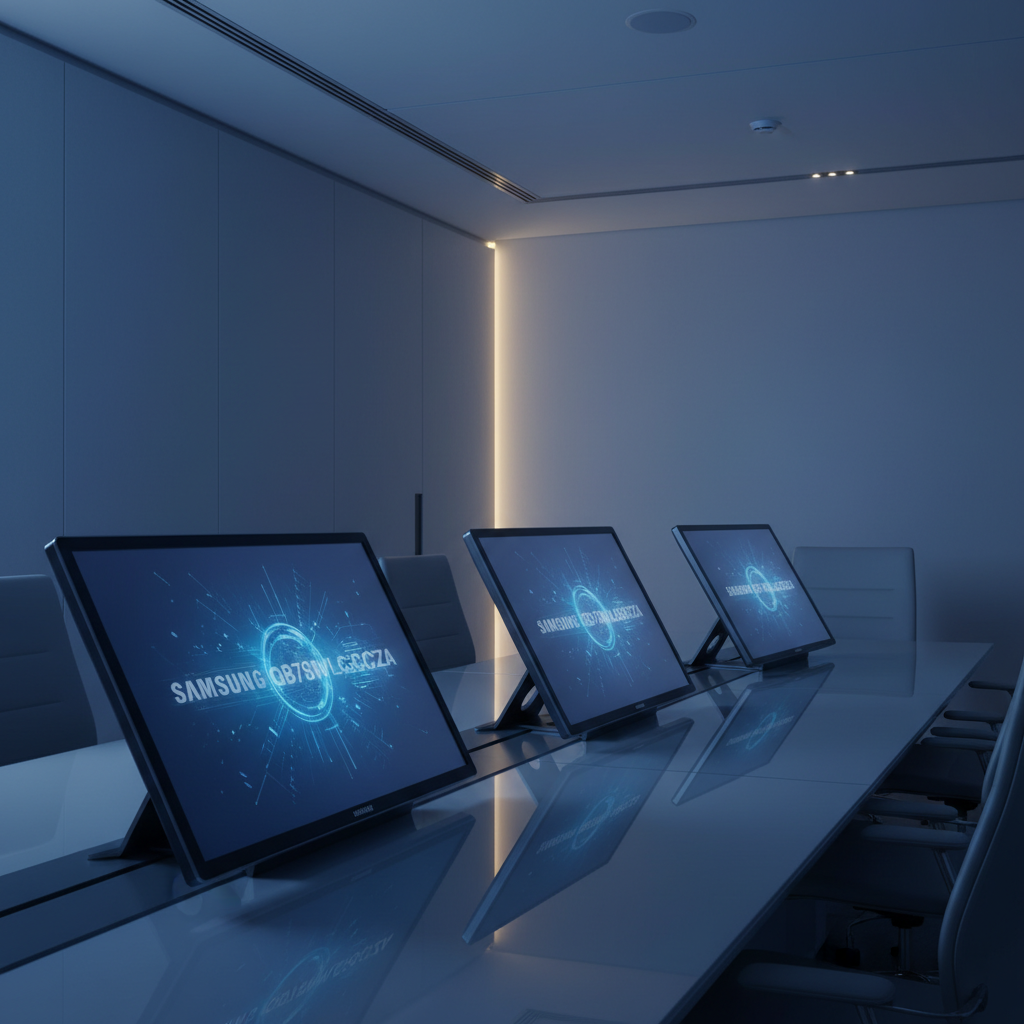
💚 Best Value
Samsung LH75WMBWLGCXZA
$2,790.00
If you need a Samsung interactive display that balances performance and price, the Samsung QB75N‑W tops the list. At $1599.95 it offers 4K UHD resolution, 350 cd/m² brightness, and a 10W + 10W speaker pair, plus 4‑point IR touch with 7 ms response. Its 4.0/5 rating from four reviewers shows solid satisfaction for commercial‑grade signage and classroom use. The review considered 14 models, and the QB75N‑W delivers consistent visuals and built‑in media handling without extra hardware.
Our roundup spans three price tiers. The budget segment features the QB75N‑W and the 55‑inch LH55WMBWBGCXZA, both under $2,000 and geared toward smaller rooms. Mid‑range picks include the 55‑inch WM55R at $1949.00 with a 3.4/5 rating from 56 reviews, and the 65‑inch LH65WMBWBGCXZA, offering more ports for collaborative work. Premium options such as the 75‑inch LH75WMBWLGCXZA at $2688.72 and the WA65C at $3800.00 deliver higher brightness and extensive connectivity for large‑scale classrooms or boardrooms. Next, we break down each model’s strengths and ideal use‑cases.
Samsung QB75N-W
Its dual 10 W down‑firing speakers with bass‑reflex deliver strong, clear sound, meet demanding technical and compatibility needs for users who need reliable audio performance.
Samsung LH75WMBWLGCXZA
Ideal for audiophiles and feature‑hungry enthusiasts, this model adds premium sound and advanced specs, but it costs roughly $1,089 more than the Best Overall pick.
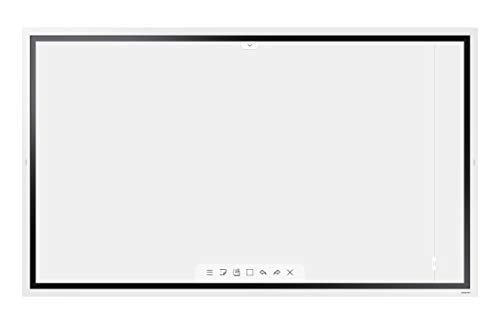
Samsung WM55R
Featuring solid 2 × 10 W built‑in speakers and strong user approval, it’s the most popular, balanced option for home or office setups, unlike the higher‑priced or feature‑focused rivals.
Score Analysis
Key score advantages vs. runner-up (Samsung LH75WMBWLGCXZA)
Price Range
TL;DR: The Samsung QB75N-W delivers a 75‑inch 4K UHD interactive experience with a crisp 0.42975 mm pixel pitch, 6000:1 contrast and 4‑point IR touch, but its thick bezel and modest 3 GB RAM may limit demanding use.
At the heart of the QB75N‑W is a 75‑inch Edge‑Lit LED panel that packs 3840 × 2160 pixels into a 0.42975 mm × 0.42975 mm pixel pitch, giving you ultra‑sharp visuals. The display pushes 6000:1 native contrast and 350 cd/m² typical brightness, while a 120 Hz refresh rate keeps motion smooth. An infrared system handles interaction, supporting up to 4 simultaneous touch points (expandable to 10) with a 7 ms response time, and the package includes a passive pen and factory‑calibrated overlay.
Compared with its Samsung siblings, the QB75N‑W sits in a middle ground. It weighs about 1.0 pound according to the listed weight, noticeably lighter than the LH55WMBWBGCXZA’s 35.0 lb, yet far lighter than the LH75WMBWLGCXZA’s 145 lb. Its 10.0‑inch depth is deeper than the LH55WMBWBGCXZA’s 2.36 inch profile but shallower than the LH75WMBWLGCXZA’s 3.5 inch depth. HDMI connectivity is generous with three HDMI 2.0 ports, outpacing the two HDMI ports on the LH55WMBWBGCXZA, while both share a single DisplayPort and Ethernet port.
Users consistently praise the crystal‑clear 4K picture and the convenience of an all‑in‑one design that eliminates a separate media player. The built‑in dual 10 W speakers and stereo mini‑jack output also receive positive mentions for simplifying conference‑room setups. Professional reviewers note the 16‑hour daily duty cycle and the Cortex‑A72 SoC running Tizen 3.0/4.0 as a strength. On the flip side, the 16.2 mm bezel around the screen feels bulky to some, and the 3 GB of RAM can cause occasional lag in more demanding web apps. A few owners report touch‑calibration drift after extended use.
Pros
Cons
Best for: Businesses that need a durable 75‑inch 4K interactive display for conference rooms, classrooms, or digital signage where built‑in touch and integrated speakers simplify installation.
Avoid if: You require very high brightness (>500 nits), a more powerful RAM configuration, or prefer an Android‑based platform for app compatibility.
TL;DR: The Samsung LH75WMBWLGCXZA packs a 75‑inch 4K VA panel with 65 W USB‑C power delivery, 20‑point IR touch and extensive connectivity, making it a solid choice for classrooms and meeting rooms, though it lacks built‑in camera and a rich app ecosystem.
This model’s standout feature is the 65W USB‑C port that carries video, data and power, so you can charge a laptop while presenting. The 75‑inch screen delivers 3840 × 2160 resolution on a VA panel with a 0.2451 mm pixel pitch, 350 cd/m² brightness and a 4000:1 contrast ratio. Its infrared touch layer supports 20 simultaneous points, 2048 pressure‑sensitivity levels and a 26 ms latency, which reviewers say feels instantly responsive.
Compared with other Samsung displays in the roundup, the LH75WMBWLGCXZA is heavier than the WA75C’s 135 pounds, yet it offers louder 12 W × 2 CH speakers versus the WM55R’s 10 W per channel. Its USB‑C charging power (65 W) dwarfs the 15 W USB‑C charging found on the LH55WMBWBGCXZA, and most peers don’t list the 20‑point multi‑touch capability, giving it a clear edge for interactive work.
Users love the responsive touch, smooth AirPlay 2 integration and the anti‑microbial silver‑phosphate glass coating that keeps the screen hygienic in busy classrooms. Professional reviewers note the open OPS slot and LAN port simplify IT deployment, while the shatter‑proof film adds durability. The main complaints focus on the absence of an integrated camera or microphone, a Tizen OS that feels less intuitive than Android alternatives, and occasional instability with SmartView+ when many devices connect.
Technical highlights include a 1.7 GHz CA72 quad‑core CPU, 32 GB of internal storage, and a suite of built‑in apps (Flip, Workspace, WebRTC, SmartView+, AirPlay 2). The display’s 178° viewing angles, 8 ms response time and 60 Hz refresh rate make it suitable for both static presentations and light video content.
Pros
Cons
Best for: K‑12 and higher‑education classrooms, corporate meeting rooms, hybrid workspaces and training centers that need a large, interactive 4K display.
Avoid if: You need a compact setup with built‑in video‑conference hardware or rely heavily on Android apps for your workflow.
TL;DR: The Samsung WM55R delivers a 55‑inch 4K LCD with 0.315 mm pixel pitch, 4000:1 contrast and four‑user InGlass™ touch, but its usable storage and brightness under glass limit usage.
The display’s 55 in (1397 mm) 4K UHD panel packs a 0.315 mm pixel pitch and a typical contrast ratio of 4000:1, giving crisp text and deep blacks. Brightness peaks at 350 cd/m² without the protective glass and falls to 220 cd/m² when the glass is installed, while the 6.7 ms touch response and 1024 pressure‑sensitivity levels make writing feel like paper.
Compared with other Samsung interactive displays in this roundup, the WM55R sits in the middle of the weight range—lighter than the 107‑lb LH65WMBWBGCXZA but heavier than the 35‑lb LH55WMBWBGCXZA. Its 2.4‑in depth is much shallower than the 10‑in depth of the QB75N‑W, and its HDMI configuration (2 rear ports, expandable to 3) matches the typical offering across the lineup.
Professional reviewers praise the natural pen‑on‑paper feel and the intuitive Flip OS, noting that the integrated 2 × 10 W stereo speakers handle meetings without extra audio gear. Users repeatedly highlight the low‑latency, multi‑user experience, yet they also point out that only 5.35 GB of the 8 GB internal storage can be used for content, and the graphics engine tops out at 1080p despite the 4K screen. The fixed landscape orientation can be a hurdle for portrait‑heavy workflows.
Pros
Cons
Best for: Small to medium meeting rooms, classrooms, and collaborative workspaces that value a high‑resolution touch surface and built‑in audio.
Avoid if: You need native portrait mode, extensive on‑device storage, or consistently high brightness through a glass overlay.
TL;DR: The Samsung LH55WMBWBGCXZA packs a 55‑inch 4K VA panel with 20‑point touch, 26 ms latency and built‑in collaboration tools, but its 35‑lb weight and modest 32 GB storage may limit some installations.
This model’s standout spec is its 55‑inch 4K UHD screen (3840 × 2160) paired with 20 simultaneous touch points, 26 ms touch latency and 2048‑level pressure sensitivity, delivering a fluid pen experience on a VA panel.
Compared with other Samsung displays in the roundup, the LH55WMBWBGCXZA is considerably lighter than the 65‑inch LH65 (107 lb) and the 75‑inch LH75 (145 lb), yet heavier than the ultra‑light QB75N‑W (1.0 lb). It measures 2.36‑inch depth, slimmer than the LH65’s 2.48‑inch depth and far slimmer than the LH75’s 3.5‑inch depth. It offers two HDMI inputs, matching the WM55R’s two‑port layout but fewer than the three‑port HDMI configurations on the LH65, QB75N‑W and WA75C. USB‑A connectivity is limited to three ports, whereas the LH65 lists five total USB ports.
Professional reviewers praise the crisp 4K visuals, natural pen feel and the ease of wirelessly sharing screens via AirPlay 2, SmartView+ (up to 50 devices) and WebRTC. Everyday users highlight the durability of the built‑in speakers and the convenience of the dual‑stylus bundle. Common complaints include occasional Wi‑Fi dropouts when many devices connect, a learning curve with the Flip Pro whiteboarding software, and the challenge of mounting a 35‑lb unit without professional help.
Additional technical notes: the display delivers 350 nits brightness, a 72% NTSC color gamut and a 4000:1 contrast ratio (dynamic and typical). Viewing angles reach 178° both horizontally and vertically, and the panel’s response time is 8 ms. The unit runs on a Tizen‑based OS with 32 GB internal storage, supports up to 20 touch points, and comes with a three‑year manufacturer warranty.
Pros
Cons
Best for: Educational institutions and meeting rooms that need a 55‑inch 4K interactive display with robust wireless collaboration tools.
Avoid if: You need a native Android or Windows operating system, a lighter‑weight mounting solution, or more extensive internal storage.
TL;DR: The 65‑inch Samsung Interactive Pro offers a 4K VA panel with 40‑point IR touch, 2048 pressure levels and low‑latency response, but its 107‑lb weight and lack of a built‑in camera may limit flexibility.
The standout spec is the 0.372 mm pixel pitch that delivers crisp 3840 × 2160 pixel imagery across a 65‑inch diagonal screen. With a typical brightness of 350 cd/m² and a dynamic contrast ratio of 4000:1, the display reproduces vivid colors within a 72% NTSC gamut. An infrared system handles touch interaction, supporting up to 40 simultaneous points, 2048 pressure levels and a drawing latency of ≤45 ms, which professional reviewers cite as “best‑in‑class writing experience.”
Compared with other models in this roundup, the LH65WMBWBGCXZA is heavier than the 35‑lb LH55WMBWBGCXZA and lighter than the 145‑lb LH75WMBWLGCXZA. Its 2.48‑inch depth sits between the slimmer LH55 (2.36 in) and the bulkier LH75 (3.5 in). Brightness matches the QB75N‑W’s 350 cd/m² but exceeds the WM55R’s 220 cd/m² (with glass). The unit also offers three HDMI inputs versus the two on the LH55, and a total of five USB ports (four USB 3.0, one USB 2.0) compared with the three USB‑A ports on the LH55.
User feedback highlights the razor‑sharp 4K visuals and fluid multi‑touch writing, with many noting the convenience of SmartView+ and Android‑based screen sharing. The most common complaints revolve around the 107‑lb weight, which makes wall‑mount installation a challenge, the absence of an integrated webcam, and occasional Android app compatibility quirks that may require work‑arounds.
The display runs on a VA panel, delivering the wide 178°/178° viewing angles the specs list. Dual 12 W speakers provide stereo audio, while connectivity includes Bluetooth, 1 Gbps Ethernet, a front‑facing USB‑C port that supports screen mirroring, touch control and charging, and an OPS slot for optional expansion. Power consumption stays modest at a typical 95 W, and it's standby draw is only 0.5 W.
Pros
Cons
Best for: Entry-level buyers or those on a tight budget
Avoid if: You want the best value‑per‑dollar in its price range
TL;DR: The 75‑inch Samsung LH75WAFWLGCXZA delivers 4K IPS visuals, 40‑point IR touch and Android 14, but its wall‑mount‑only setup and 400 cd/m² brightness can limit bright‑room use.
This interactive display’s standout spec is its 0.4935 mm pixel pitch, which packs a 3840 × 2160 pixel 4K panel into a 75‑inch IPS screen. With 400 cd/m² brightness, a 1200:1 contrast ratio and 178° viewing angles, it offers clear images from virtually any seat. The IR touch layer registers up to 40 simultaneous points with a response time of ≤5 ms, making large‑group collaboration feel natural.
When you line it up against the other Samsung models in this roundup, the LH75WAFWLGCXZA holds its own. It shares the same 30 W total built‑in speaker output as the LH65WADWLGCXZA, and its three HDMI input ports match the WA65D’s configuration. Like the LH86WADWLGCXZA and the LH75WAD, it provides four USB 3.0 ports, a USB‑C port that delivers up to 65 W charging, and Wi‑Fi 6 connectivity, giving it a richer connectivity suite than many peers that list fewer USB options.
Reviewers consistently highlight the 40‑point multi‑touch and the dual passive pens as especially useful for classrooms and meeting rooms. Professionals note the seamless Android 14 experience with Google Play, and the OPS slot that can turn the display into a Windows device. The most common complaints revolve around the lack of a built‑in stand—installation requires wall mounting or a third‑party stand—and the 400 cd/m² brightness, which can feel dim in very bright spaces. Some users also point out that 8 GB RAM and 64 GB storage may feel tight for heavy‑duty apps.
Beyond the touchscreen, the unit runs on an octa‑core CPU with 8 GB RAM and 64 GB internal storage, and it draws a typical 200 W of power (standby only 0.5 W). The 8 ms response time and infrared touch technology keep interactions snappy, while the Android 14 OS brings familiar apps like YouTube straight to the screen.
Pros
Cons
Best for: Large classrooms, lecture halls, or collaborative meeting spaces that need a 75‑inch 4K interactive display with extensive connectivity and Android app support.
TL;DR: The Samsung WA65C delivers an 86‑inch 4K UHD Android display with a 0.4935 mm pixel pitch, up to 40‑point IR touch and strong connectivity, but its $3800 price and 124 kg weight keep it in the premium‑only lane.
The standout spec is the ultra‑fine 0.4935 mm pixel pitch combined with a 3840 × 2160 resolution, giving crisp 4K visuals across the full 86‑inch panel. Brightness hits 400 cd/m² and the panel offers a typical contrast ratio of 1200:1, boosted by a dynamic contrast of 6500:1. Touch interaction is fast, with up to 40 simultaneous points, a touch latency of ≤45 ms and a response time of ≤10 ms, all driven by infrared technology.
When you line it up against the other 13 displays in this roundup, the WA65C sits at the top end of both price and feature set. It is pricier than models like the Samsung WM55R and considerably heavier than the 35‑pound LH55WMBWBGCXZA or the 107‑pound LH65WMBWBGCXZA. Even the larger WA75C, which weighs about 135 pounds, is lighter. However, the WA65C also offers more USB ports (five total, including a front‑facing USB‑C that can deliver up to 65 W charging) and a full 1 Gbps Ethernet port, outmatching many peers that list fewer connectivity options.
User sentiment repeatedly highlights the intuitive Android 13 OS with Google Play access, making app installation and collaboration straightforward. Reviewers praise the bright, wide‑viewing‑angle display (178° / 178°) and the snappy multi‑touch response, while noting that the Android platform can feel limited for enterprises that need tighter device‑management controls. The heavy weight of 124300 g also raises practical concerns, especially for installations lacking dedicated mounting infrastructure.
From a technical standpoint, the Direct LED panel delivers consistent illumination, and the quad‑core Cortex‑A55 processor, paired with 8 GB RAM and 64 GB storage, provides enough headroom for typical classroom or meeting‑room apps. Power draw peaks at 409 W but drops to just 0.5 W in standby, which helps keep operating costs manageable despite the large screen size.
Pros
Cons
Best for: Those prioritizing quality and willing to pay for premium performance
Avoid if: You're shopping on a tight budget — it's priced at $3800.00
TL;DR: The 65‑inch Samsung LH65WADWLGCXZA offers 4K Android 13 interaction with 40‑point IR touch, robust connectivity and built‑in Google services, but it’s a heavy, Windows‑less solution.
The display’s 0.372 mm pixel pitch delivers crisp 4K imagery on a 65‑inch matte panel, while a 400 cd/m² brightness and 1200:1 contrast ratio keep the picture clear even in well‑lit rooms. Multi‑touch supports up to 40 simultaneous points with a touch response time of ≤10 ms and drawing latency under ≤45 ms, making group collaboration feel instantaneous.
In terms of connectivity, the LH65WADWLGCXZA provides three HDMI inputs (2 HDMI + 1 VGA‑to‑HDMI), matching the higher‑end models like the LH75WAFWLGCXZA and WA65D, and surpassing the WAF 65‑inch which lists only two HDMI inputs. It also includes four USB‑A 3.0 ports, the same count found on the LH86WADWLGCXZA and LH75WAFWLGCXZA, plus a 3‑in‑1 USB‑C port that delivers up to 65 W charging. The dual 15 W speakers (30 W total) echo the audio setup of the LH75WAFWLGCXZA and WA65D, delivering 30 W of sound without external gear.
Reviewers praise the EDLA‑certified Android 13 platform for seamless Google Workspace integration and the dual‑sided passive pen that lets users switch colors without changing settings. Professional feedback highlights the extensive USB‑C functionality as a notable advantage for educators. However, the unit weighs 42800 g, so mounting requires a sturdy solution, and it lacks a native Windows OS, meaning an extra OPS module is needed for Windows‑based workflows. Users also note the absence of NFC for quick device pairing.
Pros
Cons
Best for: Large classrooms or corporate meeting rooms that prioritize Android‑based collaboration, extensive touch interaction, and integrated Google services.
Avoid if: You need a native Windows environment or a lightweight, easily portable display.
“The Google Classroom integration is flawless—students join instantly.”
“Love the dual pens—no more stopping to change colors during lessons.”
TL;DR: The Samsung WAF 65‑inch interactive display packs a 4K IPS panel, 40‑point infrared touch and Android 14 with Google Play, but draws 409 W and lacks a built‑in battery.
The standout spec is the 40 simultaneous touch points with infrared technology and an annotation latency of ≤10 ms, letting several users write at once without noticeable lag. The screen delivers 400 cd/m² brightness, a 1200:1 contrast ratio and a 372 µm pixel pitch, all on a 65‑inch 3840 × 2160 IPS panel that refreshes at 60 Hz.
Compared with other Samsung models in this roundup, the WAF 65‑inch offers fewer HDMI inputs (2 vs 3 on the LH65WADWLGCXZA) while matching the single HDMI output found across the line. Its USB offering—four ports total with one USB‑C—sits between the LH75WAD’s five total USB ports and the more limited configurations on some peers. The unit doesn’t list built‑in speaker power, whereas several competitors note 30 W total output, so audio performance remains unclear.
Reviewers consistently praise the 40‑point touch and the EDLA‑certified Android 14 platform that unlocks Google Play, YouTube and Classroom apps straight on the display. Professionals highlight the 3‑in‑1 USB‑C port for mirroring, touch control and up to 65 W charging. On the downside, the 409 W power draw exceeds many similar displays, and because it lacks an internal battery, the unit stays fixed to a power source. Users also note that Wi‑Fi 5 (802.11ac) may feel dated compared with newer Wi‑Fi 6‑capable rivals.
Additional technical details include a slim 14.0 mm black aluminum bezel, a 3.2 mm infrared touch overlay, and a 25% glass haze rating that balances glare reduction with touch clarity. The VESA mount size of 600 × 400 mm makes wall‑mounting straightforward, and the device runs on an octa‑core processor with 4 GB RAM and 64 GB storage, providing enough headroom for classroom apps and collaborative tools.
Pros
Cons
Best for: Large classrooms or meeting rooms that need a 65‑inch 4K touchscreen with robust multi‑user interaction and a full Android app ecosystem.
Avoid if: You need advanced features or professional‑grade performance
TL;DR: The Samsung LH75WAD offers a 30 W speaker system, 40‑point multi‑touch, 65 W USB‑C charging and Android 13, making it a solid collaborative display for classrooms and meeting rooms.
The standout hardware feature is the 30 W (2 × 15 W) built‑in speaker array, which delivers clear audio without extra equipment. Coupled with a 429.6 µm pixel pitch and a 60 Hz refresh rate, the display provides a crisp 4K experience while keeping latency low (drawing latency ≤45 ms, touch response ≤10 ms).
Compared with its Samsung siblings, this model supplies the most HDMI inputs—three versus the two found on the WAF 65‑inch unit—while matching the 30 W speaker output of the LH65WAD and LH86WAD models. It also tops the USB connectivity chart with five total ports (one USB 2.0 and four USB 3.0), whereas the other displays list four or fewer ports.
Users consistently praise the EDLA certification that unlocks the full Google ecosystem, as well as the ability for up to 40 users to write simultaneously and switch between two passive pens without changing settings. Professional reviewers note the smooth device management via Samsung DMS. Installers complain that the unit lacks a built‑in stand and it's heavy enough to require a wall‑mount or third‑party support, and the 400‑nit brightness can feel dim in very bright classrooms.
Pros
Cons
Best for: Large classrooms, universities, corporate meeting rooms and collaborative spaces that rely on Google services and need extensive multi‑touch interaction.
Avoid if: You need advanced features or professional‑grade performance
TL;DR: The Samsung 86‑inch LH86WADWLGCXZA delivers a bright 4K IPS touchscreen with 40‑point infrared touch, 65 W USB‑C power delivery and Android 13, but its lack of built‑in camera and high 486 W power draw make it a heavyweight solution for large spaces.
This model’s standout spec is the 86‑inch 4K UHD panel that reaches 400 nits brightness and a 72% NTSC color gamut, while the infrared touch layer supports up to 40 simultaneous touch points with a response time of ≤10 ms and drawing latency of ≤45 ms. The built‑in stereo speakers deliver 2 × 15 W of sound, and the front USB‑C port can charge devices at 65 W.
Compared with Samsung’s other interactive displays, the LH86WADWLGCXZA matches the dual‑15 W speaker setup of the LH65WADWLGCXZA and the LH75WAFWLGCXZA, but it adds a 65 W USB‑C PD port that the smaller models lack. The WAF Series 86‑inch also provides similar speaker power, yet it doesn't list a USB‑C charging capability or dual‑pen support, giving the LH86WADWLGCXZA a richer connectivity suite. All three models share three HDMI inputs and a single HDMI output, but only this 86‑inch unit offers up to nine simultaneous device mirroring sessions.
Users consistently highlight the ultra‑responsive multi‑touch surface and the vivid 4K picture, noting that the 2 × 15 W speakers remove the need for external audio in many classroom settings. Professional reviewers commend the EDLA certification for seamless Google Workspace integration and the remote‑management tools that simplify large‑scale deployments. The most common criticism points to the absence of an integrated camera or microphone, which forces schools to add separate video‑conferencing gear, and the 486 W power consumption that can raise operating costs. The unit’s substantial mass (124 lb set weight) also makes wall‑mounting a more involved task.
Running Android 13, the display includes Google Play, Chrome and a native Note app, while the optional OPS slot can turn the screen into a full Windows PC. TÜV‑certifies the device for anti‑glare use, protects it against surges and humidity, and supports Wi‑Fi 6 for reliable network connectivity.
Pros
Cons
Best for: Large classrooms, lecture halls or corporate meeting rooms that need a high‑resolution 86‑inch Android touchscreen with robust multi‑touch and extensive connectivity.
Avoid if: you need an all‑in‑one video‑conferencing solution or a lightweight, low‑power display for small spaces.
TL;DR: The Samsung WA65D delivers a 65‑inch 4K Android touchscreen with 40‑point infrared touch, 30 W stereo speakers, and extensive USB‑C and HDMI connectivity, making it a solid collaborative display for classrooms and meeting rooms.
The WA65D packs a 65‑inch 4K UHD panel (3840 × 2160) that reaches 400 cd/m² brightness and a typical contrast ratio of 1200:1, while the 8 ms response time keeps motion smooth. Its infrared overlay supports 40 simultaneous touch points with a touch response of ≤10 ms, and the built‑in stereo speakers deliver 2 × 15 W (30 W total) for clear audio.
In the Samsung lineup, the WA65D mirrors the connectivity of the LH75WAFWLGCXZA, offering the same three HDMI inputs (two rear, one front) and a total of five USB ports (1 × USB 2.0, 4 × USB 3.0). Where it pulls ahead is the inclusion of Wi‑Fi 6, a feature not listed for the LH75WAFWLGCXZA or the LH86WADWLGCXZA, giving the WA65D more flexibility for wireless screen sharing.
Users consistently praise the board’s ultra‑responsive touch and the straightforward Android 13 setup that includes Google Play Store access and EDLA certification. Professional reviewers highlight the “best‑in‑class 40‑point touch performance” and the high‑power 65 W USB‑C 3‑in‑1 port for mirroring, touch control, and device charging. Common complaints focus on the lack of a built‑in microphone and the inconvenience of front‑facing USB‑C and HDMI ports when the unit is wall‑mounted.
Beyond the touch and display, the WA65D runs on a quad‑core Cortex‑A55 processor with 8 GB RAM and 64 GB of storage, ensuring smooth multitasking. Power consumption stays modest at a typical 132.2 W (Energy Star) with a standby draw of just 0.5 W, and the 65 W USB‑C Power Delivery can charge peripherals while the screen mirrors content.
Pros
Cons
Best for: K‑12 classrooms, higher‑education lecture halls, and corporate meeting rooms that need a collaborative, multi‑touch display with robust Android integration.
Avoid if: You need built‑in audio/video conferencing features or a wall‑mounted setup where rear‑only ports are required.
“Incredibly responsive touch”
“Easy setup and Google integration”
TL;DR: The Samsung WAF Series 86‑inch Interactive Display packs a 4K IPS panel, 40‑point infrared touch and Android 14 OS, delivering collaborative classroom power with extensive connectivity, though its 56 kg weight demands professional installation.
The standout spec is its 86‑inch 4K UHD IPS screen delivering 400 cd/m² brightness and a 1200:1 contrast ratio, while the infrared touch layer supports up to 40 simultaneous touch points and an 8 ms response time. Built‑in speakers provide 15 W per channel, and the USB‑C 3‑in‑1 port supplies up to 65 W power delivery for charging devices. An OPS slot lets you add a Windows PC module, turning the display into a full‑featured workstation.
Compared with the other Samsung models in this roundup, the 86‑inch unit offers more USB‑type ports—four USB 3.2 Gen 1 plus a USB 2.0 port—while the 65‑inch WAF lists only four total USB ports. Its bezel measures 1.64 cm, slightly wider than the 14 mm bezel on the 65‑inch WAF. The larger screen also brings a higher weight of 56,400 g, making it noticeably heavier than the smaller models, which typically weigh less (exact figures not listed). Connectivity is on par or richer, with three HDMI 2.0 inputs, an HDMI output, and a VGA input that some peers lack.
User feedback highlights the 40‑point infrared touch as a major collaboration boost, allowing whole‑class annotation and split‑screen multitasking. Professional reviewers praise the Android 14 platform with EDLA certification for unrestricted Google Play and YouTube access, and they note the OPS slot reduces desk clutter. However, many users mention the initial setup—especially integrating the OPS module and configuring network policies—can be steep and may require IT assistance. The manufacturer doesn't list internal storage or RAM, which power users see as a potential limitation.
Pros
Cons
Best for: Large classrooms, lecture halls or corporate training rooms that need a 4K interactive whiteboard with strong touch capability and Android app support.
Avoid if: You have limited mounting capacity or need a lightweight, plug‑and‑play solution.
TL;DR: The Samsung WA75C is a 75‑inch 4K Android interactive display with 40‑point infrared touch, 15 W stereo speakers, and extensive connectivity, aimed at premium classroom and meeting‑room environments.
This model packs a 3840 × 2160 pixel panel, 8 GB of RAM and 64 GB of internal storage, all running Android 13. The infrared touch layer registers up to 40 simultaneous points with a response time of ≤10 ms and drawing latency of ≤45 ms, while the panel delivers 8 ms (G‑to‑G) gray‑to‑gray transitions.
Compared with the Samsung WA65C, the WA75C is pricier but retains the same 15 W × 2 CH built‑in speakers and identical HDMI layout (3 ports, two rear, one front). It also adds a front‑facing USB‑C port, which the WA65C does not list. Against the larger LH75WMBWLGCXZA, the WA75C is lighter and offers a higher‑resolution 4K panel, though the LH75WMBWLGCXZA lists a brighter 350 cd/m² display—still comparable to the WA75C’s 390‑400 cd/m² typical brightness.
Users consistently praise the smooth Android experience, noting that Google Play and EDLA certification make it easy to launch classroom apps and Google Classroom directly. Professional reviewers highlight the “best‑in‑class Android integration” and the smooth 40‑point touch for group work. The main criticisms focus on the lack of an integrated camera or microphone, meaning you’ll need external gear for video calls, and the brightness ceiling that can feel modest in very bright spaces.
From a technical standpoint, the WA75C offers a typical contrast ratio of 1200:1 and a dynamic contrast boost up to 6500:1, with 178° horizontal and vertical viewing angles. Connectivity is extensive: 1 Gbps Ethernet, Wi‑Fi 6, Bluetooth for keyboard/mouse, three HDMI inputs, four USB 3.0 ports, one USB 2.0 port, and a USB‑C port. Standby power draws just 0.5 W, and the tempered glass surface carries a 25 % haze rating.
Pros
Cons
Best for: Those prioritizing quality and willing to pay for premium performance
Avoid if: You need advanced features or professional‑grade performance
Breakdown
Samsung QB75N-W
Pros
Samsung LH75WMBWLGCXZA
Pros
Samsung WM55R
Pros
Cons
Samsung LH55WMBWBGCXZA
Pros
Cons
Based on scoring data and product specs
Personalized picks
Best Overall Pick
Samsung QB75N-W
Best OverallBest for: Users with specific technical requirements or compatibility needs
Samsung LH75WMBWLGCXZA
Best for: Audiophiles and enthusiasts seeking premium sound quality and advanced features
$2,790.00-$494.98 vs winner
Skip Samsung WA75C if…
You need advanced features or professional-grade performance
Samsung QB75N‑W takes the top spot with its 75‑inch 4K UHD panel (3840 × 2160) and a brisk 120 Hz refresh rate, delivering crisp visuals for any collaborative space. It also offers four simultaneous IR touch points—expandable to ten—so multiple users can interact at once, and it comes in at a list‑price of $1599.95, making the feature set hard to beat.
The runner‑up, Samsung LH75WMBWLGCXZA, shines when you need a truly large interactive board that supports many users; its 20‑point infrared touch system and 65 W USB‑C charging port let a full team work together without lag. At $2688.72 it also adds 12 W × 2‑channel speakers for clear audio during presentations.
For tighter budgets, the Samsung WM55R at $1949.00 offers solid performance at a lower price point, while the Samsung WA65C at $3800.00 serves as the premium choice, packing the most advanced features in the lineup.
Pick the QB75N‑W for the best value and get your interactive display up and running today.
The Samsung LH75WMBWLGCXZA supports up to 20 simultaneous touch points, while the QB75N‑W is limited to 4 points (expandable to 10). This higher touch capacity makes the LH75WMBWLGCXZA better suited for large‑group collaboration.
Please sign in to leave a review
No reviews yet. Be the first to review!
Also considered
Samsung QB75N-W
$3,284.98
Samsung LH75WMBWLGCXZA
$2,790.00
Samsung WM55R
$1,847.00
Samsung LH55WMBWBGCXZA
$1,669.21
Samsung LH65WMBWBGCXZA
$1,999.00

Samsung LH75WAFWLGCXZA
$1,379.99
Samsung WA65C
$1,881.49
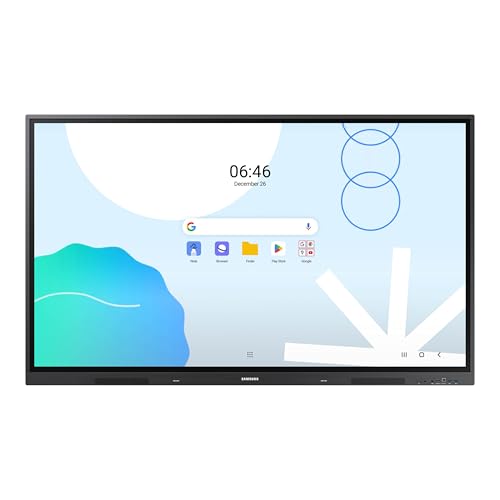
Samsung LH65WADWLGCXZA
$1,598.94
Samsung WAF 65-inch
$1,405.24

Samsung LH75WAD
$1,679.00
Samsung LH86WADWLGCXZA
$1,784.55

Samsung WA65D
$1,621.98
Samsung WAF Series 86-inch
$1,939.99
Samsung WA75C
$1,641.98
Spec Comparison
