Rankings
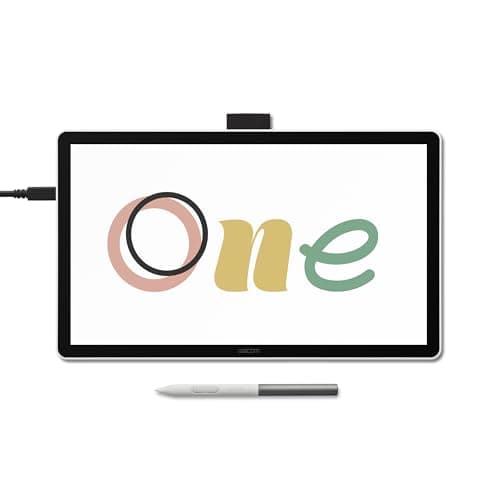
The Wacom One 14 is an entry-level pen display that offers a generous 14-inch Full HD screen, decent color accuracy and a battery-free pen, making it a solid choice for beginners and educators, though it misses multi-touch and a built-in stand.
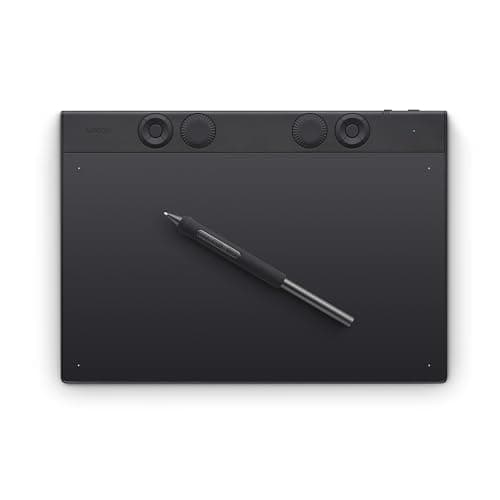
The Wacom Intuos Pro Medium (2025) is a premium off-screen tablet offering industry-leading pressure sensitivity, tilt, and extensive shortcut controls in a slim magnesium chassis, ideal for professionals who work with external monitors.
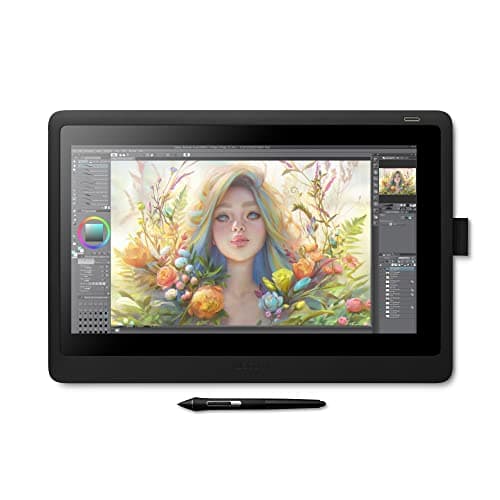
The Wacom Cintiq 16 provides a solid pen-display experience with Pro Pen 2 performance, a bright IPS screen and sturdy build at a budget-friendly price. Its main drawbacks are the lack of touch, a fixed stand and a non-laminated panel that introduces parallax.
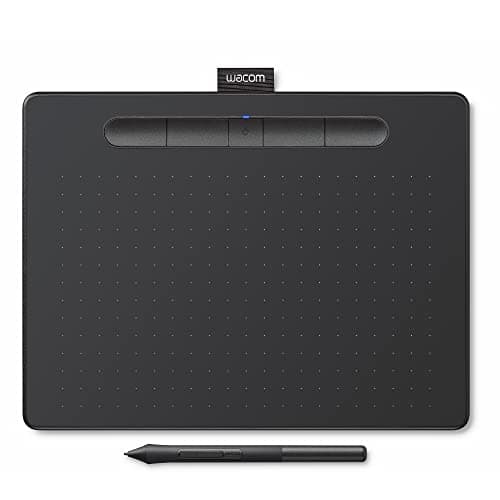
The Wacom Intuos Medium Bluetooth (CTL-6100WL) offers a larger active area than the Small models while retaining the 4096-level pressure pen, Bluetooth freedom and a solid software bundle. It is lightweight and portable but still suffers from an outdated micro-USB port, lack of tilt and a modest drawing surface for detailed illustration.
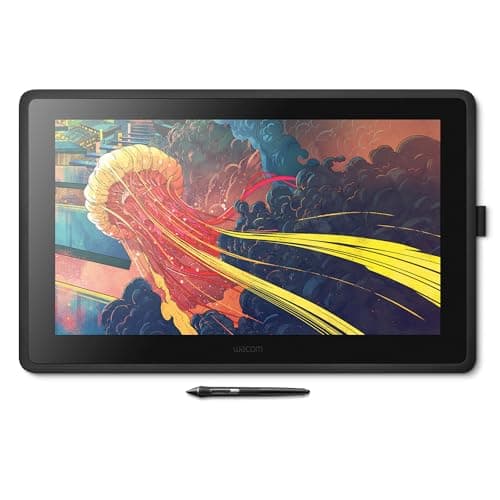
The Wacom Cintiq 22 is a 21.5-inch full-HD pen display offering a large, paper-like drawing surface with professional-grade pressure sensitivity and tilt, ideal for serious illustrators seeking a direct-draw experience without the premium price of the Pro line.
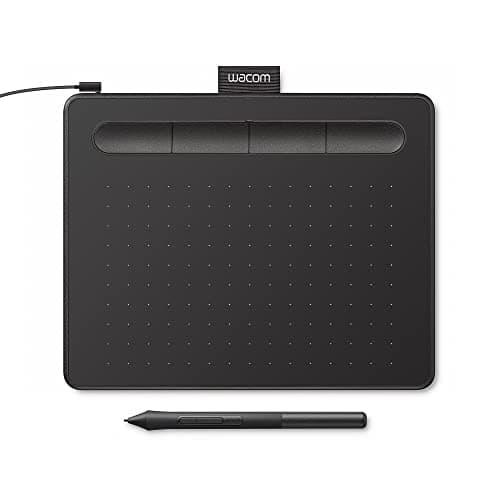
The Wacom Intuos Small (CTL4100) is an entry-level, battery-free pen tablet offering 4096 pressure levels, a compact active area and a solid software bundle. It excels in portability and Chromebook compatibility but lacks Bluetooth, tilt support and a larger drawing surface.
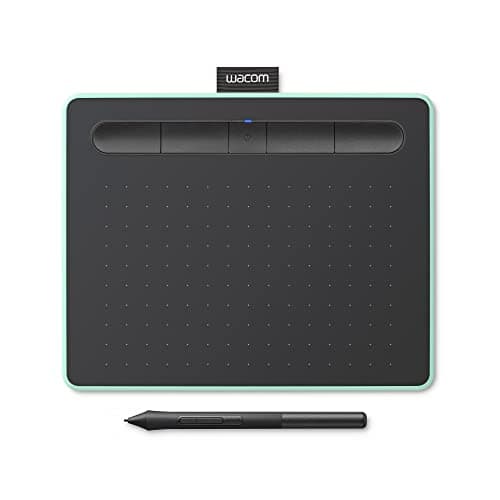
The Wacom Intuos Small Bluetooth is an entry-level tablet with solid pressure sensitivity and wireless capability, but its limited active area and lack of tilt keep it from advanced use.
| Attribute | | | | | | | |
|---|---|---|---|---|---|---|---|
8,192 levelsbest | 8,192 levelsbest | 4,096 levels | 4,096 levels | 4,096 levels | 8,192 levelsbest | 4,096 levels | |
66,585 mm² | 126,600 mm²best | 19,878 mm² | 29,064 mm² | 14,323 mm² | 38,748 mm² | 53,766 mm² | |
1,920 pixelsbest | 1,920 pixelsbest | — | — | — | — | 1,920 pixelsbest | |
1,080 pixelsbest | 1,080 pixelsbest | — | — | — | — | 1,080 pixelsbest | |
— | — | — | 133 Hzbest | — | — | — | |
— | 210 nits | — | — | — | — | 285 nitsbest | |
— | — | 15 hoursbest | 15 hoursbest | — | — | — | |
2 count | 2 count | 2 count | 2 count | 2 count | 3 countbest | 2 count |
Click an attribute name to sort · Green = best, red = worst (relative to this comparison)
| Attribute | | | | | | | |
|---|---|---|---|---|---|---|---|
Compatibility(1) | |||||||
Operating System Compatibility | Windows, macOS | Windows 7+, macOS 10.12+ | Windows 7 or later; macOS 10.11 or later; Chrome OS; Android 6.0 or later | Windows, macOS, Chrome OS, Android | Windows, macOS, Chrome OS, Android | Windows, macOS, ChromeOS | Windows, macOS, ChromeOS |
Display(4) | |||||||
Active Drawing Area (mm²) | 66585 mm² | 126600 mm² | 19878 mm² | 29064 mm² | 14323 mm² | 38748 mm² | 53766 mm² |
Display Panel Type | IPS | IPS-type LCD | — | — | — | — | IPS LCD |
Display Brightness (nits) | — | 210 nits | — | — | — | — | 285 nits |
Display Color Gamut | 72% NTSC, 74% Adobe RGB | 96% sRGB | — | — | — | — | 98% sRGB |
Connectivity(2) | |||||||
Connectivity Interface | HDMI, USB-A, DC | HDMI 1.4, USB-A | Micro USB | USB-A | USB-A | USB-C, Bluetooth | USB-C |
Bluetooth Support | false | false | true | true | false | true | false |
Pen & Stylus(4) | |||||||
Pressure Sensitivity Levels (levels) | 8192 levels | 8192 levels | 4096 levels | 4096 levels | 4096 levels | 8192 levels | 4096 levels |
Pen Tilt Support | true | true | false | false | false | true | true |
Pen Technology | Battery-Free | EMR | EMR | Electromagnetic Resonance (EMR), battery‑free Wacom Pen 4K | Wacom Pen 4K (battery‑free, EMR) | EMR | EMR |
Pen Buttons (count) | 2 count | 2 count | 2 count | 2 count | 2 count | 3 count | 2 count |
Build & Design(1) | |||||||
Weight (grams) | 1899 grams | 1900 grams | 250 grams | 411 grams | 229.63 grams | 411 grams | 750 grams |
Warranty & Support(1) | |||||||
Warranty Period (months) | 12 months | 12 months | 12 months | 12 months | 12 months | 24 months | 12 months |
Products in the top-left offer the best value (high score, low price).
Professional reviewers praise the Cintiq 16 for delivering Pro Pen 2 performance, solid screen quality and build at a modest price, noting the absence of touch, express keys and a non-laminated display.
Everyday users consistently highlight the natural drawing experience, precise pen tracking and durability, while frequently expressing frustration over the lack of touch gestures, missing ergonomic stand and occasional parallax.
“Great value for money as an affordable Cintiq.”
“The lack of touch input is disappointing.”
“The screen feels natural to draw on.”
Choose Cintiq 22 for a larger workspace and better ergonomics; choose Cintiq 16 if you need a more compact, budget-friendly setup.
Choose the Pro Medium for professional tilt and higher pressure; the Medium Bluetooth is a budget-friendly, portable alternative.
Professional reviewers consider the Cintiq 22 a solid mid-tier offering that delivers a high-quality drawing experience at a reasonable price, praising its accurate Pro Pen 2, color fidelity, and ergonomic stand while noting the lack of touch and limited ports.
Everyday users overwhelmingly praise the pen accuracy, large canvas, and natural feel, rating it around 4.5 / 5, with complaints about cable clutter, backlight unevenness, lack of touch, and weight.
Professional reviewers consider the Intuos Small an ideal entry point into digital art, highlighting its solid pressure sensitivity, reliable Bluetooth, and Chromebook compatibility while noting the small active area and outdated Micro-USB port as drawbacks.
Everyday users praise the tablet for its natural pen feel, easy wireless setup, and the value of the free software bundle, especially in classroom settings.
Reviewers highlight its affordability and solid performance, praising the larger canvas and software bundle, yet note the micro-USB port and missing tilt as missed opportunities for a 2026 device.
Users consistently praise ease of use, natural pen feel and software value, while complaining about the micro-USB port, nib wear and occasional Bluetooth pairing issues.
Professional reviewers praise its solid build, accurate EMR pen and bundled software, noting the lack of tilt support and modest active area as trade-offs for its price point.
Users appreciate the ease of setup, natural pen feel and software value, while reporting driver glitches, short USB cable and nib wear as common complaints.
Shutterbug (May 2025) calls it a "complete redesign" that surpasses its 2017 predecessor, praising ergonomics, mechanical dials and the Pro Pen 3 performance.
Users give it 5-star ratings, highlighting reduced hand fatigue, reliable Bluetooth and customizable shortcuts, while noting a learning curve and lack of a screen.
Reviewers call it the ideal entry-level pen display, praising its natural drawing surface and software bundle while noting the lack of touch gestures and stand.
Users love the paper-like feel and bundled software, but complain about the missing stand and occasional driver setup issues.
