Rankings
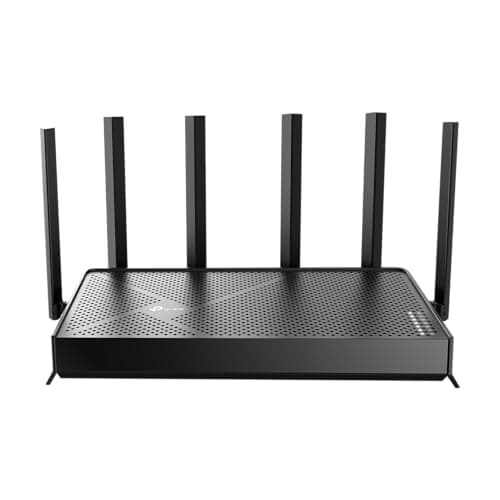
The TP-Link Archer BE6500 is a dual-band Wi-Fi 7 router offering up to 6.5 Gbps throughput and six beamforming antennas for robust coverage in small-to-medium homes. Its main trade-offs are the absence of a 6 GHz band and missing advanced features like link aggregation or dual-WAN. Best suited for users seeking high-speed Wi-Fi 7 performance without needing tri-band support.
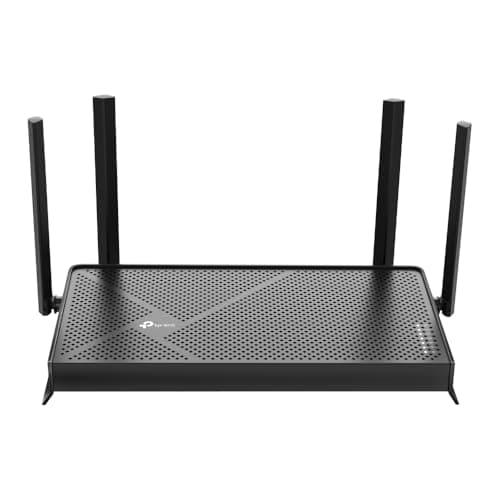
The TP-Link Archer BE230 is a dual-band Wi-Fi 7 router delivering up to 3.6 Gbps total throughput with four antennas, MLO and two 2.5 Gbps ports, ideal for medium-size homes. However, it lacks a 6 GHz band and its 5 GHz range drops off beyond short distances. Best for gamers and streamers in smaller spaces who need fast wired connections.
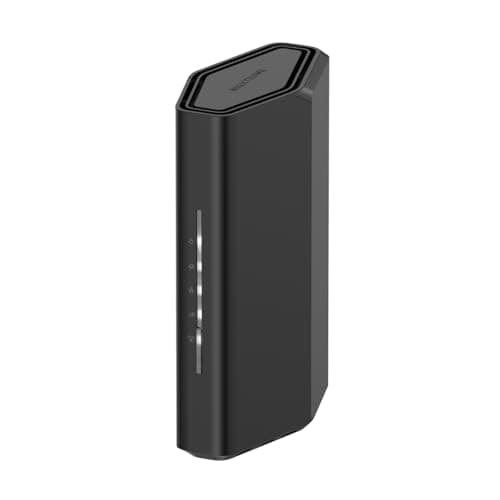
The Netgear Nighthawk RS90 brings Wi-Fi 7 performance with up to 3.6 Gbps speeds and a 2.5 Gbps WAN port for high-speed internet. Missing USB ports, dual-band only, and no mesh support limit its flexibility, making it suited for tech-savvy users needing top wireless speed in medium-size spaces.
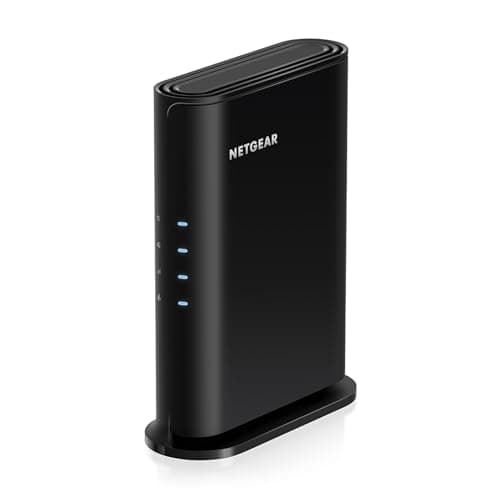
The newer Netgear R6700AX offers AX1800 speeds, a quad-core 1.5 GHz processor, and built-in VPN and security features. Fixed antennas and real-world speed drops constrain performance in larger spaces. Fits small homes or offices needing a reliable Wi-Fi 6 upgrade.
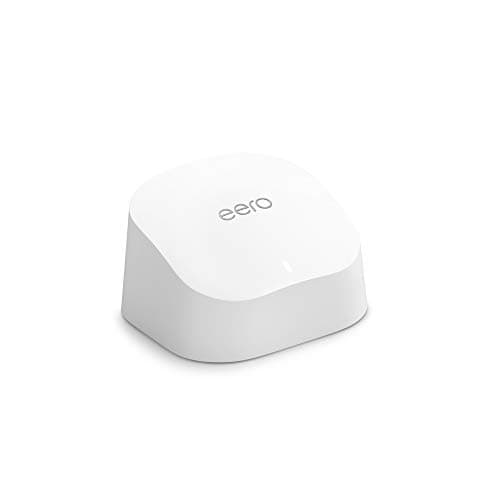
The Amazon eero 6 is a Wi-Fi 6 mesh system that provides whole-home coverage up to 5,000 sq ft and supports over 75 devices with easy app setup. Its dual-band speed ceiling of 500 Mbps per node and limited wired ports may constrain power users, ideal for families prioritizing simplicity and coverage.
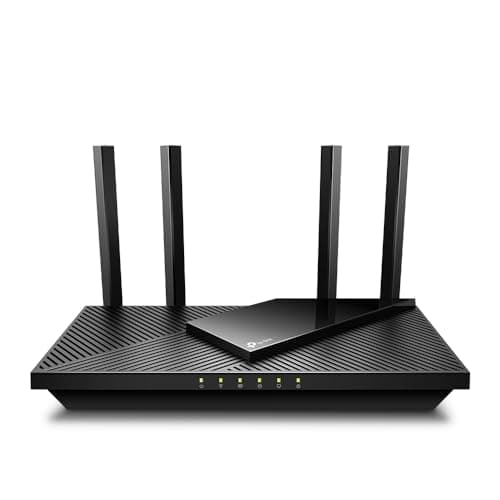
The TP-Link Archer AX21 is a budget-friendly dual-band Wi-Fi 6 router offering up to 1.8 Gbps combined speed and four high-gain antennas with beamforming. Its dual-core processor and lack of tri-band or faster wired ports limit performance under heavy loads. Ideal for small-to-medium homes seeking affordable Wi-Fi 6.
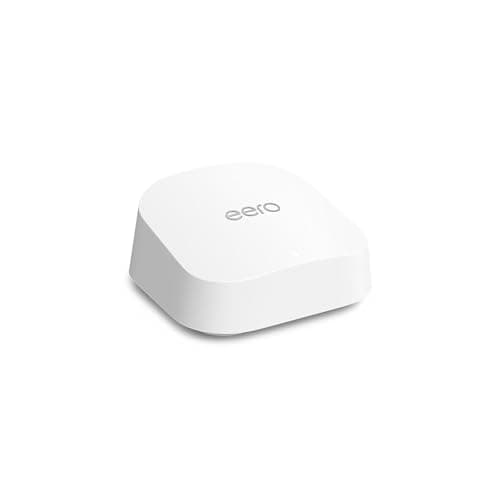
The eero 7 is a dual-band Wi-Fi 7 router delivering up to 1.8 Gbps speed and 2,000 sq ft coverage with 2.5 GbE ports. It lacks a 6 GHz band and tri-band capacity, limiting future-proofing. Suited for users wanting the latest Wi-Fi 7 performance in modest-size homes.
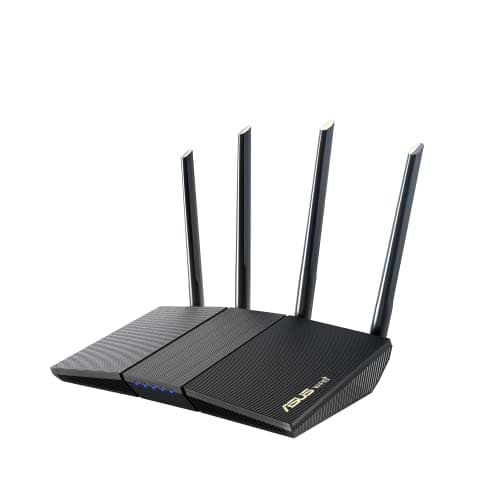
The ASUS RT-AX1800S provides AX1800 dual-band Wi-Fi 6 speeds, AiMesh expandability and built-in security features. Its coverage is modest and it lacks a USB port, which can affect larger homes or users needing external storage. It fits well in small-to-medium apartments seeking affordable Wi-Fi 6.
| Attribute | | | | | | | | |
|---|---|---|---|---|---|---|---|---|
1,800 Mbps | 3,600 Mbps | 1,800 Mbps | 6,500 Mbpsbest | 1,800 Mbps | 1,775 Mbps | 3,600 Mbps | 1,800 Mbps | |
— | — | 1,500 sqft | 2,400 sqft | 5,000 sqftbest | — | 2,000 sqft | 2,000 sqft | |
4 | 4 | 3 | 6best | — | 4 | — | — | |
2 | 4best | 4best | 4best | 4best | 2 | 4best | — | |
0.256 GB | — | 0.512 GBbest | — | 0.512 GBbest | 0.256 GB | — | — | |
4best | 4best | 4best | 4best | 2 | 4best | 4best | 2 | |
0.016 GB | — | 0.256 GB | — | 4 GBbest | 0.128 GB | — | — | |
1best | 1best | 1best | 1best | 1best | 1best | 1best | — |
Click an attribute name to sort · Green = best, red = worst (relative to this comparison)
| Attribute | | | | | | | | |
|---|---|---|---|---|---|---|---|---|
Connectivity(2) | ||||||||
Wi‑Fi Standard | 802.11ax | Wi‑Fi 7 | 802.11ax | Wi-Fi 7 dual-band | 802.11ax | WiFi 6 (802.11ax) | WiFi 7 | Wi-Fi 7 |
Frequency Bands | dual-band | 2.4 GHz,5 GHz | dual-band | 2.4 GHz,5 GHz | Dual-band | dual-band | Dual-band | Dual-band |
Security(1) | ||||||||
Security Protocols | WPA3 | WPA3,HomeShield | AES-128 | WPA,WPA2,WPA3,Enterprise | — | WPA/WPA2-Personal/Enterprise, WPA3-Personal, Open | WPA/WPA2/WPA3 (128-bit AES); NETGEAR Armor | — |
Design(1) | ||||||||
Antenna Count | 4 | 4 | 3 | 6 | — | 4 | — | — |
Performance(6) | ||||||||
Maximum Wireless Speed (Mbps) | 1800 Mbps | 3600 Mbps | 1800 Mbps | 6500 Mbps | 1800 Mbps | 1775 Mbps | 3600 Mbps | 1800 Mbps |
Coverage Area (sqft) | — | — | 1500 sqft | 2400 sqft | 5000 sqft | — | 2000 sqft | 2000 sqft |
Processor | Dual-core | Quad-core | Quad-core | Quad-core | Quad-core 1.2 GHz | Dual-core MIPS 1004Kc 880 MHz | Quad-core 2.0 GHz | — |
CPU Cores | 2 | 4 | 4 | 4 | 4 | 2 | 4 | — |
RAM (GB) | 0.256 GB | — | 0.512 GB | — | 0.512 GB | 0.256 GB | — | — |
Flash Storage (GB) | 0.016 GB | — | 0.256 GB | — | 4 GB | 0.128 GB | — | — |
Ports(1) | ||||||||
LAN Ports | 4 | 4 | 4 | 4 | 2 | 4 | 4 | 2 |
General(1) | ||||||||
Warranty (years) | 2 years | 2 years | 1 years | 2 years | 1 years | 3 years | 1 years | — |
Products in the top-left offer the best value (high score, low price).
Professional reviewers commend the Archer AX21 for delivering solid Wi-Fi 6 performance at a very competitive price, highlighting its four antennas, OFDMA, and security suite. However, they note the dual-core CPU and single-band-per-device limitation as drawbacks, and point out the absence of advanced QoS, USB 3.0, and full-speed Ethernet as gaps compared with pricier models.
Everyday users appreciate the quick Tether app setup, stable 4K streaming, and the speed boost over older routers, especially in apartments and small homes. Common complaints revolve around weaker 2.4 GHz coverage in larger spaces, occasional firmware freezes, and the lack of tri-band or faster wired ports for heavy device loads.
“smooth for home office and smart TVs”
“fine for apartments, but lags with 30+ IoT devices”
“outstanding close-range speeds (918 Mbps via built-in Speedtest)”
Pick AX21 for budget-focused buyers; pick R6700AX for users who want extra security and app features.
Choose the Archer AX21 if you need a cheaper AX1800 router and can forego the extra security features.
Professional reviewers consider the Archer BE230 a high-performance Wi-Fi 7 router for close-range, bandwidth-intensive use cases, praising its fast 5 GHz speeds, robust 2.4 GHz signal, 2.5 Gbps ports, and superior VPN and USB performance. However, they point out the critical omission of a 6 GHz band and the steep drop-off of 5 GHz throughput at longer distances, which limits its suitability for large or multi-story homes without mesh expansion.
Everyday users value the router's ability to deliver gigabit-level speeds near the device, its strong 2.4 GHz coverage for IoT gadgets, and the convenience of the Tether app. The most common criticism revolves around limited long-range 5 GHz coverage and the lack of a 6 GHz band, prompting many to consider adding EasyMesh nodes for broader coverage.
Professional reviewers consider the R6700AX a solid budget WiFi 6 option, praising its impressive close-range throughput, effective multi-device handling, robust cooling, and the added value of NETGEAR Armor security, while noting that real-world speeds fall short of the lofty theoretical numbers and that the fixed antennas and heavier chassis are drawbacks.
Typical consumers find the router easy to set up via the Nighthawk app and reliable for everyday streaming, gaming, and handling around 20 devices, but they frequently mention that performance drops at longer distances and that the advertised maximum speeds are not fully achieved in practice.
Professional reviewers commend the Archer BE6500 for its impressive Wi-Fi 7 speeds, six-antenna coverage and fast 2.5 Gbps wired ports, but they criticize the lack of a 6 GHz band, the omission of link aggregation or dual-WAN, and its relatively high price, positioning it as a solid yet premium-priced option.
Professional editors position the eero 6 as a solid, budget-friendly Wi-Fi 6 mesh solution that excels at eliminating dead spots and handling many devices, but they recommend the Pro 6E or Wi-Fi 7 models for users demanding higher throughput, tri-band performance, or advanced wired connectivity.
Typical users celebrate the easy installation, reliable whole-home coverage, and seamless Alexa integration, while recurring complaints focus on the modest wireless speed ceiling and limited wired ports for power users.
Professional reviewers view the RT-AX1800S as a solid, value-driven Wi-Fi 6 router that delivers good close-range speeds and useful AiMesh expandability, but they note its average long-range performance and heavier-than-expected feel.
Everyday users appreciate the easy setup, strong signal in small spaces, reliable AiMesh integration, and free security features, while repeatedly criticizing its limited coverage in larger homes, occasional 2.4 GHz instability, and a plasticky build that feels heavier than anticipated.
Professional reviewers commend the RS90 for its impressive 3.6 Gbps Wi-Fi 7 performance, 2.5 Gbps WAN capability, and sleek compact design, noting that the Nighthawk app makes deployment painless. However, they point out the lack of USB ports, the absence of a 6 GHz band and mesh support, and raise concerns about recent firmware security advisories.
Everyday users appreciate the router's high speed, reliable 2,000 sq ft coverage, and easy app-based setup, especially for households with many devices. Recurring complaints focus on the missing USB ports, the dual-band limitation, occasional firmware glitches, and worries about reported security vulnerabilities.
Professional reviewers praise the eero 6+ for its gigabit‑class 1 Gbps speed, 160 MHz channel bandwidth, and 4,500 sq ft. coverage, calling it the most affordable eero system that reliably supports work‑from‑home and smart‑home environments. They note its dual‑band limitation and lack of Wi‑Fi 6E as drawbacks for very high‑density or future‑proof setups.
Everyday users appreciate the fast, stable Wi‑Fi that handles dozens of devices, the straightforward app setup, and the built‑in smart‑home hub that simplifies Alexa device integration. Common complaints revolve around occasional congestion on the dual‑band network, the need for extra extenders in larger homes, and sensitivity to router placement for optimal performance.
