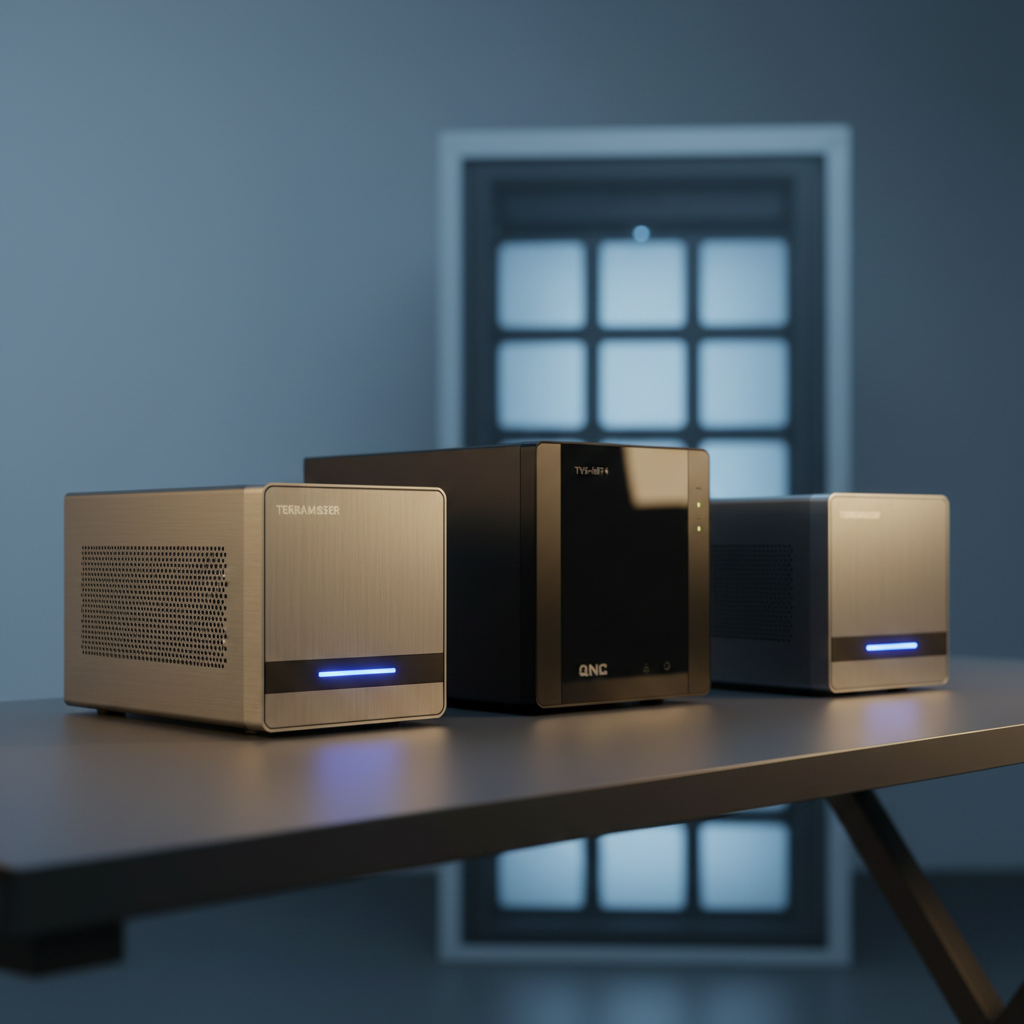
Even though the top‑end QNAP TVS‑h874 i7 8‑bay commands $2,719.00, it isn’t the highest‑rated model in our test. The $1,299.99 Buffalo TS3430DN3204 earned a perfect 5.0‑star rating from its seven reviewers, outshining the pricier contender’s 4.5‑star score. Across the 10 devices we examined, ratings range from 3.3 to 5.0, showing that you don’t always get better reviews by spending more.
We’ve grouped the lineup into three price tiers. Budget‑friendly options start at $409.00 with the QNAP TS‑433, and include Synology’s DS425+ and Asustor AS6704T, all delivering solid performance for home or small‑office use. Mid‑range picks like Terramaster’s F6‑424 ($699.99) and F4‑425 Plus ($649.99) add 2.5‑GbE or 5‑GbE networking and upgradeable memory. Premium choices—Buffalo’s TS3430DN3204, Terramaster F4‑424 Pro, and the QNAP TVS‑h874 i7—bring higher‑end CPUs, larger RAM capacities, and expansion slots for demanding SMB or creative workflows.
In the sections that follow we examine each model’s noise level, connectivity, and expandability, helping you pinpoint the cloud‑storage device that fits your speed, capacity, and budget needs.

Terramaster F6-424
Its low 22.0 dB(A) noise level keeps your workspace quiet while delivering solid performance.

QNAP TVS-h874 i7 8-bay
Ideal for audiophiles and power users who need premium sound and advanced features, though it costs roughly $2,019 more than the Terramaster F6-424.

Terramaster F4-424 Pro
Stands out with a compact 154 mm height, delivering premium performance in a smaller footprint than the larger F6-424 and QNAP models.
Also considered
Score Analysis
Key score advantages vs. runner-up (QNAP TVS-h874 i7)
Price Range
Terramaster F6-424
$699.99
QNAP TVS-h874 i7 8-bay
$2,664.00
Terramaster F4-424 Pro
$859.99

QNAP TS-433 4-bay
$409.00
Asustor AS6704T
$648.99

Buffalo TS3430DN3204
$1,259.99
Buffalo TS3430D1604S
$749.99

Terramaster F4-425 Plus
$649.99

Synology DS925+
$639.84

Synology DS425+
$519.99
Spec Comparison
TL;DR: The Terramaster F6-424 packs six‑swap bays, dual 2.5 GbE networking and 283 MB/s transfer speed into a compact 4.6‑pound chassis for high‑speed 4K media and SMB storage.
The standout spec is the six‑bay design, which supports up to 144 TB raw capacity when populated with 24 TB drives and delivers 283 MB/s data transmission in RAID 0. Coupled with dual 2.5 GbE ports, the unit can saturate high‑throughput networks while keeping power draw modest at 43.0 W under full load. The built‑in Intel N95 quad‑core CPU (2.0 GHz base, 3.4 GHz burst) and 8 GB DDR5 RAM (expandable to 32 GB) give it enough headroom for 4K hardware transcoding at 60 fps.
At 4.6 pounds, the F6-424's lighter than the Buffalo TS3430D1604S (7.07 kg) and Asustor AS6704T (7.71617917 pounds) but it's a touch heavier than the QNAP TS‑433 (4.56 pounds). Its dual 2.5 GbE ports outpace Buffalo’s single 1 GbE connection and sit on par with Asustor’s 2.5 GbE offering, while providing more bandwidth than the 1 GbE‑only models. The six‑bay layout also beats the four‑bay configurations of Synology DS925+, Asustor AS6704T and QNAP TS‑433, giving you more raw storage potential without expanding the chassis footprint. Noise sits at 22.0 dB(A), a shade louder than Synology’s 20.5 dB(A) but still quiet enough for home or office environments.
Users consistently praise the tool‑free drive installation and smooth 4K Plex playback, noting that the hardware transcoding handles 4K streams without stutter. However, several reviewers point out that the default 8 GB of RAM can become a bottleneck for heavy virtualization or large‑scale database work, and the advanced RAID options (including TRAID and RAID‑5/6) may be intimidating for newcomers. Professional reviewers highlight the fast application performance and the flexibility of DDR5 expansion and Gen4 M.2 slots, while also mentioning that the TOS interface feels less refined than some competing platforms.
Pros
Cons
Best for: Small‑to‑medium businesses and advanced home users who need high‑speed 2.5 GbE networking, 4K media handling and generous multi‑bay storage.
Avoid if: You require a compact form factor, a highly polished UI, or out‑of‑the‑box heavy virtualization capabilities.
TL;DR: The QNAP TVS‑h874 i7 packs a 12‑core Intel i7 CPU, eight 3.5‑inch bays and 2.5 GbE networking into a tower NAS, delivering enterprise‑grade performance at a premium price.
This model’s standout spec is the 12‑core Intel Core i7‑12700E processor (20 threads) paired with 32 GB DDR4 RAM, giving it the horsepower to run multiple VMs, containers and real‑time transcoding without a hitch. The chassis holds eight 3.5‑inch SATA bays, and the two built‑in 2.5 GbE ports provide faster LAN throughput than the 1 GbE‑only units in the lineup.
Compared with the nine peers, the TVS‑h874 is noticeably heavier than most (its 8.95 kg gross weight exceeds the sub‑3 kg range of many rivals) and it offers more drive bays than the typical four‑bay designs. It shares the dual 2.5 GbE connectivity of the Asustor AS6704T, but it lacks a native 10 GbE port that some higher‑end competitors require, meaning you’ll need an expansion card for that speed. Its $2,719.00 price tag also places it well above the budget‑oriented models.
Reviewers consistently praise the raw processing power and the flexibility of PCIe Gen4 slots for future upgrades such as 10/25 GbE or GPU acceleration. However, users note that the fans can become audible under heavy workloads, and the ZFS‑based OS presents a steep learning curve for newcomers. Professional outlets highlight the built‑in AES‑NI encryption and SSD caching as strong points for data‑intensive environments.
Pros
Cons
Best for: Small‑to‑medium businesses, media production studios, and power users who need high‑performance virtualization and large, scalable storage.
Avoid if: You’re on a tight budget or need a plug‑and‑play NAS with built‑in 10 GbE and silent operation.
TL;DR: The Terramaster F4‑424 Pro packs an 8‑core Intel i3‑N305 CPU, 32 GB DDR5 RAM and dual 2.5 GbE ports into a compact 4‑bay NAS, delivering 4K 60 fps streaming and up to 88 TB of raw storage.
At the heart of the F4‑424 Pro sits an 8‑core Intel Core i3‑N305 processor running up to 3.8 GHz, paired with a full 32 GB of DDR5 RAM on a single SODIMM slot. This combination gives the unit the horsepower to handle heavy multitasking, Docker containers and real‑time 4K 60 fps transcoding, while the built‑in hardware encryption engine protects your data.
Compared with the other nine devices in this roundup, the F4‑424 Pro is lighter than the bulkier Buffalo TS3430DN3204 (which tips the scales at over 16 pounds) and even a shade lighter than the QNAP TS‑433’s 4.56 pound chassis. It also carries far more memory than the Buffalo TS3430D1604S (2 GB) and the Synology DS425+ (4 GB), and its dual 2.5 GbE ports outpace the single‑gigabit link on the Buffalo TS3430D1604S. While the Asustor AS6704T also offers 2.5 GbE, it ships with only a 4‑core CPU, making the Terramaster’s 8‑core processor a clear performance edge. Noise‑wise the unit runs at 21.0 dB(A), a level comparable to the quiet Synology DS925+ (20.5 dB) and quieter than the Terramaster F6‑424’s 22.0 dB.
Users consistently praise the fast 283 MB/s linear transfer speed and the smooth 4K streaming experience, noting that the 32 GB of RAM leaves little headroom for slowdowns even under heavy workloads. Professional reviewers call it the most powerful media‑class 4‑bay NAS on the market, highlighting its AV1 decode support and dual M.2 2280 slots for SSD caching. On the downside, owners have reported that the plastic chassis feels less premium than metal alternatives, the single RAM slot prevents future memory upgrades, and the lack of a front‑panel USB port can be inconvenient. Some have also mentioned rubber feet detaching after prolonged use.
The F4‑424 Pro also includes a 90 W power supply, draws just 13 W in hibernation and 33 W under load, and offers a quiet 120 × 120 × 25 mm fan with four speed settings. Its HDMI 2.0b output supports 4K @ 60 Hz, and the device can host up to 88 TB of raw storage across four 3.5″ or 2.5″ SATA bays, with optional SSD cache via two PCIe 3.0 × 1 M.2 slots. Security features such as AES encryption, SSL certificates and a hardware encryption engine round out a well‑built, business‑ready platform.
Pros
Cons
Best for: Small‑to‑medium businesses and power users who need high‑throughput file sharing, Docker support and reliable 4K media streaming.
Avoid if: You require 10 GbE networking, upgradeable memory, a metal chassis, or front‑panel USB access.
TL;DR: The QNAP TS-433 packs a quad‑core 2.0 GHz ARM CPU, 4 GB DDR4 RAM and a 2.5 GbE port into a compact 4‑bay chassis for $409.00, delivering AI‑enhanced photo organization and low power draw.
The TS-433 packs an ARM Cortex‑A55 quad‑core processor clocked at 2.0 GHz and 4 GB DDR4 system memory that can't be expanded. It also includes a built‑in NPU that powers AI‑enhanced photo tagging and a 256‑bit AES encryption engine for data security. The unit offers four 3.5‑inch SATA bays, hot‑swappable drives, and RAID 0/1/5/6/JBOD support, while the dual Ethernet ports—one 1 GbE and one 2.5 GbE—provide faster network transfers than many entry‑level NAS models.
Compared with its peers, the TS-433 weighs 4.56 pounds—lighter than the Asustor AS6704T (7.71617917 pounds), the Buffalo TS3430DN3204 (16.1 pounds) and a touch lighter than the Synology DS425+ (4.8060773116 pounds). Its depth of 220.5 mm sits a shade shallower than the Synology DS425+ (223 mm) and the Synology DS925+ (223 mm), while its width of 160.2 mm sits considerably narrower than the DS425+ (199 mm) and the Terramaster F4‑425 Plus (181 mm). The TS-433’s $409.00 price undercuts most competitors, giving it a clear value edge, though it offers fewer memory options than the Asustor (8 GB eMMC) and the Terramaster F4‑425 Plus (16 GB DDR5, expandable).
Reviewers consistently praise the device’s quiet operation and its low power draw of 22.54 W when fully populated (8.45 W standby). Home users love the AI‑driven photo organization, noting it speeds up sorting large image libraries. Professional reviewers, however, point out that the fixed 4 GB RAM limits multitasking and the ARM platform restricts some third‑party apps. The lack of SSD‑cache slots or PCIe expansion means you can't boost performance for heavy workloads, and the two network ports don't support link aggregation, which some power users expect.
Pros
Cons
Best for: Shoppers on a tight budget who want the most for their money
Avoid if: You need advanced features or professional‑grade performance
“smartly designed home NAS”
“excellent AI photo tagging”
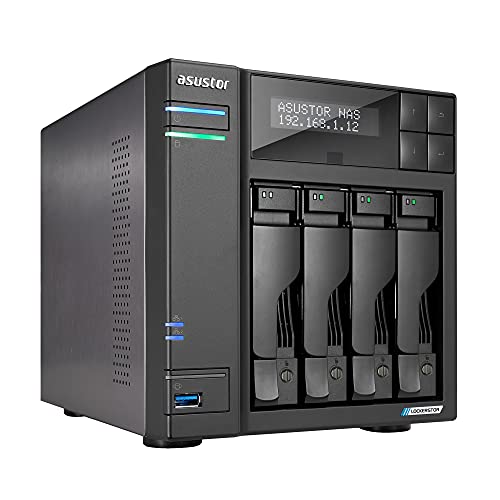
TL;DR: The Asustor AS6704T packs a quad‑core Intel Celeron, dual 2.5 GbE ports and four NVMe slots into a 4‑bay NAS for $609.99, delivering fast media access with quiet operation.
What really sets the AS6704T apart is its networking muscle: two 2.5 GbE ports that can aggregate to 5 GbE via SMB Multichannel, plus a 2.5 Gbps Ethernet speed rating. Coupled with an Intel Celeron N5105 quad‑core processor that runs up to 2.90 GHz and four M.2 2280 NVMe slots, the unit can handle heavy 4K transcoding and cache‑intensive workloads while still supporting up to 88 TB of raw storage across its four SATA bays.
Compared with the other nine devices in this roundup, the AS6704T is heavier than the Synology DS925+ (7.72 lb vs 4.98 lb) and the QNAP TS‑433 (7.72 lb vs 4.56 lb), but noticeably lighter than the Buffalo TS‑3430DN3204 (16.1 lb) and the larger Buffalo TS‑3430D1604S (about 15.6 lb). Its idle noise of 17.6 dB is quieter than the Synology DS925+ (20.5 dB), the Terramaster F6‑424 (22.0 dB) and the Synology DS425+ (21.6 dB). While many peers only offer 1 GbE, the AS6704T’s dual 2.5 GbE links give it a clear speed edge, and no other model in this list lists more than zero M.2 slots—so its four NVMe bays are a unique advantage.
Users consistently praise the raw performance: PCMag highlighted “speedy performance, strong hardware components, and massive app catalog,” and B&H echoed the RAID 5 read/write speeds of around 590 MB/s and 555 MB/s. Everyday owners love the flexibility of running Plex, Docker and VMs, while the front‑facing 2.5‑inch LCD and HDMI 2.0b output make it a handy media hub. On the downside, reviewers note that installing drives still requires a screwdriver and that the M.2 daughterboard occupies the PCIe slot, preventing a simple 10 GbE upgrade.
Pros
Cons
Best for: Creative professionals who need fast 4K media access, home‑lab enthusiasts, and small businesses that value expandability and robust app support.
Avoid if: You require built‑in 10 GbE networking, prefer completely tool‑free drive installation, or need the lowest possible power consumption.
“high-performance design for intensive tasks like video editing”
“up to 590 MB/s read and 555 MB/s write speeds”
TL;DR: The Buffalo TS3430DN3204 packs four 8 TB drives for 32 TB total, a 2.5 GbE port, and a 2.0 GHz quad‑core CPU, but its $1,299.99 price tags it as a premium‑tier NAS.
This desktop NAS stands out with a full‑stack 4‑bay, 32 TB pre‑installed storage array and a dedicated 2.5 GbE network port that doubles the speed of legacy 1 GbE links. Its Annapurna Labs Alpine AL‑524 quad‑core processor runs at 2.0 GHz and pairs with 2 GB DDR4 SDRAM, delivering the compute power needed for small‑business file sharing and hybrid cloud sync.
Compared with the nine other units in this roundup, the TS3430DN weighs notably more at 16.1 pounds, outmatching the Terramaster F4‑424 Pro (4.2 pounds), Terramaster F6‑424 (4.6 pounds), Terramaster F4‑425 Plus (≈6.4 pounds), Synology DS925+ (≈5 pounds), Asustor AS6704T (≈7.7 pounds) and QNAP TS‑433 (≈4.6 pounds). It also carries a higher price tag than those peers. While many rivals list up to 32 GB of RAM, the Buffalo’s 2 GB DDR4 offers modest capacity, though its dual‑port Ethernet (one 2.5 GbE and one 1 GbE) gives it a clear network advantage over models that only offer 1 GbE.
Users consistently praise the plug‑and‑play setup: the drives come pre‑configured in RAID 5, and the system boots with a quick‑start guide. Professional reviewers highlight the full‑featured security suite—256‑bit encryption, ransomware detection, and two‑factor authentication—making it a solid choice for businesses that need reliable 24/7 uptime. On the flip side, owners mention audible fan noise during prolonged operation and note that the 2 GB RAM can become a bottleneck for heavier multitasking or virtualization workloads.
From a technical standpoint, each of the four NAS‑grade 3.5″ SATA III drives spins at 5400 RPM, delivering a total raw capacity of 32 TB with 24 TB usable in RAID 5. The unit also offers two USB 3.2 Gen 1 Type‑A ports (5 Gbps) for local backups, and supports a broad protocol set including SMB, AFP, FTP, SFTP and iSCSI, ensuring smooth integration with Windows 10/11, macOS 12+, and Chrome OS environments.
Pros
Cons
Best for: Those prioritizing quality and willing to pay for premium performance
Avoid if: You're shopping on a tight budget — it's priced at $1299.99
“Set up in under 30 minutes. Perfect for our 20-person office. Security features give us confidence.”
TL;DR: The Buffalo TS3430D1604S delivers 16 TB of pre‑installed storage, 2.5 GbE networking, and AES‑256 encryption in a rugged 4‑bay chassis for small‑business teams.
The standout spec is the built‑in 4 × 4 TB drives giving a total capacity of 16 TB, with a default RAID 5 layout that provides 12 TB of usable space right out of the box. A 2.0 GHz Annapurna Labs Alpine AL‑214 quad‑core CPU and 2 GB DDR4 RAM power the system, while the 256‑bit AES hardware encryption keeps data secure.
At 7.08 kg, it's heavier than the Terramaster F4‑425 Plus, which is listed at 6.393 pounds, but comparable in size to the QNAP TS‑433 (gross weight 3.5 kg). Network‑wise, it offers a single 2.5 GbE port and one 1 GbE port, fewer than the dual 2.5 GbE ports on the Terramaster F4‑424 Pro and the two 5 GbE ports on the Terramaster F4‑425 Plus. Its power draw peaks at 85 W under load, with an idle consumption of 48 W, sitting between the lower‑power QNAP TS‑433 and the higher‑end Asustor AS6704T.
Professional reviewers praise its security‑first design: a closed OS, no root access, 256‑bit AES encryption, and real‑time threat detection. Users consistently note the ease of setup thanks to the pre‑installed drives and appreciate the 24/7 US‑based phone support. However, users frequently complain about the lack of snapshot support and a dedicated mobile app, and some find RAID rebuilds slower than desired.
Pros
Cons
Best for: Small businesses (10‑30 users) that need secure, pre‑configured multi‑bay storage with 2.5 GbE networking.
Avoid if: You require snapshot capabilities, a mobile management app, or top‑tier performance for heavy media workflows.
“Extremely easy to use”
“These TeraStations are their newest products & I liked getting to buy this newer generation specifically as it's more user friendly than our older 5000 series.”
TL;DR: The Terramaster F4-425 Plus packs a quad‑core Intel N150, 16 GB DDR5 RAM and dual 5 GbE ports into a 4‑bay chassis that can hold up to 120 TB of HDDs, delivering solid performance for home labs and media streaming.
The standout hardware is the Intel N150 quad‑core processor (1.0 GHz base, up to 3.6 GHz burst) paired with 16 GB DDR5 4800 MT/s RAM, which you can upgrade to 32 GB. Combined with three M.2 2280 PCIe 3.0 x1 slots (up to 24 TB total) and four hot‑swappable SATA bays that support a maximum of 120 TB of HDD storage, the unit offers a generous total capacity of 144 TB. Dual 5 GbE ports with link aggregation provide up to 1020 MB/s network throughput, and a 120 mm smart fan keeps temperatures in check while staying quiet at 20.9 dB(A) idle.
In the context of the roundup, the F4‑425 Plus is heavier than the Synology DS925+ and the Terramaster F6‑424, but lighter than the Asustor AS6704T. Its noise level sits just above the Synology’s 20.5 dB(A) idle rating and below the Terramaster F6‑424’s 22.0 dB(A). While many peers offer 2.5 GbE, the dual 5 GbE ports give this model a clear edge for users who need faster LAN speeds without adding a separate 10 GbE card.
Professional reviewers praise the efficient N150 CPU and the ample 16 GB of DDR5 RAM, noting that they enable smooth Docker containers and VM workloads. Everyday users echo this sentiment, highlighting the device’s silent operation and reliable hardware transcoding for 4K media. Common criticisms focus on the HDMI port, which limits terminal access, and the TOS interface, which feels dated compared with Synology DSM or QNAP QTS. The lack of a PCIe expansion slot and the modest PCIe 3.0 x1 bandwidth for NVMe drives also surface as trade‑offs for power users.
Pros
Cons
Best for: Homelab enthusiasts, media streamers, and small‑business users who need high RAM for containers/VMs.
Avoid if: You prioritize a polished UI, built‑in 10 GbE or Thunderbolt connectivity, or the lowest price‑per‑TB in this segment.
“Silent and cool under load”
“16GB DDR5 is a game-changer for Docker and VMs”
TL;DR: The Synology DS925+ packs a quad‑core 2.2 GHz Ryzen CPU, dual 2.5 GbE ports and four drive bays into a quiet 4.98‑lb chassis, delivering up to 565 MB/s write speeds for prosumers and small teams.
The headline spec that sets the DS925+ apart is its sequential write throughput of 565 MB/s, complemented by a 522 MB/s read rate. Coupled with a 4‑core AMD Ryzen V1500B processor running at 2.2 GHz and 4 GB DDR4 ECC memory (expandable to 32 GB), the unit can handle multiple simultaneous users without choking.
At 4.98 lb, the DS925+ is lighter than the Asustor AS6704T (around 7.7 lb) and the Terramaster F4‑425 Plus (about 6.4 lb), but a touch heavier than the QNAP TS‑433 (4.56 lb) and the Synology DS425+ (4.81 lb). It offers four hot‑swappable bays, matching the DS425+ and QNAP TS‑433, while the Terramaster F6‑424 provides a wider chassis but lists a different depth. The DS925+ includes two 2.5 GbE LAN ports for link aggregation, a step up from the single‑gigabit ports on the Buffalo TS3430D1604S, yet it lacks the native 10 GbE that the previous DS923+ model offered.
Users consistently praise the quiet operation—measured at just 20.5 dB(A)—and the intuitive DSM 7.2 interface that simplifies file sharing and backup tasks. Professional reviewers highlight the reliable performance under heavy load and the benefit of two M.2 NVMe slots for SSD caching. However, the device’s strict Synology‑certified drive policy and the absence of built‑in 10 GbE have drawn criticism from power users who want unrestricted hardware choices and ultra‑fast networking.
Beyond speed, the DS925+ packs a hardware encryption engine, dual 92 mm fans with full‑speed, cool and quiet modes, and an adaptive 100–120 W power supply that draws 37.91 W during active use and drops to 12.33 W in hibernation. Its 4‑bay design can expand to nine bays with the DX525 unit, supporting up to 200 TB of internal storage—plenty of room for growing media libraries or backup archives.
Pros
Cons
Best for: Prosumers, small businesses, and IT enthusiasts who need a reliable, high‑performance NAS with expandable memory and SSD caching.
Avoid if: You require native 10 GbE connectivity, unrestricted third‑party drive support, or a higher overall rating for mission‑critical workloads.
TL;DR: The Synology DS425+ packs four hot‑swap bays, a 2.5 GbE port, dual M.2 slots and a quiet 21.6 dB(A) idle noise level into a 4.81‑pound chassis for $519.99.
The standout spec is the built‑in 2.5 GbE LAN port, paired with a 2.0 GHz quad‑core Intel Celeron J4125 that can turbo up to 2.7 GHz. Combined with two M.2 2280 slots for SSD caching, the unit can sustain 278 MB/s sequential reads and 281 MB/s writes while drawing only 28.25 W during access.
Compared with the nine other devices in this roundup, the DS425+ sits in the middle of the weight range at 4.806 pounds—lighter than the Asustor AS6704T, Terramaster F4‑425 Plus, and both Buffalo models, but a touch heavier than the QNAP TS‑433, Terramaster F4‑424 Pro and Terramaster F6‑424. It offers a single 2.5 GbE port, whereas the Asustor and Terramaster F4‑425 Plus provide two high‑speed Ethernet links; the Buffalo TS‑3430D1604S only has a 1 GbE port. USB connectivity is modest with two 5 Gbps Gen 1 ports, matching the Buffalo TS‑3430DN3204 but falling short of the Asustor’s 10 Gbps Gen 2 ports.
Users consistently praise the “library‑quiet” operation (21.6 dB(A) idle) and the speed boost from 2.5 GbE, noting that the DSM 7.2+ interface feels intuitive. Professional reviewers highlight the dual M.2 slots as a strong cache option, but flag the J4125 CPU as a bottleneck for heavy transcoding or multiple virtual machines. The lack of a 10 GbE port and the 6 Gbps ceiling on USB‑C expansion are common complaints, as is the modest 6 GB memory ceiling.
Pros
Cons
Best for: Home‑office professionals and creators who need fast 2.5 GbE access, SSD caching and a quiet, compact NAS without breaking the bank.
Avoid if: You'll require heavy virtualization, multiple Docker containers, or native 10 GbE networking for high‑bandwidth tasks.
“library-quiet”
“2.5GbE support is a game‑changer for local backups and media streaming”
Breakdown
Terramaster F6-424
Pros
QNAP TVS-h874 i7 8-bay
Pros
Cons
Terramaster F4-424 Pro
Pros
QNAP TS-433 4-bay
Pros
Based on scoring data and product specs
Personalized picks
Best Overall Pick
Terramaster F6-424
Best Mid-Range PickBest for: Most users seeking a balanced, mainstream option
QNAP TVS-h874 i7 8-bay
Best for: Audiophiles and enthusiasts seeking premium sound quality and advanced features
$2,664.00+$1,964.01 vs winner
Skip Synology DS425+ if…
Reliability and user satisfaction are your top concerns
Terramaster’s F6-424 takes the top spot with its six hot‑swap bays, a solid 283 MB/s data‑transfer test result, and dual 2.5 GbE ports that keep your network speedy. The unit runs on an Intel N95 quad‑core processor with 8 GB DDR5 pre‑installed, and its two 92×92×25 mm fans stay quiet at just 22.0 dB(A). At $699.99 and a 4.0/5 rating from 204 reviewers, it offers a compelling mix of capacity, performance, and price.
The runner‑up, QNAP’s TVS‑h874 i7 8‑bay, shines when you need heavy virtualization or demanding 4K media workflows. Its 12‑core Intel Core i7‑12700E, 32 GB DDR4 RAM, and optional 10 GbE adapters give you the horsepower for multiple VMs or simultaneous 4K transcoding at 30 Hz. Power users who invest $2,719.00 can take advantage of its eight bays and a maximum internal capacity of 154 TB.
For tighter budgets, the QNAP TS‑433 4‑bay at $409.00 delivers the best value with a compact footprint and reliable 2.5 GbE networking. The premium tier is already covered by the QNAP TVS‑h874 i7 8‑bay, which remains the go‑to choice for top‑end performance.
Pick the Terramaster F6-424 today and get a balanced, multi‑bay cloud storage solution without overpaying.
The Terramaster F4‑425 Plus lists an idle noise level of 20.9 dB(A), which is slightly quieter than the Synology DS425+ at 21.6 dB(A). Both units offer four hot‑swappable bays, but the Terramaster’s lower acoustic footprint makes it the quieter choice for a home office.
Please sign in to leave a review
No reviews yet. Be the first to review!
