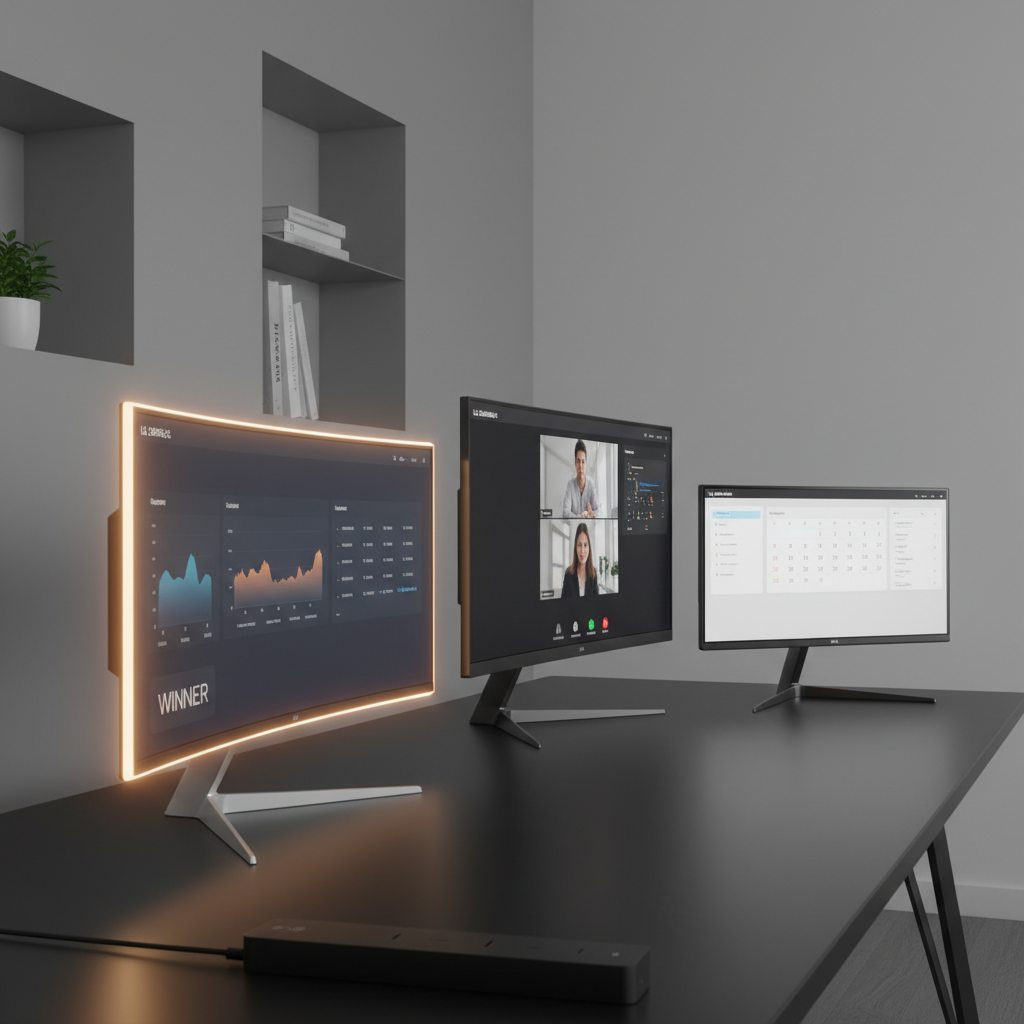
It might surprise you that the highest‑scoring pick lands in the premium tier at just $346.00, yet it still outshines the mid‑range runner‑up even though both share a 4.4/5 rating. The LG 34SR60QC‑W packs a 34‑inch curved VA panel, 100 Hz refresh and 7 W speakers, delivering a theater‑like 21:9 experience without the $787 price tag of the flagship 4K touchscreen.
The lineup includes 9 LG smart displays, ranging from the budget‑friendly 27‑inch 27SR50F‑W at $179.99 (3.9/5) and the 32‑inch 32SR50F‑G at $229.99 (4.3/5), through the mid‑range 34SR63QA‑W at $329.99, up to premium options like the 34SR60QC‑W, the 37‑inch 37U730SA‑W at $399.99, and the 32‑inch 4K 32U889SA‑W at $786.99. Each model blends webOS smart features with varying screen sizes, speaker outputs and connectivity, so you can match a display to your workspace, whether you need a compact desk companion or an immersive ultrawide hub.
The next section examines the strengths of each tier, helping you pinpoint the LG smart display that fits your budget, desk real‑estate and entertainment cravings.

LG 34SR60QC-W
Its 2 × 7 W built‑in speakers deliver premium sound, a key factor behind its top rating.

LG 34SR63QA-W
Ideal for home and office users, this model offers the same 7 W per‑channel output at $16 less than the Best Overall.

LG 32SR50F-G
Features two HDMI inputs and a lower $229.99 price, catering to entry‑level buyers who need simple connectivity without the higher‑end specs of the larger models.
Also considered
Score Analysis
Key score advantages vs. runner-up (LG 34SR63QA-W)
Price Range
LG 34SR60QC-W
$348.04
LG 34SR63QA-W
$377.81
LG 32SR50F-G
$171.93

LG 32U889SA-W
$796.99

LG 27SR50F-W
$195.95

LG 32SR53FS-W
$189.99

LG 27U730SA-W
$349.99
LG 27-inch 4K Smart Monitor
$379.00
LG 37U730SA-W
$599.99
Spec Comparison
TL;DR: The LG 34SR60QC-W delivers a 34‑inch 21:9 curved VA panel with 100 Hz refresh, 5 ms response and built‑in 2 × 7 W speakers, making it a solid all‑in‑one smart monitor for multitasking and media.
The standout spec is the 34‑inch ultra‑wide screen with a 3440 × 1440 resolution and 1800R curvature, paired with a 100 Hz refresh rate and a 5 ms (GTG) response time. Its VA panel covers 99% of the sRGB gamut and offers typical brightness of 300 cd/m², which gives vivid colors for both work and entertainment.
Compared with the other eight LG monitors in this roundup, the 34SR60QC matches the weight of the 34SR63QA‑W at 13.45 pounds, is lighter than the 32SR50F‑G (14.6 pounds) and a bit heavier than the 27SR50F‑W (12.3 pounds). Its depth with the stand (223.3 mm) sits just under the 34SR63QA‑W’s 224 mm, while its VESA‑mount pattern (100 × 100 mm) aligns with the 32SR50F‑G’s mounting option. Unlike the 27U730SA‑W, it doesn't include a USB‑C power‑delivery port, so you’ll need the external power adapter that ships with the unit.
User reviews repeatedly praise the immersive 21:9 curvature for multitasking and the convenience of webOS 23, which bundles Netflix, Prime Video, Disney+, Apple TV and over 300 LG Channels without a PC. Professional reviewers note the 100 Hz panel as a standout in the smart‑monitor segment, but they also point out the VA panel’s slower response can produce motion blur in fast‑paced games. The monitor offers only tilt adjustment (‑5° to +15°) and lacks height or swivel mechanisms, which some users find limiting for ergonomic setups. Consumers also mention Bluetooth pairing inconsistencies and the bulk of the external power brick in their feedback.
Beyond the display, the unit packs dual 7 W built‑in speakers, AirPlay 2 and HomeKit support, and dual HDMI 2.0 ports plus two USB‑A downstream ports. The LG ThinQ app lets you control the screen from your phone, and the optional Magic Remote adds voice commands for hands‑free navigation.
Pros
Cons
Best for: Remote workers and hybrid professionals who need a wide workspace for multitasking and appreciate built‑in streaming apps.
Avoid if: You’re a competitive gamer or a color‑critical designer needing ultra‑fast response times and extensive ergonomic adjustments.
TL;DR: The LG 34SR63QA-W is a 34‑inch 21:9 curved VA monitor with 100 Hz refresh, HDR10 and built‑in webOS, offering an all‑in‑one streaming and productivity hub at a mid‑range price.
This model’s standout spec is its 34‑inch ultrawide screen with a 21:9 aspect ratio, 3440 × 1440 resolution and an 1800 mm curvature radius that wraps around your field of view. The VA panel delivers a 3000:1 contrast ratio and 300 cd/m² brightness, while the 99% sRGB colour gamut and HDR10 support keep colours vivid for both work and media. A 100 Hz refresh rate paired with a 5 ms response time makes casual gaming feel smooth, and the tilt range of –5° to +15° lets you angle the display for comfortable viewing.
When you line it up against other LG monitors in this roundup, the weight of 13.45 pounds matches the LG 34SR60QC‑W, but it’s heavier than the LG 27SR50F‑W’s 12.3 pounds and lighter than the LG 32SR50F‑G’s 14.6 pounds. Like the LG 27U730SA‑W, it offers a USB‑C port with 65 W Power Delivery, yet it adds two USB‑A 3.0 ports that some peers lack. The dual 7 W speakers match the 7 W per‑channel output of the LG 34SR60QC‑W, though users note they’re not enough for bass‑heavy content.
Reviewers praise the built‑in webOS 23 for turning the monitor into a standalone entertainment hub—Netflix, Disney+, Apple TV+ and other apps launch straight from the screen, which remote workers love for cloud‑based productivity. The USB‑C single‑cable setup is highlighted as a strong point for hybrid workspaces. On the flip side, professional reviewers note that the tilt‑only stand limits ergonomics, and the lack of a KVM switch despite multiple HDMI inputs can be inconvenient when swapping between computers. Some users also mention occasional webOS app freezes and the matte screen surface muting colour vibrancy.
Pros
Cons
Best for: Remote workers, digital nomads and home office users who want a single device for streaming, cloud apps and a spacious ultrawide display.
Avoid if: You need a high‑refresh‑rate (144 Hz+) gaming monitor, demand powerful built‑in speakers, or have limited desk space for a 34‑inch curved screen.
TL;DR: The LG 32SR50F‑G is a 32‑inch Full HD IPS smart monitor with webOS 23, built‑in streaming apps and solid connectivity, but its limited ergonomics and 60 Hz panel keep it from being a gaming or pro‑design workhorse.
The standout feature is the all‑in‑one webOS 23 experience: a 32‑inch IPS screen (31.5 in measured) delivering 1920 × 1080 resolution, 250 cd/m² typical brightness, 1200:1 contrast ratio, HDR10 support and a fast 5 ms (GtG) response. Built‑in speakers (2 stereo) and a suite of 300+ streaming apps—including Netflix, Prime Video, Apple TV and Disney+—let you use the monitor without a PC.
Compared with the other eight LG models in this roundup, the 32SR50F‑G is lighter than the 27U730SA‑W (15.65 lb) but heavier than the 27SR50F‑W (12.3 lb). It shares a 100 × 100 mm VESA pattern with the 27SR50F‑W, while the 34SR60QC‑W and 34SR63QA‑W both list higher speaker output (7 W per channel) versus the unspecified output of this model’s two speakers. HDMI ports (2) and USB ports (2) match the 27U730SA‑W, though the latter adds a USB‑C with 65 W Power Delivery that this monitor lacks.
Users consistently praise the monitor’s ability to serve as a single‑screen workstation and entertainment hub, noting the intuitive webOS interface and the convenience of AirPlay 2 and HomeKit for Apple users. Professional reviewers highlight the smart OS as “intuitive, especially for those familiar with LG TVs,” while common complaints focus on the lack of height or swivel adjustment and the external power adapter that adds desk clutter. The 60 Hz refresh rate and 1200:1 contrast also keep it from being a serious gaming or color‑critical design solution.
Additional technical context includes a tilt range of –5° to +15°, Bluetooth 5.0, Wi‑Fi 802.11 a/b/g/n/ac, and ThinQ AI integration for voice control. The IPS panel offers 178° horizontal and vertical viewing angles and covers 99% of the sRGB color gamut, making it suitable for casual media consumption and typical office work.
Pros
Cons
Best for: Remote or hybrid workers who want a single screen for cloud apps, streaming and light productivity, especially those invested in the Apple ecosystem.
Avoid if: You want the best value‑per‑dollar in its price range, need high refresh rates for gaming, or require extensive ergonomic adjustments.
“Perfect for WFH”
“Great picture quality”
TL;DR: The LG 32U889SA-W delivers a 31.5‑inch 4K IPS touchscreen with 95% DCI‑P3 color, a rolling stand and 65 W USB‑C PD, but its premium $786.99 price and 60 Hz panel make it a niche choice for creators who value flexibility over gaming speed.
At the heart of the Smart Monitor Swing is a 31.5‑inch 4K UHD IPS touchscreen (3840 × 2160) that reaches 350 nits brightness and covers 95% of the DCI‑P3 color gamut, giving you vivid, professional‑grade visuals for design work or media consumption.
Compared with the other eight LG displays in this roundup, the 32U889SA‑W is noticeably heavier at 46.74 pounds, while models like the 34SR60QC‑W and 34SR63QA‑W sit around 13 pounds. It also carries a higher price tag than the majority of its peers, positioning it at the premium end of the lineup. However, it outpaces many rivals with three USB‑C ports—including one delivering 65 W Power Delivery—and a rolling wheeled stand that offers ±90° swivel, pivot and tilt adjustments.
Users consistently highlight the stand’s mobility and the touchscreen’s responsiveness, noting that the ability to switch between PC mode and webOS with a single shortcut streamlines hybrid work. On the downside, reviewers point out the glossy panel’s susceptibility to glare, the absence of an integrated webcam or microphone, and the 60 Hz refresh rate that can feel limiting for fast‑paced gaming. Professional reviewers praise the color accuracy and docking convenience, while everyday users love the flexibility for video calls and streaming.
The monitor also supports HDR10, a 5 ms response time, and offers a 13‑inch (329 mm) height‑adjustment range, providing ergonomic flexibility. With built‑in 2 × 5 W speakers and access to Netflix, Prime Video, Disney+ and LG’s own app ecosystem, it serves as both a productivity hub and an entertainment center.
Pros
Cons
Best for: Those prioritizing quality and willing to pay for premium performance
Avoid if: You're shopping on a tight budget — it's priced at $786.99
“The seamless transition between PC mode and smart TV mode”
“The responsiveness of the touchscreen for navigating apps and settings”
TL;DR: The LG 27SR50F‑W is a 27‑inch Full HD smart monitor with webOS 23, dual 5 W speakers and AirPlay 2 for $179.99, offering solid everyday value despite modest resolution and ergonomics.
What really sets this model apart is its built‑in webOS 23 platform, which lets you launch streaming apps, AirPlay 2 and cloud‑PC tools without a separate PC. The 27‑inch IPS panel delivers 1920 × 1080 resolution, 72% NTSC color gamut and HDR10 support, while the dual 5 W stereo speakers handle casual media and video calls.
At 12.3 lbs, the 27SR50F‑W weighs less than the LG 32SR50F‑G (14.6 lbs) and the LG 27U730SA‑W (15.65 lbs), so you can move it around a small office or dorm more easily. Its stand depth of 211 mm matches the 32SR50F‑G’s 210.8 mm, keeping desk space requirements comparable. However, the speaker output trails the 34SR63QA‑W’s 7 W per channel, and its typical brightness of 250 cd/m² falls short of the 34SR60QC‑W’s 300 cd/m².
Users consistently praise the all‑in‑one convenience – “set up in minutes, stream straight from the monitor” – and the reliable AirPlay 2 performance. On the flip side, many note that the Full HD panel looks pixelated on a 27‑inch screen, and the tilt‑only adjustment (‑5° to +15°) feels restrictive for longer work sessions. Professional reviewers echo these points, calling the lack of higher resolution and limited ergonomics a trade‑off for the low price.
Pros
Cons
Best for: Shoppers on a tight budget who want the most for their money
Avoid if: You need advanced features or professional‑grade performance
TL;DR: The LG 32SR53FS-W is a 32‑inch Full HD IPS smart display with 99% sRGB coverage, 250 cd/m² typical brightness, and webOS 23, but its 5 W speakers are modest and it lacks a USB‑C port.
This model’s standout spec is the 32‑inch IPS panel that delivers a Full HD 1920 × 1080 resolution across a 31.5‑inch viewable area, paired with a typical brightness of 250 cd/m² and an sRGB 99% color gamut. The 8 ms gray‑to‑gray response time and 1200:1 contrast ratio round out a picture that’s both vibrant and responsive enough for everyday work and media consumption.
Compared with other LG monitors in the roundup, the 32SR53FS‑W sits in the same size class as the 32SR50F‑G, sharing a near‑identical depth with stand (209.9 mm vs. 210.8 mm) and a comparable weight with stand (about 14.6 lb versus 14.6 lb). It is a bit deeper than the 27‑inch models such as the 27SR50F‑W (depth with stand 249.5 mm) and heavier than those smaller screens, which may matter for tight desk spaces. Unlike the 27SR50F‑W, this unit does not offer a USB‑C port, limiting direct laptop docking options, while its dual 5 W speakers match the 27SR50F‑W’s audio output, but many users still consider them under‑powered.
Reviewers consistently praise the monitor’s colour accuracy and the wide 178° viewing angles that IPS provides, noting that the large, bright screen feels “cinematic” for home‑office video calls and streaming. Professional reviewers highlight the webOS 23 interface, which turns the display into a standalone smart TV with AirPlay 2 and HomeKit support—an especially handy feature for Apple‑centric households. On the downside, users report that the built‑in speakers often need a supplemental sound system, and the centralized rear port layout can make wall‑mounting a bit cumbersome. A few owners have also mentioned occasional screen flickering, though it appears to be an isolated issue.
Beyond the core display, the unit includes two HDMI inputs (both with eARC), two USB ports, a detachable flat stand with tilt ranging from –5° to +15°, and VESA‑mount compatibility (100 × 100 mm). The package comes with a basic remote, an HDMI cable, and an external power adapter, ensuring you can plug in and start using the screen right out of the box.
Pros
Cons
Best for: Remote workers or Apple ecosystem users who want a large, colour‑accurate smart display with built‑in streaming apps.
Avoid if: You need advanced features or professional‑grade performance
TL;DR: The LG 27U730SA-W is a 27‑inch 4K IPS smart monitor with webOS streaming, 65 W USB‑C charging, and dual 5 W speakers, priced at $276.99, but limited to 60 Hz refresh.
At the heart of the LG 27U730SA-W is a 27‑inch 4K UHD IPS panel (3840 × 2160) that delivers 350 cd/m² brightness, 90 % DCI‑P3 colour gamut and a 5 ms response time. The monitor runs webOS, giving you built‑in apps like Netflix, Prime Video, Disney+, YouTube, Apple TV, Microsoft 365 and Google Workspace without a PC. It also supports HDR10 and features an ambient‑light sensor that adjusts brightness automatically.
Compared with the other LG monitors in this roundup, the 27U730SA‑W shares the 65 W USB‑C Power Delivery found in the 34SR63QA‑W and 37U730SA‑W, but its 5 W per‑speaker output is lower than the 7 W per channel of the 34SR63QA‑W. It weighs 15.65 lb, a bit heavier than the 32SR50F‑G’s 14.6 lb, yet far lighter than the 32U889SA‑W’s 46.74 lb. Its stand‑included depth of 210.8 mm matches the 32SR50F‑G and is shallower than the 34SR63QA‑W’s 224 mm. The 5 ms response beats the 27SR50F‑W’s 14 ms, though the 34SR60QC‑W offers a faster 100 Hz refresh rate that the 27U730SA‑W’s 60 Hz lacks.
Users appreciate the monitor’s ability to act as a standalone entertainment hub; reviewers note the vivid 4K picture and the convenience of plugging a laptop into a single USB‑C cable for video, power and data. However, several owners find the included remote necessary for accessing webOS apps a bit cumbersome, and professional reviewers point out that the webOS interface can feel sluggish compared with a traditional PC desktop. The 60 Hz panel and lack of variable‑refresh technology also draw criticism from gamers seeking smoother motion.
The screen’s anti‑glare finish helps reduce reflections in bright rooms, while the 178° horizontal and vertical viewing angles keep colours consistent from side‑to‑side. With AI‑driven Dynamic Tone Mapping, contrast adapts on the fly, and the monitor can split the display into up to six windows for multitasking. Height adjustment, pivot, swivel and tilt give flexible ergonomics, and the built‑in dual 5 W speakers provide basic audio for movies and video calls.
Pros
Cons
Best for: Entry-level buyers or those on a tight budget
Avoid if: You’re looking for the best value‑per‑dollar in its price range
“Perfect for WFH”
“Great for streaming”
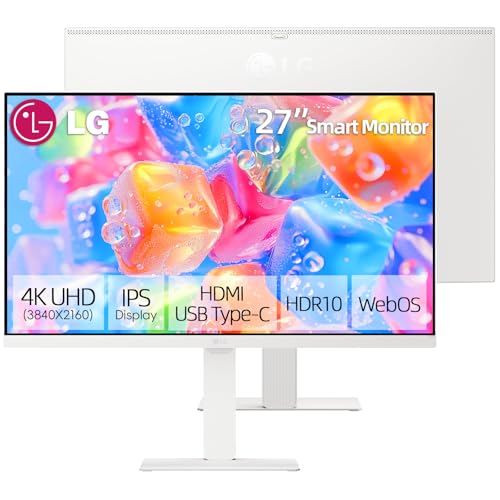
TL;DR: The LG 27‑inch 4K Smart Monitor delivers a 3840 × 2160 IPS panel with 95% DCI‑P3 color, 65 W USB‑C power delivery and webOS streaming, but it lacks a built‑in webcam and its speakers are modest.
This model’s standout spec is the 3840 × 2160 4K UHD resolution paired with an IPS panel that covers 95% of the DCI‑P3 color gamut and 99% of sRGB, plus HDR10 support. The screen reaches 300 nits brightness and a 1300:1 contrast ratio, giving crisp detail for design work and media consumption. Ergonomically, the stand offers a 130 mm height adjustment, ±30° swivel and –5° to +20° tilt, while the built‑in 2 × 1.2 W speakers keep the desktop tidy.
Compared with other LG models in this roundup, the 27‑inch Smart Monitor provides a faster 5 ms response time versus the 14 ms listed for the LG 27SR50F‑W, and its 65 W USB‑C Power Delivery matches the docking capability of the 27U730SA‑W and the larger 34‑inch variants. However, its speaker output's lower than the dual 5 W speakers on the 27SR50F‑W, and the swivel range of ±30°'s more flexible than the limited tilt on that same model. In weight, it sits at 5.9 kg with the stand, lighter than the heavyweight 32U889SA‑W that tips the scales at over 21 kg.
Reviewers consistently praise the monitor’s color accuracy and the convenience of webOS 23, which lets you stream Netflix or AirPlay directly without a separate box. Professionals note the AI Dynamic Tone Mapping and ambient‑light sensor as handy for switching between work and entertainment. On the downside, users miss an integrated webcam or microphone, and some describe the plastic chassis as feeling less premium than metal‑framed competitors. A few also mention occasional webOS lag when navigating menus.
Pros
Cons
Best for: Remote workers or content creators who want a 4K IPS display with built‑in streaming, strong color performance and a single‑cable USB‑C dock.
“Perfect for home office and streaming”
“USB-C charging is a lifesaver”
TL;DR: The LG 37U730SA-W offers a 37‑inch 4K IPS panel with 90% DCI‑P3 coverage, 65 W USB‑C power delivery and a fully adjustable stand, making it a solid choice for productivity and streaming.
This monitor’s standout spec is its 37‑inch 3840 × 2160 IPS display that reaches a peak brightness of 300 cd/m² and covers 90% of the DCI‑P3 color gamut. The panel also supports HDR10, a 5 ms GTG response time and a 1000:1 contrast ratio, delivering crisp, colorful images for both work and media. Adding to the visual appeal, the unit includes a 65 W USB‑C port that can power a laptop while carrying video and audio over a single cable.
Compared with the 34‑inch LG 34SR60QC‑W and LG 34SR63QA‑W, the 37‑inch model weighs more than the 13.45 pounds those competitors do, and its peak brightness of 300 cd/m² matches the typical brightness of the 34SR60QC‑W. Its built‑in dual 5 W speakers produce less volume than the 7 W per‑speaker output of the 34SR60QC‑W, but still provide basic audio for casual viewing. The adjustable stand offers up to 110 mm of height lift, ±20° swivel and a tilt range of –5° to +20°, delivering more ergonomic flexibility than many of the smaller peers.
Users appreciate the massive, sharp screen and the convenience of streaming apps built into webOS, noting that the single‑cable USB‑C connection simplifies desk clutter. Professional reviewers highlight the color accuracy and the 65 W charging capability as major strengths. However, the 60 Hz refresh rate often draws criticism as a limitation for fast‑action gaming, and some find webOS adds unnecessary menu layers that feel more like a smart‑TV than a pure monitor. The 5 W speakers also draw criticism for lacking depth and bass.
Pros
Cons
Best for: Those prioritizing quality and willing to pay for premium performance
Avoid if: You prefer products with extensive real‑world feedback and proven track records
Breakdown
LG 34SR60QC-W
Pros
LG 34SR63QA-W
Pros
LG 32SR50F-G
Pros
Cons
LG 32U889SA-W
Cons
Based on scoring data and product specs
Personalized picks
Best Overall Pick
LG 34SR60QC-W
Best OverallBest for: Audiophiles and enthusiasts seeking premium sound quality and advanced features
LG 34SR63QA-W
Best for: Home and office users seeking a balance of features and value
$377.81+$29.77 vs winner
Skip LG 37U730SA-W if…
You prefer products with extensive real-world feedback and proven track records
The LG 34SR60QC‑W takes the top spot as the best overall LG Smart Display. Its 34‑inch 21:9 VA panel delivers a crisp 3440 × 1440 resolution at a smooth 100 Hz refresh rate, while 99% sRGB coverage and HDR10 support ensure vivid colors. Built‑in 2 × 7 W speakers, dual HDMI 2.0 ports and webOS 23 with over 300 streaming apps round out the feature set, and it holds a solid 4.4/5 rating from 235 reviews at $346.00.
If you need a single‑cable laptop dock, the runner‑up LG 34SR63QA‑W shines. It adds a USB‑C port with 65 W Power Delivery, letting you power and drive a laptop while enjoying the same 34‑inch ultrawide 3440 × 1440 VA screen, 100 Hz refresh and 99% sRGB color gamut. It’s priced at $329.99 and carries a matching 4.4/5 rating from 238 reviews.
For other budgets, consider these options:
Pick the LG 34SR60QC‑W today and enjoy an immersive, multitasking‑ready smart display right out of the box.
The LG 34SR60QC‑W, priced at $346.00, combines a 34‑inch ultrawide 3440 × 1440 VA panel, 100 Hz refresh rate, HDR10 support, dual HDMI 2.0 ports, Ethernet, Bluetooth and built‑in 2 × 7 W speakers, making it a strong all‑rounder despite being a bit pricier than the runner‑up.
Please sign in to leave a review
No reviews yet. Be the first to review!
